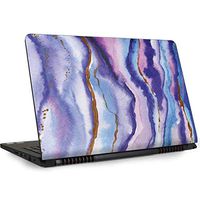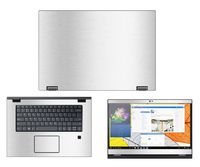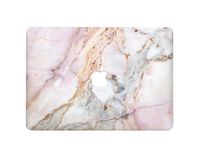
Description
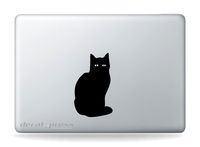
The decal is a single color and does not have a background. It is made from high quality vinyl that will last for many years of exterior use without fading, peeling, or cracking. Application of the sticker is very easy, taking only minutes. Your Decal has three parts: Paper Backing, Vinyl Decal, & Clear Transfer Tape. Clean the surface where the decal will be installed. Slowly remove the paper backing making sure that your decal remains stuck to the transfer tape. If part of your decal lifts up with the backing, press the paper backing back down against it until it stays stuck to the transfer tape. Once your decal is peeled away from the backing, line up & position your decal against the surface to which it will be applied. Use a credit card as a squeegee, or something similar to smooth down your decal, making sure that it is completely stuck to the surface. Carefully & Slowly, remove the transfer tape from your decal, making sure that your decal is stuck to the surface. If you see part of the decal does not release from the transfer tape, press it back down to the surface and repeat the process.
HVD-Infinity Love Symbol Macbook Laptop Trackpad Decal Sticker
Current Price
$8.99
Average
$8.99
Min Price
$8.99
Max Price
$8.99
Description
The decal is a single color and does not have a background. It is made from high quality vinyl that will last for many years of exterior use without fading, peeling, or cracking. Application of the sticker is very easy, taking only minutes. Your Decal has three parts: Paper Backing, Vinyl Decal, & Clear Transfer Tape. Clean the surface where the decal will be installed. Slowly remove the paper backing making sure that your decal remains stuck to the transfer tape. If part of your decal lifts up with the backing, press the paper backing back down against it until it stays stuck to the transfer tape. Once your decal is peeled away from the backing, line up & position your decal against the surface to which it will be applied. Use a credit card as a squeegee, or something similar to smooth down your decal, making sure that it is completely stuck to the surface. Carefully & Slowly, remove the transfer tape from your decal, making sure that your decal is stuck to the surface. If you see part of the decal does not release from the transfer tape, press it back down to the surface and repeat the process.
Price will be lower
in next 2 weeks
in next 2 weeks
According to the data, price will be lower in next two weeks, so not waste your money and track better price!
Product review & video
what's happening paying the nation Peter Brown Pandey here it's time to cover laptops my MacBook Pro here I love this MacBook Pro and this is a 2016 model what you might have noticed here is I've got this a Space Gray and I don't have a cover on it and that's a little strange for what I normally do and that's generally just because I really like the look of this sucker and so I didn't want to molest it or hide it in any way that I didn't need to but on on many occasions you do want some sort of protection and that's where I found this and I thought why not give this little thing a try this is by jrc where it appeared easy style it's a protection decal effectively made with 3m control tact skin and brand new it's not the cheapest I mean it's it's it's actually kind of price like some of those PU leather cases you know at about 30 bucks or 27 bucks or something like that under on Amazon a


Similar products