Description
IMPORTANT TIPS:
1. Before login to the router for setup, make sure your Smartphone is already CONNECTED to the router's SSID successfully, if not, you MAY NOT be able to open the login website.
2. If you are using a CABLE Service, you must REBOOT the CABLE MODEM after finished router setup, otherwise the router CANNOT obtain IP address from the cable modem and you MAY NOT have internet connection.
Setup Instruction:
STEP 1: Use your Smartphone to search the Router’s SSID “Kasda XXXX KW5515” and connect to it.
STEP 2: Open a browser on your Smartphone and login to the setup page.
STEP 3: Follow the Quick Setup guide to finish all the settings.
STEP 4: Reboot both your modem and Kasda router
Specifications:
Hardware
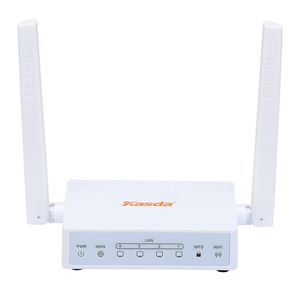
Physical Interface: 4*10/100Mbps for LAN & 1*10/100Mbps for WAN
Buttons: Reset, WPS
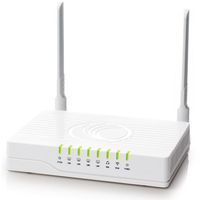
LED Indicators: Power, WAN, LAN1/2/3/4, WPS, WiFi
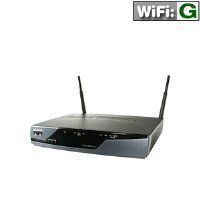
Antenna: 2*External 5dBi Fixed Antennas
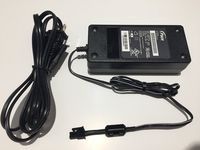
Power: Input: 100-240V AC, 50Hz; Output: 12V/0.5A
Memory: 4MB Flash, 32MB RAM
Processor: MTK
>>Software
WAN Connection Types: DHCP/Static IP/PPPoE
DHCP: Server, Client, DHCP Client List, Address Reservation, DHCP Relay
Management Support: Web Based GUI, FTP /HTTP /Telnet, Command Line Interface, Diagnostic Test, Firmware Upgrade-able, Remote Access Control
Wireless
Wireless Standards: IEEE 802.11b/g/n
Frequency: 2.4GHz
Wireless Speed: 2.4GHz up to 300Mbps
Transmit Power: up to 20dBm
Wireless Security: 64/128-bit WEP, WPA-PSK/WPA2-PSK/TKIP/AES
Guest Network: 2.4GHz WiFi Guest network
Others
Compatible OS: Windows 10/8/7/vista/XP, Mac, Android, iOS
Packing List:
* N300 Wifi Router x1
* RJ-45 Ethernet Cable x1
* Quick Setup Manual x1
* US Standard 100-240V Power Adapter x1
1. Before login to the router for setup, make sure your Smartphone is already CONNECTED to the router's SSID successfully, if not, you MAY NOT be able to open the login website.
2. If you are using a CABLE Service, you must REBOOT the CABLE MODEM after finished router setup, otherwise the router CANNOT obtain IP address from the cable modem and you MAY NOT have internet connection.
Setup Instruction:
STEP 1: Use your Smartphone to search the Router’s SSID “Kasda XXXX KW5515” and connect to it.
STEP 2: Open a browser on your Smartphone and login to the setup page.
STEP 3: Follow the Quick Setup guide to finish all the settings.
STEP 4: Reboot both your modem and Kasda router
Specifications:
Hardware
Physical Interface: 4*10/100Mbps for LAN & 1*10/100Mbps for WAN
Buttons: Reset, WPS
LED Indicators: Power, WAN, LAN1/2/3/4, WPS, WiFi
Antenna: 2*External 5dBi Fixed Antennas
Power: Input: 100-240V AC, 50Hz; Output: 12V/0.5A
Memory: 4MB Flash, 32MB RAM
Processor: MTK
>>Software
WAN Connection Types: DHCP/Static IP/PPPoE
DHCP: Server, Client, DHCP Client List, Address Reservation, DHCP Relay
Management Support: Web Based GUI, FTP /HTTP /Telnet, Command Line Interface, Diagnostic Test, Firmware Upgrade-able, Remote Access Control
Wireless
Wireless Standards: IEEE 802.11b/g/n
Frequency: 2.4GHz
Wireless Speed: 2.4GHz up to 300Mbps
Transmit Power: up to 20dBm
Wireless Security: 64/128-bit WEP, WPA-PSK/WPA2-PSK/TKIP/AES
Guest Network: 2.4GHz WiFi Guest network
Others
Compatible OS: Windows 10/8/7/vista/XP, Mac, Android, iOS
Packing List:
* N300 Wifi Router x1
* RJ-45 Ethernet Cable x1
* Quick Setup Manual x1
* US Standard 100-240V Power Adapter x1
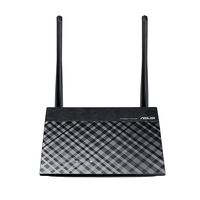
Kasda N300 WiFi Router, Easy Setup via Cellphone, 5dBi High Gain Antenna, High Speed Wireless Router for Home / Office (N300 / KW5515 Link Smart)
Price is below average
Current Price
$17.33
Average
$19.76
Min Price
$11.36
Max Price
$24.99
Price dynamics
12%
Description
IMPORTANT TIPS:
1. Before login to the router for setup, make sure your Smartphone is already CONNECTED to the router's SSID successfully, if not, you MAY NOT be able to open the login website.
2. If you are using a CABLE Service, you must REBOOT the CABLE MODEM after finished router setup, otherwise the router CANNOT obtain IP address from the cable modem and you MAY NOT have internet connection.
Setup Instruction:
STEP 1: Use your Smartphone to search the Router’s SSID “Kasda XXXX KW5515” and connect to it.
STEP 2: Open a browser on your Smartphone and login to the setup page.
STEP 3: Follow the Quick Setup guide to finish all the settings.
STEP 4: Reboot both your modem and Kasda router
Specifications:
Hardware
Physical Interface: 4*10/100Mbps for LAN & 1*10/100Mbps for WAN
Buttons: Reset, WPS
LED Indicators: Power, WAN, LAN1/2/3/4, WPS, WiFi
Antenna: 2*External 5dBi Fixed Antennas
Power: Input: 100-240V AC, 50Hz; Output: 12V/0.5A
Memory: 4MB Flash, 32MB RAM
Processor: MTK
>>Software
WAN Connection Types: DHCP/Static IP/PPPoE
DHCP: Server, Client, DHCP Client List, Address Reservation, DHCP Relay
Management Support: Web Based GUI, FTP /HTTP /Telnet, Command Line Interface, Diagnostic Test, Firmware Upgrade-able, Remote Access Control
Wireless
Wireless Standards: IEEE 802.11b/g/n
Frequency: 2.4GHz
Wireless Speed: 2.4GHz up to 300Mbps
Transmit Power: up to 20dBm
Wireless Security: 64/128-bit WEP, WPA-PSK/WPA2-PSK/TKIP/AES
Guest Network: 2.4GHz WiFi Guest network
Others
Compatible OS: Windows 10/8/7/vista/XP, Mac, Android, iOS
Packing List:
* N300 Wifi Router x1
* RJ-45 Ethernet Cable x1
* Quick Setup Manual x1
* US Standard 100-240V Power Adapter x1
1. Before login to the router for setup, make sure your Smartphone is already CONNECTED to the router's SSID successfully, if not, you MAY NOT be able to open the login website.
2. If you are using a CABLE Service, you must REBOOT the CABLE MODEM after finished router setup, otherwise the router CANNOT obtain IP address from the cable modem and you MAY NOT have internet connection.
Setup Instruction:
STEP 1: Use your Smartphone to search the Router’s SSID “Kasda XXXX KW5515” and connect to it.
STEP 2: Open a browser on your Smartphone and login to the setup page.
STEP 3: Follow the Quick Setup guide to finish all the settings.
STEP 4: Reboot both your modem and Kasda router
Specifications:
Hardware
Physical Interface: 4*10/100Mbps for LAN & 1*10/100Mbps for WAN
Buttons: Reset, WPS
LED Indicators: Power, WAN, LAN1/2/3/4, WPS, WiFi
Antenna: 2*External 5dBi Fixed Antennas
Power: Input: 100-240V AC, 50Hz; Output: 12V/0.5A
Memory: 4MB Flash, 32MB RAM
Processor: MTK
>>Software
WAN Connection Types: DHCP/Static IP/PPPoE
DHCP: Server, Client, DHCP Client List, Address Reservation, DHCP Relay
Management Support: Web Based GUI, FTP /HTTP /Telnet, Command Line Interface, Diagnostic Test, Firmware Upgrade-able, Remote Access Control
Wireless
Wireless Standards: IEEE 802.11b/g/n
Frequency: 2.4GHz
Wireless Speed: 2.4GHz up to 300Mbps
Transmit Power: up to 20dBm
Wireless Security: 64/128-bit WEP, WPA-PSK/WPA2-PSK/TKIP/AES
Guest Network: 2.4GHz WiFi Guest network
Others
Compatible OS: Windows 10/8/7/vista/XP, Mac, Android, iOS
Packing List:
* N300 Wifi Router x1
* RJ-45 Ethernet Cable x1
* Quick Setup Manual x1
* US Standard 100-240V Power Adapter x1
Price will be lower
in next 2 weeks
in next 2 weeks
According to the data, price will be lower in next two weeks, so not waste your money and track better price!