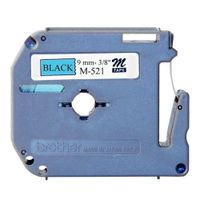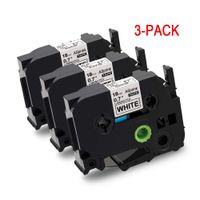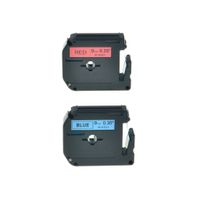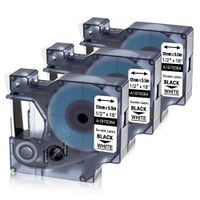
Description
Compatible with Brother P-Touch Label Maker:
PT-D210, PT-H100, PTD400AD, PT-P700, PTD600, PT-1230PC, PT-1890C, PTD600VP, PT-P750W, PT2730VP, PTD450, PT-D400, PT-D200, PT1880C, PT-1880, PT-H500LI, PT2730, PT-1890W, PT-2430PC, PT9700PC, PT-2300, PT-1280SR, PT2030AD, PT-1090, PT-1290, PT-1880W, PT-9600, PT-H100, GL-100, GL-H100, PT-1000, PT-1000BM, PT-1010, PT-1010B, PT-1010NB, PT-1010R, PT-1010RDT, PT-1010S, PT-1090BK, PT-1100, PT-1100QL, PT1100SB, PT-1100SBVP, PT-1100ST, PT-1120, PT-1130, PT-1160, PT-1170, PT-1170S, PT-1180, PT-1180SC, PT-1180SP, PT-1190, PT-11Q, PT-1200, PT-1280, PT-1280BT, PT-1280SP, PT-1280TG, PT-1280VP, PT-128AF, PT-1290BT, PT-1290BT2, PT-1290RS, PT-1290SBVP, PT-1300, PT-1400, PT-1500, PT-1500PC, PT-1600, PT-1700, PT-1750, PT-1750SC, PT-1800, PT-1810, PT-1830, PT-1830C, PT-1830SC, PT-1830VP, PT-1880CT, PT-1880SC, PT-1890SC, PT-18R, PT-18RKT, PT-1900, PT-1900C, PT-1910, PT-1950, PT-1960, PT-200, PT-2030, PT-2030VP, PT-2100, PT-2110, PT-2200, PT-2210, PT-2310, PT-2400, PT-2410, PT-2470, PT-2500PC, PT-2600, PT-2610, PT-2700, PT-2710, PT-300, PT-300B, PT-310, PT-310B, PT-320, PT-330, PT-340, PT-350, PT-3600, PT-4000, PT-520, PT-530, PT-540, PT-550, PT-580C, PT-6100, PT-7100, PT-7500, PT-9200DX, PT-9200PC, PT-9400, PT-9500PC, PT-9800PCN, PT-D200BT, PT-D200DA, PT-D200MA, PT-D200SA, PT-D210BK, PT-D400VP, PT-E100, PT-E300, PT-E300VP, PT-E500, PT-E500VP, PT-E550W, PT-E550WVP, PT-H105, PT-H110, PT-H300, PT-H300LI, PT-H500LI, PT-P750WVP, PT-P900W, PT-P950NW, ST-1150, ST-1150DX, ST-5,PT-D200G, PT-D800W, PT-E110, PT-H100P, PT-H100R, PT-H110BK, P-touch CUBE, Blue, P-touch CUBE, White, P-touch Embellish, PT-P900,Cube Plus PT-P710BT
Tips:
1.Before printing completely ended, please don't pull the tapes in advance,to avoid any damage of the tapes.Also, don't touch the tape cutter, to avoid any error.
2.Before installing the tape cassettes, please rotate the axle in anticlockwise,to make sure the front-end PET film in tension.
PT-D210, PT-H100, PTD400AD, PT-P700, PTD600, PT-1230PC, PT-1890C, PTD600VP, PT-P750W, PT2730VP, PTD450, PT-D400, PT-D200, PT1880C, PT-1880, PT-H500LI, PT2730, PT-1890W, PT-2430PC, PT9700PC, PT-2300, PT-1280SR, PT2030AD, PT-1090, PT-1290, PT-1880W, PT-9600, PT-H100, GL-100, GL-H100, PT-1000, PT-1000BM, PT-1010, PT-1010B, PT-1010NB, PT-1010R, PT-1010RDT, PT-1010S, PT-1090BK, PT-1100, PT-1100QL, PT1100SB, PT-1100SBVP, PT-1100ST, PT-1120, PT-1130, PT-1160, PT-1170, PT-1170S, PT-1180, PT-1180SC, PT-1180SP, PT-1190, PT-11Q, PT-1200, PT-1280, PT-1280BT, PT-1280SP, PT-1280TG, PT-1280VP, PT-128AF, PT-1290BT, PT-1290BT2, PT-1290RS, PT-1290SBVP, PT-1300, PT-1400, PT-1500, PT-1500PC, PT-1600, PT-1700, PT-1750, PT-1750SC, PT-1800, PT-1810, PT-1830, PT-1830C, PT-1830SC, PT-1830VP, PT-1880CT, PT-1880SC, PT-1890SC, PT-18R, PT-18RKT, PT-1900, PT-1900C, PT-1910, PT-1950, PT-1960, PT-200, PT-2030, PT-2030VP, PT-2100, PT-2110, PT-2200, PT-2210, PT-2310, PT-2400, PT-2410, PT-2470, PT-2500PC, PT-2600, PT-2610, PT-2700, PT-2710, PT-300, PT-300B, PT-310, PT-310B, PT-320, PT-330, PT-340, PT-350, PT-3600, PT-4000, PT-520, PT-530, PT-540, PT-550, PT-580C, PT-6100, PT-7100, PT-7500, PT-9200DX, PT-9200PC, PT-9400, PT-9500PC, PT-9800PCN, PT-D200BT, PT-D200DA, PT-D200MA, PT-D200SA, PT-D210BK, PT-D400VP, PT-E100, PT-E300, PT-E300VP, PT-E500, PT-E500VP, PT-E550W, PT-E550WVP, PT-H105, PT-H110, PT-H300, PT-H300LI, PT-H500LI, PT-P750WVP, PT-P900W, PT-P950NW, ST-1150, ST-1150DX, ST-5,PT-D200G, PT-D800W, PT-E110, PT-H100P, PT-H100R, PT-H110BK, P-touch CUBE, Blue, P-touch CUBE, White, P-touch Embellish, PT-P900,Cube Plus PT-P710BT
Tips:
1.Before printing completely ended, please don't pull the tapes in advance,to avoid any damage of the tapes.Also, don't touch the tape cutter, to avoid any error.
2.Before installing the tape cassettes, please rotate the axle in anticlockwise,to make sure the front-end PET film in tension.
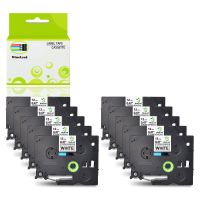
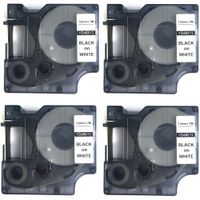
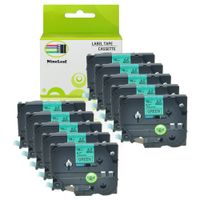
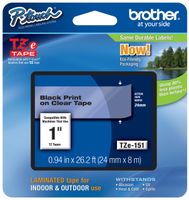
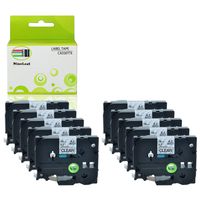
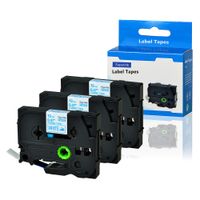
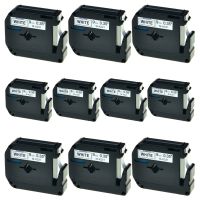
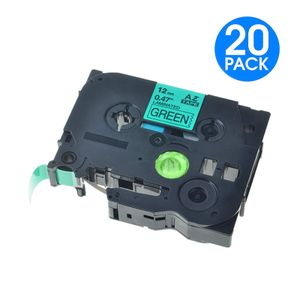
KCMYTONER Compatible for Brother 12mm (1/2") x 8m TZe-731 TZ731 TZe731 TZ 731 Laminated Label Tape Used in P-Touch PT-D210 PT-H100 PT-1300 PT-E550W PT-P900 ST-5 Labeler (Black on Green, 20 Pack)
Current Price
$59.86
Average
$59.86
Min Price
$59.86
Max Price
$59.86
Description
Compatible with Brother P-Touch Label Maker:
PT-D210, PT-H100, PTD400AD, PT-P700, PTD600, PT-1230PC, PT-1890C, PTD600VP, PT-P750W, PT2730VP, PTD450, PT-D400, PT-D200, PT1880C, PT-1880, PT-H500LI, PT2730, PT-1890W, PT-2430PC, PT9700PC, PT-2300, PT-1280SR, PT2030AD, PT-1090, PT-1290, PT-1880W, PT-9600, PT-H100, GL-100, GL-H100, PT-1000, PT-1000BM, PT-1010, PT-1010B, PT-1010NB, PT-1010R, PT-1010RDT, PT-1010S, PT-1090BK, PT-1100, PT-1100QL, PT1100SB, PT-1100SBVP, PT-1100ST, PT-1120, PT-1130, PT-1160, PT-1170, PT-1170S, PT-1180, PT-1180SC, PT-1180SP, PT-1190, PT-11Q, PT-1200, PT-1280, PT-1280BT, PT-1280SP, PT-1280TG, PT-1280VP, PT-128AF, PT-1290BT, PT-1290BT2, PT-1290RS, PT-1290SBVP, PT-1300, PT-1400, PT-1500, PT-1500PC, PT-1600, PT-1700, PT-1750, PT-1750SC, PT-1800, PT-1810, PT-1830, PT-1830C, PT-1830SC, PT-1830VP, PT-1880CT, PT-1880SC, PT-1890SC, PT-18R, PT-18RKT, PT-1900, PT-1900C, PT-1910, PT-1950, PT-1960, PT-200, PT-2030, PT-2030VP, PT-2100, PT-2110, PT-2200, PT-2210, PT-2310, PT-2400, PT-2410, PT-2470, PT-2500PC, PT-2600, PT-2610, PT-2700, PT-2710, PT-300, PT-300B, PT-310, PT-310B, PT-320, PT-330, PT-340, PT-350, PT-3600, PT-4000, PT-520, PT-530, PT-540, PT-550, PT-580C, PT-6100, PT-7100, PT-7500, PT-9200DX, PT-9200PC, PT-9400, PT-9500PC, PT-9800PCN, PT-D200BT, PT-D200DA, PT-D200MA, PT-D200SA, PT-D210BK, PT-D400VP, PT-E100, PT-E300, PT-E300VP, PT-E500, PT-E500VP, PT-E550W, PT-E550WVP, PT-H105, PT-H110, PT-H300, PT-H300LI, PT-H500LI, PT-P750WVP, PT-P900W, PT-P950NW, ST-1150, ST-1150DX, ST-5,PT-D200G, PT-D800W, PT-E110, PT-H100P, PT-H100R, PT-H110BK, P-touch CUBE, Blue, P-touch CUBE, White, P-touch Embellish, PT-P900,Cube Plus PT-P710BT
Tips:
1.Before printing completely ended, please don't pull the tapes in advance,to avoid any damage of the tapes.Also, don't touch the tape cutter, to avoid any error.
2.Before installing the tape cassettes, please rotate the axle in anticlockwise,to make sure the front-end PET film in tension.
PT-D210, PT-H100, PTD400AD, PT-P700, PTD600, PT-1230PC, PT-1890C, PTD600VP, PT-P750W, PT2730VP, PTD450, PT-D400, PT-D200, PT1880C, PT-1880, PT-H500LI, PT2730, PT-1890W, PT-2430PC, PT9700PC, PT-2300, PT-1280SR, PT2030AD, PT-1090, PT-1290, PT-1880W, PT-9600, PT-H100, GL-100, GL-H100, PT-1000, PT-1000BM, PT-1010, PT-1010B, PT-1010NB, PT-1010R, PT-1010RDT, PT-1010S, PT-1090BK, PT-1100, PT-1100QL, PT1100SB, PT-1100SBVP, PT-1100ST, PT-1120, PT-1130, PT-1160, PT-1170, PT-1170S, PT-1180, PT-1180SC, PT-1180SP, PT-1190, PT-11Q, PT-1200, PT-1280, PT-1280BT, PT-1280SP, PT-1280TG, PT-1280VP, PT-128AF, PT-1290BT, PT-1290BT2, PT-1290RS, PT-1290SBVP, PT-1300, PT-1400, PT-1500, PT-1500PC, PT-1600, PT-1700, PT-1750, PT-1750SC, PT-1800, PT-1810, PT-1830, PT-1830C, PT-1830SC, PT-1830VP, PT-1880CT, PT-1880SC, PT-1890SC, PT-18R, PT-18RKT, PT-1900, PT-1900C, PT-1910, PT-1950, PT-1960, PT-200, PT-2030, PT-2030VP, PT-2100, PT-2110, PT-2200, PT-2210, PT-2310, PT-2400, PT-2410, PT-2470, PT-2500PC, PT-2600, PT-2610, PT-2700, PT-2710, PT-300, PT-300B, PT-310, PT-310B, PT-320, PT-330, PT-340, PT-350, PT-3600, PT-4000, PT-520, PT-530, PT-540, PT-550, PT-580C, PT-6100, PT-7100, PT-7500, PT-9200DX, PT-9200PC, PT-9400, PT-9500PC, PT-9800PCN, PT-D200BT, PT-D200DA, PT-D200MA, PT-D200SA, PT-D210BK, PT-D400VP, PT-E100, PT-E300, PT-E300VP, PT-E500, PT-E500VP, PT-E550W, PT-E550WVP, PT-H105, PT-H110, PT-H300, PT-H300LI, PT-H500LI, PT-P750WVP, PT-P900W, PT-P950NW, ST-1150, ST-1150DX, ST-5,PT-D200G, PT-D800W, PT-E110, PT-H100P, PT-H100R, PT-H110BK, P-touch CUBE, Blue, P-touch CUBE, White, P-touch Embellish, PT-P900,Cube Plus PT-P710BT
Tips:
1.Before printing completely ended, please don't pull the tapes in advance,to avoid any damage of the tapes.Also, don't touch the tape cutter, to avoid any error.
2.Before installing the tape cassettes, please rotate the axle in anticlockwise,to make sure the front-end PET film in tension.
Price will be lower
in next 2 weeks
in next 2 weeks
According to the data, price will be lower in next two weeks, so not waste your money and track better price!
Product review & video
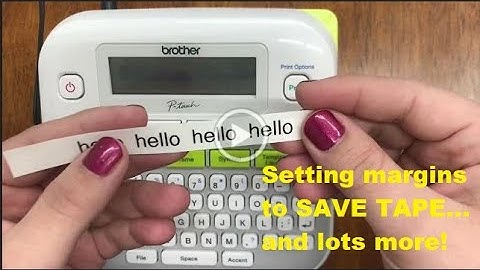
[Music] hi everyone welcome back to our channel for today's video we're going to continue with our ptd 210 labeling series this is basic usage part two so to start with printing labels before you can print you have to have a label to put in your machine so this machine can take the tce tape up to a half of an inch for a side note this is how you can purchase this label for your machine if you go to our website ptouchdirect.com in the upper left-hand corner you'll see brother p-touch go ahead and click that then you'll select shop for labels once you get to that next screen in blue you'll see shop by printer model go ahead and select the ptd 210 from the drop down it should be one of the first options and you'll view our online catalog specifically for this machine so fast forward you've already got your label this is how you'll put it into your machine another way to see the sizes you'l