Description
ONLY FOR:
2018 The new 9.7-inch iPad: A1893 or A1954
2017 New iPad 9.7: A1822 or A1823
Size Guide:
★ On the back of the tablet, near the bottom, you will find the model No..
★ Check the model No. below to confirm if you viewed the right item.
2018 The new 9.7-inch iPad: A1893 or A1954
2017 New iPad 9.7: A1822 or A1823
iPad Air 2: A1566 or A1567
iPad Air: A1474 or A1475
iPad: A1219 or A1337
iPad 2: A1395 or A1396 or A1397
iPad 3: A1416 or A1430 or A1403
iPad 4: A1458 or A1459 or A1460
iPad Mini: A1432 or A1454 or A1455
iPad Mini 2(with Retina Display): A1489 or A1490
iPad Mini 3: A1599 or A1600
iPad Mini 4: A1538 or A1550
iPad Pro 9.7 inch: A1674 or A1673
iPad Pro 10.5 inch : A1701 or A1709
iPad Pro 12.9 inch: A1652 or A1584
Operation Steps to Connect Bluetooth:
♥ Power on the keyboard by sliding the On/Off to On position.
♥ Then press 'Wi-Fi' button, the blue led light flash, the Bluetooth of the keyboard is opened.
♥ Turn on the Bluetooth of your iPad.
♥ Open the iPad Bluetooth Search when the Bluetooth pair lights twinkling.
♥ Then there will be "Bluetooth Keyboard" comes up in the searching page. Just select it.
♥ The Bluetooth will be connected automatically.
Specification:
Charging Time: 2-3 hours
Weight: 400g
Material: PC + ABS
Support System: iOS
Package Included:
♥ 1 x Bluetooth Keyboard
♥ 1 x USB Charging Cable
♥ 1 x User Manual(English)
Warm tips about pairing to your device:delete the connecting that have been connected if you find your keyboard cannot to be connected again.
♥ For your convenience, please search "MeiLiio + product name" to take the fastest way to buy other products you want and have a clear view of other products we offer in store.
Thank you for your browse.
2018 The new 9.7-inch iPad: A1893 or A1954
2017 New iPad 9.7: A1822 or A1823
Size Guide:
★ On the back of the tablet, near the bottom, you will find the model No..
★ Check the model No. below to confirm if you viewed the right item.
2018 The new 9.7-inch iPad: A1893 or A1954
2017 New iPad 9.7: A1822 or A1823
iPad Air 2: A1566 or A1567
iPad Air: A1474 or A1475
iPad: A1219 or A1337
iPad 2: A1395 or A1396 or A1397
iPad 3: A1416 or A1430 or A1403
iPad 4: A1458 or A1459 or A1460
iPad Mini: A1432 or A1454 or A1455
iPad Mini 2(with Retina Display): A1489 or A1490
iPad Mini 3: A1599 or A1600
iPad Mini 4: A1538 or A1550
iPad Pro 9.7 inch: A1674 or A1673
iPad Pro 10.5 inch : A1701 or A1709
iPad Pro 12.9 inch: A1652 or A1584
Operation Steps to Connect Bluetooth:
♥ Power on the keyboard by sliding the On/Off to On position.
♥ Then press 'Wi-Fi' button, the blue led light flash, the Bluetooth of the keyboard is opened.
♥ Turn on the Bluetooth of your iPad.
♥ Open the iPad Bluetooth Search when the Bluetooth pair lights twinkling.
♥ Then there will be "Bluetooth Keyboard" comes up in the searching page. Just select it.
♥ The Bluetooth will be connected automatically.
Specification:
Charging Time: 2-3 hours
Weight: 400g
Material: PC + ABS
Support System: iOS
Package Included:
♥ 1 x Bluetooth Keyboard
♥ 1 x USB Charging Cable
♥ 1 x User Manual(English)
Warm tips about pairing to your device:delete the connecting that have been connected if you find your keyboard cannot to be connected again.
♥ For your convenience, please search "MeiLiio + product name" to take the fastest way to buy other products you want and have a clear view of other products we offer in store.
Thank you for your browse.
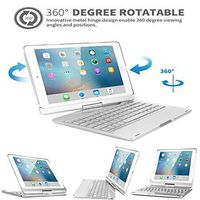
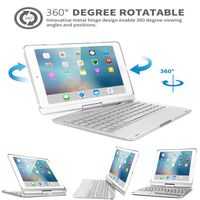
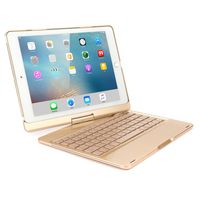
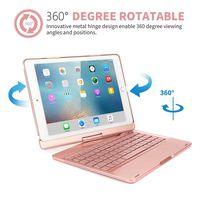
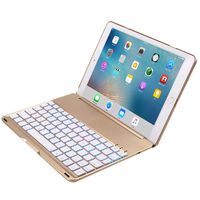
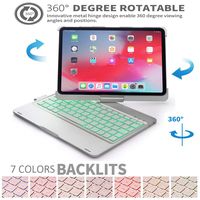
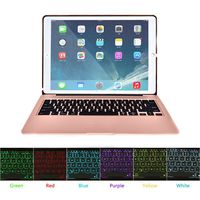
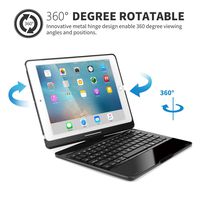
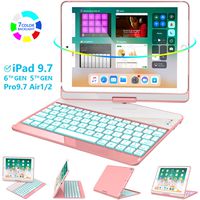
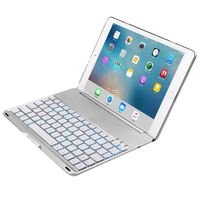
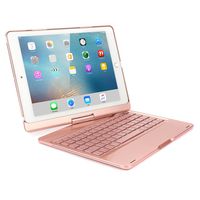
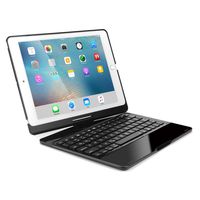
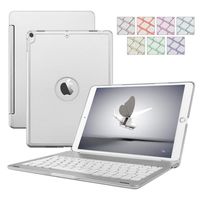
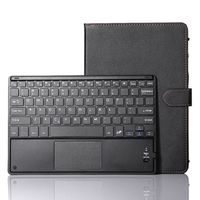
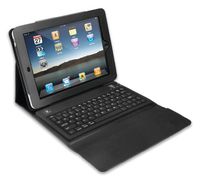
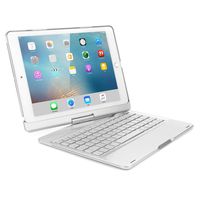
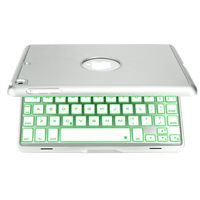
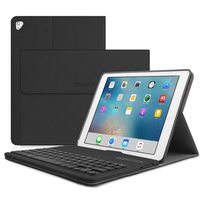
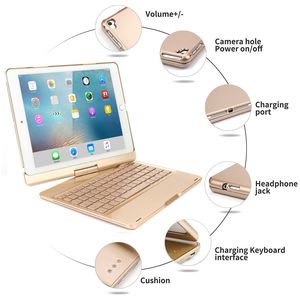
Keyboard Case for iPad 9.7''(6th Gen),MeiLiio Bluetooth Keyboard Case with 7 Colors LED Backlit Wireless Smart Keyboard with Auto Sleep/Wake 360 Rotate Folio Keyboard Cover 2017/2018 iPad,Gold
Current Price
$61.99
Average
$61.99
Min Price
$61.99
Max Price
$61.99
Description
ONLY FOR:
2018 The new 9.7-inch iPad: A1893 or A1954
2017 New iPad 9.7: A1822 or A1823
Size Guide:
★ On the back of the tablet, near the bottom, you will find the model No..
★ Check the model No. below to confirm if you viewed the right item.
2018 The new 9.7-inch iPad: A1893 or A1954
2017 New iPad 9.7: A1822 or A1823
iPad Air 2: A1566 or A1567
iPad Air: A1474 or A1475
iPad: A1219 or A1337
iPad 2: A1395 or A1396 or A1397
iPad 3: A1416 or A1430 or A1403
iPad 4: A1458 or A1459 or A1460
iPad Mini: A1432 or A1454 or A1455
iPad Mini 2(with Retina Display): A1489 or A1490
iPad Mini 3: A1599 or A1600
iPad Mini 4: A1538 or A1550
iPad Pro 9.7 inch: A1674 or A1673
iPad Pro 10.5 inch : A1701 or A1709
iPad Pro 12.9 inch: A1652 or A1584
Operation Steps to Connect Bluetooth:
♥ Power on the keyboard by sliding the On/Off to On position.
♥ Then press 'Wi-Fi' button, the blue led light flash, the Bluetooth of the keyboard is opened.
♥ Turn on the Bluetooth of your iPad.
♥ Open the iPad Bluetooth Search when the Bluetooth pair lights twinkling.
♥ Then there will be "Bluetooth Keyboard" comes up in the searching page. Just select it.
♥ The Bluetooth will be connected automatically.
Specification:
Charging Time: 2-3 hours
Weight: 400g
Material: PC + ABS
Support System: iOS
Package Included:
♥ 1 x Bluetooth Keyboard
♥ 1 x USB Charging Cable
♥ 1 x User Manual(English)
Warm tips about pairing to your device:delete the connecting that have been connected if you find your keyboard cannot to be connected again.
♥ For your convenience, please search "MeiLiio + product name" to take the fastest way to buy other products you want and have a clear view of other products we offer in store.
Thank you for your browse.
2018 The new 9.7-inch iPad: A1893 or A1954
2017 New iPad 9.7: A1822 or A1823
Size Guide:
★ On the back of the tablet, near the bottom, you will find the model No..
★ Check the model No. below to confirm if you viewed the right item.
2018 The new 9.7-inch iPad: A1893 or A1954
2017 New iPad 9.7: A1822 or A1823
iPad Air 2: A1566 or A1567
iPad Air: A1474 or A1475
iPad: A1219 or A1337
iPad 2: A1395 or A1396 or A1397
iPad 3: A1416 or A1430 or A1403
iPad 4: A1458 or A1459 or A1460
iPad Mini: A1432 or A1454 or A1455
iPad Mini 2(with Retina Display): A1489 or A1490
iPad Mini 3: A1599 or A1600
iPad Mini 4: A1538 or A1550
iPad Pro 9.7 inch: A1674 or A1673
iPad Pro 10.5 inch : A1701 or A1709
iPad Pro 12.9 inch: A1652 or A1584
Operation Steps to Connect Bluetooth:
♥ Power on the keyboard by sliding the On/Off to On position.
♥ Then press 'Wi-Fi' button, the blue led light flash, the Bluetooth of the keyboard is opened.
♥ Turn on the Bluetooth of your iPad.
♥ Open the iPad Bluetooth Search when the Bluetooth pair lights twinkling.
♥ Then there will be "Bluetooth Keyboard" comes up in the searching page. Just select it.
♥ The Bluetooth will be connected automatically.
Specification:
Charging Time: 2-3 hours
Weight: 400g
Material: PC + ABS
Support System: iOS
Package Included:
♥ 1 x Bluetooth Keyboard
♥ 1 x USB Charging Cable
♥ 1 x User Manual(English)
Warm tips about pairing to your device:delete the connecting that have been connected if you find your keyboard cannot to be connected again.
♥ For your convenience, please search "MeiLiio + product name" to take the fastest way to buy other products you want and have a clear view of other products we offer in store.
Thank you for your browse.
Price will be lower
in next 2 weeks
in next 2 weeks
According to the data, price will be lower in next two weeks, so not waste your money and track better price!
Similar products