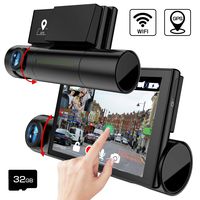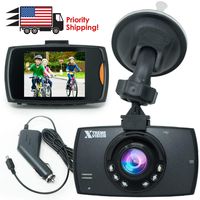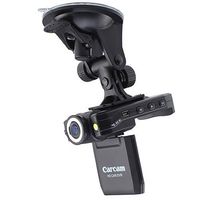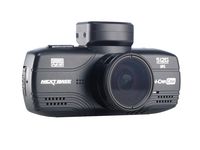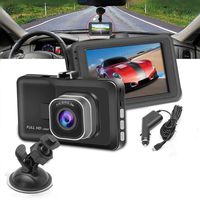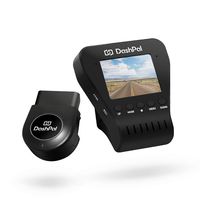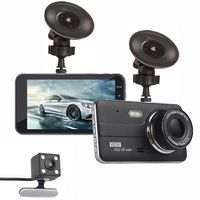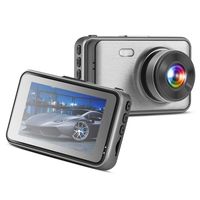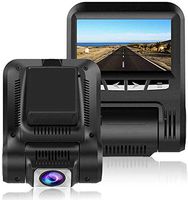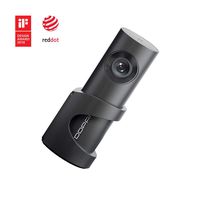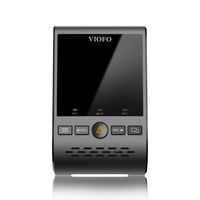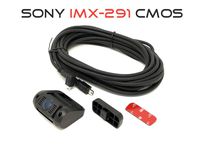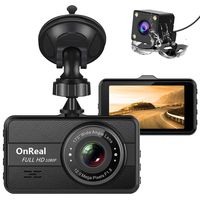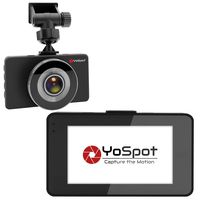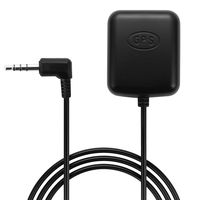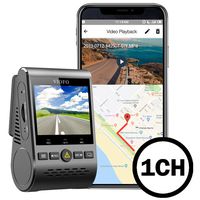
Description
Product description
Screen: 2.7 inch 16:9 TFT LCD
Resolution:
1080P 1920*1080 30fps
720P 1280*720 30fps/60fps
VGA 640*480 60fps
Image size: 12Mega/8 Mega/5 Mega/3 Mega
Lens : 3M CMOS sensor
View angle : 170 degree
File format: MOV/JPEG
SOS recording: One key to start emergency recording, is undeletable
Cycle recording: Seamlessly recording,automatically overwrite function,
G-sensor: Support, built-in gravity sensor
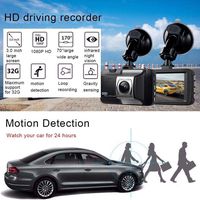
Motion detection: Support, built-in motion sensor
WDR: Support
Time/Plate stamp: Support
Time Lapse: Support
IR LED: 3 PCS
Digital zoom: 4X
Storage: Support Micro SD card to 64G(not included)
Audio: Built-in Microphone/Speaker
Menulanguage: English/French/Spanish etc
Current frequency: 50Hz/60Hz
Battery Built in battery 110mAh
Why do You Need a GolferCam Dashcam?
To scare off dishonest people who try to take advantage of you
To provide evidence that's far more reliable than eyewitness testimony
To save your money from damages and helping to mitigate potential spikes of car insurance rate
GolferCam can help you to keep the good memories of life and increase your YouTube hits.
How to update:
Please follow the step to upgrade the dash cam!!
1.Format the TF card on PC, then put the file "FW96650A.din" into TF card and save.
2.Put the TF card which contain the new firmware into dash cam slot.
3.Alive the dash cam and wait, the dash cam would upgrade automatically when it read the firmware. The indicator blue/red light would be flashing during upgrading. So just patiently wait and don't disturb the processing by any movement.
4.The dash cam would be on with GOLFERCAM boots screen, check the version number in menu, named"GOLFERCAM20170808". Then u would find the dash cam is working as new version as correct. Finally enjoy the completed dash cam in ur hand!!
Screen: 2.7 inch 16:9 TFT LCD
Resolution:
1080P 1920*1080 30fps
720P 1280*720 30fps/60fps
VGA 640*480 60fps
Image size: 12Mega/8 Mega/5 Mega/3 Mega
Lens : 3M CMOS sensor
View angle : 170 degree
File format: MOV/JPEG
SOS recording: One key to start emergency recording, is undeletable
Cycle recording: Seamlessly recording,automatically overwrite function,
G-sensor: Support, built-in gravity sensor
Motion detection: Support, built-in motion sensor
WDR: Support
Time/Plate stamp: Support
Time Lapse: Support
IR LED: 3 PCS
Digital zoom: 4X
Storage: Support Micro SD card to 64G(not included)
Audio: Built-in Microphone/Speaker
Menulanguage: English/French/Spanish etc
Current frequency: 50Hz/60Hz
Battery Built in battery 110mAh
Why do You Need a GolferCam Dashcam?
To scare off dishonest people who try to take advantage of you
To provide evidence that's far more reliable than eyewitness testimony
To save your money from damages and helping to mitigate potential spikes of car insurance rate
GolferCam can help you to keep the good memories of life and increase your YouTube hits.
How to update:
Please follow the step to upgrade the dash cam!!
1.Format the TF card on PC, then put the file "FW96650A.din" into TF card and save.
2.Put the TF card which contain the new firmware into dash cam slot.
3.Alive the dash cam and wait, the dash cam would upgrade automatically when it read the firmware. The indicator blue/red light would be flashing during upgrading. So just patiently wait and don't disturb the processing by any movement.
4.The dash cam would be on with GOLFERCAM boots screen, check the version number in menu, named"GOLFERCAM20170808". Then u would find the dash cam is working as new version as correct. Finally enjoy the completed dash cam in ur hand!!
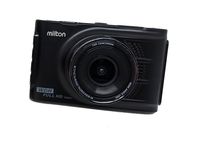
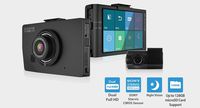
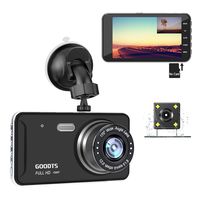
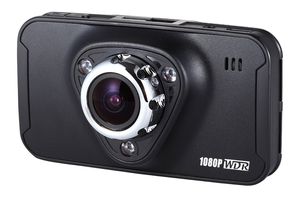
GolferCam GT1 Dash Cam Full HD 1080P Night Vision 170 Degree Wide Angle 2.7 Inch Car Recorder Dash Camera With WDR, SOS, Snap Shot, Cycle Recording, G-sensor, Motion Detection, Plate Stamp,Time Lapse
Current Price
$65.9
Average
$64.24
Min Price
$35.9
Max Price
$133.99
Price dynamics
3%
Description
Product description
Screen: 2.7 inch 16:9 TFT LCD
Resolution:
1080P 1920*1080 30fps
720P 1280*720 30fps/60fps
VGA 640*480 60fps
Image size: 12Mega/8 Mega/5 Mega/3 Mega
Lens : 3M CMOS sensor
View angle : 170 degree
File format: MOV/JPEG
SOS recording: One key to start emergency recording, is undeletable
Cycle recording: Seamlessly recording,automatically overwrite function,
G-sensor: Support, built-in gravity sensor
Motion detection: Support, built-in motion sensor
WDR: Support
Time/Plate stamp: Support
Time Lapse: Support
IR LED: 3 PCS
Digital zoom: 4X
Storage: Support Micro SD card to 64G(not included)
Audio: Built-in Microphone/Speaker
Menulanguage: English/French/Spanish etc
Current frequency: 50Hz/60Hz
Battery Built in battery 110mAh
Why do You Need a GolferCam Dashcam?
To scare off dishonest people who try to take advantage of you
To provide evidence that's far more reliable than eyewitness testimony
To save your money from damages and helping to mitigate potential spikes of car insurance rate
GolferCam can help you to keep the good memories of life and increase your YouTube hits.
How to update:
Please follow the step to upgrade the dash cam!!
1.Format the TF card on PC, then put the file "FW96650A.din" into TF card and save.
2.Put the TF card which contain the new firmware into dash cam slot.
3.Alive the dash cam and wait, the dash cam would upgrade automatically when it read the firmware. The indicator blue/red light would be flashing during upgrading. So just patiently wait and don't disturb the processing by any movement.
4.The dash cam would be on with GOLFERCAM boots screen, check the version number in menu, named"GOLFERCAM20170808". Then u would find the dash cam is working as new version as correct. Finally enjoy the completed dash cam in ur hand!!
Screen: 2.7 inch 16:9 TFT LCD
Resolution:
1080P 1920*1080 30fps
720P 1280*720 30fps/60fps
VGA 640*480 60fps
Image size: 12Mega/8 Mega/5 Mega/3 Mega
Lens : 3M CMOS sensor
View angle : 170 degree
File format: MOV/JPEG
SOS recording: One key to start emergency recording, is undeletable
Cycle recording: Seamlessly recording,automatically overwrite function,
G-sensor: Support, built-in gravity sensor
Motion detection: Support, built-in motion sensor
WDR: Support
Time/Plate stamp: Support
Time Lapse: Support
IR LED: 3 PCS
Digital zoom: 4X
Storage: Support Micro SD card to 64G(not included)
Audio: Built-in Microphone/Speaker
Menulanguage: English/French/Spanish etc
Current frequency: 50Hz/60Hz
Battery Built in battery 110mAh
Why do You Need a GolferCam Dashcam?
To scare off dishonest people who try to take advantage of you
To provide evidence that's far more reliable than eyewitness testimony
To save your money from damages and helping to mitigate potential spikes of car insurance rate
GolferCam can help you to keep the good memories of life and increase your YouTube hits.
How to update:
Please follow the step to upgrade the dash cam!!
1.Format the TF card on PC, then put the file "FW96650A.din" into TF card and save.
2.Put the TF card which contain the new firmware into dash cam slot.
3.Alive the dash cam and wait, the dash cam would upgrade automatically when it read the firmware. The indicator blue/red light would be flashing during upgrading. So just patiently wait and don't disturb the processing by any movement.
4.The dash cam would be on with GOLFERCAM boots screen, check the version number in menu, named"GOLFERCAM20170808". Then u would find the dash cam is working as new version as correct. Finally enjoy the completed dash cam in ur hand!!
Price will be lower
in next 2 weeks
in next 2 weeks
According to the data, price will be lower in next two weeks, so not waste your money and track better price!
Product review & video
hello amazon.com it's me but whichever suit today we are coming with a side-by-side comparison of a Papago dashcam which I would not recommend although there are very nice people it will suffice and this best selling rexine dashcam right there and we are going to basically go through my own humble opinion as to what I like about this rexine dashcam I talk three and also top three hints tips tricks that you should keep in mind when installing this thing now first of all as you can tell my car is off and it just shut off right there that's because it has that 30-second delay shut off absolutely essential for a dashcam not a lot of dash cams have that the delay shut off is so magnificent because a lot of accidents can actually occur when you shut the car off or let's say someone says turn off your car at thinking that it will turn off the dash cam in the dash can see continues to record gr

Similar products