Description
Take control of your workspace. With the Anker USB 3.0 Docking Station, coordination has never been easier: route your peripherals through one device, so you can come and go as you please.
Work at the helm.
The mother of all hubs. Bring your printers, scanners, storage devices, monitors, speakers, routers, keyboards, mice, and webcams together, so that all you have to do is worry about one cable. Turn your laptop into a command center, then, once you're finished, unplug for instant portability. Our promise to you is convenience - how you use it is up to you.
A multitasker's dream.
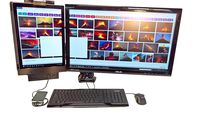
Add up to two monitors, expanding your control over active applications. High-resolution displays (both HDMI and DVI) will change the way you stream video, surf the web, and manage operation. Perfect for traders, gamers, and business professionals, but adaptable for use in any environment. Don't confine yourself to one screen. Go out and expand your horizons.
Dynamic design.
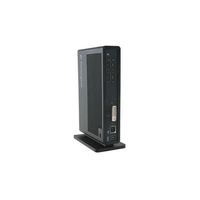
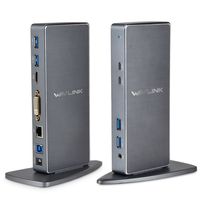
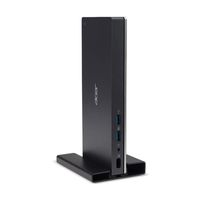
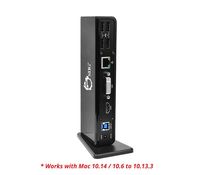
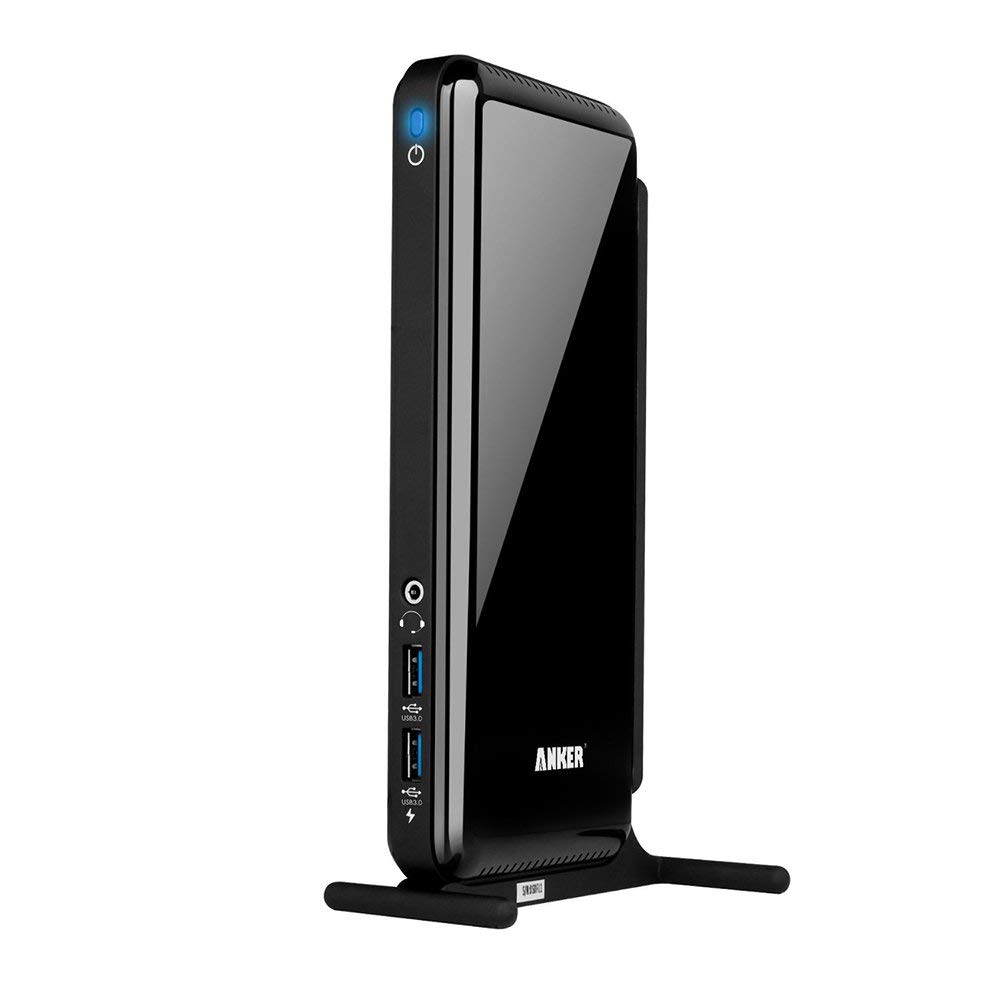
Not only does this docking station consolidate your devices, it manages their performance, too. A smart chip prioritizes bandwidth usage, so even when running at full capacity, you get smooth, stable connections. With a sturdy, zinc-alloy base stand, the docking station slips easily into any upright space. If one is not available, remove the stand for even tighter, horizontal placement.
Note:
If you encounter compatibility problems with your current driver, please go to the official Displaylink website to download the latest driver.
2.4Ghz wireless devices (keyboards, mice, etc.) may not work around USB 3.0 ports. Try using a USB 2.0 connection.
Work at the helm.
The mother of all hubs. Bring your printers, scanners, storage devices, monitors, speakers, routers, keyboards, mice, and webcams together, so that all you have to do is worry about one cable. Turn your laptop into a command center, then, once you're finished, unplug for instant portability. Our promise to you is convenience - how you use it is up to you.
A multitasker's dream.
Add up to two monitors, expanding your control over active applications. High-resolution displays (both HDMI and DVI) will change the way you stream video, surf the web, and manage operation. Perfect for traders, gamers, and business professionals, but adaptable for use in any environment. Don't confine yourself to one screen. Go out and expand your horizons.
Dynamic design.
Not only does this docking station consolidate your devices, it manages their performance, too. A smart chip prioritizes bandwidth usage, so even when running at full capacity, you get smooth, stable connections. With a sturdy, zinc-alloy base stand, the docking station slips easily into any upright space. If one is not available, remove the stand for even tighter, horizontal placement.
Note:
If you encounter compatibility problems with your current driver, please go to the official Displaylink website to download the latest driver.
2.4Ghz wireless devices (keyboards, mice, etc.) may not work around USB 3.0 ports. Try using a USB 2.0 connection.
Anker AK-68ANDOCKS-BEA 6 USB Ports Dual Display Universal Docking Station with DVI/HDMI, 2048 x 1152, 38W Adapter (Renewed)
Current Price
$63.99
Average
$59.76
Min Price
$30.4
Max Price
$71.99
Price dynamics
7%
Description
Take control of your workspace. With the Anker USB 3.0 Docking Station, coordination has never been easier: route your peripherals through one device, so you can come and go as you please.
Work at the helm.
The mother of all hubs. Bring your printers, scanners, storage devices, monitors, speakers, routers, keyboards, mice, and webcams together, so that all you have to do is worry about one cable. Turn your laptop into a command center, then, once you're finished, unplug for instant portability. Our promise to you is convenience - how you use it is up to you.
A multitasker's dream.
Add up to two monitors, expanding your control over active applications. High-resolution displays (both HDMI and DVI) will change the way you stream video, surf the web, and manage operation. Perfect for traders, gamers, and business professionals, but adaptable for use in any environment. Don't confine yourself to one screen. Go out and expand your horizons.
Dynamic design.
Not only does this docking station consolidate your devices, it manages their performance, too. A smart chip prioritizes bandwidth usage, so even when running at full capacity, you get smooth, stable connections. With a sturdy, zinc-alloy base stand, the docking station slips easily into any upright space. If one is not available, remove the stand for even tighter, horizontal placement.
Note:
If you encounter compatibility problems with your current driver, please go to the official Displaylink website to download the latest driver.
2.4Ghz wireless devices (keyboards, mice, etc.) may not work around USB 3.0 ports. Try using a USB 2.0 connection.
Work at the helm.
The mother of all hubs. Bring your printers, scanners, storage devices, monitors, speakers, routers, keyboards, mice, and webcams together, so that all you have to do is worry about one cable. Turn your laptop into a command center, then, once you're finished, unplug for instant portability. Our promise to you is convenience - how you use it is up to you.
A multitasker's dream.
Add up to two monitors, expanding your control over active applications. High-resolution displays (both HDMI and DVI) will change the way you stream video, surf the web, and manage operation. Perfect for traders, gamers, and business professionals, but adaptable for use in any environment. Don't confine yourself to one screen. Go out and expand your horizons.
Dynamic design.
Not only does this docking station consolidate your devices, it manages their performance, too. A smart chip prioritizes bandwidth usage, so even when running at full capacity, you get smooth, stable connections. With a sturdy, zinc-alloy base stand, the docking station slips easily into any upright space. If one is not available, remove the stand for even tighter, horizontal placement.
Note:
If you encounter compatibility problems with your current driver, please go to the official Displaylink website to download the latest driver.
2.4Ghz wireless devices (keyboards, mice, etc.) may not work around USB 3.0 ports. Try using a USB 2.0 connection.
Price will be lower
in next 2 weeks
in next 2 weeks
According to the data, price will be lower in next two weeks, so not waste your money and track better price!
Product review & video
hey everybody its Lawnside but and we're continuing our series on USB docking stations today and we're going to be taking a closer look at USB 3.0 docking stations and what you can do with them these are typically designed for your older computers that don't have a new USB type-c port or a Thunderbolt port yet they are very functional and we're going to be using this Kensington dock this is their SD 3500 v to take a look at some things you can do with a USB 3.0 dock in this video now I do want to let you know in the interest of full disclosure this is a paid sponsorship by Kensington they have reviewed this content before it was posted and also worked with me on the content that we are presenting in this video so let's get into it and see what this USB 3.0 dock can do so let's step through what you'll get in the box with this particular dock you do of course get the dock itself you'll a


Similar products