Description
Artsybb's Choice
We are all about bringing you a satisfied purchase experience. Beautify your Macbook with our outstanding authentic decals!!!
Description
* Peel-and-stick decals won't damage your device. It's easy to apply and remove, and it leaves no residue behind.
* High resolution licensed graphic, full detail and precision cut for perfect fit.
* Eco-friendly and high-quality vinyl material. Ultra-thin (less than 0.1mm) tough scratch protection.
* 100% Waterproof and Oil-proof.
* !!! IMPORTANT NOTE BEFORE BUYING !!! Please select the correct size for your model of MacBook if you are buying the decals with the Apple logo die-cut. Apple has made their logo on the MacBooks slightly different from one model to the next. We provide all the sizes BUT YOU NEED TO PICK THE CORRECT ONE. For non die-cut decals, they will fit any laptops from 13" to 15".
How To Apply
Please go to https://youtu.be/U1hiHmWQ-o0 for the tutorial. Have Fun!!!
* Clean your device's surface.
* Start peeling off the backing paper and carefully position the decal on the clean surface.
* Use a thin card or something flat and firm to press down the decal firmly.
* Peel off the rest of the backing paper and apply the whole decal.
What's Included
* One vinyl decal
* One picturized instruction sheet
Notes
* For any further information contact us any time.
* If you are unsatisfied with our products or have any questions, please don't hesitate to message us. It is our pleasure to provide you with a satisfied purchase experience.
* The preview image represents a Macbook Pro 13". Decals may appear larger or smaller in comparison to different sized laptops.
* Items may have a SLIGHT difference from onscreen examples.
We are all about bringing you a satisfied purchase experience. Beautify your Macbook with our outstanding authentic decals!!!
Description
* Peel-and-stick decals won't damage your device. It's easy to apply and remove, and it leaves no residue behind.
* High resolution licensed graphic, full detail and precision cut for perfect fit.
* Eco-friendly and high-quality vinyl material. Ultra-thin (less than 0.1mm) tough scratch protection.
* 100% Waterproof and Oil-proof.
* !!! IMPORTANT NOTE BEFORE BUYING !!! Please select the correct size for your model of MacBook if you are buying the decals with the Apple logo die-cut. Apple has made their logo on the MacBooks slightly different from one model to the next. We provide all the sizes BUT YOU NEED TO PICK THE CORRECT ONE. For non die-cut decals, they will fit any laptops from 13" to 15".
How To Apply
Please go to https://youtu.be/U1hiHmWQ-o0 for the tutorial. Have Fun!!!
* Clean your device's surface.
* Start peeling off the backing paper and carefully position the decal on the clean surface.
* Use a thin card or something flat and firm to press down the decal firmly.
* Peel off the rest of the backing paper and apply the whole decal.
What's Included
* One vinyl decal
* One picturized instruction sheet
Notes
* For any further information contact us any time.
* If you are unsatisfied with our products or have any questions, please don't hesitate to message us. It is our pleasure to provide you with a satisfied purchase experience.
* The preview image represents a Macbook Pro 13". Decals may appear larger or smaller in comparison to different sized laptops.
* Items may have a SLIGHT difference from onscreen examples.
Laptop Stickers MacBook Decal - Removable Vinyl w/Glowing Apple Logo Diecut - Light Bulb Brain Sticker Black Decal Skin for MacBook Air Pro 13 15 inch Mac Retina - Best Decorative Sticker - Artsybb
Current Price
$9.99
Average
$9.99
Min Price
$9.99
Max Price
$9.99
Price dynamics
0%
Description
Artsybb's Choice
We are all about bringing you a satisfied purchase experience. Beautify your Macbook with our outstanding authentic decals!!!
Description
* Peel-and-stick decals won't damage your device. It's easy to apply and remove, and it leaves no residue behind.
* High resolution licensed graphic, full detail and precision cut for perfect fit.
* Eco-friendly and high-quality vinyl material. Ultra-thin (less than 0.1mm) tough scratch protection.
* 100% Waterproof and Oil-proof.
* !!! IMPORTANT NOTE BEFORE BUYING !!! Please select the correct size for your model of MacBook if you are buying the decals with the Apple logo die-cut. Apple has made their logo on the MacBooks slightly different from one model to the next. We provide all the sizes BUT YOU NEED TO PICK THE CORRECT ONE. For non die-cut decals, they will fit any laptops from 13" to 15".
How To Apply
Please go to https://youtu.be/U1hiHmWQ-o0 for the tutorial. Have Fun!!!
* Clean your device's surface.
* Start peeling off the backing paper and carefully position the decal on the clean surface.
* Use a thin card or something flat and firm to press down the decal firmly.
* Peel off the rest of the backing paper and apply the whole decal.
What's Included
* One vinyl decal
* One picturized instruction sheet
Notes
* For any further information contact us any time.
* If you are unsatisfied with our products or have any questions, please don't hesitate to message us. It is our pleasure to provide you with a satisfied purchase experience.
* The preview image represents a Macbook Pro 13". Decals may appear larger or smaller in comparison to different sized laptops.
* Items may have a SLIGHT difference from onscreen examples.
We are all about bringing you a satisfied purchase experience. Beautify your Macbook with our outstanding authentic decals!!!
Description
* Peel-and-stick decals won't damage your device. It's easy to apply and remove, and it leaves no residue behind.
* High resolution licensed graphic, full detail and precision cut for perfect fit.
* Eco-friendly and high-quality vinyl material. Ultra-thin (less than 0.1mm) tough scratch protection.
* 100% Waterproof and Oil-proof.
* !!! IMPORTANT NOTE BEFORE BUYING !!! Please select the correct size for your model of MacBook if you are buying the decals with the Apple logo die-cut. Apple has made their logo on the MacBooks slightly different from one model to the next. We provide all the sizes BUT YOU NEED TO PICK THE CORRECT ONE. For non die-cut decals, they will fit any laptops from 13" to 15".
How To Apply
Please go to https://youtu.be/U1hiHmWQ-o0 for the tutorial. Have Fun!!!
* Clean your device's surface.
* Start peeling off the backing paper and carefully position the decal on the clean surface.
* Use a thin card or something flat and firm to press down the decal firmly.
* Peel off the rest of the backing paper and apply the whole decal.
What's Included
* One vinyl decal
* One picturized instruction sheet
Notes
* For any further information contact us any time.
* If you are unsatisfied with our products or have any questions, please don't hesitate to message us. It is our pleasure to provide you with a satisfied purchase experience.
* The preview image represents a Macbook Pro 13". Decals may appear larger or smaller in comparison to different sized laptops.
* Items may have a SLIGHT difference from onscreen examples.
Price will be lower
in next 2 weeks
in next 2 weeks
According to the data, price will be lower in next two weeks, so not waste your money and track better price!
Product review & video
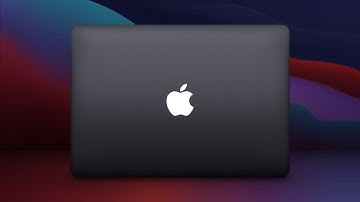
Back in 2015, Apple introduced the 12-inch
MacBook. The first model ever to feature an Apple logo
that didn’t light up. And since then, the MacBook Pro and MacBook
Air have also received the same treatment. This caused some controversy, since the glowing
Apple logo has been around for over two decades and has become an iconic design element of
Apple’s notebooks. So why was the illuminated Apple logo removed? Well, that’s exactly what I’ll explain
right now. So when the 12-inch MacBook was introduced,
it was the thinnest model in Apple’s history. In fact, at 13.1 millimeters, it was 24% thinner
than the MacBook Air. But that dramatic improvement didn’t come
without compromises. For example, Apple had to create a new super-thin
keyboard that featured butterfly mechanisms instead of the traditional scissor design. They claimed the new keyboard was an improvement,
but that didn’t turn out t

Similar products