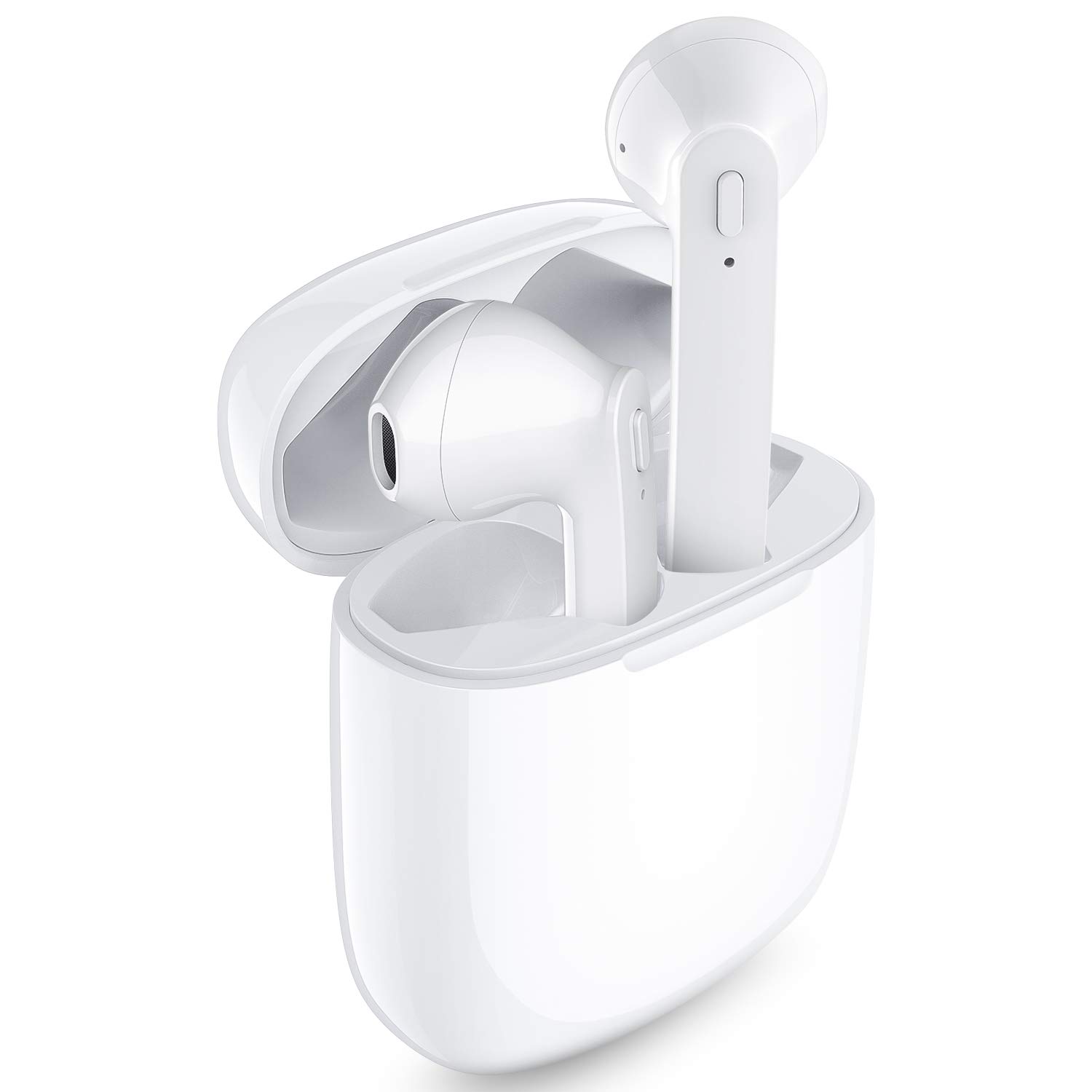
Description
Why Choose LASUNEY True Wireless Earbuds?
1.LASUNEY offers a pair of high-fidelity Bluetooth Wireless Earphones with up to 30 hours of battery life.
2.You won't be subject to master-slave restrictions and enjoy one-click manipulation.
3.Light weight, easy to carry, you can use it anytime anywhere, just enjoy your life.
How to Use Multifunction Button?
Previous Song: Long press L Multifuction Button 2s
Next Song: Long press R Multifuction Button 2s
Play / Pause: Short press Multifuction Button
Pick up / Hang up phone call: Short press Multifuction Button
Decline Incoming call: Long press Multifuction Button 2s
Activate / Disable Siri: Double-press the Multifunction Button
Package Contents:
1x LASUNEY Wireless Earbuds
1x Earbud Charging Case
1x USB Charging Cable
1x User Manual
1 x Warranty Card
Notes:
If you receive a defective product or have any questions during use, please feel free to contact us.
When the two earphones can't pair with each other or can’t connect to your device, How To Reset?
1. Forget the “T12” earbuds device from your bluetooth on your phone.
2. Take out two earbuds from the charging box and turn them off.
3. Long press the Multifunction Button of the left and the right earbud for 15 seconds until there are orange and white lights flashing for 1 second and then turn off automatically.
4. Turn on the earbuds again, after 2 seconds, double press Multifunction Button of both earbuds and they will connect to each other. After connected successfully, both LED lights will have orange and white lights flicker alternately.
After resetting, please connect the earbuds to your phone according to the above methods.
1.LASUNEY offers a pair of high-fidelity Bluetooth Wireless Earphones with up to 30 hours of battery life.
2.You won't be subject to master-slave restrictions and enjoy one-click manipulation.
3.Light weight, easy to carry, you can use it anytime anywhere, just enjoy your life.
How to Use Multifunction Button?
Previous Song: Long press L Multifuction Button 2s
Next Song: Long press R Multifuction Button 2s
Play / Pause: Short press Multifuction Button
Pick up / Hang up phone call: Short press Multifuction Button
Decline Incoming call: Long press Multifuction Button 2s
Activate / Disable Siri: Double-press the Multifunction Button
Package Contents:
1x LASUNEY Wireless Earbuds
1x Earbud Charging Case
1x USB Charging Cable
1x User Manual
1 x Warranty Card
Notes:
If you receive a defective product or have any questions during use, please feel free to contact us.
When the two earphones can't pair with each other or can’t connect to your device, How To Reset?
1. Forget the “T12” earbuds device from your bluetooth on your phone.
2. Take out two earbuds from the charging box and turn them off.
3. Long press the Multifunction Button of the left and the right earbud for 15 seconds until there are orange and white lights flashing for 1 second and then turn off automatically.
4. Turn on the earbuds again, after 2 seconds, double press Multifunction Button of both earbuds and they will connect to each other. After connected successfully, both LED lights will have orange and white lights flicker alternately.
After resetting, please connect the earbuds to your phone according to the above methods.
Lasuney Bluetooth 5.0 True Wireless Earbuds with Charging Case for iPhone Android, 35H Cyclic Playtime Waterproof TWS Stereo Headphones with mic, in-Ear Earphones Headset for Sport
Price is below average
Current Price
$29.99
Average
$59.99
Min Price
$29.99
Max Price
$89.99
Price dynamics
50%
Description
Why Choose LASUNEY True Wireless Earbuds?
1.LASUNEY offers a pair of high-fidelity Bluetooth Wireless Earphones with up to 30 hours of battery life.
2.You won't be subject to master-slave restrictions and enjoy one-click manipulation.
3.Light weight, easy to carry, you can use it anytime anywhere, just enjoy your life.
How to Use Multifunction Button?
Previous Song: Long press L Multifuction Button 2s
Next Song: Long press R Multifuction Button 2s
Play / Pause: Short press Multifuction Button
Pick up / Hang up phone call: Short press Multifuction Button
Decline Incoming call: Long press Multifuction Button 2s
Activate / Disable Siri: Double-press the Multifunction Button
Package Contents:
1x LASUNEY Wireless Earbuds
1x Earbud Charging Case
1x USB Charging Cable
1x User Manual
1 x Warranty Card
Notes:
If you receive a defective product or have any questions during use, please feel free to contact us.
When the two earphones can't pair with each other or can’t connect to your device, How To Reset?
1. Forget the “T12” earbuds device from your bluetooth on your phone.
2. Take out two earbuds from the charging box and turn them off.
3. Long press the Multifunction Button of the left and the right earbud for 15 seconds until there are orange and white lights flashing for 1 second and then turn off automatically.
4. Turn on the earbuds again, after 2 seconds, double press Multifunction Button of both earbuds and they will connect to each other. After connected successfully, both LED lights will have orange and white lights flicker alternately.
After resetting, please connect the earbuds to your phone according to the above methods.
1.LASUNEY offers a pair of high-fidelity Bluetooth Wireless Earphones with up to 30 hours of battery life.
2.You won't be subject to master-slave restrictions and enjoy one-click manipulation.
3.Light weight, easy to carry, you can use it anytime anywhere, just enjoy your life.
How to Use Multifunction Button?
Previous Song: Long press L Multifuction Button 2s
Next Song: Long press R Multifuction Button 2s
Play / Pause: Short press Multifuction Button
Pick up / Hang up phone call: Short press Multifuction Button
Decline Incoming call: Long press Multifuction Button 2s
Activate / Disable Siri: Double-press the Multifunction Button
Package Contents:
1x LASUNEY Wireless Earbuds
1x Earbud Charging Case
1x USB Charging Cable
1x User Manual
1 x Warranty Card
Notes:
If you receive a defective product or have any questions during use, please feel free to contact us.
When the two earphones can't pair with each other or can’t connect to your device, How To Reset?
1. Forget the “T12” earbuds device from your bluetooth on your phone.
2. Take out two earbuds from the charging box and turn them off.
3. Long press the Multifunction Button of the left and the right earbud for 15 seconds until there are orange and white lights flashing for 1 second and then turn off automatically.
4. Turn on the earbuds again, after 2 seconds, double press Multifunction Button of both earbuds and they will connect to each other. After connected successfully, both LED lights will have orange and white lights flicker alternately.
After resetting, please connect the earbuds to your phone according to the above methods.
Price will be lower
in next 2 weeks
in next 2 weeks
According to the data, price will be lower in next two weeks, so not waste your money and track better price!
Product review & video
hey guys it's Simon back with another review la SUNY at least that's how I pronounce it these are your true wireless earbuds I am a sorry for the shaking I am very if you look at all my reviews um chances are I'm doing reviews on earphones and earbuds because I am just those them that's like my thing I guess so boxing makes a big difference you're mean mean event you got a few extra earbuds chances are these are mediums it's already on it you're so he uses a regular USB standard USB cable wired to charge use a manual with the 12 month warranty card so put those aside oh it was pretty pretty nice again as you know my reviews are actual reviews of the products will be typed out and all my videos are really just unboxing and just get a feel of how thing how it feels how it looks the weight of this and see if it's sturdy that's it that's how you open it that's magnetic like all of them but



Similar products