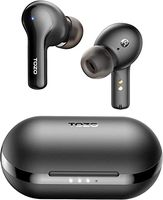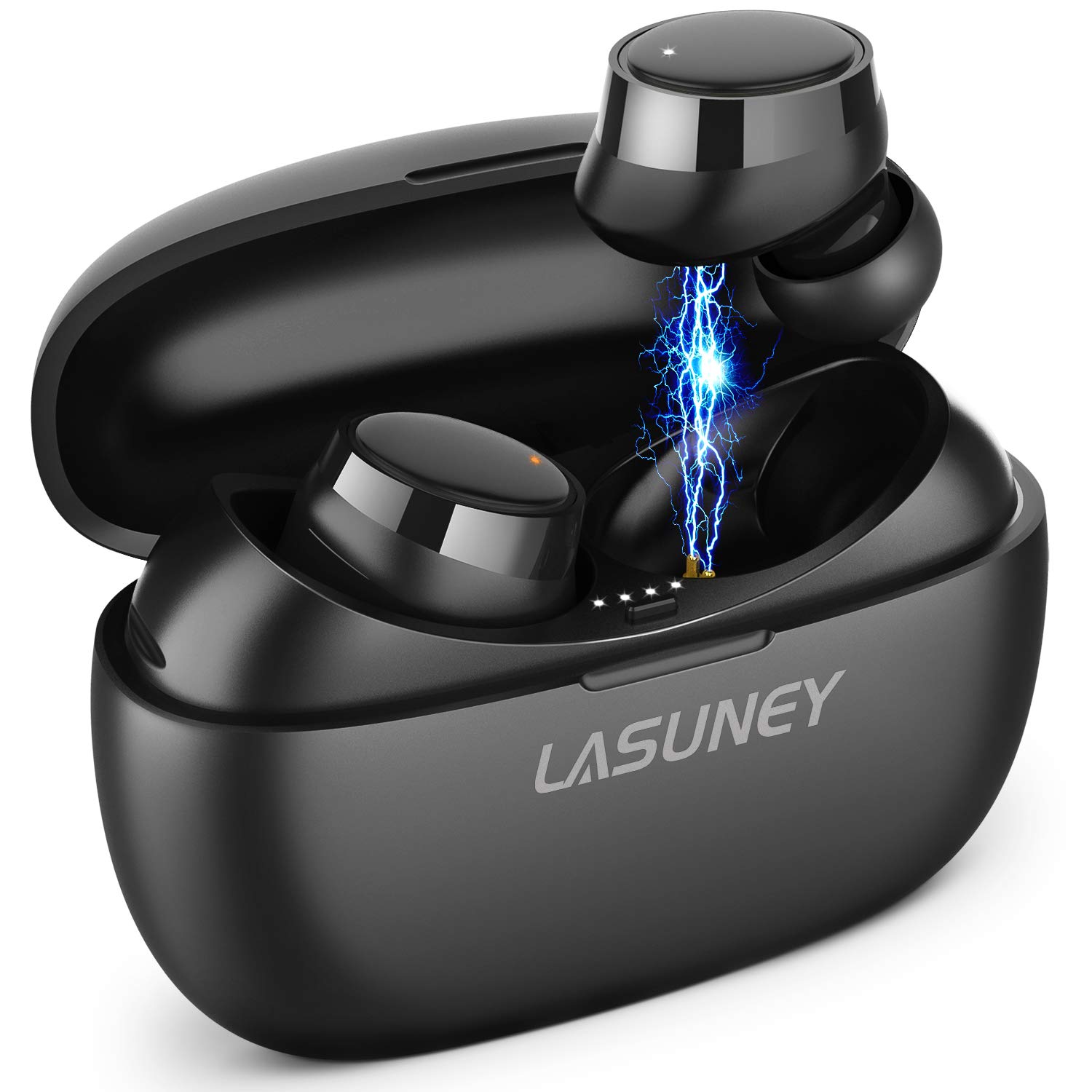
Description
Why Choose LASUNEY True Wireless Stereo Earphones?
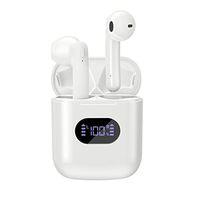
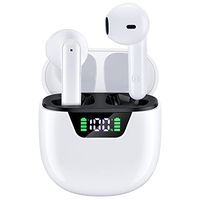
1.LASUNEY offers a pair of high-fidelity Bluetooth Wireless Earphones with up to 60 hours of battery life.
2.You won't be subject to master-slave restrictions and enjoy one-click manipulation.
3.The weight is only 0.17lb, easy to carry, you can use it anytime anywhere, just enjoy your life.
How to Use Multifunction Button?
Volume +: Short click L Multifuction Button 3 times
Volume -: Short click R Multifuction Button 3 times
Previous Song: Long click L Multifuction Button 2s
Next Song: Long click R Multifuction Button 2s
Play / Pause: Short click Multifuction Button
Pick up / Hang up phone call: Short click Multifuction Button
Decline Incoming call: Long click Multifuction Button 2s
Activate / Disable Siri: Double-click the Multifunction Button
Package Contents:
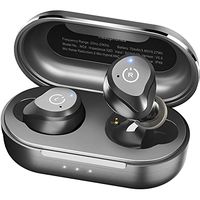
1x LASUNEY Wireless Earphones
1x Earphone Charging Box
1x USB Charging Cable
6x Ear Tips (Two are already installed)
1x User Manual
1 x Warranty Card
For iPhone 11, iPhone 11 Pro Max, please update to the newest system(iOS13.1.3)
Notes:
1. Please take off the plastic paper on the earphones before use.
2. If you receive a defective product or have any questions during use, please feel free to contact us.
When the two earphones can't pair with each other or can't connect to your device, How To Reset?
1. Forget the "Lasuney T30V" from the bluetooth on your phone.
2. Take out two earphones from the charging box and turn them off.
3. Long press the Multifunction Button of the left and the right earphone for about 15s.
And there will be an orange light lighting up 3 times.Then, take them back into the charging box.
Now, you can take them out and they will turn on and pair automatically.
1.LASUNEY offers a pair of high-fidelity Bluetooth Wireless Earphones with up to 60 hours of battery life.
2.You won't be subject to master-slave restrictions and enjoy one-click manipulation.
3.The weight is only 0.17lb, easy to carry, you can use it anytime anywhere, just enjoy your life.
How to Use Multifunction Button?
Volume +: Short click L Multifuction Button 3 times
Volume -: Short click R Multifuction Button 3 times
Previous Song: Long click L Multifuction Button 2s
Next Song: Long click R Multifuction Button 2s
Play / Pause: Short click Multifuction Button
Pick up / Hang up phone call: Short click Multifuction Button
Decline Incoming call: Long click Multifuction Button 2s
Activate / Disable Siri: Double-click the Multifunction Button
Package Contents:
1x LASUNEY Wireless Earphones
1x Earphone Charging Box
1x USB Charging Cable
6x Ear Tips (Two are already installed)
1x User Manual
1 x Warranty Card
For iPhone 11, iPhone 11 Pro Max, please update to the newest system(iOS13.1.3)
Notes:
1. Please take off the plastic paper on the earphones before use.
2. If you receive a defective product or have any questions during use, please feel free to contact us.
When the two earphones can't pair with each other or can't connect to your device, How To Reset?
1. Forget the "Lasuney T30V" from the bluetooth on your phone.
2. Take out two earphones from the charging box and turn them off.
3. Long press the Multifunction Button of the left and the right earphone for about 15s.
And there will be an orange light lighting up 3 times.Then, take them back into the charging box.
Now, you can take them out and they will turn on and pair automatically.
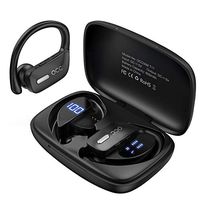
LASUNEY Bluetooth 5.0 True Wireless Earbuds with Charging Case for iPhone Android, 60H Cyclic Playtime Waterproof TWS Stereo Headphones with mic, in-Ear Earphones Headset for Sport
Price is below average
Current Price
$36.99
Average
$37.66
Min Price
$35.99
Max Price
$39.99
Price dynamics
2%
Description
Why Choose LASUNEY True Wireless Stereo Earphones?
1.LASUNEY offers a pair of high-fidelity Bluetooth Wireless Earphones with up to 60 hours of battery life.
2.You won't be subject to master-slave restrictions and enjoy one-click manipulation.
3.The weight is only 0.17lb, easy to carry, you can use it anytime anywhere, just enjoy your life.
How to Use Multifunction Button?
Volume +: Short click L Multifuction Button 3 times
Volume -: Short click R Multifuction Button 3 times
Previous Song: Long click L Multifuction Button 2s
Next Song: Long click R Multifuction Button 2s
Play / Pause: Short click Multifuction Button
Pick up / Hang up phone call: Short click Multifuction Button
Decline Incoming call: Long click Multifuction Button 2s
Activate / Disable Siri: Double-click the Multifunction Button
Package Contents:
1x LASUNEY Wireless Earphones
1x Earphone Charging Box
1x USB Charging Cable
6x Ear Tips (Two are already installed)
1x User Manual
1 x Warranty Card
For iPhone 11, iPhone 11 Pro Max, please update to the newest system(iOS13.1.3)
Notes:
1. Please take off the plastic paper on the earphones before use.
2. If you receive a defective product or have any questions during use, please feel free to contact us.
When the two earphones can't pair with each other or can't connect to your device, How To Reset?
1. Forget the "Lasuney T30V" from the bluetooth on your phone.
2. Take out two earphones from the charging box and turn them off.
3. Long press the Multifunction Button of the left and the right earphone for about 15s.
And there will be an orange light lighting up 3 times.Then, take them back into the charging box.
Now, you can take them out and they will turn on and pair automatically.
1.LASUNEY offers a pair of high-fidelity Bluetooth Wireless Earphones with up to 60 hours of battery life.
2.You won't be subject to master-slave restrictions and enjoy one-click manipulation.
3.The weight is only 0.17lb, easy to carry, you can use it anytime anywhere, just enjoy your life.
How to Use Multifunction Button?
Volume +: Short click L Multifuction Button 3 times
Volume -: Short click R Multifuction Button 3 times
Previous Song: Long click L Multifuction Button 2s
Next Song: Long click R Multifuction Button 2s
Play / Pause: Short click Multifuction Button
Pick up / Hang up phone call: Short click Multifuction Button
Decline Incoming call: Long click Multifuction Button 2s
Activate / Disable Siri: Double-click the Multifunction Button
Package Contents:
1x LASUNEY Wireless Earphones
1x Earphone Charging Box
1x USB Charging Cable
6x Ear Tips (Two are already installed)
1x User Manual
1 x Warranty Card
For iPhone 11, iPhone 11 Pro Max, please update to the newest system(iOS13.1.3)
Notes:
1. Please take off the plastic paper on the earphones before use.
2. If you receive a defective product or have any questions during use, please feel free to contact us.
When the two earphones can't pair with each other or can't connect to your device, How To Reset?
1. Forget the "Lasuney T30V" from the bluetooth on your phone.
2. Take out two earphones from the charging box and turn them off.
3. Long press the Multifunction Button of the left and the right earphone for about 15s.
And there will be an orange light lighting up 3 times.Then, take them back into the charging box.
Now, you can take them out and they will turn on and pair automatically.
Price will be lower
in next 2 weeks
in next 2 weeks
According to the data, price will be lower in next two weeks, so not waste your money and track better price!
Product review & video
hello today we are back to look at the laws me touch control ipx7 waterproof true wireless earbuds for iPhone Android with 30 hours of play time bluetooth 5.0 tws stereo headphones with charging case in ear earphones headset with Mike for sport sold bylaws knee I bought them off at Amazon there list price that looks like as 39.99 but when I got him a couple weeks ago they had a coupon for so brought it under like $31 so I bought these for my grandson who is getting his own cell phone so they're pretty pretty relatively inexpensive air pods so to take them out of course comes with the user manual and it's a pretty decent case to hold them in and of course here's the here's the charging cord which is just a standard USB plug now the end is a little bit different so you can see what the charging end is I have a couple other things with this but it's non standard when it comes to chargers I


Similar products