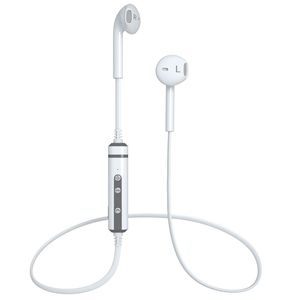
Description
Please Note This Stereo Sound Wireless Headphones are perfect for Travel or Office Home Use, can be used as sports earphones. But not ideal for Strenuous Exercise. If you're looking for a headset perfect for running workout exercise, [ASIN: B071VJDLRB] IS YOUR BEST CHOICE Charging: When it is charging,the light will be red status Power on: Long press the MFB button for 3 seconds until the blue indicator light flashes Power off: Long press the MFB button for 3 seconds until the red indicatore light flashes Pairing: Long press the MFB button for 5 seconds until the red and blue light flash alternately Answer/End/Redial After connected,a phone incoming,press MFB once or say Yes after number broadcast After connected,a phone incoming,shortly press MFB for 2 seconds or say No after number broadcast After connected,Shortly press MFB twice,it will get into redial the last number Play/pause: After connected,you can play/pause music by press MFB Next song/Previous song/Volume up/Volume down Press Volume + once,it will turn up,Press Volume - once,it will turn down Longly press volume +,it will get into next song,longly press Volume -,it will get into previous song Voice control: After connected,shortly press MFB for 2 seconds,and it will get into Voice control,and then you can send message/call/check weather/map and so on by voice
LBell Wireless Headphones V4.1 Wireless Stereo Earbuds Built-in Noise Cancellation Stereo Bluetooth Headphones with Mic Compatible for Android (White)
Price is below average
Current Price
$19.99
Average
$22.66
Min Price
$16.99
Max Price
$76.99
Price dynamics
12%
Description
Please Note This Stereo Sound Wireless Headphones are perfect for Travel or Office Home Use, can be used as sports earphones. But not ideal for Strenuous Exercise. If you're looking for a headset perfect for running workout exercise, [ASIN: B071VJDLRB] IS YOUR BEST CHOICE Charging: When it is charging,the light will be red status Power on: Long press the MFB button for 3 seconds until the blue indicator light flashes Power off: Long press the MFB button for 3 seconds until the red indicatore light flashes Pairing: Long press the MFB button for 5 seconds until the red and blue light flash alternately Answer/End/Redial After connected,a phone incoming,press MFB once or say Yes after number broadcast After connected,a phone incoming,shortly press MFB for 2 seconds or say No after number broadcast After connected,Shortly press MFB twice,it will get into redial the last number Play/pause: After connected,you can play/pause music by press MFB Next song/Previous song/Volume up/Volume down Press Volume + once,it will turn up,Press Volume - once,it will turn down Longly press volume +,it will get into next song,longly press Volume -,it will get into previous song Voice control: After connected,shortly press MFB for 2 seconds,and it will get into Voice control,and then you can send message/call/check weather/map and so on by voice
Price will be lower
in next 2 weeks
in next 2 weeks
According to the data, price will be lower in next two weeks, so not waste your money and track better price!
Product review & video
[Music] hello everyone in this video I'll be reviewing this headphones aspire brand could boot exo-m it's an anti noise cancellation wireless bluetooth headphones and model numbers duty - pH 0 0 1 now this headphones is brilliant ok it's worth around the price of 50 pound UK currency by provides a lot of good features build quality is amazing and you can see that it's foldable it also swivels as well and it has amazing comfort on the ear mafia-like I'll give you that comfort when you're wearing it on top of that got some amazing em come from the headrest as well and I'll say when you adjust it you see that it was a metal design as well here ok you can also own the anti noise cancellation feature on and off it takes a 3.5 millimeter headphone jack you also take has the power on and off button it has the volume up and down button here as well ok on this side it has the micro USB charging



Similar products



































