Description
Specifications:
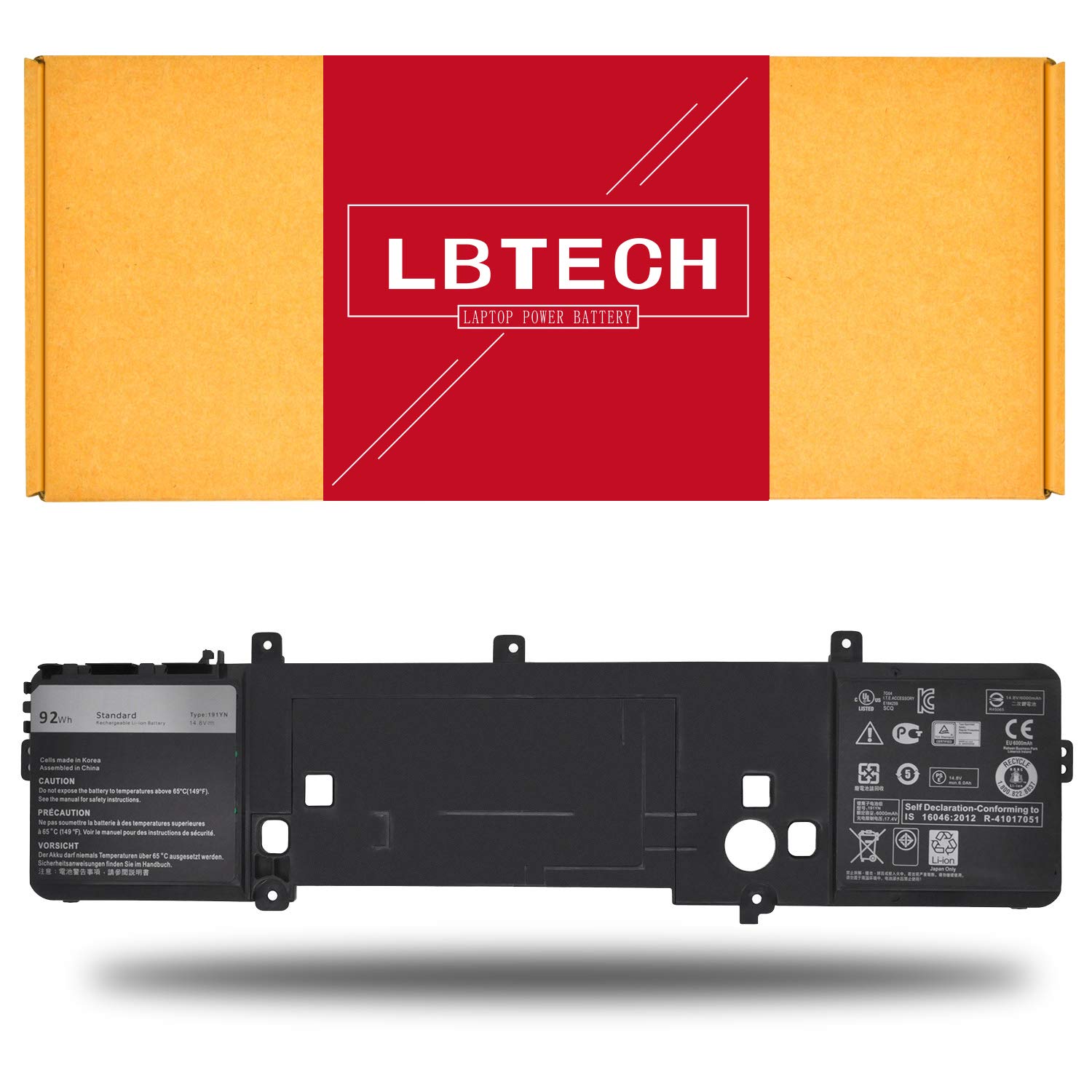
Battery Type: Li-ion
Voltage: 14.8V
Capacity: 92Wh
Color: Black
Certificate: CE,RoHS,FCC
Condition: 100% New from Manufacturer, Grade A Cell, 12 Months Warranty
Replace Part Number:
191YN, 2F3W1, 02F3WI Compatible Laptop/Notebook Models:
Alienware 15 R2, Alienware 15, alienware-15-r2, ALW15ED-1718, ALW15ED-1728, ALW15ED-1828, ALW15ED-1828T, ALW15ED-2718, ALW15ED-2828, ALW15ED-2828T
Laptop battery instruction manual:
1. The new battery need to charge and discharge 3-4 cycles before, takes about 7-8 hours in order to activate lithium ion fully to maximun space.
2. Please don't discharge to the computer power off, otherwise it may be damaged easily and may not be charged fully.
3. If you connect external power to use for a long time, please remove the battery.
4. If you do not use battery for a long time, make sure to charge more than 80% electricity every month.
ype: Li-ion Voltage: Capacity: 92Wh
Battery Type: Li-ion
Voltage: 14.8V
Capacity: 92Wh
Color: Black
Certificate: CE,RoHS,FCC
Condition: 100% New from Manufacturer, Grade A Cell, 12 Months Warranty
Replace Part Number:
191YN, 2F3W1, 02F3WI Compatible Laptop/Notebook Models:
Alienware 15 R2, Alienware 15, alienware-15-r2, ALW15ED-1718, ALW15ED-1728, ALW15ED-1828, ALW15ED-1828T, ALW15ED-2718, ALW15ED-2828, ALW15ED-2828T
Laptop battery instruction manual:
1. The new battery need to charge and discharge 3-4 cycles before, takes about 7-8 hours in order to activate lithium ion fully to maximun space.
2. Please don't discharge to the computer power off, otherwise it may be damaged easily and may not be charged fully.
3. If you connect external power to use for a long time, please remove the battery.
4. If you do not use battery for a long time, make sure to charge more than 80% electricity every month.
ype: Li-ion Voltage: Capacity: 92Wh
LBTECH Compatible 191YN Laptop Battery Replacement for Dell Alienware 15 Alienware 15 R2 Series 2F3W1 14.8V 92Wh
Price is below average
Current Price
$59.88
Average
$68.29
Min Price
$59.88
Max Price
$79.79
Price dynamics
12%
Description
Specifications:
Battery Type: Li-ion
Voltage: 14.8V
Capacity: 92Wh
Color: Black
Certificate: CE,RoHS,FCC
Condition: 100% New from Manufacturer, Grade A Cell, 12 Months Warranty
Replace Part Number:
191YN, 2F3W1, 02F3WI Compatible Laptop/Notebook Models:
Alienware 15 R2, Alienware 15, alienware-15-r2, ALW15ED-1718, ALW15ED-1728, ALW15ED-1828, ALW15ED-1828T, ALW15ED-2718, ALW15ED-2828, ALW15ED-2828T
Laptop battery instruction manual:
1. The new battery need to charge and discharge 3-4 cycles before, takes about 7-8 hours in order to activate lithium ion fully to maximun space.
2. Please don't discharge to the computer power off, otherwise it may be damaged easily and may not be charged fully.
3. If you connect external power to use for a long time, please remove the battery.
4. If you do not use battery for a long time, make sure to charge more than 80% electricity every month.
ype: Li-ion Voltage: Capacity: 92Wh
Battery Type: Li-ion
Voltage: 14.8V
Capacity: 92Wh
Color: Black
Certificate: CE,RoHS,FCC
Condition: 100% New from Manufacturer, Grade A Cell, 12 Months Warranty
Replace Part Number:
191YN, 2F3W1, 02F3WI Compatible Laptop/Notebook Models:
Alienware 15 R2, Alienware 15, alienware-15-r2, ALW15ED-1718, ALW15ED-1728, ALW15ED-1828, ALW15ED-1828T, ALW15ED-2718, ALW15ED-2828, ALW15ED-2828T
Laptop battery instruction manual:
1. The new battery need to charge and discharge 3-4 cycles before, takes about 7-8 hours in order to activate lithium ion fully to maximun space.
2. Please don't discharge to the computer power off, otherwise it may be damaged easily and may not be charged fully.
3. If you connect external power to use for a long time, please remove the battery.
4. If you do not use battery for a long time, make sure to charge more than 80% electricity every month.
ype: Li-ion Voltage: Capacity: 92Wh
Price will be lower
in next 2 weeks
in next 2 weeks
According to the data, price will be lower in next two weeks, so not waste your money and track better price!

Similar products