Description
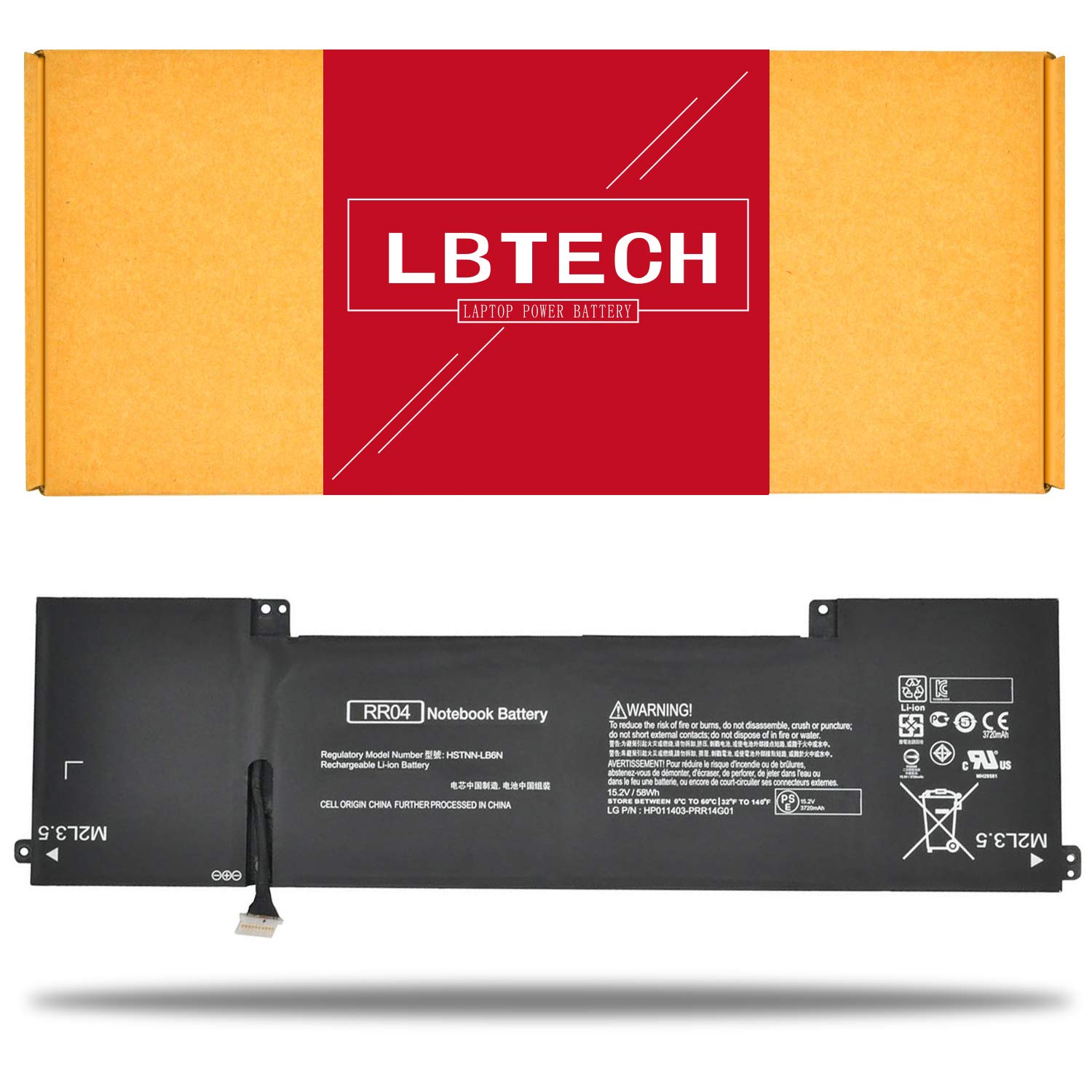
Specifications:
Battery Type: Li-ion
Voltage: 15.2V
Capacity: 58Wh
Color: Black
Certificate: CE,RoHS,FCC
Condition: 100% New from Manufacturer, Grade A Cell, 12 Months Warranty
Replace Part Number:
778951-421 778961-421 778978-005 HSTNN-LB6N k5c59pa#ABG K5C63PA#ABG K5C64PA#ABG RR04 RR04XL TPN-W111 Compatible Laptop/Notebook Models:
HP Omen 15-5000 Series:
Omen 15-5000NW
Omen 15-5001NA
Omen 15-5001NS
Omen 15-5010NR
Omen 15-5010TX
Omen 15-5011TX
Omen 15-5012TX
Omen 15-5013TX
Omen 15-5116TX
Omen 15-5019TX
Omen 15-5014TX(K5C65PA)
Omen 15-5016TX(K8T62PA)
Omen 15-5113TX(M4X89PA)
Omen 15-5114TX(M4X90PA)
Omen 15-5208TX(T9F95PA)
Omen 15-5209TX(T9F96PA)
Laptop battery instruction manual:
1. The new battery need to charge and discharge 3-4 cycles before, takes about 7-8 hours in order to activate lithium ion fully to maximun space.
2. Please don't discharge to the computer power off, otherwise it may be damaged easily and may not be charged fully.
3. If you connect external power to use for a long time, please remove the battery.
4. If you do not use battery for a long time, make sure to charge more than 80% electricity every month.
Battery Type: Li-ion
Voltage: 15.2V
Capacity: 58Wh
Color: Black
Certificate: CE,RoHS,FCC
Condition: 100% New from Manufacturer, Grade A Cell, 12 Months Warranty
Replace Part Number:
778951-421 778961-421 778978-005 HSTNN-LB6N k5c59pa#ABG K5C63PA#ABG K5C64PA#ABG RR04 RR04XL TPN-W111 Compatible Laptop/Notebook Models:
HP Omen 15-5000 Series:
Omen 15-5000NW
Omen 15-5001NA
Omen 15-5001NS
Omen 15-5010NR
Omen 15-5010TX
Omen 15-5011TX
Omen 15-5012TX
Omen 15-5013TX
Omen 15-5116TX
Omen 15-5019TX
Omen 15-5014TX(K5C65PA)
Omen 15-5016TX(K8T62PA)
Omen 15-5113TX(M4X89PA)
Omen 15-5114TX(M4X90PA)
Omen 15-5208TX(T9F95PA)
Omen 15-5209TX(T9F96PA)
Laptop battery instruction manual:
1. The new battery need to charge and discharge 3-4 cycles before, takes about 7-8 hours in order to activate lithium ion fully to maximun space.
2. Please don't discharge to the computer power off, otherwise it may be damaged easily and may not be charged fully.
3. If you connect external power to use for a long time, please remove the battery.
4. If you do not use battery for a long time, make sure to charge more than 80% electricity every month.
LBTECH Compatible RR04 / RR04XL Laptop Battery Replacement for HP Omen 15-5000 15-5000NW 15-5001NA 15-5001NS 15-5010NR 15-5010TX 15-5011TX 15-5012TX 15-5013TX 15-5014TX 15.2V 58Wh
Current Price
$48.48
Average
$44.78
Min Price
$39.99
Max Price
$48.48
Price dynamics
8%
Description
Specifications:
Battery Type: Li-ion
Voltage: 15.2V
Capacity: 58Wh
Color: Black
Certificate: CE,RoHS,FCC
Condition: 100% New from Manufacturer, Grade A Cell, 12 Months Warranty
Replace Part Number:
778951-421 778961-421 778978-005 HSTNN-LB6N k5c59pa#ABG K5C63PA#ABG K5C64PA#ABG RR04 RR04XL TPN-W111 Compatible Laptop/Notebook Models:
HP Omen 15-5000 Series:
Omen 15-5000NW
Omen 15-5001NA
Omen 15-5001NS
Omen 15-5010NR
Omen 15-5010TX
Omen 15-5011TX
Omen 15-5012TX
Omen 15-5013TX
Omen 15-5116TX
Omen 15-5019TX
Omen 15-5014TX(K5C65PA)
Omen 15-5016TX(K8T62PA)
Omen 15-5113TX(M4X89PA)
Omen 15-5114TX(M4X90PA)
Omen 15-5208TX(T9F95PA)
Omen 15-5209TX(T9F96PA)
Laptop battery instruction manual:
1. The new battery need to charge and discharge 3-4 cycles before, takes about 7-8 hours in order to activate lithium ion fully to maximun space.
2. Please don't discharge to the computer power off, otherwise it may be damaged easily and may not be charged fully.
3. If you connect external power to use for a long time, please remove the battery.
4. If you do not use battery for a long time, make sure to charge more than 80% electricity every month.
Battery Type: Li-ion
Voltage: 15.2V
Capacity: 58Wh
Color: Black
Certificate: CE,RoHS,FCC
Condition: 100% New from Manufacturer, Grade A Cell, 12 Months Warranty
Replace Part Number:
778951-421 778961-421 778978-005 HSTNN-LB6N k5c59pa#ABG K5C63PA#ABG K5C64PA#ABG RR04 RR04XL TPN-W111 Compatible Laptop/Notebook Models:
HP Omen 15-5000 Series:
Omen 15-5000NW
Omen 15-5001NA
Omen 15-5001NS
Omen 15-5010NR
Omen 15-5010TX
Omen 15-5011TX
Omen 15-5012TX
Omen 15-5013TX
Omen 15-5116TX
Omen 15-5019TX
Omen 15-5014TX(K5C65PA)
Omen 15-5016TX(K8T62PA)
Omen 15-5113TX(M4X89PA)
Omen 15-5114TX(M4X90PA)
Omen 15-5208TX(T9F95PA)
Omen 15-5209TX(T9F96PA)
Laptop battery instruction manual:
1. The new battery need to charge and discharge 3-4 cycles before, takes about 7-8 hours in order to activate lithium ion fully to maximun space.
2. Please don't discharge to the computer power off, otherwise it may be damaged easily and may not be charged fully.
3. If you connect external power to use for a long time, please remove the battery.
4. If you do not use battery for a long time, make sure to charge more than 80% electricity every month.
Price will be lower
in next 2 weeks
in next 2 weeks
According to the data, price will be lower in next two weeks, so not waste your money and track better price!
Product review & video
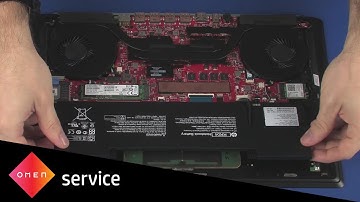
note the following video depicts a specific configuration of the notebook the same removal and replacement procedures apply to all configurations of the notebook before you begin remove the base enclosure removal disconnect the battery cable from its connector on the system board remove the two three millimeter p1 Phillips head screws that secure the battery to the top cover lift the battery off of the alignment pins on the top cover and remove replacement place the battery onto the alignment pins on the top cover caution ensure that the web cam cable is free from being pinched between the battery and top cover replace the two three millimeter p1 Phillips head screws that secure the battery to the top cover connect the battery cable into its connector on the system board you


Similar products