Description
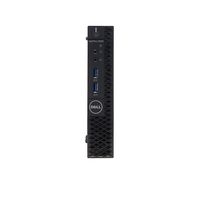
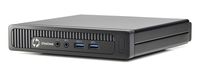
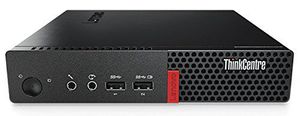
Engineered to work in tough environments, such as those with extreme temperatures or ones that are dusty, the ThinkCentre M910 Tiny Desktop Computer from Lenovo can also handle minor bumps and has a small footprint, allowing it to fit on a bookshelf, behind a monitor, or under a desk. The system is powered by a 2.9 GHz Intel Core i7-7700T Quad-Core processor which will allow you to run multiple applications simultaneously. If you need more power, the CPU can be overclocked to 3.8 GHz using Intel's Turbo Boost 2.0 technology. The 8GB of 2400 MHz DDR4 RAM helps to ensure smooth multitasking and also allows the computer to quickly access frequently-used files and programs. While the current memory configuration is 1 x 8GB, there are two total 260-pin SO-DIMM memory slots that will allow the RAM to be upgraded to 32GB, using one 16GB module in each of the memory slots.
Lenovo Desktop 10MV0010US ThinkCentre M910q i7-7700T 8GB 500GB SATA W10P RTL
Current Price
$880
Average
$816.18
Min Price
$687.44
Max Price
$1 200
Price dynamics
7%
Description
Engineered to work in tough environments, such as those with extreme temperatures or ones that are dusty, the ThinkCentre M910 Tiny Desktop Computer from Lenovo can also handle minor bumps and has a small footprint, allowing it to fit on a bookshelf, behind a monitor, or under a desk. The system is powered by a 2.9 GHz Intel Core i7-7700T Quad-Core processor which will allow you to run multiple applications simultaneously. If you need more power, the CPU can be overclocked to 3.8 GHz using Intel's Turbo Boost 2.0 technology. The 8GB of 2400 MHz DDR4 RAM helps to ensure smooth multitasking and also allows the computer to quickly access frequently-used files and programs. While the current memory configuration is 1 x 8GB, there are two total 260-pin SO-DIMM memory slots that will allow the RAM to be upgraded to 32GB, using one 16GB module in each of the memory slots.
Price will be lower
in next 2 weeks
in next 2 weeks
According to the data, price will be lower in next two weeks, so not waste your money and track better price!
Product review & video
today we're going to add an additional memory stick to a lenovo think center m910 q mini pc there are a number of mini pcs in the lenovo lineup so this may work for a number of them the the thing to look for is on the bottom this plate here will uh allow you to get to where the memory lives underneath here so look for this plate um some of the other things that we're doing are going to be pretty much standard across all memory installations but for the thinkpad series it'll be this one specifically before you get started a couple of things memory is extremely volatile you can damage it with static electricity to so you want to make sure that you're discharged you're not carrying any static you'll notice i'm using nitrile gloves if you have a an anti-static wristlet like this um connect it to your wrist connect it to something that will help ground you and that would be perfect if you do


Similar products