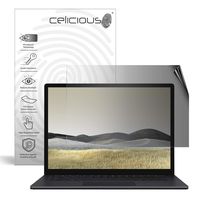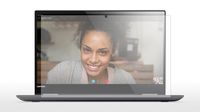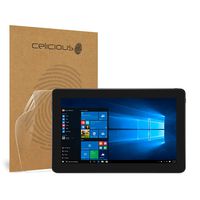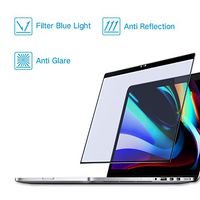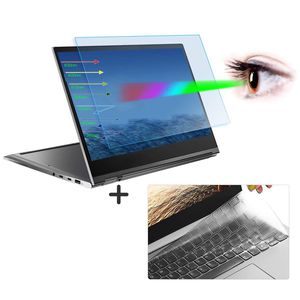
Description
What is Blu-light?
Blue light refers to light with a wavelength of 380-495 nm and it's a kind of visible light. Blue light is short and has high energy. It can penetrate the lens directly to the retina of the fundus. Bluelight is widely used in LED light sourced products such as PCs, Cell Phones, Tablets, Game machines and TVs. However, mobile phone screens, LEDs, and computer screen lights all generate a lot of blue light. This can cause harm to people's eyes and skins, and cause eye fatigue and may even cause age-related macular degeneration which not only resulting in visual fatigue, but also not conducive to normal sleep.
Why You need to buy the Anti Blue Light Screen Protector?
Anti-Blue Light Filter Features:
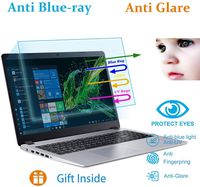
1.Filter out Blue Light
2.UV400 protection
3.Relieve the fatigue of eyes
4.Radiation Protection: Through the absorption and conversion of ultraviolet rays, it prevents the dry skin caused by UV reflections from causing skin pigmentation, chloasma and other problems
5.Anti-fingerprint, Scratch Resistant(9H), HD Retina Clarity
6.Anti-static screen protector
Package Included:
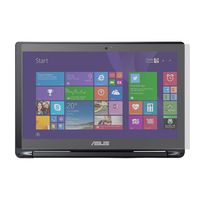
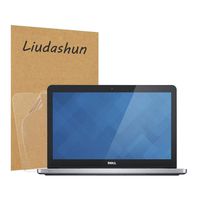
- 1 x Anti Blue Light Screen Protector for Lenovo Yoga C930 13.9"
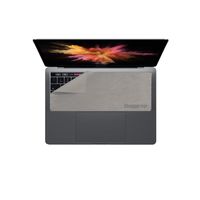
- 1 x Keyboard Cover for Lenovo Yoga C930 13.9"
- 1 x Microfiber Cloth
- 1 x Wet Cleaner
- 1 x Dust Remover sticker
How To Apply:
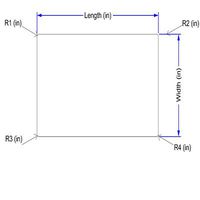
1.Check the filter dimension is suitable for your screen
2.Clean your laptop screen with the microfiber cloth
3.Remove the fine dust with dust removal sticker
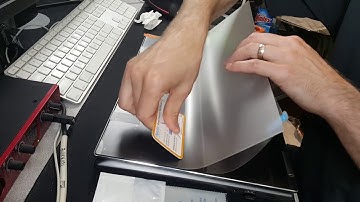
4.Peel off a little of the backside of Tab 1 gently before applying to the screen
5.Align the filter starting at the top, slowly peel off Tab 1 and squeeze the bubbles out with card
6.Peel off Tab 2 when finished
Blue light refers to light with a wavelength of 380-495 nm and it's a kind of visible light. Blue light is short and has high energy. It can penetrate the lens directly to the retina of the fundus. Bluelight is widely used in LED light sourced products such as PCs, Cell Phones, Tablets, Game machines and TVs. However, mobile phone screens, LEDs, and computer screen lights all generate a lot of blue light. This can cause harm to people's eyes and skins, and cause eye fatigue and may even cause age-related macular degeneration which not only resulting in visual fatigue, but also not conducive to normal sleep.
Why You need to buy the Anti Blue Light Screen Protector?
Anti-Blue Light Filter Features:
1.Filter out Blue Light
2.UV400 protection
3.Relieve the fatigue of eyes
4.Radiation Protection: Through the absorption and conversion of ultraviolet rays, it prevents the dry skin caused by UV reflections from causing skin pigmentation, chloasma and other problems
5.Anti-fingerprint, Scratch Resistant(9H), HD Retina Clarity
6.Anti-static screen protector
Package Included:
- 1 x Anti Blue Light Screen Protector for Lenovo Yoga C930 13.9"
- 1 x Keyboard Cover for Lenovo Yoga C930 13.9"
- 1 x Microfiber Cloth
- 1 x Wet Cleaner
- 1 x Dust Remover sticker
How To Apply:
1.Check the filter dimension is suitable for your screen
2.Clean your laptop screen with the microfiber cloth
3.Remove the fine dust with dust removal sticker
4.Peel off a little of the backside of Tab 1 gently before applying to the screen
5.Align the filter starting at the top, slowly peel off Tab 1 and squeeze the bubbles out with card
6.Peel off Tab 2 when finished
Lenovo Yoga C930 Screen Protector for Lenovo Yoga C930 930 13.9" Touch Screen Anti Glare Blue Light Screen Protector Screen Filter with Yoga C930 Keyboard Cover Protector Light Blocking Screen Cover
Price is below average
Current Price
$16.59
Average
$16.79
Min Price
$16.59
Max Price
$16.99
Price dynamics
1%
Description
What is Blu-light?
Blue light refers to light with a wavelength of 380-495 nm and it's a kind of visible light. Blue light is short and has high energy. It can penetrate the lens directly to the retina of the fundus. Bluelight is widely used in LED light sourced products such as PCs, Cell Phones, Tablets, Game machines and TVs. However, mobile phone screens, LEDs, and computer screen lights all generate a lot of blue light. This can cause harm to people's eyes and skins, and cause eye fatigue and may even cause age-related macular degeneration which not only resulting in visual fatigue, but also not conducive to normal sleep.
Why You need to buy the Anti Blue Light Screen Protector?
Anti-Blue Light Filter Features:
1.Filter out Blue Light
2.UV400 protection
3.Relieve the fatigue of eyes
4.Radiation Protection: Through the absorption and conversion of ultraviolet rays, it prevents the dry skin caused by UV reflections from causing skin pigmentation, chloasma and other problems
5.Anti-fingerprint, Scratch Resistant(9H), HD Retina Clarity
6.Anti-static screen protector
Package Included:
- 1 x Anti Blue Light Screen Protector for Lenovo Yoga C930 13.9"
- 1 x Keyboard Cover for Lenovo Yoga C930 13.9"
- 1 x Microfiber Cloth
- 1 x Wet Cleaner
- 1 x Dust Remover sticker
How To Apply:
1.Check the filter dimension is suitable for your screen
2.Clean your laptop screen with the microfiber cloth
3.Remove the fine dust with dust removal sticker
4.Peel off a little of the backside of Tab 1 gently before applying to the screen
5.Align the filter starting at the top, slowly peel off Tab 1 and squeeze the bubbles out with card
6.Peel off Tab 2 when finished
Blue light refers to light with a wavelength of 380-495 nm and it's a kind of visible light. Blue light is short and has high energy. It can penetrate the lens directly to the retina of the fundus. Bluelight is widely used in LED light sourced products such as PCs, Cell Phones, Tablets, Game machines and TVs. However, mobile phone screens, LEDs, and computer screen lights all generate a lot of blue light. This can cause harm to people's eyes and skins, and cause eye fatigue and may even cause age-related macular degeneration which not only resulting in visual fatigue, but also not conducive to normal sleep.
Why You need to buy the Anti Blue Light Screen Protector?
Anti-Blue Light Filter Features:
1.Filter out Blue Light
2.UV400 protection
3.Relieve the fatigue of eyes
4.Radiation Protection: Through the absorption and conversion of ultraviolet rays, it prevents the dry skin caused by UV reflections from causing skin pigmentation, chloasma and other problems
5.Anti-fingerprint, Scratch Resistant(9H), HD Retina Clarity
6.Anti-static screen protector
Package Included:
- 1 x Anti Blue Light Screen Protector for Lenovo Yoga C930 13.9"
- 1 x Keyboard Cover for Lenovo Yoga C930 13.9"
- 1 x Microfiber Cloth
- 1 x Wet Cleaner
- 1 x Dust Remover sticker
How To Apply:
1.Check the filter dimension is suitable for your screen
2.Clean your laptop screen with the microfiber cloth
3.Remove the fine dust with dust removal sticker
4.Peel off a little of the backside of Tab 1 gently before applying to the screen
5.Align the filter starting at the top, slowly peel off Tab 1 and squeeze the bubbles out with card
6.Peel off Tab 2 when finished
Price will be lower
in next 2 weeks
in next 2 weeks
According to the data, price will be lower in next two weeks, so not waste your money and track better price!
Product review & video
so I got the Lenovo yoga 7 2015 inch model and I wanted to do a quick video on how to put the screen protector on if you're drawing on the screen with a pen I just kind of felt like overtime robbing that little plastic nib on the screen could possibly damage it I don't know maybe it won't but I felt better with using the screen protector also the screen protector gives it a bit of a grit to it but really the main trick is what you see right now what I'm doing is I put a piece of tape on the screen and that once it's taped down it keeps a screen protector from what wiggling left to right so you've got it perfectly lined up like right there I've got it just the way I want the screen protector by the way this is the photo don MX h 25% screen protector it's kind of like partially glare reducing but yeah this comes with the the screen protector has like this protective coating on it so once