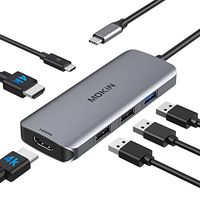
Description
Driver Installation
Download and install the latest driver from DisplayLink: www.displaylink.com/downloads before using.
Trouble Shooting
- You can go to Displaylink Forum and get a professional answer whenever you come across technical issues from here:
https://support.displaylink.com/knowledgebase
- For any other issues, you can also contact us through Amazon Message or Our Official Website.
Systems Requirements
- Mac OS 10.14/10.13/10.12/10.11/10.10/10.9/10.8
- Windows 10/8.1/8/7
No Support
- Windows XP
- Linux/Unix/Android
- ARM based devices, such as Surface RT
- Non-intel based Apple devices, such as PowerMac
Display Compatibility
- Better for web, product or productivity display, not recommended for gaming.
- On single display mode, resolution of the single DP monitor is up to 5120 x 2880@60Hz through 2 DisplayPorts. On dual displays mode, resolution of each monitor is Max 4096x2160@60Hz.
- If playing 4K contents, your device must be capable of decoding the 4K video in the graphics processor, recommend: Intel HD 4000, AMD Radeon HD 8650, NVidia GeForce 7xxM or better.
- DisplayLink chipset has a CPU performance requirement, recommend: Intel Core i3 (or AMD A10) at 2.0GHz or better.
Reminder about Power
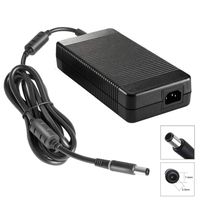
The DC 20V power adapter is necessary for use, but not provides charging to your devices. (No Charging)
Important Note for macOS: (Known Issues - Not Fully Fix Yet)
- Users of 10.13.4-10.13.6 should use v4.3.x driver as it contains a workaround to enable one extended USB display (1080P) that support extend or mirror mode by using Apple AirPlay.
- All MacBook 2018 models (Including Air & Pro, which based on Intel Coffee Lake chipset) running 10.14 can experience black extended display(s) with only mouse cursor. Driver v4.3 Beta 6 can force an AirPlay mirrored or extended display (1080P).
Download and install the latest driver from DisplayLink: www.displaylink.com/downloads before using.
Trouble Shooting
- You can go to Displaylink Forum and get a professional answer whenever you come across technical issues from here:
https://support.displaylink.com/knowledgebase
- For any other issues, you can also contact us through Amazon Message or Our Official Website.
Systems Requirements
- Mac OS 10.14/10.13/10.12/10.11/10.10/10.9/10.8
- Windows 10/8.1/8/7
No Support
- Windows XP
- Linux/Unix/Android
- ARM based devices, such as Surface RT
- Non-intel based Apple devices, such as PowerMac
Display Compatibility
- Better for web, product or productivity display, not recommended for gaming.
- On single display mode, resolution of the single DP monitor is up to 5120 x 2880@60Hz through 2 DisplayPorts. On dual displays mode, resolution of each monitor is Max 4096x2160@60Hz.
- If playing 4K contents, your device must be capable of decoding the 4K video in the graphics processor, recommend: Intel HD 4000, AMD Radeon HD 8650, NVidia GeForce 7xxM or better.
- DisplayLink chipset has a CPU performance requirement, recommend: Intel Core i3 (or AMD A10) at 2.0GHz or better.
Reminder about Power
The DC 20V power adapter is necessary for use, but not provides charging to your devices. (No Charging)
Important Note for macOS: (Known Issues - Not Fully Fix Yet)
- Users of 10.13.4-10.13.6 should use v4.3.x driver as it contains a workaround to enable one extended USB display (1080P) that support extend or mirror mode by using Apple AirPlay.
- All MacBook 2018 models (Including Air & Pro, which based on Intel Coffee Lake chipset) running 10.14 can experience black extended display(s) with only mouse cursor. Driver v4.3 Beta 6 can force an AirPlay mirrored or extended display (1080P).
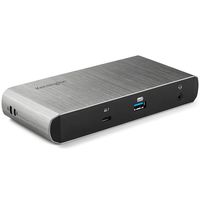
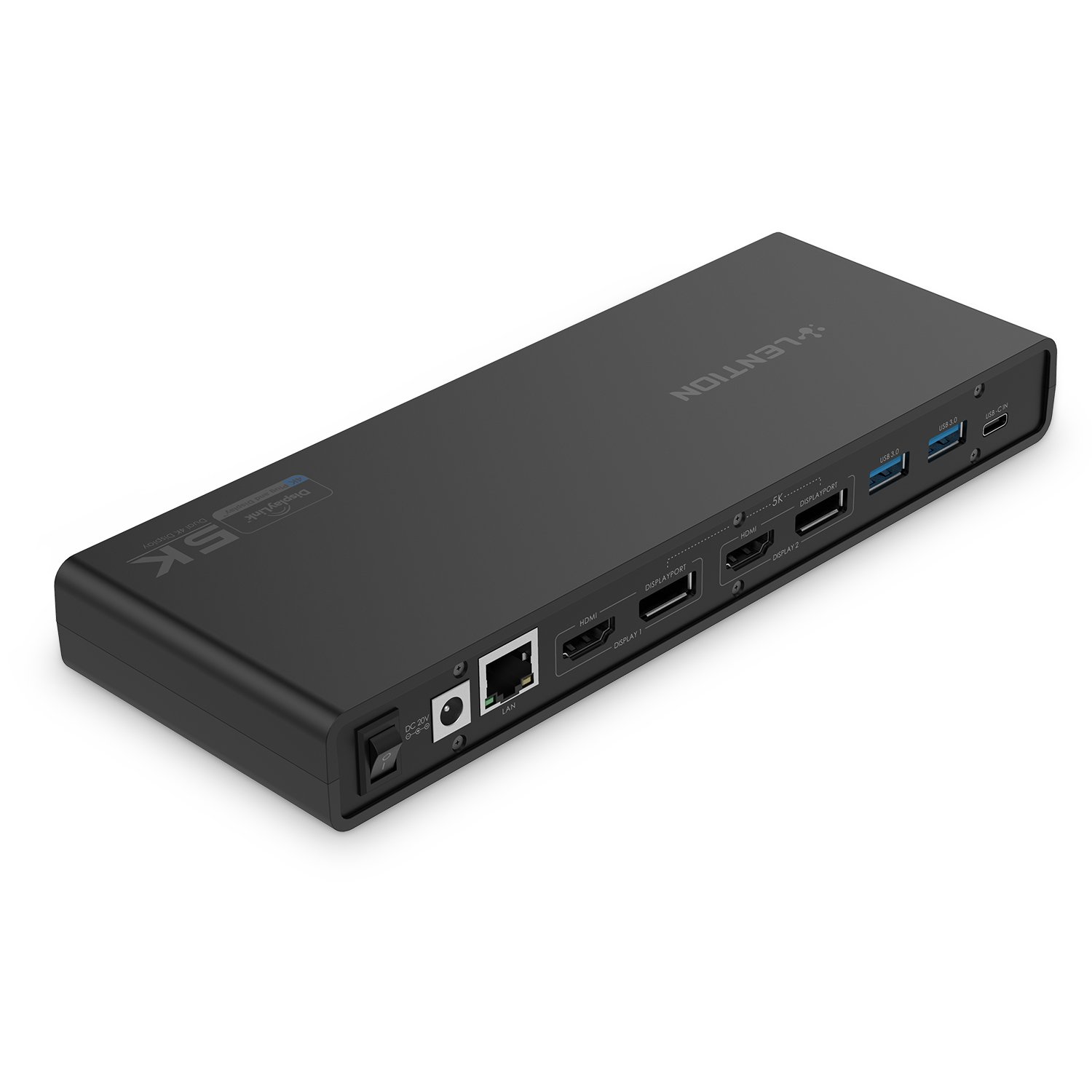
LENTION 5K USB C & USB A Docking Station with HDMI & DisplayPort Dual 4K Displays, Gigabit Ethernet, Audio Adapter, 6 USB 3.0 Compatible MacBook Pro 13/15/16, Mac Air, Surface Laptop, More
Current Price
$189.99
Average
$189.99
Min Price
$189.99
Max Price
$189.99
Description
Driver Installation
Download and install the latest driver from DisplayLink: www.displaylink.com/downloads before using.
Trouble Shooting
- You can go to Displaylink Forum and get a professional answer whenever you come across technical issues from here:
https://support.displaylink.com/knowledgebase
- For any other issues, you can also contact us through Amazon Message or Our Official Website.
Systems Requirements
- Mac OS 10.14/10.13/10.12/10.11/10.10/10.9/10.8
- Windows 10/8.1/8/7
No Support
- Windows XP
- Linux/Unix/Android
- ARM based devices, such as Surface RT
- Non-intel based Apple devices, such as PowerMac
Display Compatibility
- Better for web, product or productivity display, not recommended for gaming.
- On single display mode, resolution of the single DP monitor is up to 5120 x 2880@60Hz through 2 DisplayPorts. On dual displays mode, resolution of each monitor is Max 4096x2160@60Hz.
- If playing 4K contents, your device must be capable of decoding the 4K video in the graphics processor, recommend: Intel HD 4000, AMD Radeon HD 8650, NVidia GeForce 7xxM or better.
- DisplayLink chipset has a CPU performance requirement, recommend: Intel Core i3 (or AMD A10) at 2.0GHz or better.
Reminder about Power
The DC 20V power adapter is necessary for use, but not provides charging to your devices. (No Charging)
Important Note for macOS: (Known Issues - Not Fully Fix Yet)
- Users of 10.13.4-10.13.6 should use v4.3.x driver as it contains a workaround to enable one extended USB display (1080P) that support extend or mirror mode by using Apple AirPlay.
- All MacBook 2018 models (Including Air & Pro, which based on Intel Coffee Lake chipset) running 10.14 can experience black extended display(s) with only mouse cursor. Driver v4.3 Beta 6 can force an AirPlay mirrored or extended display (1080P).
Download and install the latest driver from DisplayLink: www.displaylink.com/downloads before using.
Trouble Shooting
- You can go to Displaylink Forum and get a professional answer whenever you come across technical issues from here:
https://support.displaylink.com/knowledgebase
- For any other issues, you can also contact us through Amazon Message or Our Official Website.
Systems Requirements
- Mac OS 10.14/10.13/10.12/10.11/10.10/10.9/10.8
- Windows 10/8.1/8/7
No Support
- Windows XP
- Linux/Unix/Android
- ARM based devices, such as Surface RT
- Non-intel based Apple devices, such as PowerMac
Display Compatibility
- Better for web, product or productivity display, not recommended for gaming.
- On single display mode, resolution of the single DP monitor is up to 5120 x 2880@60Hz through 2 DisplayPorts. On dual displays mode, resolution of each monitor is Max 4096x2160@60Hz.
- If playing 4K contents, your device must be capable of decoding the 4K video in the graphics processor, recommend: Intel HD 4000, AMD Radeon HD 8650, NVidia GeForce 7xxM or better.
- DisplayLink chipset has a CPU performance requirement, recommend: Intel Core i3 (or AMD A10) at 2.0GHz or better.
Reminder about Power
The DC 20V power adapter is necessary for use, but not provides charging to your devices. (No Charging)
Important Note for macOS: (Known Issues - Not Fully Fix Yet)
- Users of 10.13.4-10.13.6 should use v4.3.x driver as it contains a workaround to enable one extended USB display (1080P) that support extend or mirror mode by using Apple AirPlay.
- All MacBook 2018 models (Including Air & Pro, which based on Intel Coffee Lake chipset) running 10.14 can experience black extended display(s) with only mouse cursor. Driver v4.3 Beta 6 can force an AirPlay mirrored or extended display (1080P).
Price will be lower
in next 2 weeks
in next 2 weeks
According to the data, price will be lower in next two weeks, so not waste your money and track better price!
Similar products