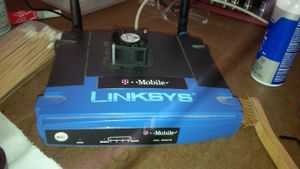
Description
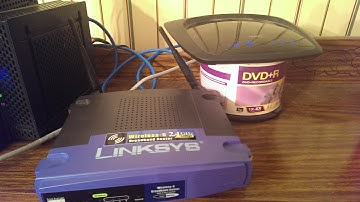
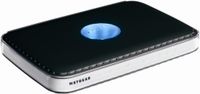
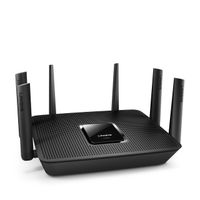
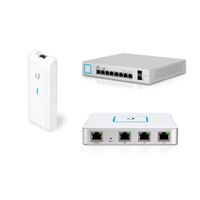
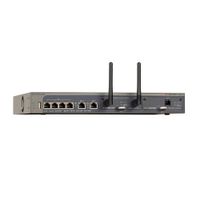
The Linksys Wireless-G broadband router is really three devices in one box. First, it's a wireless access point, which lets you connect Wireless-G or Wireless-B devices to the network. There's also a built-in four-port full-duplex 10/100 switch to connect your wired-Ethernet devices. Connect four PCs directly, or daisy-chain out to more hubs and switches to create as big a network as you need. Finally, the router function ties it all together and lets your whole network share a high-speed cable or DSL Internet connection.
To protect your data and privacy, the Wireless-G broadband router can encrypt all wireless transmissions, and it supports the industrial-strength wireless security of 802.1x authentication and authorization. The router can serve as a DHCP server, has NAT technology to protect against Internet intruders, supports VPN pass-through, and can be configured to filter internal users' access to the Internet. Configuration is a snap with the Web browser-based configuration utility.
With the Linksys Wireless-G broadband router at the center of your home or office network, you can share a high-speed Internet connection, files, printers, and multiplayer games with the flexibility, speed, and security you need!
Wireless-G is the 54 Mbps wireless networking standard that's more than four times faster than the widely deployed Wireless-B (802.11b) products found in homes, businesses, and public wireless hotspots around the country. But since they share the same 2.4 GHz radio band, Wireless-G devices can also interoperate with existing 11 Mbps Wireless-B equipment.
Because both standards are built-in, you can protect your investment in existing 802.11b infrastructure, and migrate to the new screaming-fast Wireless-G standard as your needs grow.
Linksys WRT54G-TM T-Mobile Hotspot Home Wireless Router
Current Price
$75
Average
$64.33
Min Price
$20
Max Price
$139.99
Price dynamics
14%
Description
The Linksys Wireless-G broadband router is really three devices in one box. First, it's a wireless access point, which lets you connect Wireless-G or Wireless-B devices to the network. There's also a built-in four-port full-duplex 10/100 switch to connect your wired-Ethernet devices. Connect four PCs directly, or daisy-chain out to more hubs and switches to create as big a network as you need. Finally, the router function ties it all together and lets your whole network share a high-speed cable or DSL Internet connection.
To protect your data and privacy, the Wireless-G broadband router can encrypt all wireless transmissions, and it supports the industrial-strength wireless security of 802.1x authentication and authorization. The router can serve as a DHCP server, has NAT technology to protect against Internet intruders, supports VPN pass-through, and can be configured to filter internal users' access to the Internet. Configuration is a snap with the Web browser-based configuration utility.
With the Linksys Wireless-G broadband router at the center of your home or office network, you can share a high-speed Internet connection, files, printers, and multiplayer games with the flexibility, speed, and security you need!
Wireless-G is the 54 Mbps wireless networking standard that's more than four times faster than the widely deployed Wireless-B (802.11b) products found in homes, businesses, and public wireless hotspots around the country. But since they share the same 2.4 GHz radio band, Wireless-G devices can also interoperate with existing 11 Mbps Wireless-B equipment.
Because both standards are built-in, you can protect your investment in existing 802.11b infrastructure, and migrate to the new screaming-fast Wireless-G standard as your needs grow.
Price will be lower
in next 2 weeks
in next 2 weeks
According to the data, price will be lower in next two weeks, so not waste your money and track better price!
Product review & video
welcome to this video that will show you how to use your old Wi-Fi router and can with your new router to boost the signal strength of your network so you can get to it and more places around your house or have better connection on the other side of the house or in another level of your house like the second story or third story of your Ridge and the first thing we need to do is to take out your old router plug it in with the power cord and hold the reset button for ten to thirty seconds so reset the factory settings after you have done that well actually with first thing you need to do is to disable your Wi-Fi by going to a right-click and go to open network and sharing Center and then in change adapter settings okay right-click Wi-Fi and disable it I've already done that and enable your Ethernet easier net connection if you if you have already disabled it and that's what we're needing