Description
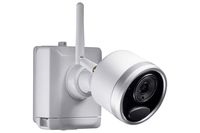
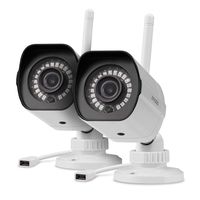
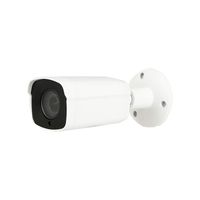
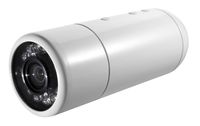
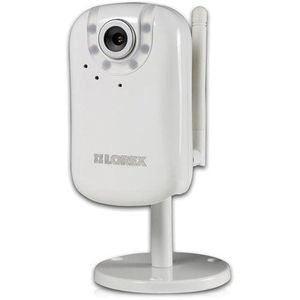
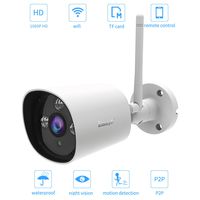
The flexibility of wireless or wired connectivity is yours with the Lorex LNE3003i Easy Connect Network Camera. Remotely monitor business or home via a secure, password-protected connection that doesn't require networking knowledge. LNE3003i is iPad, iPhone & iPod touch compatible and can be viewed remotely on PC using Internet Explorer or Firefox and Mac using Safari. The camera features VGA resolution viewing, real-time 30 fps view and record, 10X digital zoom and 2-way audio. Other features include superior low light performance due to 10 IR LED's, motion triggered email notifications with JPEG image attachment, enhanced MPEG4 for efficient streaming. Remote Easy Connect via Yoics and MSN & also FREE Lorex DDNS included. Network configuration questions? Technical support available Mon - Fri 8am - 8pm eastern at 1-877-75Lorex
Lorex LNE3003i Wireless Network Easy Connect Security Camera (White)
Price is below average
Current Price
$74.5
Average
$156.07
Min Price
$74.5
Max Price
$319.99
Price dynamics
52%
Description
The flexibility of wireless or wired connectivity is yours with the Lorex LNE3003i Easy Connect Network Camera. Remotely monitor business or home via a secure, password-protected connection that doesn't require networking knowledge. LNE3003i is iPad, iPhone & iPod touch compatible and can be viewed remotely on PC using Internet Explorer or Firefox and Mac using Safari. The camera features VGA resolution viewing, real-time 30 fps view and record, 10X digital zoom and 2-way audio. Other features include superior low light performance due to 10 IR LED's, motion triggered email notifications with JPEG image attachment, enhanced MPEG4 for efficient streaming. Remote Easy Connect via Yoics and MSN & also FREE Lorex DDNS included. Network configuration questions? Technical support available Mon - Fri 8am - 8pm eastern at 1-877-75Lorex
Price will be lower
in next 2 weeks
in next 2 weeks
According to the data, price will be lower in next two weeks, so not waste your money and track better price!
Product review & video
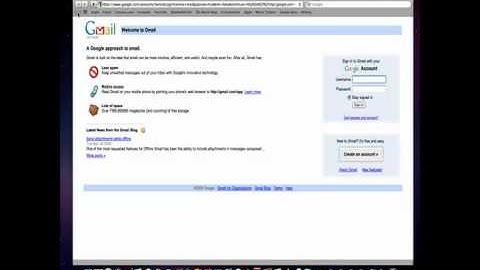
hi everybody and welcome to our demonstration of discovering your eleanii camera using a Mac so to discover the camera you will need to use Safari you can open the applications folder or launch it from the dock now so far uses bonjour to use bonjour you have to use the bookmarks bar so select bronzer from bookmarks here you see web pages and printers these are the printers on our network and your camera will appear under web pages so you can select the LNT 3003 in this example to log into the camera another method is to use the bookmarks folder button click that there you see Bonjour just like before you see web pages and printers select the camera and click you'll be prompted for your password by default admin admin and you can save that password to your keychain if you like and click login to access your camera give it a second and there you go that's live video from your camera great

Similar products