- HomeElectronicsComputers & AccessoriesComputer Accessories & PeripheralsKeyboards, Mice & AccessoriesKeyboard & Mice AccessoriesKeyboard Skins
Description
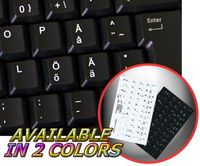
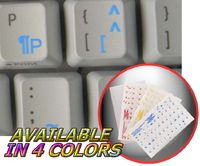
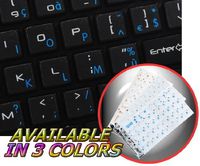
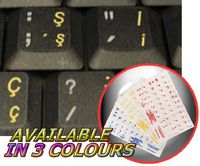
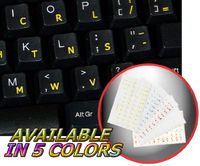
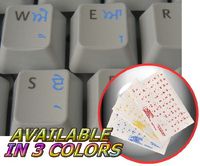
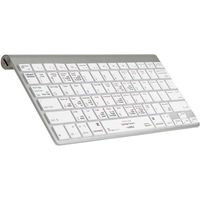
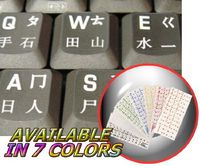
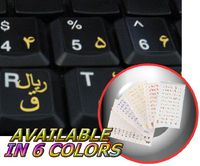
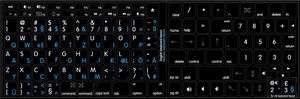
High-quality stickers for different keyboards Desktop, Laptop and Notebook such as: Apple, Macintosh Computers, Power Mac, Apple iBook, Apple PowerBook, MacBookPro, AirBook, Apple iMac ... etc. Stickers are made of high-quality non-transparent (black or white) - matt vinyl, thickness - 80mkn, typographical method. Applying stickers on you keyboard properly once, and you can be aware that letters will stay for ever. You do not have to think how to apply Stickers. You'll know it intuitively. Applying possess doesn't take more than 10-15min. And you can immediately enjoy your brand-new English - German keyboard when making contacts with your relatives, friends and acquaintances. What you're offered now is high-quality stickers, intended to simplify you work and enjoy it while doing it on computer. Discover the World of perfection and simplicity with our Product. OUR MOTTO IS - QUALITY! The product listed above is copyrighted, has been manufactured and distributed by Royal Galaxy Ltd. Usage of the images posted, distribution or resale has NOT been authorized by Royal Galaxy Ltd, and is in direct violation of its written terms. Federal law provides severe civil and criminal penalties for the unauthorized usage, distribution or resale of copyrighted product, its listings with all imaged posted. For all requests regarding usage of images of this product, its distribution and resale, please contact us by email.
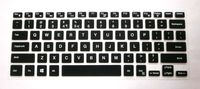
MAC ENGLISH-GERMAN KEYBOARD STICKER BLACK BACKGROUND
Current Price
$6.96
Average
$6.96
Min Price
$6.96
Max Price
$6.96
Description
High-quality stickers for different keyboards Desktop, Laptop and Notebook such as: Apple, Macintosh Computers, Power Mac, Apple iBook, Apple PowerBook, MacBookPro, AirBook, Apple iMac ... etc. Stickers are made of high-quality non-transparent (black or white) - matt vinyl, thickness - 80mkn, typographical method. Applying stickers on you keyboard properly once, and you can be aware that letters will stay for ever. You do not have to think how to apply Stickers. You'll know it intuitively. Applying possess doesn't take more than 10-15min. And you can immediately enjoy your brand-new English - German keyboard when making contacts with your relatives, friends and acquaintances. What you're offered now is high-quality stickers, intended to simplify you work and enjoy it while doing it on computer. Discover the World of perfection and simplicity with our Product. OUR MOTTO IS - QUALITY! The product listed above is copyrighted, has been manufactured and distributed by Royal Galaxy Ltd. Usage of the images posted, distribution or resale has NOT been authorized by Royal Galaxy Ltd, and is in direct violation of its written terms. Federal law provides severe civil and criminal penalties for the unauthorized usage, distribution or resale of copyrighted product, its listings with all imaged posted. For all requests regarding usage of images of this product, its distribution and resale, please contact us by email.
Price will be lower
in next 2 weeks
in next 2 weeks
According to the data, price will be lower in next two weeks, so not waste your money and track better price!
Product review & video
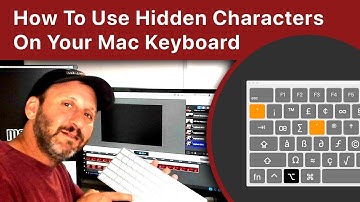
Hi, this is Gary with MacMost.com. Let me show you how to find and type special
hidden characters on your Mac keyboard. MacMost is brought to you thanks to a great
group of supporters. You can go here to read more and find out
how to join and get exclusive content. So you probably already know that you can
type almost any special character or emoji by holding the Control and Command key and
hitting Space and then you get this viewer here and you can browse through it and you
can search for things. Also if you want to type accent marks or character
modifications you can press the key on your keyboard, like the e key, and hold it and
then you'll get various versions of that key. So you can type é with an accent mark for
instance. But there are some characters that some people
use a lot and you may not want to bring up the emoji viewer every time you want to use
them. For instance, say you