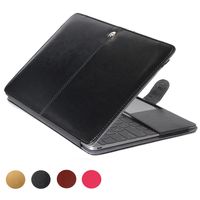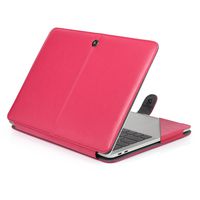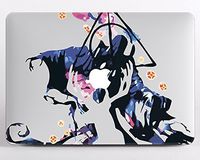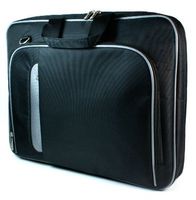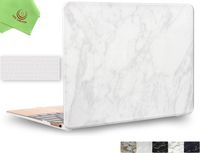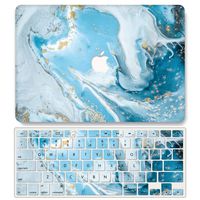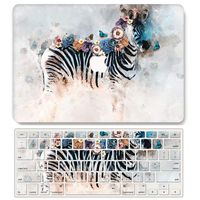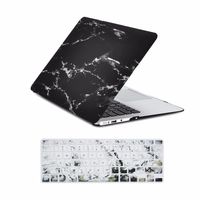
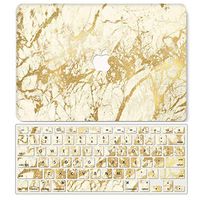
Description
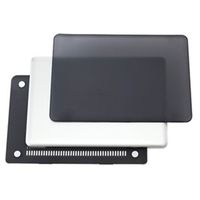
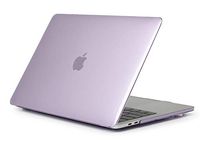
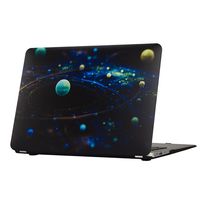
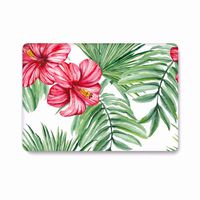
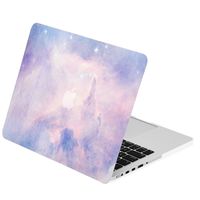
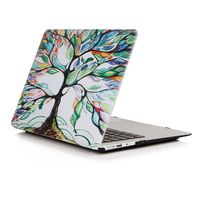
Designed to fit Macbook Pro 13 Inch (A1278)
Specifications
Snap on design, easy on easy off
Fully access to all buttons and features
Plug your charger, cable or headset without removing the case
Super light-weight with smooth rubberized exterior texture to protect your MacBook from scrapes and scratches
Case Compatible with
Macbook Pro 13 Inch (A1278)
Case NOT Compatible with
MacBook Air 11 inch(Model:A1465/A1370)
Macbook 12 Inch with Retina Display (A1534)
Macbook Pro 13 Inch with Retina Display (A1706/A1708)
Macbook Pro 13 Inch (A1502/A1425)
Macbook Air 13 Inch (A1466 / A1369)
Macbook Pro 15 Inch with Retina Display (A1398)
Macbook Pro 15/15.4 Inch (A1286)
Macbook Pro 15 (A1707)
Installation
1. Start with the top cover of the case. Clip the 2 clips at the back of the MacBook first.
2. Pull the case slightly to the front until the 2 clips "clicking".
3. Turn around the MacBook. Clip the bottom cover on the back of the MacBook first.
4. Pull the case slightly to the front until the clips "clicking".
Specifications
Snap on design, easy on easy off
Fully access to all buttons and features
Plug your charger, cable or headset without removing the case
Super light-weight with smooth rubberized exterior texture to protect your MacBook from scrapes and scratches
Case Compatible with
Macbook Pro 13 Inch (A1278)
Case NOT Compatible with
MacBook Air 11 inch(Model:A1465/A1370)
Macbook 12 Inch with Retina Display (A1534)
Macbook Pro 13 Inch with Retina Display (A1706/A1708)
Macbook Pro 13 Inch (A1502/A1425)
Macbook Air 13 Inch (A1466 / A1369)
Macbook Pro 15 Inch with Retina Display (A1398)
Macbook Pro 15/15.4 Inch (A1286)
Macbook Pro 15 (A1707)
Installation
1. Start with the top cover of the case. Clip the 2 clips at the back of the MacBook first.
2. Pull the case slightly to the front until the 2 clips "clicking".
3. Turn around the MacBook. Clip the bottom cover on the back of the MacBook first.
4. Pull the case slightly to the front until the clips "clicking".
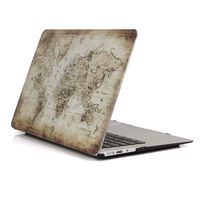
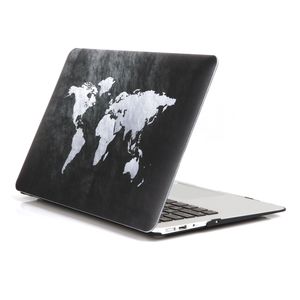
Macbook Pro 13 Inch Case,One Micron New Art Soft-Touch Hard Cover Ultra Slim Protective Case for Macbook Pro 13.3''(A1278) ,World Map 2
Current Price
$15.99
Average
$15.73
Min Price
$10.99
Max Price
$18.99
Price dynamics
2%
Description
Designed to fit Macbook Pro 13 Inch (A1278)
Specifications
Snap on design, easy on easy off
Fully access to all buttons and features
Plug your charger, cable or headset without removing the case
Super light-weight with smooth rubberized exterior texture to protect your MacBook from scrapes and scratches
Case Compatible with
Macbook Pro 13 Inch (A1278)
Case NOT Compatible with
MacBook Air 11 inch(Model:A1465/A1370)
Macbook 12 Inch with Retina Display (A1534)
Macbook Pro 13 Inch with Retina Display (A1706/A1708)
Macbook Pro 13 Inch (A1502/A1425)
Macbook Air 13 Inch (A1466 / A1369)
Macbook Pro 15 Inch with Retina Display (A1398)
Macbook Pro 15/15.4 Inch (A1286)
Macbook Pro 15 (A1707)
Installation
1. Start with the top cover of the case. Clip the 2 clips at the back of the MacBook first.
2. Pull the case slightly to the front until the 2 clips "clicking".
3. Turn around the MacBook. Clip the bottom cover on the back of the MacBook first.
4. Pull the case slightly to the front until the clips "clicking".
Specifications
Snap on design, easy on easy off
Fully access to all buttons and features
Plug your charger, cable or headset without removing the case
Super light-weight with smooth rubberized exterior texture to protect your MacBook from scrapes and scratches
Case Compatible with
Macbook Pro 13 Inch (A1278)
Case NOT Compatible with
MacBook Air 11 inch(Model:A1465/A1370)
Macbook 12 Inch with Retina Display (A1534)
Macbook Pro 13 Inch with Retina Display (A1706/A1708)
Macbook Pro 13 Inch (A1502/A1425)
Macbook Air 13 Inch (A1466 / A1369)
Macbook Pro 15 Inch with Retina Display (A1398)
Macbook Pro 15/15.4 Inch (A1286)
Macbook Pro 15 (A1707)
Installation
1. Start with the top cover of the case. Clip the 2 clips at the back of the MacBook first.
2. Pull the case slightly to the front until the 2 clips "clicking".
3. Turn around the MacBook. Clip the bottom cover on the back of the MacBook first.
4. Pull the case slightly to the front until the clips "clicking".
Price will be lower
in next 2 weeks
in next 2 weeks
According to the data, price will be lower in next two weeks, so not waste your money and track better price!
Product review & video
hello and welcome back to new unboxing video this is ketul patel and in this video we are going to unbox a protective case for macbook pro so this is uh from a company called bro case so this is a protective case that can protect your macbook from external damages so let's open this box and let's check out how the product is so when you open the box here it comes with some bubble protection so this is the case uh this is a packing not too much fancy but it's good just we just wanted and here we have some warranty about some warranty like you can register for warranty and this is how you can activate a warranty so this is basically from the company so this is the case so let's open this case so another protection inside and here we get a product installation manual so it says how to install the top cover how to install the bottom cover and all the instructions that you can read in this a


Similar products