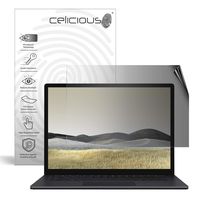
Description
What is Blue Light?
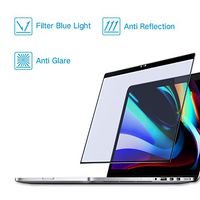
Blue light is a color in the visible light spectrum that can be seen by human eyes. Blue light is a short wavelength, which means it produces higher amounts of energy.
How does blue light impact you?
Studies show that exposure to blue light can cause eyestrain, fatigue, headaches, and sleeplessness.
Where is blue light?
Blue light is everywhere in our world. It used to be that the only source of blue light was from the sun. Now we have brought blue light inside by way of digital screens (found on TVs, Smartphones, computers, laptops, tablets and gaming systems), electronic devices, LED and fluorescent lighting.
Why You Need The Anti-Blue Light Screen Protector?
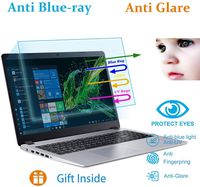
[6 Layer Protection of product]
1.Anti Blue Light Screen Protector
2.Anti Glare Screen protector
3.UV400 protection Screen Protector
4.Relieve the Fatigue of Eyes Screen Protector
5.Anti-Scratch Screen Protector
6.Anti-Static screen protector
Compatible Models:
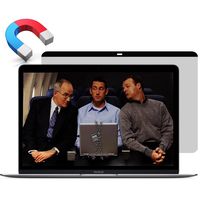
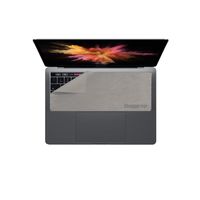
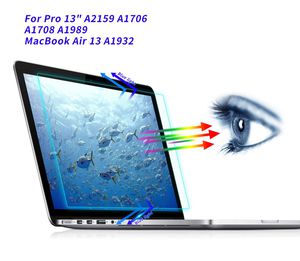
- 2016-2019 Apple MacBook Pro 13" A2159 A1706 A1708 A1989
- 2019 2018 Newest MacBook Air 13 A1932 with Touch ID
Package Included:
- 1 x Anti-Blue Light Screen Protector
- 1 x Microfiber Cloth
- 1 x Wet Cleaner
- 1 x Dust Remover sticker
How To Apply:
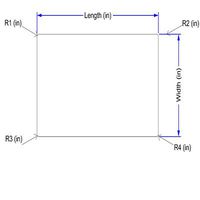
1.Check the filter dimension & cutout is suitable for your screen
2.Clean your laptop screen with the microfiber cloth thoroughly
3.Remove the fine dust with dust removal sticker
4.Peel off 2-inch length of Tab 1 gently before applying to the screen
5.Align the filter from the top, slowly peel off Tab 1 and squeeze the bubbles out with card
6.Peel off Tab 2 when finished
Blue light is a color in the visible light spectrum that can be seen by human eyes. Blue light is a short wavelength, which means it produces higher amounts of energy.
How does blue light impact you?
Studies show that exposure to blue light can cause eyestrain, fatigue, headaches, and sleeplessness.
Where is blue light?
Blue light is everywhere in our world. It used to be that the only source of blue light was from the sun. Now we have brought blue light inside by way of digital screens (found on TVs, Smartphones, computers, laptops, tablets and gaming systems), electronic devices, LED and fluorescent lighting.
Why You Need The Anti-Blue Light Screen Protector?
[6 Layer Protection of product]
1.Anti Blue Light Screen Protector
2.Anti Glare Screen protector
3.UV400 protection Screen Protector
4.Relieve the Fatigue of Eyes Screen Protector
5.Anti-Scratch Screen Protector
6.Anti-Static screen protector
Compatible Models:
- 2016-2019 Apple MacBook Pro 13" A2159 A1706 A1708 A1989
- 2019 2018 Newest MacBook Air 13 A1932 with Touch ID
Package Included:
- 1 x Anti-Blue Light Screen Protector
- 1 x Microfiber Cloth
- 1 x Wet Cleaner
- 1 x Dust Remover sticker
How To Apply:
1.Check the filter dimension & cutout is suitable for your screen
2.Clean your laptop screen with the microfiber cloth thoroughly
3.Remove the fine dust with dust removal sticker
4.Peel off 2-inch length of Tab 1 gently before applying to the screen
5.Align the filter from the top, slowly peel off Tab 1 and squeeze the bubbles out with card
6.Peel off Tab 2 when finished
Macbook Pro 13 Screen Protector, Anti Blue Light Anti Glare Screen Filter for 2016-2019 Apple MacBook Pro 13" A2159 A1706 A1708 A1989 / 2019 2018 Newest MacBook Air 13 A1932 with Touch ID Screen Cover
Current Price
$12.99
Average
$12.99
Min Price
$12.99
Max Price
$12.99
Description
What is Blue Light?
Blue light is a color in the visible light spectrum that can be seen by human eyes. Blue light is a short wavelength, which means it produces higher amounts of energy.
How does blue light impact you?
Studies show that exposure to blue light can cause eyestrain, fatigue, headaches, and sleeplessness.
Where is blue light?
Blue light is everywhere in our world. It used to be that the only source of blue light was from the sun. Now we have brought blue light inside by way of digital screens (found on TVs, Smartphones, computers, laptops, tablets and gaming systems), electronic devices, LED and fluorescent lighting.
Why You Need The Anti-Blue Light Screen Protector?
[6 Layer Protection of product]
1.Anti Blue Light Screen Protector
2.Anti Glare Screen protector
3.UV400 protection Screen Protector
4.Relieve the Fatigue of Eyes Screen Protector
5.Anti-Scratch Screen Protector
6.Anti-Static screen protector
Compatible Models:
- 2016-2019 Apple MacBook Pro 13" A2159 A1706 A1708 A1989
- 2019 2018 Newest MacBook Air 13 A1932 with Touch ID
Package Included:
- 1 x Anti-Blue Light Screen Protector
- 1 x Microfiber Cloth
- 1 x Wet Cleaner
- 1 x Dust Remover sticker
How To Apply:
1.Check the filter dimension & cutout is suitable for your screen
2.Clean your laptop screen with the microfiber cloth thoroughly
3.Remove the fine dust with dust removal sticker
4.Peel off 2-inch length of Tab 1 gently before applying to the screen
5.Align the filter from the top, slowly peel off Tab 1 and squeeze the bubbles out with card
6.Peel off Tab 2 when finished
Blue light is a color in the visible light spectrum that can be seen by human eyes. Blue light is a short wavelength, which means it produces higher amounts of energy.
How does blue light impact you?
Studies show that exposure to blue light can cause eyestrain, fatigue, headaches, and sleeplessness.
Where is blue light?
Blue light is everywhere in our world. It used to be that the only source of blue light was from the sun. Now we have brought blue light inside by way of digital screens (found on TVs, Smartphones, computers, laptops, tablets and gaming systems), electronic devices, LED and fluorescent lighting.
Why You Need The Anti-Blue Light Screen Protector?
[6 Layer Protection of product]
1.Anti Blue Light Screen Protector
2.Anti Glare Screen protector
3.UV400 protection Screen Protector
4.Relieve the Fatigue of Eyes Screen Protector
5.Anti-Scratch Screen Protector
6.Anti-Static screen protector
Compatible Models:
- 2016-2019 Apple MacBook Pro 13" A2159 A1706 A1708 A1989
- 2019 2018 Newest MacBook Air 13 A1932 with Touch ID
Package Included:
- 1 x Anti-Blue Light Screen Protector
- 1 x Microfiber Cloth
- 1 x Wet Cleaner
- 1 x Dust Remover sticker
How To Apply:
1.Check the filter dimension & cutout is suitable for your screen
2.Clean your laptop screen with the microfiber cloth thoroughly
3.Remove the fine dust with dust removal sticker
4.Peel off 2-inch length of Tab 1 gently before applying to the screen
5.Align the filter from the top, slowly peel off Tab 1 and squeeze the bubbles out with card
6.Peel off Tab 2 when finished
Price will be lower
in next 2 weeks
in next 2 weeks
According to the data, price will be lower in next two weeks, so not waste your money and track better price!
Product review & video
what's up guys ran razor here with another tech video for guys today and today we're check out the new power support screen protectors for the touch bar MacBook Pros so of course the little further you let slices open slop it on the macbook and give you a smile [Music] our sport is famous for their anti-glare iPhone screen protectors and now they have brought those screen protectors to the MacBook line that are available in crystal-clear and anti glare models for both the 13 and 15 inch touch bar MacBook Pros and are available now alpha power supports website so the screen protectors do come in your fancy power support packaging here and these cube protectors are made in Japan so there are very high quality as with most stuff coming out of that country we're gonna check out the anti clear screen protector first to open this up we just have to pull this tab here and sliding this out we h