Description
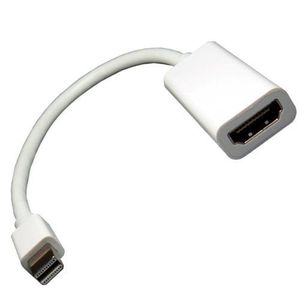
Use this cable adapter to connect your Mac with a Mini-DVI video output port to an external monitor, TV, projector or other display device with HDMI input. Plug the Mini-DVI end into your Mac, and connect the HDMI end to an HDMI (male to male) cable, then plug the cable into your HDMI input input jack. Compatible models:12-inch PowerBook G4, Intel-based iMac, the MacBook Intel-based laptop, the Intel-based Xserve, and the 2009 Mac Mini.
Helpful Notes: This device is intended to function more as an adapter than as a cable, meaning its short length WILL NOT reach from your Mac to the monitor. It will need to be used with an HDMI cable (sold separately).
In addition, this adapter works only with Mini-DVI ports, not with Micro-DVI or Mini Display Ports. To quickly check what port you have: this adapter has a U-shaped connector that will match the U-shape found on Mini-DVI ports.
Highest resolution supported: 1920x1200 @60Hz.
Please note that Mini-DVI adapters are only compatible with Apple computers purchased prior to October 2008. Any Apple computers purchased after October 2008 will require Mini DisplayPort cables.
Helpful Notes: This device is intended to function more as an adapter than as a cable, meaning its short length WILL NOT reach from your Mac to the monitor. It will need to be used with an HDMI cable (sold separately).
In addition, this adapter works only with Mini-DVI ports, not with Micro-DVI or Mini Display Ports. To quickly check what port you have: this adapter has a U-shaped connector that will match the U-shape found on Mini-DVI ports.
Highest resolution supported: 1920x1200 @60Hz.
Please note that Mini-DVI adapters are only compatible with Apple computers purchased prior to October 2008. Any Apple computers purchased after October 2008 will require Mini DisplayPort cables.
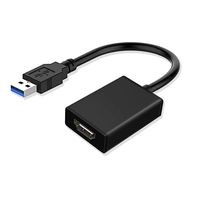
Mini DVI Male to HDMI Female Video Adapter Cable
Price is below average
Current Price
$1.49
Average
$2.45
Min Price
$0.03
Max Price
$5.95
Price dynamics
39%
Description
Use this cable adapter to connect your Mac with a Mini-DVI video output port to an external monitor, TV, projector or other display device with HDMI input. Plug the Mini-DVI end into your Mac, and connect the HDMI end to an HDMI (male to male) cable, then plug the cable into your HDMI input input jack. Compatible models:12-inch PowerBook G4, Intel-based iMac, the MacBook Intel-based laptop, the Intel-based Xserve, and the 2009 Mac Mini.
Helpful Notes: This device is intended to function more as an adapter than as a cable, meaning its short length WILL NOT reach from your Mac to the monitor. It will need to be used with an HDMI cable (sold separately).
In addition, this adapter works only with Mini-DVI ports, not with Micro-DVI or Mini Display Ports. To quickly check what port you have: this adapter has a U-shaped connector that will match the U-shape found on Mini-DVI ports.
Highest resolution supported: 1920x1200 @60Hz.
Please note that Mini-DVI adapters are only compatible with Apple computers purchased prior to October 2008. Any Apple computers purchased after October 2008 will require Mini DisplayPort cables.
Helpful Notes: This device is intended to function more as an adapter than as a cable, meaning its short length WILL NOT reach from your Mac to the monitor. It will need to be used with an HDMI cable (sold separately).
In addition, this adapter works only with Mini-DVI ports, not with Micro-DVI or Mini Display Ports. To quickly check what port you have: this adapter has a U-shaped connector that will match the U-shape found on Mini-DVI ports.
Highest resolution supported: 1920x1200 @60Hz.
Please note that Mini-DVI adapters are only compatible with Apple computers purchased prior to October 2008. Any Apple computers purchased after October 2008 will require Mini DisplayPort cables.
Price will be lower
in next 2 weeks
in next 2 weeks
According to the data, price will be lower in next two weeks, so not waste your money and track better price!
Product review & video
[Music] this is the DVID male 2 HDMI female adapter it features a DVID male connector on one side and an HDMI female connector on the other side for an in-depth look at the different types of DVI please watch our overview video here the adapter will allow you to change an HDMI cable into a DVID cable the adapter is bi-directional and works great for connecting between DVI and HDMI equipment it features gold-plated contacts and can support resolutions up to 1080p the DVI d-mail to HDMI female adapter is a quick and easy solution for your video projects for more information on our products you can give our customer service department a call at eight eight eight five one nine nine five zero five for all of your cable and connector needs choose show me cables [Music]


Similar products