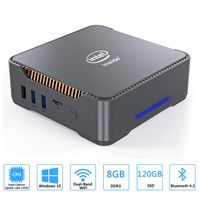
Description
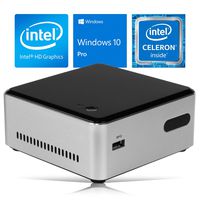
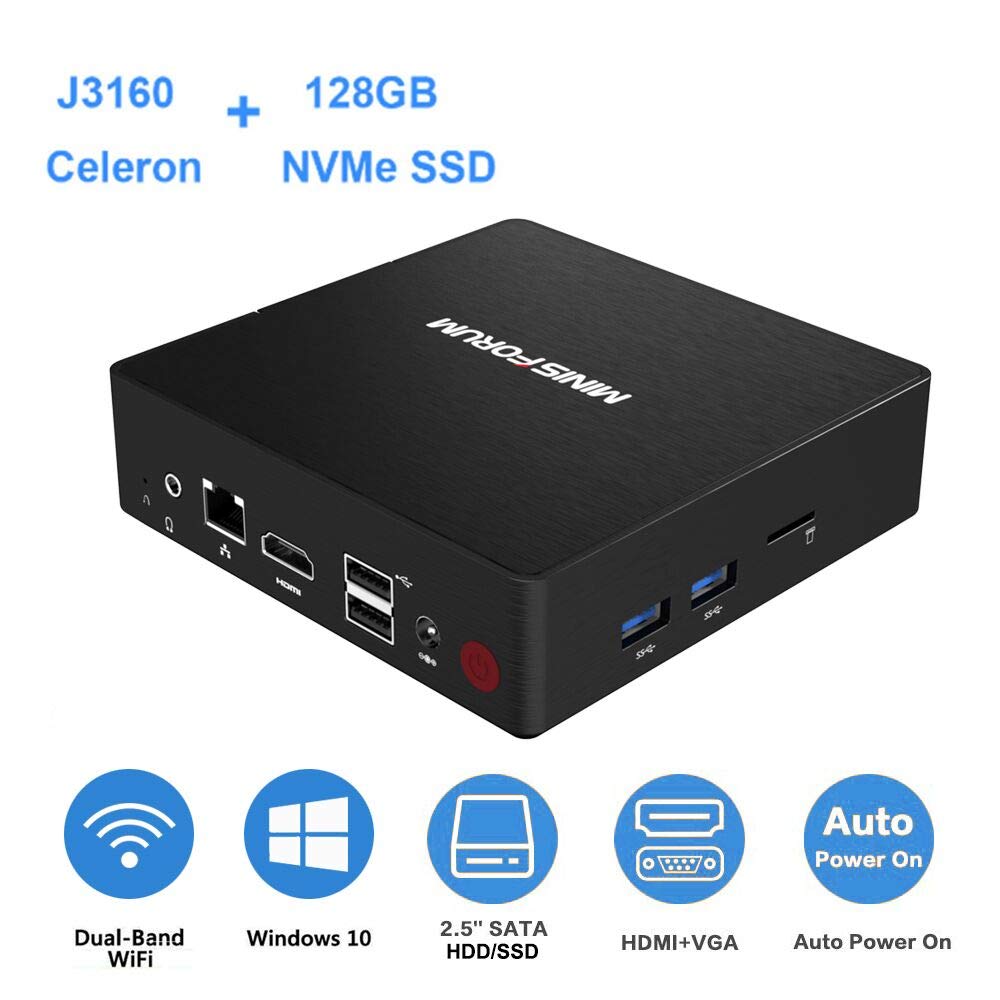
Model: GN31 (4+128)
Size: 12cm*12cm*3.6cm
24-hour customer service, feel free to contact seller support for any question.
Package Content:
1* GN31 MINI PC
1* US Power Adapter (DC 12V 3A (100-240V, 50/60Hz))
1* HDMI Cable (60cm)
1* User Manual
1* Wall Mounting Bracket
Configurations:
OS: Windows 10 Pro 64-bit system, support to install Ubuntu system
CPU: Intel Celeron Processor J3160
Processor Base Frequency: 1.60 GHz
Processor Burst Frequency: 2.24 GHz
Processor Graphics: Intel Graphics 400
Base Frequency: 320 MHz
Burst Frequency: 700 MHz
Cache: 2 MB
# of Cores: 4
# of Threads: 4
TDP: 6 W
Built-in Memory:
RAM: 4GB LPDDR3
System Disk: 128GB NVMe SSD M.2 2280
Expandable Memory (not include):
Support NVMe SSD M.2 2280 up to 512GB
Support 2.5 inch SATA HDD up to 2TB
Support Micro SD Card up to 128GB
Connectivity:
Ethernet: 1000Mbps LAN
WIFI: AC3165 802.11 a/b/g/n/ac, 2.4G+5G
Bluetooth: BT4.2
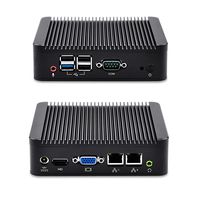
Interfaces:
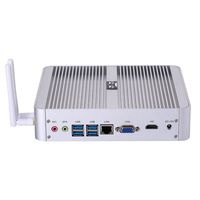
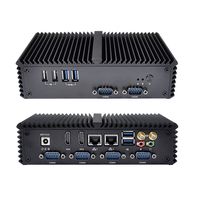
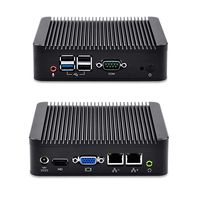
1* HDMI Port
1* VGA Port
2* USB 3.0 Ports
2* USB 2.0 Ports
1* Ethernet J45 Port
1* Microphone&Headphone Jack
1* Micro-SD Card Slot.
Tips:
1. Enter BIOS: Boot GN31 mini pc and press "Delete".
2. Change Boot Priority: Enter BIOS, get into the "Boot" tab, change the boot priority to your needs, save and exit.
3. Support "Wake-On-LAN".
4. Support "PXE boot"
5. Auto power on is set as default.
Size: 12cm*12cm*3.6cm
24-hour customer service, feel free to contact seller support for any question.
Package Content:
1* GN31 MINI PC
1* US Power Adapter (DC 12V 3A (100-240V, 50/60Hz))
1* HDMI Cable (60cm)
1* User Manual
1* Wall Mounting Bracket
Configurations:
OS: Windows 10 Pro 64-bit system, support to install Ubuntu system
CPU: Intel Celeron Processor J3160
Processor Base Frequency: 1.60 GHz
Processor Burst Frequency: 2.24 GHz
Processor Graphics: Intel Graphics 400
Base Frequency: 320 MHz
Burst Frequency: 700 MHz
Cache: 2 MB
# of Cores: 4
# of Threads: 4
TDP: 6 W
Built-in Memory:
RAM: 4GB LPDDR3
System Disk: 128GB NVMe SSD M.2 2280
Expandable Memory (not include):
Support NVMe SSD M.2 2280 up to 512GB
Support 2.5 inch SATA HDD up to 2TB
Support Micro SD Card up to 128GB
Connectivity:
Ethernet: 1000Mbps LAN
WIFI: AC3165 802.11 a/b/g/n/ac, 2.4G+5G
Bluetooth: BT4.2
Interfaces:
1* HDMI Port
1* VGA Port
2* USB 3.0 Ports
2* USB 2.0 Ports
1* Ethernet J45 Port
1* Microphone&Headphone Jack
1* Micro-SD Card Slot.
Tips:
1. Enter BIOS: Boot GN31 mini pc and press "Delete".
2. Change Boot Priority: Enter BIOS, get into the "Boot" tab, change the boot priority to your needs, save and exit.
3. Support "Wake-On-LAN".
4. Support "PXE boot"
5. Auto power on is set as default.
Mini PC with 4GB RAM 128GB NVMe SSD, Intel Celeron J3160 up to 2.24GHz/4K HD/DIY SSD&HDD/ 2.4+5G WiFi/ 1000M LAN/VGA&HDMI/Support Windows 10 Pro and Linux/Auto Power On/WOL/PXE Boot, Mini Computer
Price is below average
Current Price
$189.9
Average
$193.21
Min Price
$189.85
Max Price
$199.9
Price dynamics
2%
Description
Model: GN31 (4+128)
Size: 12cm*12cm*3.6cm
24-hour customer service, feel free to contact seller support for any question.
Package Content:
1* GN31 MINI PC
1* US Power Adapter (DC 12V 3A (100-240V, 50/60Hz))
1* HDMI Cable (60cm)
1* User Manual
1* Wall Mounting Bracket
Configurations:
OS: Windows 10 Pro 64-bit system, support to install Ubuntu system
CPU: Intel Celeron Processor J3160
Processor Base Frequency: 1.60 GHz
Processor Burst Frequency: 2.24 GHz
Processor Graphics: Intel Graphics 400
Base Frequency: 320 MHz
Burst Frequency: 700 MHz
Cache: 2 MB
# of Cores: 4
# of Threads: 4
TDP: 6 W
Built-in Memory:
RAM: 4GB LPDDR3
System Disk: 128GB NVMe SSD M.2 2280
Expandable Memory (not include):
Support NVMe SSD M.2 2280 up to 512GB
Support 2.5 inch SATA HDD up to 2TB
Support Micro SD Card up to 128GB
Connectivity:
Ethernet: 1000Mbps LAN
WIFI: AC3165 802.11 a/b/g/n/ac, 2.4G+5G
Bluetooth: BT4.2
Interfaces:
1* HDMI Port
1* VGA Port
2* USB 3.0 Ports
2* USB 2.0 Ports
1* Ethernet J45 Port
1* Microphone&Headphone Jack
1* Micro-SD Card Slot.
Tips:
1. Enter BIOS: Boot GN31 mini pc and press "Delete".
2. Change Boot Priority: Enter BIOS, get into the "Boot" tab, change the boot priority to your needs, save and exit.
3. Support "Wake-On-LAN".
4. Support "PXE boot"
5. Auto power on is set as default.
Size: 12cm*12cm*3.6cm
24-hour customer service, feel free to contact seller support for any question.
Package Content:
1* GN31 MINI PC
1* US Power Adapter (DC 12V 3A (100-240V, 50/60Hz))
1* HDMI Cable (60cm)
1* User Manual
1* Wall Mounting Bracket
Configurations:
OS: Windows 10 Pro 64-bit system, support to install Ubuntu system
CPU: Intel Celeron Processor J3160
Processor Base Frequency: 1.60 GHz
Processor Burst Frequency: 2.24 GHz
Processor Graphics: Intel Graphics 400
Base Frequency: 320 MHz
Burst Frequency: 700 MHz
Cache: 2 MB
# of Cores: 4
# of Threads: 4
TDP: 6 W
Built-in Memory:
RAM: 4GB LPDDR3
System Disk: 128GB NVMe SSD M.2 2280
Expandable Memory (not include):
Support NVMe SSD M.2 2280 up to 512GB
Support 2.5 inch SATA HDD up to 2TB
Support Micro SD Card up to 128GB
Connectivity:
Ethernet: 1000Mbps LAN
WIFI: AC3165 802.11 a/b/g/n/ac, 2.4G+5G
Bluetooth: BT4.2
Interfaces:
1* HDMI Port
1* VGA Port
2* USB 3.0 Ports
2* USB 2.0 Ports
1* Ethernet J45 Port
1* Microphone&Headphone Jack
1* Micro-SD Card Slot.
Tips:
1. Enter BIOS: Boot GN31 mini pc and press "Delete".
2. Change Boot Priority: Enter BIOS, get into the "Boot" tab, change the boot priority to your needs, save and exit.
3. Support "Wake-On-LAN".
4. Support "PXE boot"
5. Auto power on is set as default.
Price will be lower
in next 2 weeks
in next 2 weeks
According to the data, price will be lower in next two weeks, so not waste your money and track better price!
Product review & video
if you want a windows computer hooked up to your tv check this out what's happening pandenasia peter von pandey here i will tell you that i actually want a windows computer hooked up to my tv and here's the reason why there are times when i want to just have a full browser that i can access now i actually have an android tv box and i've connected that to my tv before and it gives me the android chrome browser but it's not like the full bore browser and i've noticed that when i'm trying to stream videos or go to some websites it gives me the mobile version sometimes it doesn't play the video sometimes it doesn't lay things out quite the same way and so i tried actually just plugging my laptop into the tv and that works fine i can do everything that i want and i thought well why have this like stripped down android thing instead of just a full on windows computer and while having that lap


Similar products