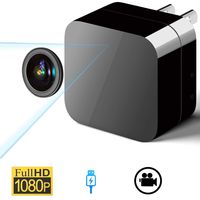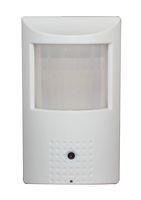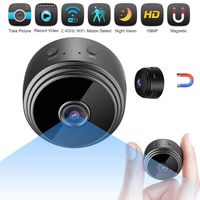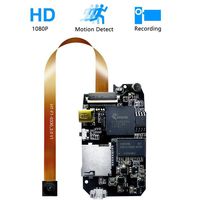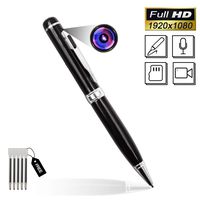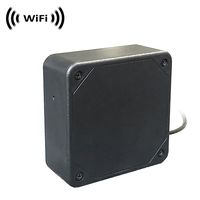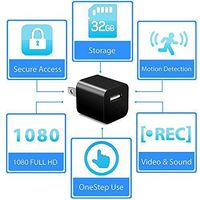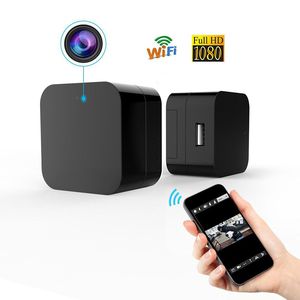
Description
Product Parameters:
Product Dimension: 4.9*2.7*0.3 inch (12.5*7*1cm)
Item Weight: 110 gram (3.88oz)
Photo Resolution: 1920x1080/JPG
Video Resolution: 1080P, 720P, 640P, 480P
Video Format: ASF
Frame Rate: 25 fps
Wifi: 2.4GHz 802.11 b/g/n;
Available capacity: max up to 128GB
USB Output: 5V/500mA
Working voltage: AC 100V-240V
Package Including:
1x Phreilend Camera
1x SD Card Reader
1x PC Client
1x User Manual
1x Reset Needle
12 Month Warranty
Lifetime Support Provided
TIPS
Before you use this camera, please install the APP firstly.br> Supports Only 2.4G Wifi Network, Not Support 5G Wifi.
One mobile device can connect many cameras.
Only can work on android and IOS system(except windows phone).
How To Use this WiFi Hidden Camera
1: Plug it into any outlet .
2: Download HDMiniCam APP in App Store , Google Or Scan QR Code
3: Click Setting in Your mobile, Choose WLAN, You will see a network named "CMxxxx-xxxxxxx" Without Password, that is your camera.
4: Connect it ,Then open the HDMiniCam app, You will see your Camera added successfully in the list and shows Online now.
5: Click The Cam, You already can monitor live now. Tap the screen, you will see more options showed up. You could dig later.
6: Back To Camera List. ,A Small ICON of setting on the right side of the Cam, Click it
7: Then, Choose Device Setting>>WIFI Config>> (Choose Your Home Wifi Router ) Connect to Your Home Wifi by using your own WiFi Password.
8: Click OK. The Wifi Camera will restart automatically In two Minutes. You just be patient and wait. It will be back online. Now you can remotely control the camera.
Notice: Format your SD card, then you install your SD card, please ensure that you find Device Setting>> SD Card Config in the app to double confirm SD card is detected.
Product Dimension: 4.9*2.7*0.3 inch (12.5*7*1cm)
Item Weight: 110 gram (3.88oz)
Photo Resolution: 1920x1080/JPG
Video Resolution: 1080P, 720P, 640P, 480P
Video Format: ASF
Frame Rate: 25 fps
Wifi: 2.4GHz 802.11 b/g/n;
Available capacity: max up to 128GB
USB Output: 5V/500mA
Working voltage: AC 100V-240V
Package Including:
1x Phreilend Camera
1x SD Card Reader
1x PC Client
1x User Manual
1x Reset Needle
12 Month Warranty
Lifetime Support Provided
TIPS
Before you use this camera, please install the APP firstly.br> Supports Only 2.4G Wifi Network, Not Support 5G Wifi.
One mobile device can connect many cameras.
Only can work on android and IOS system(except windows phone).
How To Use this WiFi Hidden Camera
1: Plug it into any outlet .
2: Download HDMiniCam APP in App Store , Google Or Scan QR Code
3: Click Setting in Your mobile, Choose WLAN, You will see a network named "CMxxxx-xxxxxxx" Without Password, that is your camera.
4: Connect it ,Then open the HDMiniCam app, You will see your Camera added successfully in the list and shows Online now.
5: Click The Cam, You already can monitor live now. Tap the screen, you will see more options showed up. You could dig later.
6: Back To Camera List. ,A Small ICON of setting on the right side of the Cam, Click it
7: Then, Choose Device Setting>>WIFI Config>> (Choose Your Home Wifi Router ) Connect to Your Home Wifi by using your own WiFi Password.
8: Click OK. The Wifi Camera will restart automatically In two Minutes. You just be patient and wait. It will be back online. Now you can remotely control the camera.
Notice: Format your SD card, then you install your SD card, please ensure that you find Device Setting>> SD Card Config in the app to double confirm SD card is detected.
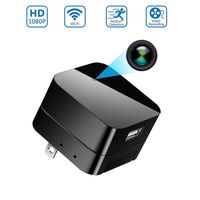
Mini Wireless IP Camera -Hidden Camera -HD 1080P-Wifi Spy Camera with Remote View App- Wall Charger Plug Motion Detection Cam for Home Security Surveillance
Current Price
$59.99
Average
$44.68
Min Price
$39.99
Max Price
$59.99
Price dynamics
26%
Description
Product Parameters:
Product Dimension: 4.9*2.7*0.3 inch (12.5*7*1cm)
Item Weight: 110 gram (3.88oz)
Photo Resolution: 1920x1080/JPG
Video Resolution: 1080P, 720P, 640P, 480P
Video Format: ASF
Frame Rate: 25 fps
Wifi: 2.4GHz 802.11 b/g/n;
Available capacity: max up to 128GB
USB Output: 5V/500mA
Working voltage: AC 100V-240V
Package Including:
1x Phreilend Camera
1x SD Card Reader
1x PC Client
1x User Manual
1x Reset Needle
12 Month Warranty
Lifetime Support Provided
TIPS
Before you use this camera, please install the APP firstly.br> Supports Only 2.4G Wifi Network, Not Support 5G Wifi.
One mobile device can connect many cameras.
Only can work on android and IOS system(except windows phone).
How To Use this WiFi Hidden Camera
1: Plug it into any outlet .
2: Download HDMiniCam APP in App Store , Google Or Scan QR Code
3: Click Setting in Your mobile, Choose WLAN, You will see a network named "CMxxxx-xxxxxxx" Without Password, that is your camera.
4: Connect it ,Then open the HDMiniCam app, You will see your Camera added successfully in the list and shows Online now.
5: Click The Cam, You already can monitor live now. Tap the screen, you will see more options showed up. You could dig later.
6: Back To Camera List. ,A Small ICON of setting on the right side of the Cam, Click it
7: Then, Choose Device Setting>>WIFI Config>> (Choose Your Home Wifi Router ) Connect to Your Home Wifi by using your own WiFi Password.
8: Click OK. The Wifi Camera will restart automatically In two Minutes. You just be patient and wait. It will be back online. Now you can remotely control the camera.
Notice: Format your SD card, then you install your SD card, please ensure that you find Device Setting>> SD Card Config in the app to double confirm SD card is detected.
Product Dimension: 4.9*2.7*0.3 inch (12.5*7*1cm)
Item Weight: 110 gram (3.88oz)
Photo Resolution: 1920x1080/JPG
Video Resolution: 1080P, 720P, 640P, 480P
Video Format: ASF
Frame Rate: 25 fps
Wifi: 2.4GHz 802.11 b/g/n;
Available capacity: max up to 128GB
USB Output: 5V/500mA
Working voltage: AC 100V-240V
Package Including:
1x Phreilend Camera
1x SD Card Reader
1x PC Client
1x User Manual
1x Reset Needle
12 Month Warranty
Lifetime Support Provided
TIPS
Before you use this camera, please install the APP firstly.br> Supports Only 2.4G Wifi Network, Not Support 5G Wifi.
One mobile device can connect many cameras.
Only can work on android and IOS system(except windows phone).
How To Use this WiFi Hidden Camera
1: Plug it into any outlet .
2: Download HDMiniCam APP in App Store , Google Or Scan QR Code
3: Click Setting in Your mobile, Choose WLAN, You will see a network named "CMxxxx-xxxxxxx" Without Password, that is your camera.
4: Connect it ,Then open the HDMiniCam app, You will see your Camera added successfully in the list and shows Online now.
5: Click The Cam, You already can monitor live now. Tap the screen, you will see more options showed up. You could dig later.
6: Back To Camera List. ,A Small ICON of setting on the right side of the Cam, Click it
7: Then, Choose Device Setting>>WIFI Config>> (Choose Your Home Wifi Router ) Connect to Your Home Wifi by using your own WiFi Password.
8: Click OK. The Wifi Camera will restart automatically In two Minutes. You just be patient and wait. It will be back online. Now you can remotely control the camera.
Notice: Format your SD card, then you install your SD card, please ensure that you find Device Setting>> SD Card Config in the app to double confirm SD card is detected.
Price will be lower
in next 2 weeks
in next 2 weeks
According to the data, price will be lower in next two weeks, so not waste your money and track better price!
Product review & video
all right how's it going y'all today we're going to be talking about how to create a security camera on your raspberry pi with just a camera and motion ios it's got a great setup because you can even use motion detecting to choose when to record videos and even use notifications it's a great setup because not only can you use just about any usb camera but it can also use the awesome high quality camera from raspberry pi to use the security camera and just give you really good quality video and you can even choose options such as record only when there's motion and things like that so it's very intelligent and a very small honestly really inexpensive package all right so first let's talk about what you're going to need for this setup well first off you're going to need raspberry pi i'm going to be doing this on the raspberry pi 4 where that cpu is really going to help us out because enco



Similar products