Description
The video link of the operations:
Android : https://youtu.be/XxIaBdxm7qE
iOS : https://youtu.be/SFbkFinYj0Q
Android DLNA Function Video Guide: https://youtu.be/hZJku8hcQCc
iOS AirPlay Streaming Function Video Guide:https://youtu.be/jcP5HPCOn4g
Firmware Upgrade Video Guide:https://youtu.be/JXYgeYeBJSw
Main features:
Faster, more powerful, more stable. When you share a video with your friends or your family, or play games on the big screen, use the 5G WLAN technology to perfectly avoid delays or buffering.
Easy to set up. Simply plug the stick into your HDTV and connect it to your WLAN. No additional app or driver required on your smart device.
Notes:
1 Most of the Android devices support the Miracast function.
2 Some live streaming videos cannot be shared to HDTV. This depends on the video website or the video app and whether they permit screen mirroring and AirPlay/DLNA functions.
3 We have both video and text operating instructions that make it more convenient for you to use the adapter.
4. Not recommended for use with PC (laptop).
5. The power supply must have 5V /1A or better.
6. We suggest using an HDMI cable to connect the adapter to the TV or monitor directly which you won't need to go to anther place to buy.
Specifications:
Reach range (2.4 G version): For Miracast / AirPlay mirror functions, the dongle can be used up to 10 meters. For DLNA / AirPlay functions;you can use the dongle can be used up to 30 meters;
-RAM: DDR3 128MB
-ROM: Flash 128MB
2.4G-WiFi: IEEE 802.11b/g/n/AC, 600mbps
-Port: Micro USB 5V/1A
-Transmission Speed: 2.4 G 600mMBbps
-Optimal Distance distance for transmission: up Up to 30 feet
Packing included:
- 1 X WiFi Display Receiver
- 1 X Micro USB WiFi Cable
- 1 X Manual
- 1 X HDMI cable
Android : https://youtu.be/XxIaBdxm7qE
iOS : https://youtu.be/SFbkFinYj0Q
Android DLNA Function Video Guide: https://youtu.be/hZJku8hcQCc
iOS AirPlay Streaming Function Video Guide:https://youtu.be/jcP5HPCOn4g
Firmware Upgrade Video Guide:https://youtu.be/JXYgeYeBJSw
Main features:
Faster, more powerful, more stable. When you share a video with your friends or your family, or play games on the big screen, use the 5G WLAN technology to perfectly avoid delays or buffering.
Easy to set up. Simply plug the stick into your HDTV and connect it to your WLAN. No additional app or driver required on your smart device.
Notes:
1 Most of the Android devices support the Miracast function.
2 Some live streaming videos cannot be shared to HDTV. This depends on the video website or the video app and whether they permit screen mirroring and AirPlay/DLNA functions.
3 We have both video and text operating instructions that make it more convenient for you to use the adapter.
4. Not recommended for use with PC (laptop).
5. The power supply must have 5V /1A or better.
6. We suggest using an HDMI cable to connect the adapter to the TV or monitor directly which you won't need to go to anther place to buy.
Specifications:
Reach range (2.4 G version): For Miracast / AirPlay mirror functions, the dongle can be used up to 10 meters. For DLNA / AirPlay functions;you can use the dongle can be used up to 30 meters;
-RAM: DDR3 128MB
-ROM: Flash 128MB
2.4G-WiFi: IEEE 802.11b/g/n/AC, 600mbps
-Port: Micro USB 5V/1A
-Transmission Speed: 2.4 G 600mMBbps
-Optimal Distance distance for transmission: up Up to 30 feet
Packing included:
- 1 X WiFi Display Receiver
- 1 X Micro USB WiFi Cable
- 1 X Manual
- 1 X HDMI cable
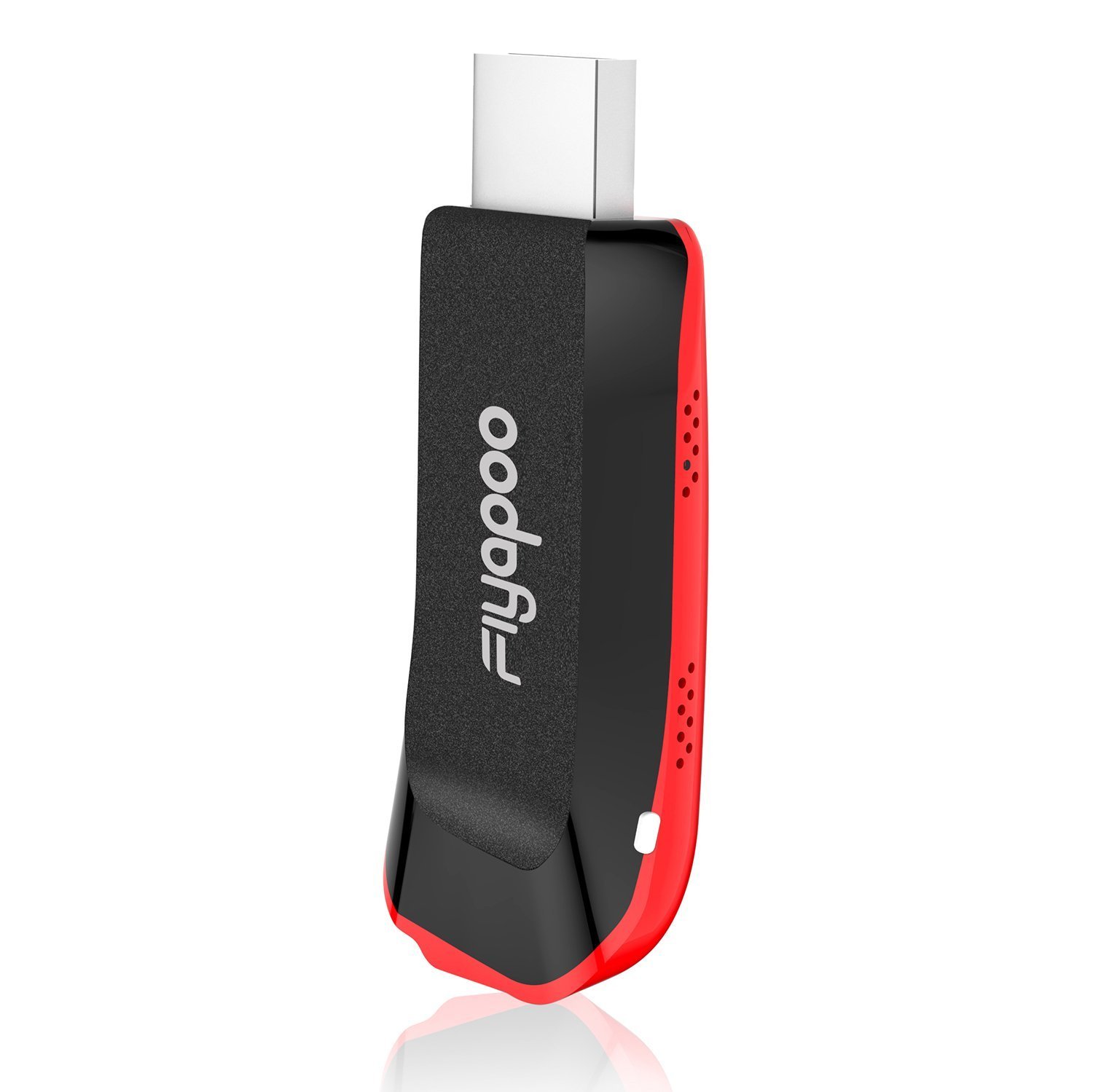
Miracast Dongle,Fiyapoo 2.4G WiFi Display Dongle 1080P Airplay Dongle for iPhone X 8 Plus 7 7S 6 6S / iPad/MacBook/Samsung Galaxy S8 S9 S7 Samsung Note/LG Sony etc Smartphones
Current Price
$31.96
Average
$30.54
Min Price
$18.99
Max Price
$109.96
Price dynamics
4%
Description
The video link of the operations:
Android : https://youtu.be/XxIaBdxm7qE
iOS : https://youtu.be/SFbkFinYj0Q
Android DLNA Function Video Guide: https://youtu.be/hZJku8hcQCc
iOS AirPlay Streaming Function Video Guide:https://youtu.be/jcP5HPCOn4g
Firmware Upgrade Video Guide:https://youtu.be/JXYgeYeBJSw
Main features:
Faster, more powerful, more stable. When you share a video with your friends or your family, or play games on the big screen, use the 5G WLAN technology to perfectly avoid delays or buffering.
Easy to set up. Simply plug the stick into your HDTV and connect it to your WLAN. No additional app or driver required on your smart device.
Notes:
1 Most of the Android devices support the Miracast function.
2 Some live streaming videos cannot be shared to HDTV. This depends on the video website or the video app and whether they permit screen mirroring and AirPlay/DLNA functions.
3 We have both video and text operating instructions that make it more convenient for you to use the adapter.
4. Not recommended for use with PC (laptop).
5. The power supply must have 5V /1A or better.
6. We suggest using an HDMI cable to connect the adapter to the TV or monitor directly which you won't need to go to anther place to buy.
Specifications:
Reach range (2.4 G version): For Miracast / AirPlay mirror functions, the dongle can be used up to 10 meters. For DLNA / AirPlay functions;you can use the dongle can be used up to 30 meters;
-RAM: DDR3 128MB
-ROM: Flash 128MB
2.4G-WiFi: IEEE 802.11b/g/n/AC, 600mbps
-Port: Micro USB 5V/1A
-Transmission Speed: 2.4 G 600mMBbps
-Optimal Distance distance for transmission: up Up to 30 feet
Packing included:
- 1 X WiFi Display Receiver
- 1 X Micro USB WiFi Cable
- 1 X Manual
- 1 X HDMI cable
Android : https://youtu.be/XxIaBdxm7qE
iOS : https://youtu.be/SFbkFinYj0Q
Android DLNA Function Video Guide: https://youtu.be/hZJku8hcQCc
iOS AirPlay Streaming Function Video Guide:https://youtu.be/jcP5HPCOn4g
Firmware Upgrade Video Guide:https://youtu.be/JXYgeYeBJSw
Main features:
Faster, more powerful, more stable. When you share a video with your friends or your family, or play games on the big screen, use the 5G WLAN technology to perfectly avoid delays or buffering.
Easy to set up. Simply plug the stick into your HDTV and connect it to your WLAN. No additional app or driver required on your smart device.
Notes:
1 Most of the Android devices support the Miracast function.
2 Some live streaming videos cannot be shared to HDTV. This depends on the video website or the video app and whether they permit screen mirroring and AirPlay/DLNA functions.
3 We have both video and text operating instructions that make it more convenient for you to use the adapter.
4. Not recommended for use with PC (laptop).
5. The power supply must have 5V /1A or better.
6. We suggest using an HDMI cable to connect the adapter to the TV or monitor directly which you won't need to go to anther place to buy.
Specifications:
Reach range (2.4 G version): For Miracast / AirPlay mirror functions, the dongle can be used up to 10 meters. For DLNA / AirPlay functions;you can use the dongle can be used up to 30 meters;
-RAM: DDR3 128MB
-ROM: Flash 128MB
2.4G-WiFi: IEEE 802.11b/g/n/AC, 600mbps
-Port: Micro USB 5V/1A
-Transmission Speed: 2.4 G 600mMBbps
-Optimal Distance distance for transmission: up Up to 30 feet
Packing included:
- 1 X WiFi Display Receiver
- 1 X Micro USB WiFi Cable
- 1 X Manual
- 1 X HDMI cable
Price will be lower
in next 2 weeks
in next 2 weeks
According to the data, price will be lower in next two weeks, so not waste your money and track better price!

Similar products