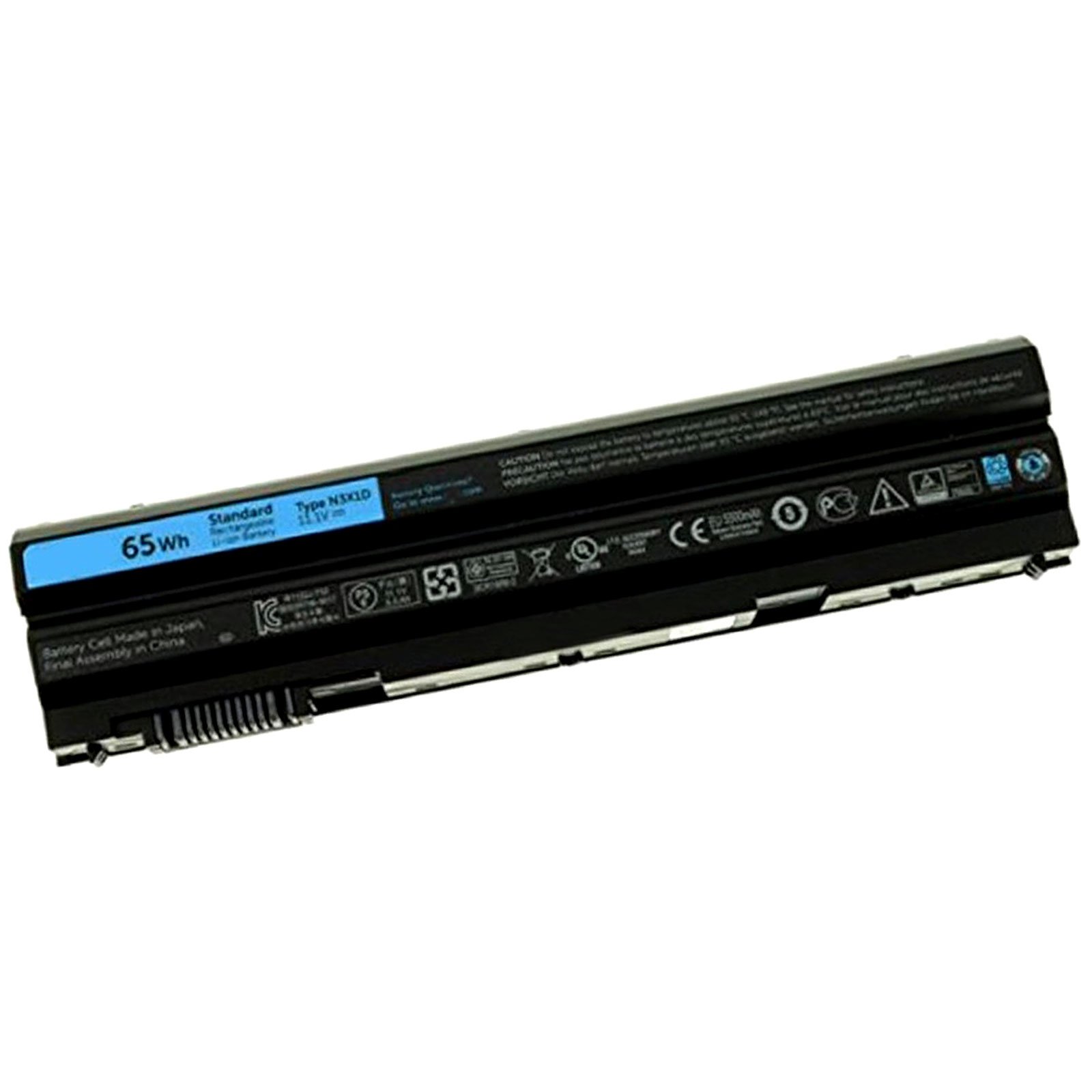
Description
Specification:
Battery Type: Li-ion
Battery Condition: Brand New
Replacement Part number:
N3X1D
Compatible with machines model:
Dell Latitude E6540 E6440 E5530 E5430 E6520 E6420 Precision M2800
Note: In the process of using the laptop battery, when the charge is about to run out, please plug in to fill the charge in time. Generally, the battery is so set that only 10% charge remains , it will remind the user to charge the battery again, if 5-6% charge is left, the computer will be in a state of dormancy, if the computer is this state, you must charge the battery in time, please don't let this state remain for too long, if over a certain period (1-2 days), the laptop will be in a state of low voltage, in this case, the laptop can't charge the battery, the battery can't be used on the common laptop any more. it is dead so special device is needed to activate the battery. Therefore, to avoid unnecessary troubles, please charge the battery in time if the computer warns that the battery needs chargeing.
Battery Type: Li-ion
Battery Condition: Brand New
Replacement Part number:
N3X1D
Compatible with machines model:
Dell Latitude E6540 E6440 E5530 E5430 E6520 E6420 Precision M2800
Note: In the process of using the laptop battery, when the charge is about to run out, please plug in to fill the charge in time. Generally, the battery is so set that only 10% charge remains , it will remind the user to charge the battery again, if 5-6% charge is left, the computer will be in a state of dormancy, if the computer is this state, you must charge the battery in time, please don't let this state remain for too long, if over a certain period (1-2 days), the laptop will be in a state of low voltage, in this case, the laptop can't charge the battery, the battery can't be used on the common laptop any more. it is dead so special device is needed to activate the battery. Therefore, to avoid unnecessary troubles, please charge the battery in time if the computer warns that the battery needs chargeing.
N3X1D 65Wh 6 Cells Battery for Dell Latitude E6540 E6440 E5530 E5430 E6520 E6420 Precision M2800 Laptop Battery
Price is below average
Current Price
$52.99
Average
$57.28
Min Price
$52.99
Max Price
$64.64
Price dynamics
7%
Description
Specification:
Battery Type: Li-ion
Battery Condition: Brand New
Replacement Part number:
N3X1D
Compatible with machines model:
Dell Latitude E6540 E6440 E5530 E5430 E6520 E6420 Precision M2800
Note: In the process of using the laptop battery, when the charge is about to run out, please plug in to fill the charge in time. Generally, the battery is so set that only 10% charge remains , it will remind the user to charge the battery again, if 5-6% charge is left, the computer will be in a state of dormancy, if the computer is this state, you must charge the battery in time, please don't let this state remain for too long, if over a certain period (1-2 days), the laptop will be in a state of low voltage, in this case, the laptop can't charge the battery, the battery can't be used on the common laptop any more. it is dead so special device is needed to activate the battery. Therefore, to avoid unnecessary troubles, please charge the battery in time if the computer warns that the battery needs chargeing.
Battery Type: Li-ion
Battery Condition: Brand New
Replacement Part number:
N3X1D
Compatible with machines model:
Dell Latitude E6540 E6440 E5530 E5430 E6520 E6420 Precision M2800
Note: In the process of using the laptop battery, when the charge is about to run out, please plug in to fill the charge in time. Generally, the battery is so set that only 10% charge remains , it will remind the user to charge the battery again, if 5-6% charge is left, the computer will be in a state of dormancy, if the computer is this state, you must charge the battery in time, please don't let this state remain for too long, if over a certain period (1-2 days), the laptop will be in a state of low voltage, in this case, the laptop can't charge the battery, the battery can't be used on the common laptop any more. it is dead so special device is needed to activate the battery. Therefore, to avoid unnecessary troubles, please charge the battery in time if the computer warns that the battery needs chargeing.
Price will be lower
in next 2 weeks
in next 2 weeks
According to the data, price will be lower in next two weeks, so not waste your money and track better price!
Product review & video
if your laptop battery is not working or it's not holding a charge like it should this doesn't always mean you need a new replacement try these troubleshooting steps to help resolve common battery issues check ac adapter status in bios with the ac adapter plugged into a power source and connected securely to the system restart the computer and tap the f2 key repeatedly at the dell logo splash screen to enter bios next at the top of the list expand general and then select battery information to check the ac adapter status if the ac adapter type is unknown then contact the dell tech support agent through social media on facebook or twitter for additional guidance if the ac adapter type is being recognized correctly then proceed to the next step reseat the ac adapter cable turn off the computer disconnect the ac adapter from the power source and the laptop wait for about one minute and the



Similar products