Description
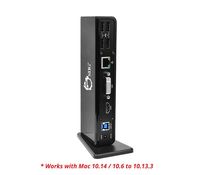
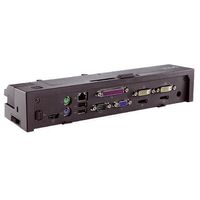
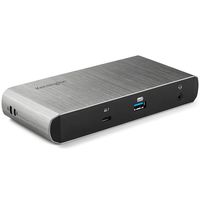
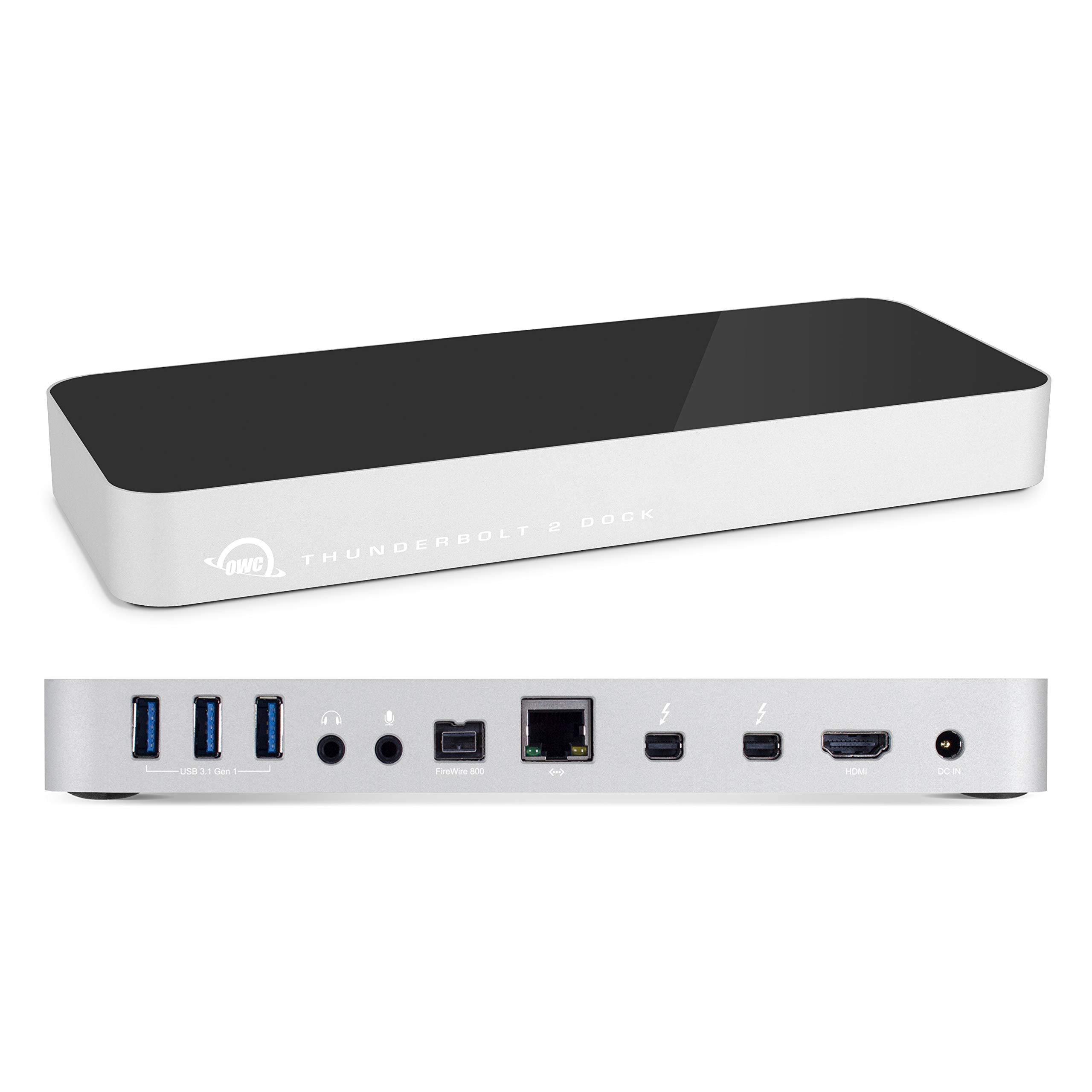
Thunderbolt 2, USB 3.1 Gen 1, FireWire 800, HDMI, Gigabit Ethernet, Audio In & Out. 12 Ports of incredible connectivity. Dual Thunderbolt 2 ports for daisy-chain support. Ultra-HD 4K and multiple display support. Five USB 3.1 Gen 1 ports, including two high-powered charging ports. FireWire 800 for connecting external storage and legacy devices. 12 Ports of phenomenal flexibility, all united to your Mac with just one lightning-fast Thunderbolt 2 cable. With just one Thunderbolt cable, connect up to five USB 3.1 Gen 1 devices, Gigabit Ethernet, a FireWire device, HDMI, audio in, and audio out. Capable of an astounding 20 Gbps of throughput. Add a dazzling ultra HD 4K display, two high definition displays, or one 4K display and one high definition display. Even connect a VGA, DVI, or DisplayPort monitor utilizing the Thunderbolt 2 Dock's built-in HDMI and Thunderbolt ports. The Thunderbolt 2 Dock's side-mounted, high-powered USB 3.1 Gen 1 ports provide up to 1.5 amps of power and are perfect for charging iPhone, iPad, tablets, smartphones, and other USB-charged devices, as well as powering bus-powered hard drives, SSDs, or optical drives. OWC Thunderbolt 2 Dock is the unmatched expansion platform for your Thunderbolt-equipped Mac, with exceptional connectivity, and dependable performance. Whether adding USB 3.1 Gen 1 to an older Mac, Gigabit Ethernet to a newer MacBook Pro, or ensuring backwards compatibility with your existing FireWire 800 peripherals, the Thunderbolt 2 Dock keeps you connected. Dual monitor support requires the use of at least one Thunderbolt display. If you connect a display to the HDMI port, then the only display that will work through the Thunderbolt port is a Thunderbolt display. If you are not using the HDMI port, then you can use a Mini Display Port cable or adapter to connect a display to the Thunderbolt port.
OWC Thunderbolt 2 Dock
Current Price
$499.99
Average
$279.5
Min Price
$110.5
Max Price
$932.99
Price dynamics
44%
Description
Thunderbolt 2, USB 3.1 Gen 1, FireWire 800, HDMI, Gigabit Ethernet, Audio In & Out. 12 Ports of incredible connectivity. Dual Thunderbolt 2 ports for daisy-chain support. Ultra-HD 4K and multiple display support. Five USB 3.1 Gen 1 ports, including two high-powered charging ports. FireWire 800 for connecting external storage and legacy devices. 12 Ports of phenomenal flexibility, all united to your Mac with just one lightning-fast Thunderbolt 2 cable. With just one Thunderbolt cable, connect up to five USB 3.1 Gen 1 devices, Gigabit Ethernet, a FireWire device, HDMI, audio in, and audio out. Capable of an astounding 20 Gbps of throughput. Add a dazzling ultra HD 4K display, two high definition displays, or one 4K display and one high definition display. Even connect a VGA, DVI, or DisplayPort monitor utilizing the Thunderbolt 2 Dock's built-in HDMI and Thunderbolt ports. The Thunderbolt 2 Dock's side-mounted, high-powered USB 3.1 Gen 1 ports provide up to 1.5 amps of power and are perfect for charging iPhone, iPad, tablets, smartphones, and other USB-charged devices, as well as powering bus-powered hard drives, SSDs, or optical drives. OWC Thunderbolt 2 Dock is the unmatched expansion platform for your Thunderbolt-equipped Mac, with exceptional connectivity, and dependable performance. Whether adding USB 3.1 Gen 1 to an older Mac, Gigabit Ethernet to a newer MacBook Pro, or ensuring backwards compatibility with your existing FireWire 800 peripherals, the Thunderbolt 2 Dock keeps you connected. Dual monitor support requires the use of at least one Thunderbolt display. If you connect a display to the HDMI port, then the only display that will work through the Thunderbolt port is a Thunderbolt display. If you are not using the HDMI port, then you can use a Mini Display Port cable or adapter to connect a display to the Thunderbolt port.
Price will be lower
in next 2 weeks
in next 2 weeks
According to the data, price will be lower in next two weeks, so not waste your money and track better price!
Product review & video
[Laughter] [Music] hey everyone Chris here with o WC like a lot of people my computer is the hub for work music movies and all that fun stuff however my system can't do everything I needed to do on its own so I've got piles of drives cameras phones everything else under the Sun attached to it at one point or another unfortunately my system can only handle a few items at a time simply due to the lack of ports so I decided to get one of these new Thunderbolt 2 docks to not only let me connect a huge variety of devices to my computer at the same time but also to help keep all my cables cords and what-have-you a little bit more organized so let's go ahead and open it up and let's see what we've got got your box cut back the Box got all the listing of the ports and all that stuff some more tech specs on the side but the cool stuff is what's inside so let's see here like we got a user guide l


Similar products