Description
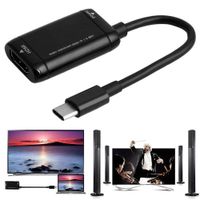
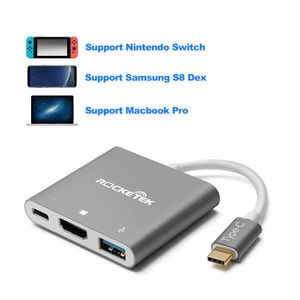
Specially designed HDMI Type C Adapter for Nintendo Switch
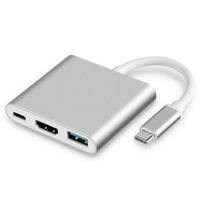
Perfect replacement of your Nintendo Switch Dock with Portable, plug & play Feature
More perfect and wider compatibility
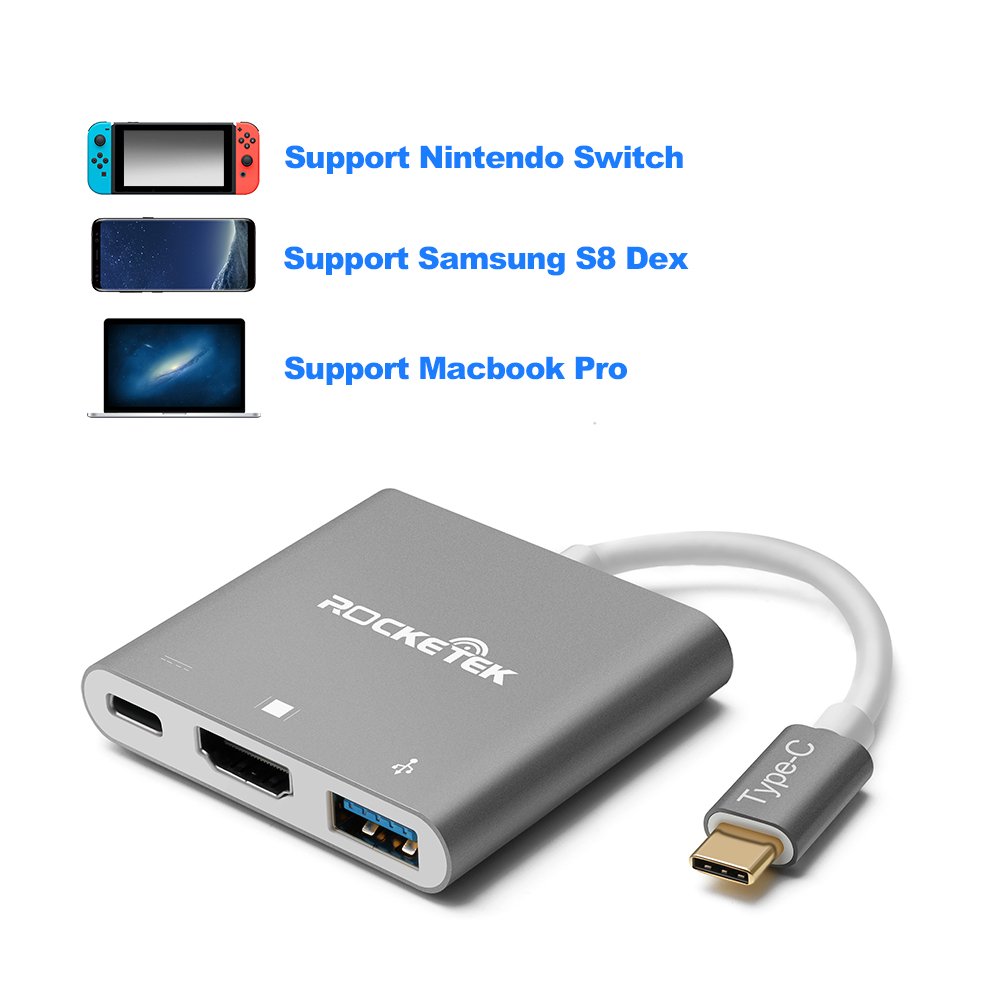
Build-in a USB C Port with PD Power charging function, it can perfectly support Samsung S8/S8+, MacBook, MacBook Pro and Google Pixel- [Support Samsung Dex mode.]
An excellent multifunction Type C USB converter
Supports charging, data transfer and ALT MODE to an HDMI display, and can also connect standard USB devices and USB-C charging cable.
Specification:
1. Material: Aluminum
2. Plug & Play with USB 3.0 port, HDMI port and USB C Charging port (Support PD and DATA mode).
3. USB-C charging port Input: 1 port 5-20V/3A Max.
4. Size: 6 inch × 2.3inch × 0.4inch.
5. Weight:48g.
HDMI Resolution:
-Switch:1080P 60Hz
-SAMSUNG S8: 4K 30Hz
-Macbook: 4K 30Hz
Type C/F:support PD and DATA transfer.
Warm Tips:
If you have problems using it to the switch, please following the below steps:
Step 1: Make sure your adapter is 15V/2.6A Output while you are not using the original Switch adapter, because the Switch is designed to use 15V/2.6A current. (You can choose our Rocketek switch power adapter)
Step 2: Connect power and the HDMI cable to the RT-C2H.
Step 3: Connect the RT-C2H to the Nintendo Switch USB-C port. Nintendo Switch screen is turned on while you plug in the Switch.
If you have problems using it to the Galxy S8, please following the below steps:
step1:Please connect RT-C2H to your Galxy S8.
step2:Connect the HDMI cable first.
step3:Connect the power adapter or the USB device.
12 Month Manufacture Warranty!
Perfect replacement of your Nintendo Switch Dock with Portable, plug & play Feature
More perfect and wider compatibility
Build-in a USB C Port with PD Power charging function, it can perfectly support Samsung S8/S8+, MacBook, MacBook Pro and Google Pixel- [Support Samsung Dex mode.]
An excellent multifunction Type C USB converter
Supports charging, data transfer and ALT MODE to an HDMI display, and can also connect standard USB devices and USB-C charging cable.
Specification:
1. Material: Aluminum
2. Plug & Play with USB 3.0 port, HDMI port and USB C Charging port (Support PD and DATA mode).
3. USB-C charging port Input: 1 port 5-20V/3A Max.
4. Size: 6 inch × 2.3inch × 0.4inch.
5. Weight:48g.
HDMI Resolution:
-Switch:1080P 60Hz
-SAMSUNG S8: 4K 30Hz
-Macbook: 4K 30Hz
Type C/F:support PD and DATA transfer.
Warm Tips:
If you have problems using it to the switch, please following the below steps:
Step 1: Make sure your adapter is 15V/2.6A Output while you are not using the original Switch adapter, because the Switch is designed to use 15V/2.6A current. (You can choose our Rocketek switch power adapter)
Step 2: Connect power and the HDMI cable to the RT-C2H.
Step 3: Connect the RT-C2H to the Nintendo Switch USB-C port. Nintendo Switch screen is turned on while you plug in the Switch.
If you have problems using it to the Galxy S8, please following the below steps:
step1:Please connect RT-C2H to your Galxy S8.
step2:Connect the HDMI cable first.
step3:Connect the power adapter or the USB device.
12 Month Manufacture Warranty!
Rocketek USB-C HDMI Adapter for Nintendo Switch and Samsung Dex Station / USB C to HDMI Converter hub for Nintendo Switch - Support Samsung S8/S8+ / MacBook Pro / Google Pixel also
Current Price
$97.64
Average
$88.8
Min Price
$22.99
Max Price
$108.54
Price dynamics
9%
Description
Specially designed HDMI Type C Adapter for Nintendo Switch
Perfect replacement of your Nintendo Switch Dock with Portable, plug & play Feature
More perfect and wider compatibility
Build-in a USB C Port with PD Power charging function, it can perfectly support Samsung S8/S8+, MacBook, MacBook Pro and Google Pixel- [Support Samsung Dex mode.]
An excellent multifunction Type C USB converter
Supports charging, data transfer and ALT MODE to an HDMI display, and can also connect standard USB devices and USB-C charging cable.
Specification:
1. Material: Aluminum
2. Plug & Play with USB 3.0 port, HDMI port and USB C Charging port (Support PD and DATA mode).
3. USB-C charging port Input: 1 port 5-20V/3A Max.
4. Size: 6 inch × 2.3inch × 0.4inch.
5. Weight:48g.
HDMI Resolution:
-Switch:1080P 60Hz
-SAMSUNG S8: 4K 30Hz
-Macbook: 4K 30Hz
Type C/F:support PD and DATA transfer.
Warm Tips:
If you have problems using it to the switch, please following the below steps:
Step 1: Make sure your adapter is 15V/2.6A Output while you are not using the original Switch adapter, because the Switch is designed to use 15V/2.6A current. (You can choose our Rocketek switch power adapter)
Step 2: Connect power and the HDMI cable to the RT-C2H.
Step 3: Connect the RT-C2H to the Nintendo Switch USB-C port. Nintendo Switch screen is turned on while you plug in the Switch.
If you have problems using it to the Galxy S8, please following the below steps:
step1:Please connect RT-C2H to your Galxy S8.
step2:Connect the HDMI cable first.
step3:Connect the power adapter or the USB device.
12 Month Manufacture Warranty!
Perfect replacement of your Nintendo Switch Dock with Portable, plug & play Feature
More perfect and wider compatibility
Build-in a USB C Port with PD Power charging function, it can perfectly support Samsung S8/S8+, MacBook, MacBook Pro and Google Pixel- [Support Samsung Dex mode.]
An excellent multifunction Type C USB converter
Supports charging, data transfer and ALT MODE to an HDMI display, and can also connect standard USB devices and USB-C charging cable.
Specification:
1. Material: Aluminum
2. Plug & Play with USB 3.0 port, HDMI port and USB C Charging port (Support PD and DATA mode).
3. USB-C charging port Input: 1 port 5-20V/3A Max.
4. Size: 6 inch × 2.3inch × 0.4inch.
5. Weight:48g.
HDMI Resolution:
-Switch:1080P 60Hz
-SAMSUNG S8: 4K 30Hz
-Macbook: 4K 30Hz
Type C/F:support PD and DATA transfer.
Warm Tips:
If you have problems using it to the switch, please following the below steps:
Step 1: Make sure your adapter is 15V/2.6A Output while you are not using the original Switch adapter, because the Switch is designed to use 15V/2.6A current. (You can choose our Rocketek switch power adapter)
Step 2: Connect power and the HDMI cable to the RT-C2H.
Step 3: Connect the RT-C2H to the Nintendo Switch USB-C port. Nintendo Switch screen is turned on while you plug in the Switch.
If you have problems using it to the Galxy S8, please following the below steps:
step1:Please connect RT-C2H to your Galxy S8.
step2:Connect the HDMI cable first.
step3:Connect the power adapter or the USB device.
12 Month Manufacture Warranty!
Price will be lower
in next 2 weeks
in next 2 weeks
According to the data, price will be lower in next two weeks, so not waste your money and track better price!
Product review & video
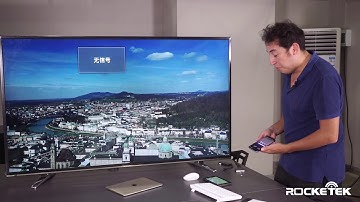
okay guys hello my name is Diego I am here to introduce to you the brand new rocket tech Type C adapter for the Nintendo switch as you can see it's a very small size smaller than the slightest of oil in my hand fits into your pocket very easily it's very lightweight and very strong you've got three different ports here you got your power which goes into your mains you've got the HDMI connection here and also you've got a USB heart as well so you can plug in external USB drives it won't it depends how you know how elaborate you want to go into it you know I've got a you know I've got a USB hub which I can plug in three different devices so as you can see the different size difference between the original dock that comes with the Nintendo switch and the rocket tech type-c not only is it a small lightweight and convenient to put in your pocket but also it's less likely to get hot as you ca

Similar products