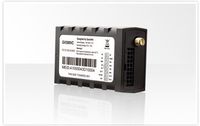
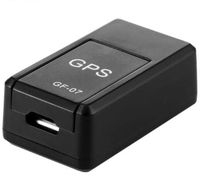
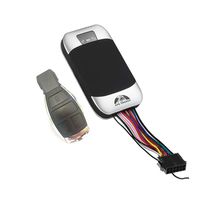
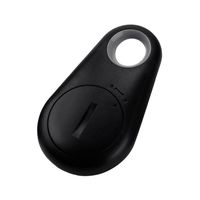
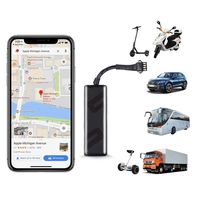
Description:
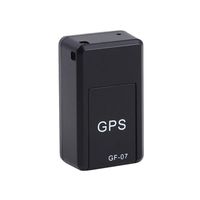
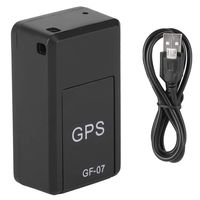
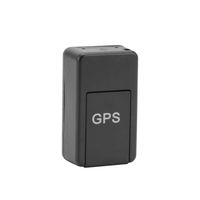
Item type:GPS Tracker
GSM:850/900/1800/1900 Quad band
GPRS: Class12,TCP/IP
Working Voltage: 9-50V DC
Working Current: \u224822mA (12vDC)
Working Current: \u224812mA (24vDC)
GPS Locating Time: Cold start\u224838s(Open Sky)
Warm start\u2248 32s
Hot start\u22482s(Open Sky)
GPS Precision: 10m(2D RM)
Working Temperature: -20\u2103\uff5e+70\u2103
Working Humidity: 20%\uff5e80%RH
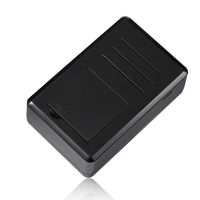
Measurement: 71(L)x49(W)x24(H)mm
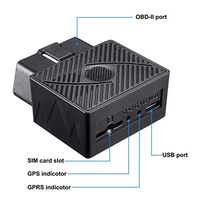
Device Status Indicators
1. Connect DC 9-24V power supply and the red LED will light continuously.
2. The green LED glistens when searching the GPS signals.When GPS works,the LED lights continuously.
3. The intermediate blue LED(GSM signal state)
GSM signal is normal,blue LED light long bright.No GSM signal,the blue LED flashes(0.2sec/2sec).
GPS LED not fixed,long bright.Positionging flashes(0.2sec/2sec);
Power LED: long bright;
Installation
1. Preparation for the installation
1)Product Check. Open the packing box and check the device's model and accessories.If the model is wrong or the accessories not complete,please contact the dealer.
2) Choose SIM card.Please insert a SIM card to the device.Please take dealer's advice as reference.
3) SIM card installation.Discharge the cover of the device and uncover the SIM card holder.Then insert the SIM card and cover SIM card holder(as follows).
4) Put back the front cover and screw it up.
5) Connect the device to the 9-50V power supply.(the red LED constant glow)
6) Install the device in the hidden place of the car.
The SIM card must be with GPRS function and enough deposit.If your SIM card need input PIN when power on,please cancel it.
Package Include:
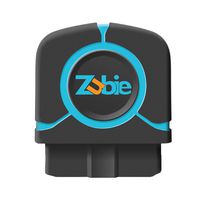
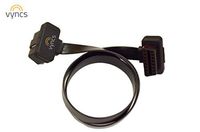
1X OBD II GPS Tracker
1X User Manual
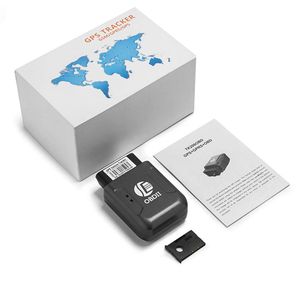
Ocamo OBD II GPS Realtime Tracker Car Truck Vehicle Mini Tracking Device GSM GPRS
Description:
Item type:GPS Tracker
GSM:850/900/1800/1900 Quad band
GPRS: Class12,TCP/IP
Working Voltage: 9-50V DC
Working Current: \u224822mA (12vDC)
Working Current: \u224812mA (24vDC)
GPS Locating Time: Cold start\u224838s(Open Sky)
Warm start\u2248 32s
Hot start\u22482s(Open Sky)
GPS Precision: 10m(2D RM)
Working Temperature: -20\u2103\uff5e+70\u2103
Working Humidity: 20%\uff5e80%RH
Measurement: 71(L)x49(W)x24(H)mm
Device Status Indicators
1. Connect DC 9-24V power supply and the red LED will light continuously.
2. The green LED glistens when searching the GPS signals.When GPS works,the LED lights continuously.
3. The intermediate blue LED(GSM signal state)
GSM signal is normal,blue LED light long bright.No GSM signal,the blue LED flashes(0.2sec/2sec).
GPS LED not fixed,long bright.Positionging flashes(0.2sec/2sec);
Power LED: long bright;
Installation
1. Preparation for the installation
1)Product Check. Open the packing box and check the device's model and accessories.If the model is wrong or the accessories not complete,please contact the dealer.
2) Choose SIM card.Please insert a SIM card to the device.Please take dealer's advice as reference.
3) SIM card installation.Discharge the cover of the device and uncover the SIM card holder.Then insert the SIM card and cover SIM card holder(as follows).
4) Put back the front cover and screw it up.
5) Connect the device to the 9-50V power supply.(the red LED constant glow)
6) Install the device in the hidden place of the car.
The SIM card must be with GPRS function and enough deposit.If your SIM card need input PIN when power on,please cancel it.
Package Include:
1X OBD II GPS Tracker
1X User Manual
in next 2 weeks