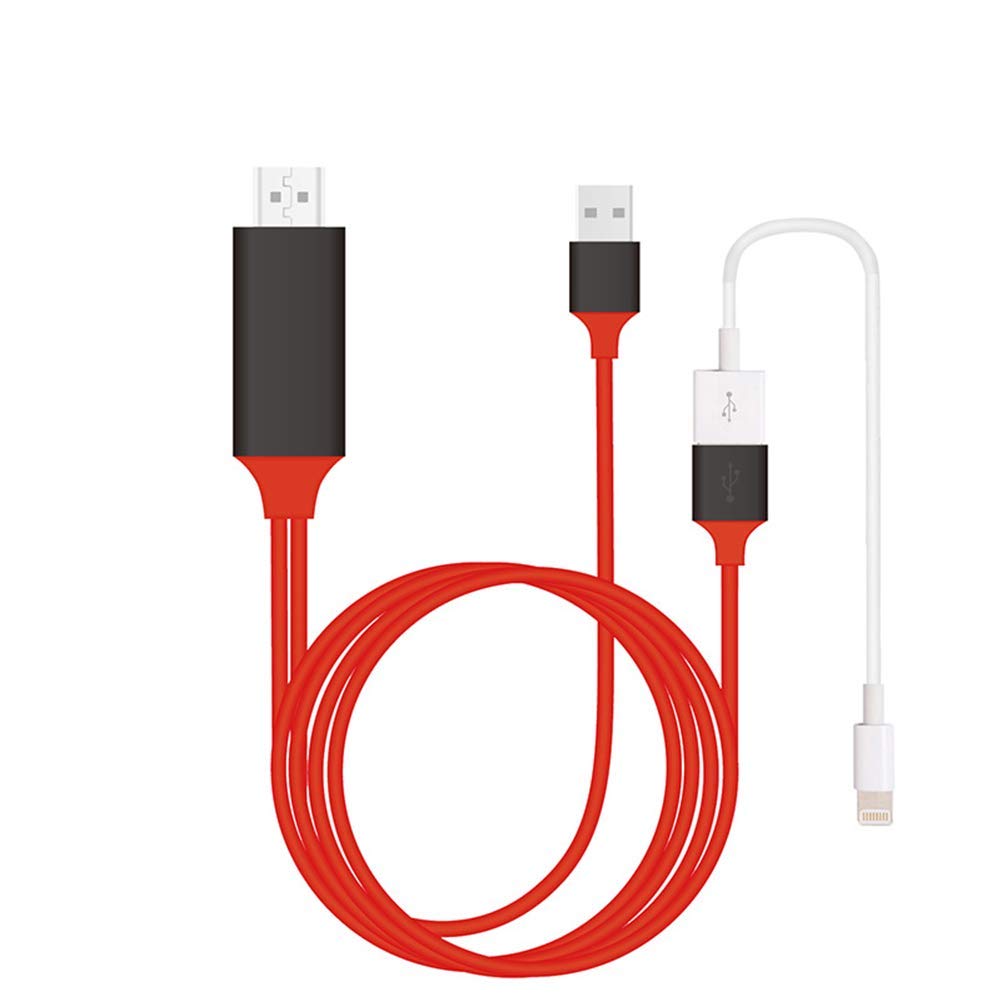
Warm tips:
1.Please use an external power supply (5V 1A or above), otherwise you can not output to HDMI.
2.When the first use, you must Restart your phone after your phone connect to the cable, or can Not output HDMI.
3.It is not recommended to connect USB interface to TV's USB port.
How to use:
1. Connect HDMI end to TV/Projector/Monitor's HDMI port, connect micro USB/type C port to your phone and connect next port to the USB 2.0
2. Connect an external 5V/1A (ipad need 5V/2A) adapter with USB end to power up this cable, note that power bank is not enough to make it works
3. For IOS: connect the phone and click "Trust" can be used directly; For android devices: please turn on USB debugging firstly
4. Click the "SOURCE" key on your remote control, then choose "HDMI" signal source
5. Waiting for 15s, phone can be mirrored to TV/projector/monitor
Specifications:
- Product name: Phone to HDMI Cable
- Cable Length: 1 m/ 3 feet
- Video Resolution: 1080P
- Color: 3 colours as the photo
- Packing: with retail packing box
- Power: 5V / 1A DC
Compatible Devices:
1. for iPhone 6/6 Plus/6S/6S Plus/7/7 Plus/8/8 Plus/iPhone X
2. for iPad mini1/2/3/4/iPad 4/iPad Air/Air 2/iPad Pro
3.Support IOS8.0 or above, support the latest IOS12 system
4. Android 6.0 above brands smartphone with micro USB/type c port
Package list:
1 Phone to HDMI Cable (micro type c lightning compatible)
Attention:
1.Not all Android 6.0 devices support USB mirror
2.Few mobile phone are not compatible with the audio out-put, and consequently the sound may come from the smartphone instead of TV/Projector









![USB C to HDMI Cable, uni [4K, High-Speed] USB Type C to HDMI Cable for Home Office, [Thunderbolt 3 Compatible] for MacBook Pro/Air 2020, iPad Air 4, iPad Pro 2021, iMac, S21, XPS 17, and More-6ft](https://use4coins.com/thumbs/unsafe/fit-in/200x200/https://images-na.ssl-images-amazon.com/images/I/41tTOcI7-KL.jpg)