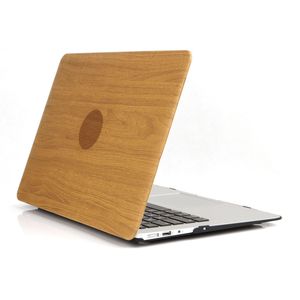
Description
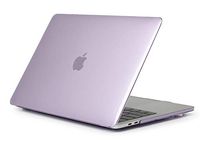
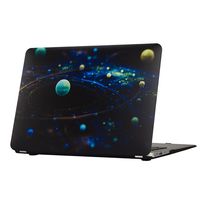
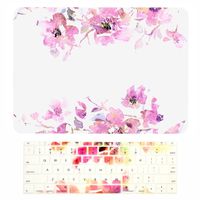
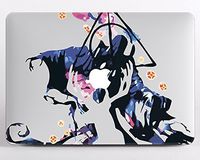
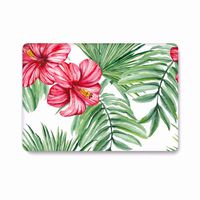
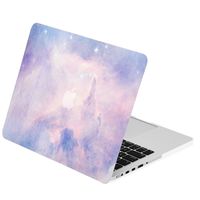
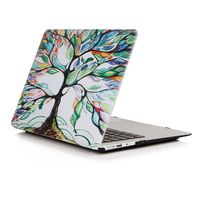
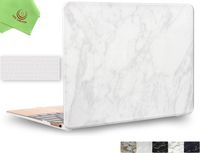
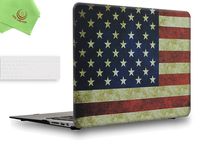
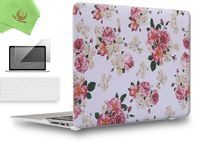
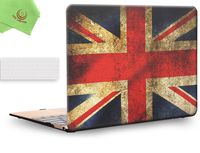
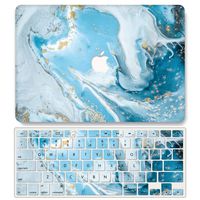
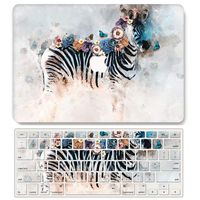
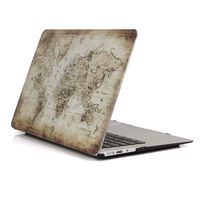
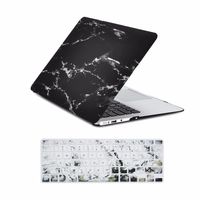
Designed to fit Macbook Air 13 Inch (A1466 / A1369)
Specifications
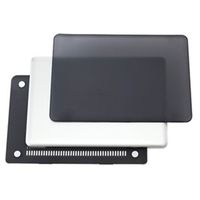
Snap on design, easy on easy off
Fully access to all buttons and features
Plug your charger, cable or headset without removing the case
Super light-weight with smooth rubberized exterior texture to protect your MacBook from scrapes and scratches
Case Compatible with
Macbook Air 13 Inch (A1466 / A1369)
Case NOT Compatible with
MacBook Air 11 inch(Model:A1465/A1370)
Macbook 12 Inch with Retina Display (A1534)
Macbook Pro 13 Inch with Retina Display (A1502 / A1425)
Macbook Pro 13 Inch (A1278)
Macbook Pro 13 Inch (A1706/A1708)
Macbook Pro 15 Inch with Retina Display (A1398)
Macbook Pro 15/15.4 Inch (A1286)
Macbook Pro 15 (A1707)
Installation
1. Start with the top cover of the case. Clip the 2 clips at the back of the MacBook first.
2. Pull the case slightly to the front until the 2 clips "clicking".
3. Turn around the MacBook. Clip the bottom cover on the back of the MacBook first.
4. Pull the case slightly to the front until the clips "clicking".
Specifications
Snap on design, easy on easy off
Fully access to all buttons and features
Plug your charger, cable or headset without removing the case
Super light-weight with smooth rubberized exterior texture to protect your MacBook from scrapes and scratches
Case Compatible with
Macbook Air 13 Inch (A1466 / A1369)
Case NOT Compatible with
MacBook Air 11 inch(Model:A1465/A1370)
Macbook 12 Inch with Retina Display (A1534)
Macbook Pro 13 Inch with Retina Display (A1502 / A1425)
Macbook Pro 13 Inch (A1278)
Macbook Pro 13 Inch (A1706/A1708)
Macbook Pro 15 Inch with Retina Display (A1398)
Macbook Pro 15/15.4 Inch (A1286)
Macbook Pro 15 (A1707)
Installation
1. Start with the top cover of the case. Clip the 2 clips at the back of the MacBook first.
2. Pull the case slightly to the front until the 2 clips "clicking".
3. Turn around the MacBook. Clip the bottom cover on the back of the MacBook first.
4. Pull the case slightly to the front until the clips "clicking".
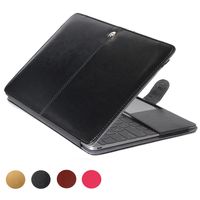
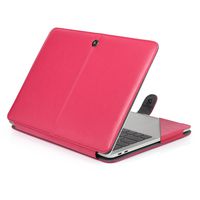
One Micron MacBook Air 13 Inch Case, Wooden PU Leather Coated Cover Rubberized Bottom Ultra Slim Case forMacBook Air 13''(A1466/A1369),Wood Grain 2
Current Price
$16
Average
$16
Min Price
$16
Max Price
$16
Price dynamics
0%
Description
Designed to fit Macbook Air 13 Inch (A1466 / A1369)
Specifications
Snap on design, easy on easy off
Fully access to all buttons and features
Plug your charger, cable or headset without removing the case
Super light-weight with smooth rubberized exterior texture to protect your MacBook from scrapes and scratches
Case Compatible with
Macbook Air 13 Inch (A1466 / A1369)
Case NOT Compatible with
MacBook Air 11 inch(Model:A1465/A1370)
Macbook 12 Inch with Retina Display (A1534)
Macbook Pro 13 Inch with Retina Display (A1502 / A1425)
Macbook Pro 13 Inch (A1278)
Macbook Pro 13 Inch (A1706/A1708)
Macbook Pro 15 Inch with Retina Display (A1398)
Macbook Pro 15/15.4 Inch (A1286)
Macbook Pro 15 (A1707)
Installation
1. Start with the top cover of the case. Clip the 2 clips at the back of the MacBook first.
2. Pull the case slightly to the front until the 2 clips "clicking".
3. Turn around the MacBook. Clip the bottom cover on the back of the MacBook first.
4. Pull the case slightly to the front until the clips "clicking".
Specifications
Snap on design, easy on easy off
Fully access to all buttons and features
Plug your charger, cable or headset without removing the case
Super light-weight with smooth rubberized exterior texture to protect your MacBook from scrapes and scratches
Case Compatible with
Macbook Air 13 Inch (A1466 / A1369)
Case NOT Compatible with
MacBook Air 11 inch(Model:A1465/A1370)
Macbook 12 Inch with Retina Display (A1534)
Macbook Pro 13 Inch with Retina Display (A1502 / A1425)
Macbook Pro 13 Inch (A1278)
Macbook Pro 13 Inch (A1706/A1708)
Macbook Pro 15 Inch with Retina Display (A1398)
Macbook Pro 15/15.4 Inch (A1286)
Macbook Pro 15 (A1707)
Installation
1. Start with the top cover of the case. Clip the 2 clips at the back of the MacBook first.
2. Pull the case slightly to the front until the 2 clips "clicking".
3. Turn around the MacBook. Clip the bottom cover on the back of the MacBook first.
4. Pull the case slightly to the front until the clips "clicking".
Price will be lower
in next 2 weeks
in next 2 weeks
According to the data, price will be lower in next two weeks, so not waste your money and track better price!
Product review & video
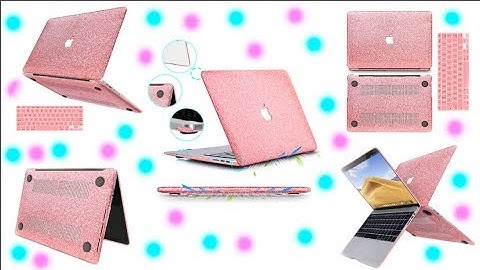
[Music] hi guys and welcome back to my channel I'm back at you with another review I had a company reached out to me called and bam they were very nice and sent me a new MacBook heart cover it is in the color rose gold and it is super glittery and of course I'm loving it so they just wanted an honest review so let's just get into it so I do believe this case comes in six different colors I will leave their information and a link down below where you can receive this and it is by far the best case that I've put on my macbook I know I have several other reviews on macbook cases and there was one other one that I enjoyed and I used until it broke like it was like no good so I had to get rid of it but thankfully they sent me this one and it is saved like water damage on my computer as you know I'm always filming and editing and this thing goes everywhere with me and it also has these bent d

Similar products