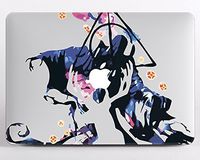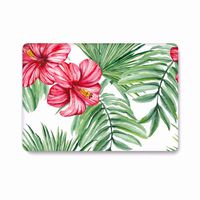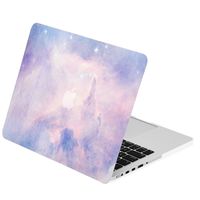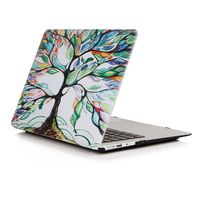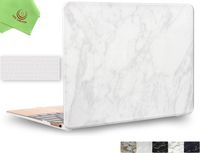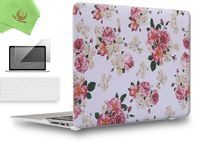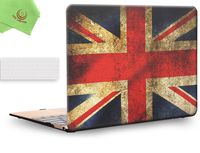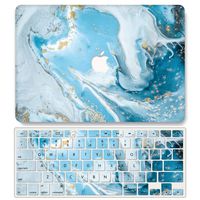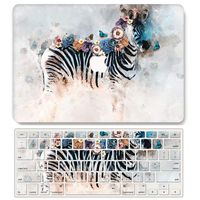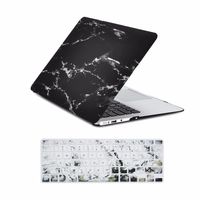
Description
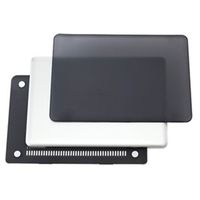
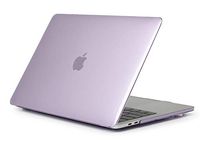
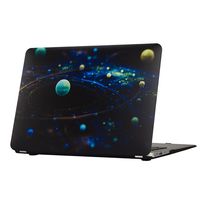
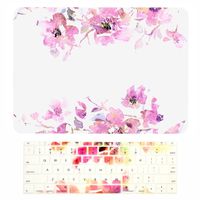
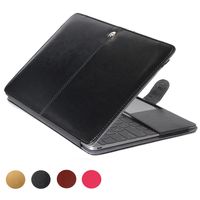
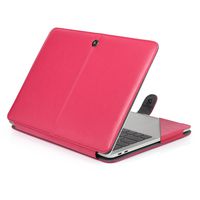
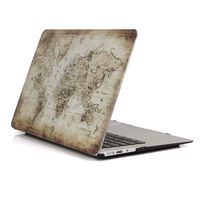
Designed to fit Macbook Pro 13 Inch (A1706/A1708)
Specifications
Snap on design, easy on easy off
Fully access to all buttons and features
Plug your charger, cable or headset without removing the case
Super light-weight with smooth rubberized exterior texture to protect your MacBook from scrapes and scratches
Case Compatible with
Macbook Pro 13 Inch (A1706/A1708)
Case NOT Compatible with
MacBook Air 11 inch(Model:A1465/A1370)
Macbook 12 Inch with Retina Display (A1534)
Macbook Pro 13 Inch with Retina Display (A1502 / A1425)
Macbook Pro 13 Inch (A1278)
Macbook Air 13 Inch (A1466 / A1369)
Macbook Pro 15 Inch with Retina Display (A1398)
Macbook Pro 15/15.4 Inch (A1286)
Macbook Pro 15 (A1707)
Installation
1. Start with the top cover of the case. Clip the 2 clips at the back of the MacBook first.
2. Pull the case slightly to the front until the 2 clips "clicking".
3. Turn around the MacBook. Clip the bottom cover on the back of the MacBook first.
4. Pull the case slightly to the front until the clips "clicking".
Specifications
Snap on design, easy on easy off
Fully access to all buttons and features
Plug your charger, cable or headset without removing the case
Super light-weight with smooth rubberized exterior texture to protect your MacBook from scrapes and scratches
Case Compatible with
Macbook Pro 13 Inch (A1706/A1708)
Case NOT Compatible with
MacBook Air 11 inch(Model:A1465/A1370)
Macbook 12 Inch with Retina Display (A1534)
Macbook Pro 13 Inch with Retina Display (A1502 / A1425)
Macbook Pro 13 Inch (A1278)
Macbook Air 13 Inch (A1466 / A1369)
Macbook Pro 15 Inch with Retina Display (A1398)
Macbook Pro 15/15.4 Inch (A1286)
Macbook Pro 15 (A1707)
Installation
1. Start with the top cover of the case. Clip the 2 clips at the back of the MacBook first.
2. Pull the case slightly to the front until the 2 clips "clicking".
3. Turn around the MacBook. Clip the bottom cover on the back of the MacBook first.
4. Pull the case slightly to the front until the clips "clicking".
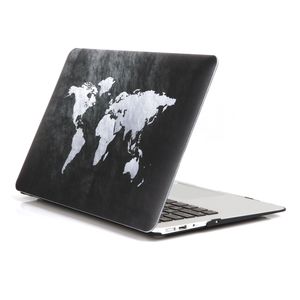
One Micron MacBook Pro 13 inch Case, New Art Soft-Touch Hard Cover Ultra Slim Protective Case MacBook Pro 13(A1706/A1708),World Map 2
Current Price
$15.99
Average
$14.9
Min Price
$12.99
Max Price
$15.99
Price dynamics
7%
Description
Designed to fit Macbook Pro 13 Inch (A1706/A1708)
Specifications
Snap on design, easy on easy off
Fully access to all buttons and features
Plug your charger, cable or headset without removing the case
Super light-weight with smooth rubberized exterior texture to protect your MacBook from scrapes and scratches
Case Compatible with
Macbook Pro 13 Inch (A1706/A1708)
Case NOT Compatible with
MacBook Air 11 inch(Model:A1465/A1370)
Macbook 12 Inch with Retina Display (A1534)
Macbook Pro 13 Inch with Retina Display (A1502 / A1425)
Macbook Pro 13 Inch (A1278)
Macbook Air 13 Inch (A1466 / A1369)
Macbook Pro 15 Inch with Retina Display (A1398)
Macbook Pro 15/15.4 Inch (A1286)
Macbook Pro 15 (A1707)
Installation
1. Start with the top cover of the case. Clip the 2 clips at the back of the MacBook first.
2. Pull the case slightly to the front until the 2 clips "clicking".
3. Turn around the MacBook. Clip the bottom cover on the back of the MacBook first.
4. Pull the case slightly to the front until the clips "clicking".
Specifications
Snap on design, easy on easy off
Fully access to all buttons and features
Plug your charger, cable or headset without removing the case
Super light-weight with smooth rubberized exterior texture to protect your MacBook from scrapes and scratches
Case Compatible with
Macbook Pro 13 Inch (A1706/A1708)
Case NOT Compatible with
MacBook Air 11 inch(Model:A1465/A1370)
Macbook 12 Inch with Retina Display (A1534)
Macbook Pro 13 Inch with Retina Display (A1502 / A1425)
Macbook Pro 13 Inch (A1278)
Macbook Air 13 Inch (A1466 / A1369)
Macbook Pro 15 Inch with Retina Display (A1398)
Macbook Pro 15/15.4 Inch (A1286)
Macbook Pro 15 (A1707)
Installation
1. Start with the top cover of the case. Clip the 2 clips at the back of the MacBook first.
2. Pull the case slightly to the front until the 2 clips "clicking".
3. Turn around the MacBook. Clip the bottom cover on the back of the MacBook first.
4. Pull the case slightly to the front until the clips "clicking".
Price will be lower
in next 2 weeks
in next 2 weeks
According to the data, price will be lower in next two weeks, so not waste your money and track better price!
Product review & video
[Music] [Music] happy hello it's ash if you're new to my channel please please subscribe and turn on the notification bell today I'm in a new setting which is in my office I think I fell down here like a long time ago maybe one time but I typically film in my bedroom because I'd like the cover the wall it's just good lighting for makeup actually it's terrible lighting but I use my ring light against my wall my bedroom and it's just such a pretty like backdrop and I just loved the color scheme but today I am kind of giving you an inside look into my office and I actually have a gorgeous flower wall it's not in the frame but I will pop it in here before we get into the actual unboxing because I will be moving the camera for that so if you want to see like an office tour let me know and I will do that just put it in the comments so today I am unboxing a case that I got on Amazon for my new


Similar products