Description
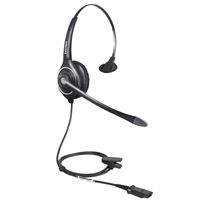
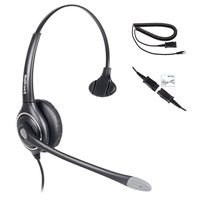
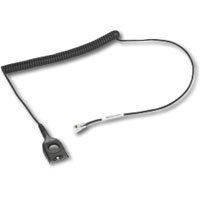
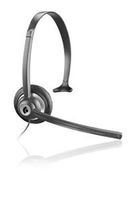
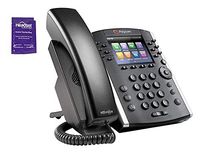
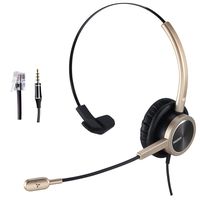
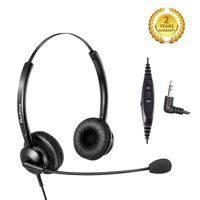
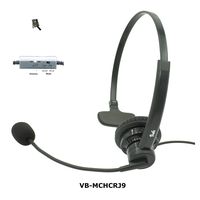
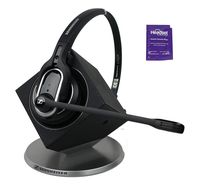
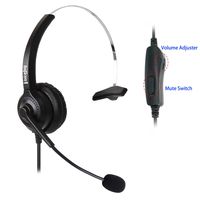
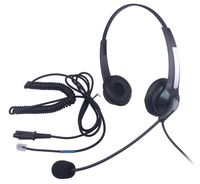
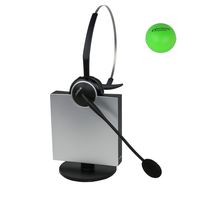
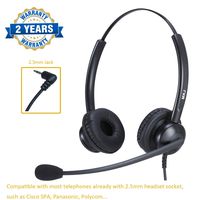
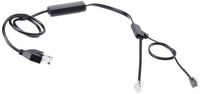
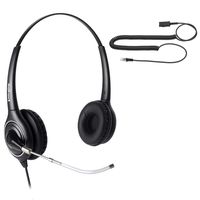
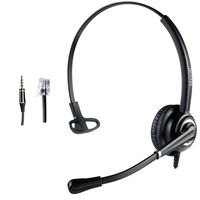
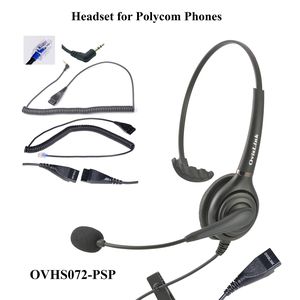
The OvisLink Single Ear Call Center Headset model OVHS072-PSP comes with a RJ9 Quick Disconnect cord and a 2.5mm Quick Disconnect cord. It is designed directly connect to Polycom IP phone's headset jack. No amplifier is needed. Headset volume can be controlled by the volume buttons on the phone's keypad. To activate or deactivate the headset connected with the phone, simply press the headset button on the telephone keypad. This OvisLink Call Center headset services with solid, crystal clear voice quality when use with Polycom IP phones (Polycom SoundPoint IP, Polycom SoundPoint IP Pro, Polycom Microsoft Lync and Polycom VVX Business Media phone). The OVHS072-PSP is a corded call center headset with Over-the-Head design. It comes with two parts, the upper part (headpiece) and the lower part (cord that connects to phone). The upper part includes an earpiece (speaker), an adjustable headband, a microphone with rotatable boom, manageable microphone stem and the upper cord. The lower part is a Quick Disconnect cord with RJ9 connector and a Quick Disconnect with 2.5mm connector that connects the headpiece to the telephone. OvisLink Call Center Headsets's; key features include Acoustic Shock Protection (when the electric overcharge signal of 6v or above comes to the receiver, it will be cut off automatically), Noise Cancelation, lightweight, leatherette ear cushion, flexible microphone boom, adjustable headband and Tangle-Free coiled Quick Disconnect cord. OvisLink Call Center Headsets are designed for users who work in call centers, service centers or sales departments and talk long hours on the phone. OvisLink Call Center Headsets service users with solid, superior clear sound quality. The rotatable microphone boom let user to easily switch the speaker to either the left or the right ear. With the Over-the-Head design, lightweight, leatherette ear cushion, user may wear it long hours and feel comfortable.
Download user manual under Product Information section.
Polycom SoundPoint and Allworx IP Phones Compatible Call Center Headset
Current Price
$66.95
Average
$64.12
Min Price
$56.99
Max Price
$66.95
Price dynamics
4%
Description
The OvisLink Single Ear Call Center Headset model OVHS072-PSP comes with a RJ9 Quick Disconnect cord and a 2.5mm Quick Disconnect cord. It is designed directly connect to Polycom IP phone's headset jack. No amplifier is needed. Headset volume can be controlled by the volume buttons on the phone's keypad. To activate or deactivate the headset connected with the phone, simply press the headset button on the telephone keypad. This OvisLink Call Center headset services with solid, crystal clear voice quality when use with Polycom IP phones (Polycom SoundPoint IP, Polycom SoundPoint IP Pro, Polycom Microsoft Lync and Polycom VVX Business Media phone). The OVHS072-PSP is a corded call center headset with Over-the-Head design. It comes with two parts, the upper part (headpiece) and the lower part (cord that connects to phone). The upper part includes an earpiece (speaker), an adjustable headband, a microphone with rotatable boom, manageable microphone stem and the upper cord. The lower part is a Quick Disconnect cord with RJ9 connector and a Quick Disconnect with 2.5mm connector that connects the headpiece to the telephone. OvisLink Call Center Headsets's; key features include Acoustic Shock Protection (when the electric overcharge signal of 6v or above comes to the receiver, it will be cut off automatically), Noise Cancelation, lightweight, leatherette ear cushion, flexible microphone boom, adjustable headband and Tangle-Free coiled Quick Disconnect cord. OvisLink Call Center Headsets are designed for users who work in call centers, service centers or sales departments and talk long hours on the phone. OvisLink Call Center Headsets service users with solid, superior clear sound quality. The rotatable microphone boom let user to easily switch the speaker to either the left or the right ear. With the Over-the-Head design, lightweight, leatherette ear cushion, user may wear it long hours and feel comfortable.
Download user manual under Product Information section.
Price will be lower
in next 2 weeks
in next 2 weeks
According to the data, price will be lower in next two weeks, so not waste your money and track better price!
Product review & video
in this video tutorial we will cover how to set up a direct connect headset for your phone in five easy steps let's get started locate the headset jack on your phone it may have an icon that looks like a headset or may have the word headset inscribed next to it if your headset jack looks different or has a small round opening we will cover your options at the end of this video tutorial step 2 unpack the smart cord out of the box step 3 snap in the headset to the smart cord step four locate the settings label on the smart Court this label will indicate which settings correspond to your particular type of phone for example if you have a Cisco or NEC phone you may need to adjust the settings accordingly most phones will work with the default settings right out of the box now locate the settings switch on the smart cord once you've located the switch you will notice either numbers or letter