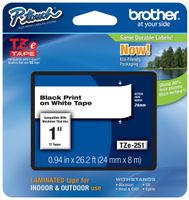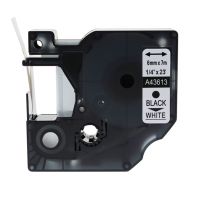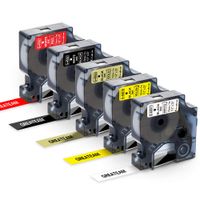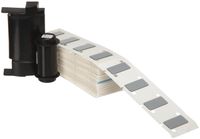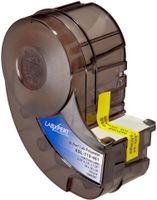
Description
[Specification]:
Tape Width and Length :9mm 3/8'' 0.35 (Width) x 7m (Length)
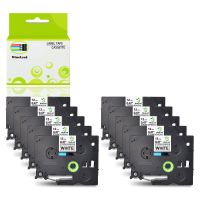
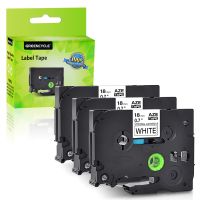
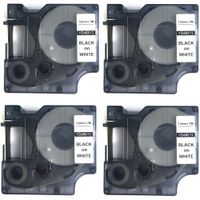
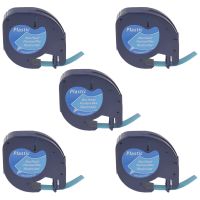
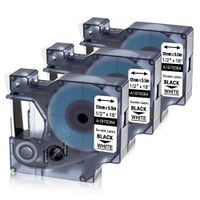
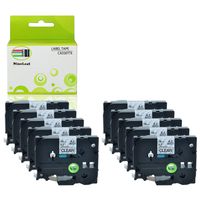
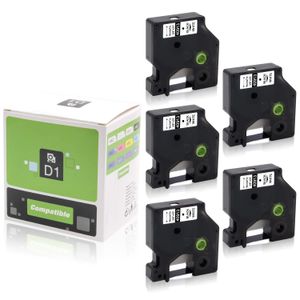
Package: 5-Pack in one set , including:
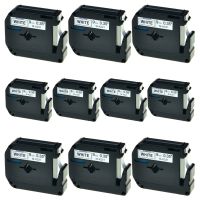
D1 40913 Label Tape X 5 Pack Black on White
[Feature]:
The Replacement Dymo D1 Label tape 40913 is easy to install and use.
It's much stronger than similar labels.
Split backing for easy-peel and trouble-free application
[Application] :
The D1 label strap is ideal for outdoor and indoor applications. They are suitable for flat and clean surfaces, including homes, offices, schools, laboratories, hotels and hospitals, label files, folders, bookshelves, books, accessories and more.
[Compatibility] :
LabelManager 100, LabelManager 120P, LabelManager 150, LabelManager 160, LabelManager 200, LabelManager 210D, LabelManager 220P, LabelManager 260D, LabelManager 280, LabelManager 300, LabelManager 350, LabelManager 360D, LabelManager 400, LabelManager 420P, LabelManager450, LabelManager 450D, LabelManager 500TS, LabelManager PC II, LabelManager PnP, LabelManager PnP Wireless, LabelPoint 100, LabelPoint 150, LabelPoint 200, LabelPoint 250, LabelPoint 300, LabelPoint 350, LabelWriter 400 Duo, LabelWriter 450 Duo, Dymo MobileLabeler
Tips For Using Label Tapes:
Before installing the D1 label tape into the label printers, turn the gear in the direction of arrow on the tape until tight.
Extend some of the label through the outlet of the label maker before printing.
DO NOT pull the label tape while printing is in progress to avoid any damage.
DO NOT touch the label maker cutter while printing is in progress to avoid any errors.
Money-saving tip:
If you need print many labels at a time, it is great to print all texts you need in one long label, then cut the long label into individual labels to save label tape.
Tape Width and Length :9mm 3/8'' 0.35 (Width) x 7m (Length)
Package: 5-Pack in one set , including:
D1 40913 Label Tape X 5 Pack Black on White
[Feature]:
The Replacement Dymo D1 Label tape 40913 is easy to install and use.
It's much stronger than similar labels.
Split backing for easy-peel and trouble-free application
[Application] :
The D1 label strap is ideal for outdoor and indoor applications. They are suitable for flat and clean surfaces, including homes, offices, schools, laboratories, hotels and hospitals, label files, folders, bookshelves, books, accessories and more.
[Compatibility] :
LabelManager 100, LabelManager 120P, LabelManager 150, LabelManager 160, LabelManager 200, LabelManager 210D, LabelManager 220P, LabelManager 260D, LabelManager 280, LabelManager 300, LabelManager 350, LabelManager 360D, LabelManager 400, LabelManager 420P, LabelManager450, LabelManager 450D, LabelManager 500TS, LabelManager PC II, LabelManager PnP, LabelManager PnP Wireless, LabelPoint 100, LabelPoint 150, LabelPoint 200, LabelPoint 250, LabelPoint 300, LabelPoint 350, LabelWriter 400 Duo, LabelWriter 450 Duo, Dymo MobileLabeler
Tips For Using Label Tapes:
Before installing the D1 label tape into the label printers, turn the gear in the direction of arrow on the tape until tight.
Extend some of the label through the outlet of the label maker before printing.
DO NOT pull the label tape while printing is in progress to avoid any damage.
DO NOT touch the label maker cutter while printing is in progress to avoid any errors.
Money-saving tip:
If you need print many labels at a time, it is great to print all texts you need in one long label, then cut the long label into individual labels to save label tape.
Pristar 9mm 3/8' x 23' (7m) Compatible DYMO Standard D1 40913 S0720680 Black on White D1 Label Tape, 5-Pack, for Label Maker LabelManager 160 210 280 260P 360D 420P PNP LabelWriter 450 Duo Turbo
Current Price
$13.98
Average
$13.17
Min Price
$10.99
Max Price
$14.99
Price dynamics
6%
Description
[Specification]:
Tape Width and Length :9mm 3/8'' 0.35 (Width) x 7m (Length)
Package: 5-Pack in one set , including:
D1 40913 Label Tape X 5 Pack Black on White
[Feature]:
The Replacement Dymo D1 Label tape 40913 is easy to install and use.
It's much stronger than similar labels.
Split backing for easy-peel and trouble-free application
[Application] :
The D1 label strap is ideal for outdoor and indoor applications. They are suitable for flat and clean surfaces, including homes, offices, schools, laboratories, hotels and hospitals, label files, folders, bookshelves, books, accessories and more.
[Compatibility] :
LabelManager 100, LabelManager 120P, LabelManager 150, LabelManager 160, LabelManager 200, LabelManager 210D, LabelManager 220P, LabelManager 260D, LabelManager 280, LabelManager 300, LabelManager 350, LabelManager 360D, LabelManager 400, LabelManager 420P, LabelManager450, LabelManager 450D, LabelManager 500TS, LabelManager PC II, LabelManager PnP, LabelManager PnP Wireless, LabelPoint 100, LabelPoint 150, LabelPoint 200, LabelPoint 250, LabelPoint 300, LabelPoint 350, LabelWriter 400 Duo, LabelWriter 450 Duo, Dymo MobileLabeler
Tips For Using Label Tapes:
Before installing the D1 label tape into the label printers, turn the gear in the direction of arrow on the tape until tight.
Extend some of the label through the outlet of the label maker before printing.
DO NOT pull the label tape while printing is in progress to avoid any damage.
DO NOT touch the label maker cutter while printing is in progress to avoid any errors.
Money-saving tip:
If you need print many labels at a time, it is great to print all texts you need in one long label, then cut the long label into individual labels to save label tape.
Tape Width and Length :9mm 3/8'' 0.35 (Width) x 7m (Length)
Package: 5-Pack in one set , including:
D1 40913 Label Tape X 5 Pack Black on White
[Feature]:
The Replacement Dymo D1 Label tape 40913 is easy to install and use.
It's much stronger than similar labels.
Split backing for easy-peel and trouble-free application
[Application] :
The D1 label strap is ideal for outdoor and indoor applications. They are suitable for flat and clean surfaces, including homes, offices, schools, laboratories, hotels and hospitals, label files, folders, bookshelves, books, accessories and more.
[Compatibility] :
LabelManager 100, LabelManager 120P, LabelManager 150, LabelManager 160, LabelManager 200, LabelManager 210D, LabelManager 220P, LabelManager 260D, LabelManager 280, LabelManager 300, LabelManager 350, LabelManager 360D, LabelManager 400, LabelManager 420P, LabelManager450, LabelManager 450D, LabelManager 500TS, LabelManager PC II, LabelManager PnP, LabelManager PnP Wireless, LabelPoint 100, LabelPoint 150, LabelPoint 200, LabelPoint 250, LabelPoint 300, LabelPoint 350, LabelWriter 400 Duo, LabelWriter 450 Duo, Dymo MobileLabeler
Tips For Using Label Tapes:
Before installing the D1 label tape into the label printers, turn the gear in the direction of arrow on the tape until tight.
Extend some of the label through the outlet of the label maker before printing.
DO NOT pull the label tape while printing is in progress to avoid any damage.
DO NOT touch the label maker cutter while printing is in progress to avoid any errors.
Money-saving tip:
If you need print many labels at a time, it is great to print all texts you need in one long label, then cut the long label into individual labels to save label tape.
Price will be lower
in next 2 weeks
in next 2 weeks
According to the data, price will be lower in next two weeks, so not waste your money and track better price!
Product review & video
you today we're looking at the diamond label manager 160 label maker this is Deimos entry-level label maker in the consumer market the label manager 160 is about 8 inches long and fits comfortably in the hand it's a little on the chunkier side but it's still very much something you can carry around and use the LCD display on top of the unit is pretty clear and readable a backlight would have been a helpful addition but at this price point it's hard to complain the power and print buttons are colored light blue and have some formatting buttons for bold italics underline and vertical printing in between them right under those are the menu button the navigation keys and the back button the buttons on the keyboard are very clearly laid out and have a nice soft touch rubbery feel to them the most impressive thing about the layout is how intuitive this labeler feels there's almost no need for