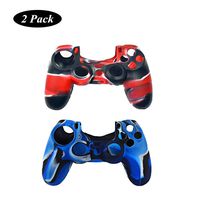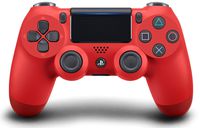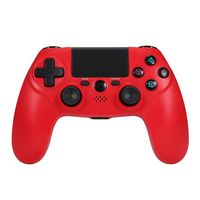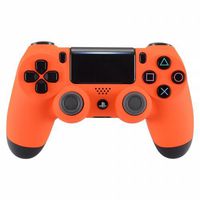
Description
NOTICE: Updating problem
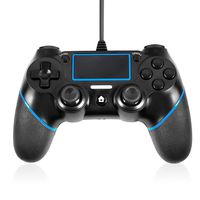
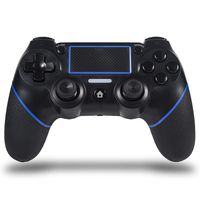
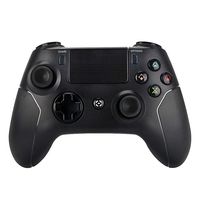
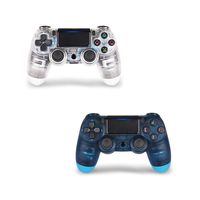
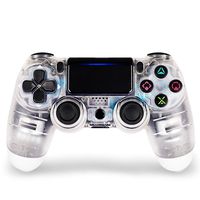
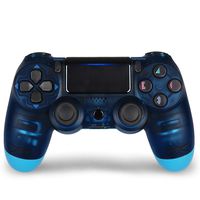
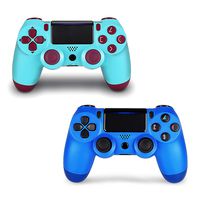
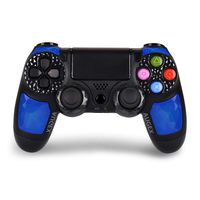
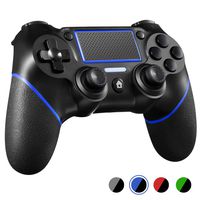
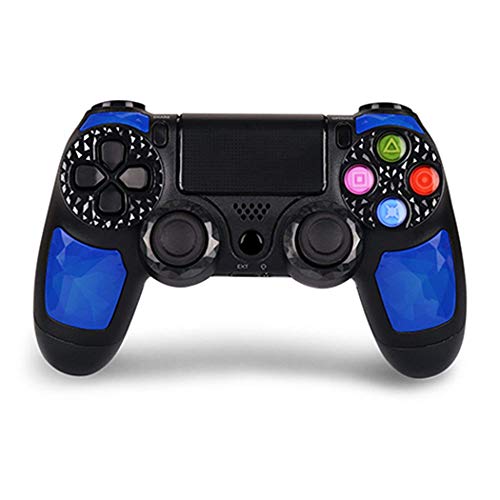
🎮 The Royalblue Dual shock 4 wireless controller is from OUBANG who is a professional game controller manufacturer committed to delivering inexpensive products with high quality, not original controller.
All the 3rd party ps4 controller need update firmware manually after the Playstation 4 OS update at some time.
🎮 - Q1.When does the PS4 Controller firmware need to be updated?
- A:You should always keep your controller's firmware updated.If you are having trouble with your PS4 controller please update the firmware.
- Q2.Where can I find the newest firmware?
- A:Enter website(www.ioubang.com) or email us (service@ioubang.com) or call us 9707185910
- Q3.Dose the controller need to update often?
- A:No,seldom.The 3rd party PS4 controller is no need to update in most of the console OS updating.
🎮 -Q3:How to pair the ps4 controller to PC?
-A:If your PC have the bluetooth, press "Share"and "Home"buttons before pairing.If not, need a bluetooth adapter.Another way is connect on steam.
🎮 -Q4:How to connect to the PLAYSTATION 4 system?
-A: At Initial,connect them by pluging in with the Micro usb cable -Q5: How to fix it if the controller can't connect to console?
-A: 1. Please check if you connect the controller to console with the usb cable at the initial.
2. Please reset the controller.Use a pin to press the reset button which is a small hole on the back.Then,connect them with the cable again.
3. Please delete all the bluetooth connection record in the PlayStation 4,then try again.
🎮 The Royalblue Dual shock 4 wireless controller is from OUBANG who is a professional game controller manufacturer committed to delivering inexpensive products with high quality, not original controller.
All the 3rd party ps4 controller need update firmware manually after the Playstation 4 OS update at some time.
🎮 - Q1.When does the PS4 Controller firmware need to be updated?
- A:You should always keep your controller's firmware updated.If you are having trouble with your PS4 controller please update the firmware.
- Q2.Where can I find the newest firmware?
- A:Enter website(www.ioubang.com) or email us (service@ioubang.com) or call us 9707185910
- Q3.Dose the controller need to update often?
- A:No,seldom.The 3rd party PS4 controller is no need to update in most of the console OS updating.
🎮 -Q3:How to pair the ps4 controller to PC?
-A:If your PC have the bluetooth, press "Share"and "Home"buttons before pairing.If not, need a bluetooth adapter.Another way is connect on steam.
🎮 -Q4:How to connect to the PLAYSTATION 4 system?
-A: At Initial,connect them by pluging in with the Micro usb cable -Q5: How to fix it if the controller can't connect to console?
-A: 1. Please check if you connect the controller to console with the usb cable at the initial.
2. Please reset the controller.Use a pin to press the reset button which is a small hole on the back.Then,connect them with the cable again.
3. Please delete all the bluetooth connection record in the PlayStation 4,then try again.
PS4 Wireless Controller for PS4 Compatible with Playstation 4 - OUBANG Remote Control with Sixaxis,Touchpad (Sapphire)
Price is below average
Current Price
$24.96
Average
$31.6
Min Price
$24.96
Max Price
$39.99
Price dynamics
21%
Description
NOTICE: Updating problem
🎮 The Royalblue Dual shock 4 wireless controller is from OUBANG who is a professional game controller manufacturer committed to delivering inexpensive products with high quality, not original controller.
All the 3rd party ps4 controller need update firmware manually after the Playstation 4 OS update at some time.
🎮 - Q1.When does the PS4 Controller firmware need to be updated?
- A:You should always keep your controller's firmware updated.If you are having trouble with your PS4 controller please update the firmware.
- Q2.Where can I find the newest firmware?
- A:Enter website(www.ioubang.com) or email us (service@ioubang.com) or call us 9707185910
- Q3.Dose the controller need to update often?
- A:No,seldom.The 3rd party PS4 controller is no need to update in most of the console OS updating.
🎮 -Q3:How to pair the ps4 controller to PC?
-A:If your PC have the bluetooth, press "Share"and "Home"buttons before pairing.If not, need a bluetooth adapter.Another way is connect on steam.
🎮 -Q4:How to connect to the PLAYSTATION 4 system?
-A: At Initial,connect them by pluging in with the Micro usb cable -Q5: How to fix it if the controller can't connect to console?
-A: 1. Please check if you connect the controller to console with the usb cable at the initial.
2. Please reset the controller.Use a pin to press the reset button which is a small hole on the back.Then,connect them with the cable again.
3. Please delete all the bluetooth connection record in the PlayStation 4,then try again.
🎮 The Royalblue Dual shock 4 wireless controller is from OUBANG who is a professional game controller manufacturer committed to delivering inexpensive products with high quality, not original controller.
All the 3rd party ps4 controller need update firmware manually after the Playstation 4 OS update at some time.
🎮 - Q1.When does the PS4 Controller firmware need to be updated?
- A:You should always keep your controller's firmware updated.If you are having trouble with your PS4 controller please update the firmware.
- Q2.Where can I find the newest firmware?
- A:Enter website(www.ioubang.com) or email us (service@ioubang.com) or call us 9707185910
- Q3.Dose the controller need to update often?
- A:No,seldom.The 3rd party PS4 controller is no need to update in most of the console OS updating.
🎮 -Q3:How to pair the ps4 controller to PC?
-A:If your PC have the bluetooth, press "Share"and "Home"buttons before pairing.If not, need a bluetooth adapter.Another way is connect on steam.
🎮 -Q4:How to connect to the PLAYSTATION 4 system?
-A: At Initial,connect them by pluging in with the Micro usb cable -Q5: How to fix it if the controller can't connect to console?
-A: 1. Please check if you connect the controller to console with the usb cable at the initial.
2. Please reset the controller.Use a pin to press the reset button which is a small hole on the back.Then,connect them with the cable again.
3. Please delete all the bluetooth connection record in the PlayStation 4,then try again.
Price will be lower
in next 2 weeks
in next 2 weeks
According to the data, price will be lower in next two weeks, so not waste your money and track better price!