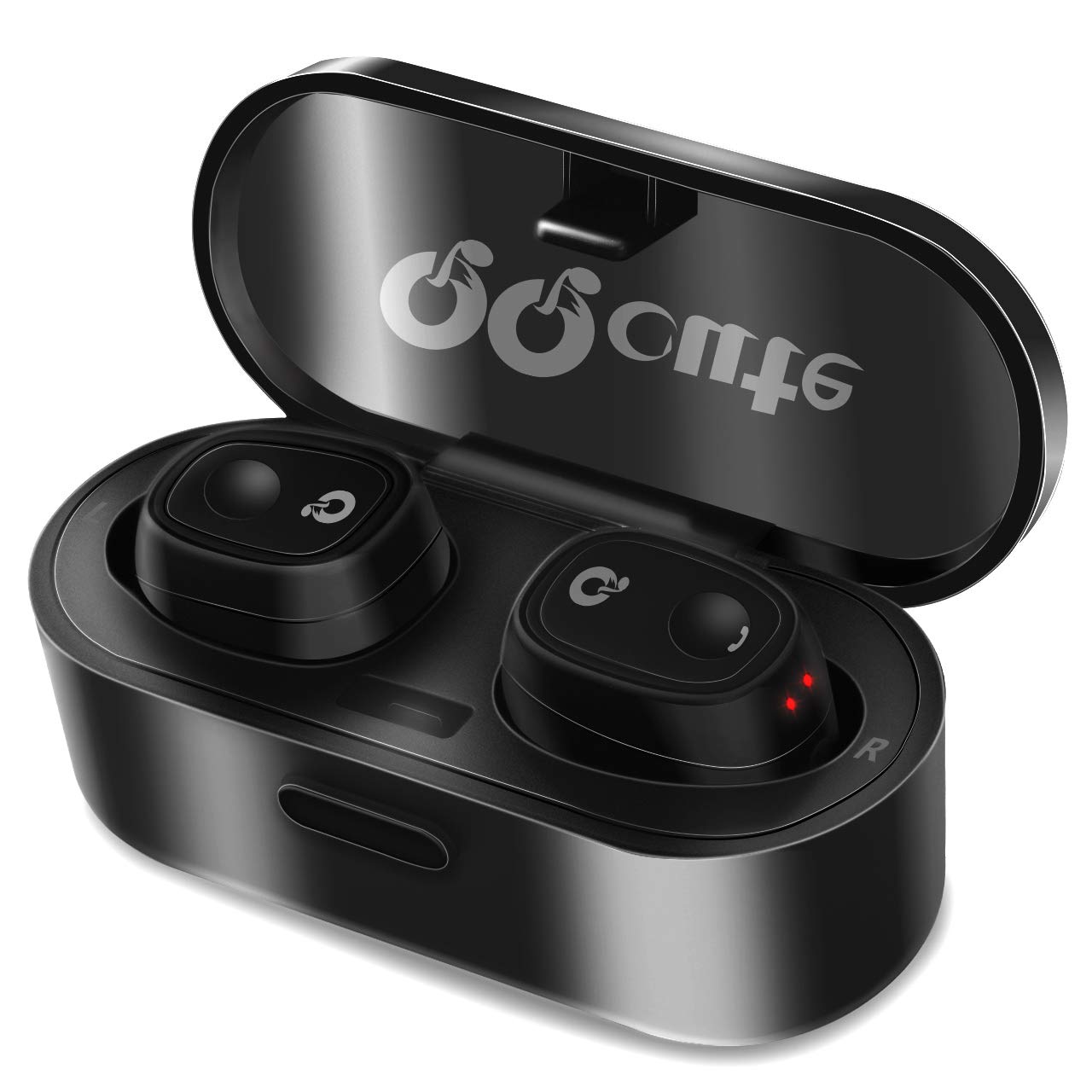
Description
TWS Headset reconnected
Method 1: Press and hold MFB for 3 seconds to power on→wait for few seconds, the two headsets connected automatically→the headset paired with the mobile phone that has ever paired after few seconds →reconnected successfully.
Method 2: Pick up the headsets from charging base to power on→wait for few seconds, the two headsets connected automatically→the headset paired with the mobile phone that has ever paired after few seconds →reconnected successfully.
Note: The headset(R)(L)will prompt "connected", left headset prompts "left channel", the right headset prompts "right channel". After connected with mobile phone successfully, the right headset prompts "second device connected".
Two-call Handling--Headset(R) only
(Only support the mobile phone which has the function of handling two phones.)
When you are answering a call, there is another call coming:
1. Press and hold MFB of headset(R) for 2 seconds to end the current call and answer another one;
2. Shortly press MFB of headset(R) once to answer another call and hold on the current one;
3. After the above operation "2"settled, shortly press MFB of headset(R) to transfer one call to another.
Note
To protect hearing, please keep the volume at a normal level. Avoid listening to music at loud volume levels for prolonged periods of time which may cause hearing damage.
Please do not use the headset when it is unsafe and requires to pay more attention to do something, such as driving or crossing the road.
Please disconnect the USB cable after fully charging. Please QQcute product should not continue charging for extended periods of time.
There only sound in one earphone and when the voice is not very loud to the other party, may sometimes be need to speak louder or use hand to direct sound back to the microphone, due to has a little far distance between the microphone and the mouth.
Method 1: Press and hold MFB for 3 seconds to power on→wait for few seconds, the two headsets connected automatically→the headset paired with the mobile phone that has ever paired after few seconds →reconnected successfully.
Method 2: Pick up the headsets from charging base to power on→wait for few seconds, the two headsets connected automatically→the headset paired with the mobile phone that has ever paired after few seconds →reconnected successfully.
Note: The headset(R)(L)will prompt "connected", left headset prompts "left channel", the right headset prompts "right channel". After connected with mobile phone successfully, the right headset prompts "second device connected".
Two-call Handling--Headset(R) only
(Only support the mobile phone which has the function of handling two phones.)
When you are answering a call, there is another call coming:
1. Press and hold MFB of headset(R) for 2 seconds to end the current call and answer another one;
2. Shortly press MFB of headset(R) once to answer another call and hold on the current one;
3. After the above operation "2"settled, shortly press MFB of headset(R) to transfer one call to another.
Note
To protect hearing, please keep the volume at a normal level. Avoid listening to music at loud volume levels for prolonged periods of time which may cause hearing damage.
Please do not use the headset when it is unsafe and requires to pay more attention to do something, such as driving or crossing the road.
Please disconnect the USB cable after fully charging. Please QQcute product should not continue charging for extended periods of time.
There only sound in one earphone and when the voice is not very loud to the other party, may sometimes be need to speak louder or use hand to direct sound back to the microphone, due to has a little far distance between the microphone and the mouth.
QQcute Bluetooth Wireless Earbuds
Price is below average
Current Price
$29.99
Average
$86.66
Min Price
$29.99
Max Price
$199.99
Price dynamics
65%
Description
TWS Headset reconnected
Method 1: Press and hold MFB for 3 seconds to power on→wait for few seconds, the two headsets connected automatically→the headset paired with the mobile phone that has ever paired after few seconds →reconnected successfully.
Method 2: Pick up the headsets from charging base to power on→wait for few seconds, the two headsets connected automatically→the headset paired with the mobile phone that has ever paired after few seconds →reconnected successfully.
Note: The headset(R)(L)will prompt "connected", left headset prompts "left channel", the right headset prompts "right channel". After connected with mobile phone successfully, the right headset prompts "second device connected".
Two-call Handling--Headset(R) only
(Only support the mobile phone which has the function of handling two phones.)
When you are answering a call, there is another call coming:
1. Press and hold MFB of headset(R) for 2 seconds to end the current call and answer another one;
2. Shortly press MFB of headset(R) once to answer another call and hold on the current one;
3. After the above operation "2"settled, shortly press MFB of headset(R) to transfer one call to another.
Note
To protect hearing, please keep the volume at a normal level. Avoid listening to music at loud volume levels for prolonged periods of time which may cause hearing damage.
Please do not use the headset when it is unsafe and requires to pay more attention to do something, such as driving or crossing the road.
Please disconnect the USB cable after fully charging. Please QQcute product should not continue charging for extended periods of time.
There only sound in one earphone and when the voice is not very loud to the other party, may sometimes be need to speak louder or use hand to direct sound back to the microphone, due to has a little far distance between the microphone and the mouth.
Method 1: Press and hold MFB for 3 seconds to power on→wait for few seconds, the two headsets connected automatically→the headset paired with the mobile phone that has ever paired after few seconds →reconnected successfully.
Method 2: Pick up the headsets from charging base to power on→wait for few seconds, the two headsets connected automatically→the headset paired with the mobile phone that has ever paired after few seconds →reconnected successfully.
Note: The headset(R)(L)will prompt "connected", left headset prompts "left channel", the right headset prompts "right channel". After connected with mobile phone successfully, the right headset prompts "second device connected".
Two-call Handling--Headset(R) only
(Only support the mobile phone which has the function of handling two phones.)
When you are answering a call, there is another call coming:
1. Press and hold MFB of headset(R) for 2 seconds to end the current call and answer another one;
2. Shortly press MFB of headset(R) once to answer another call and hold on the current one;
3. After the above operation "2"settled, shortly press MFB of headset(R) to transfer one call to another.
Note
To protect hearing, please keep the volume at a normal level. Avoid listening to music at loud volume levels for prolonged periods of time which may cause hearing damage.
Please do not use the headset when it is unsafe and requires to pay more attention to do something, such as driving or crossing the road.
Please disconnect the USB cable after fully charging. Please QQcute product should not continue charging for extended periods of time.
There only sound in one earphone and when the voice is not very loud to the other party, may sometimes be need to speak louder or use hand to direct sound back to the microphone, due to has a little far distance between the microphone and the mouth.
Price will be lower
in next 2 weeks
in next 2 weeks
According to the data, price will be lower in next two weeks, so not waste your money and track better price!
Product review & video
what's happened in painting HP Devon Panda here just bought these cute cute cute cute cute ear buds Bluetooth with the charger gonna do a drone boxing here and check out these little bad boys so it looks like they come with their own case and whatnot and there they are pretty cool that's pretty nice dump things out to get them so we have some different ear cups here kind of the small and large and Olimpica then the mediums are usually installed we have a short microUSB cable which is nice we have a little micro fiber drawstring pouch here which is also very nice so you can tote these around some instructions and then to get these out a little tangle in there in there pretty well I've got a left and a right here is the case so very nice school this is the case is how you charge the earbuds so usually the case will have a little bit of a charge itself you plug it in there a little light s



Similar products