Description
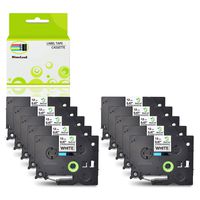
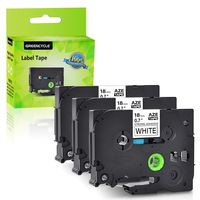
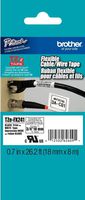
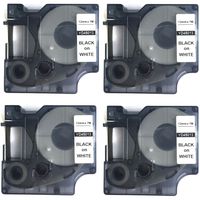
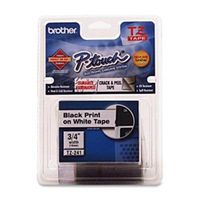
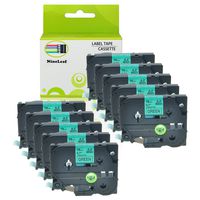
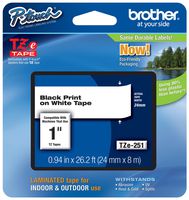
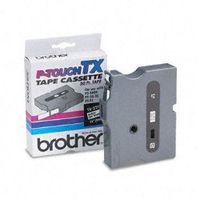
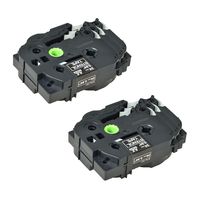
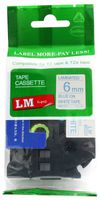
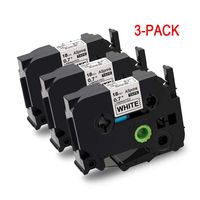
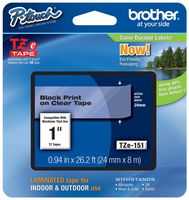
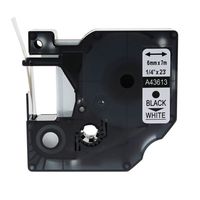
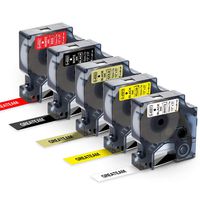
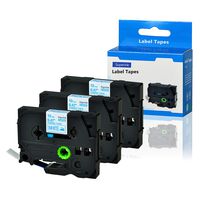
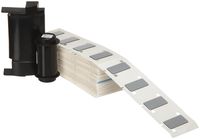
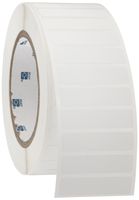
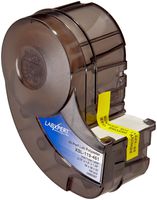
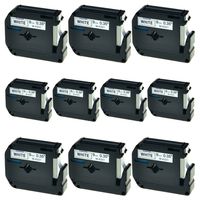
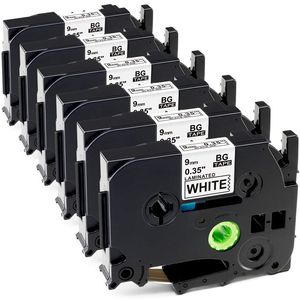
Compatible Brother TZe-221 TZe221TZ-221 TZ221 TZe Label Tape
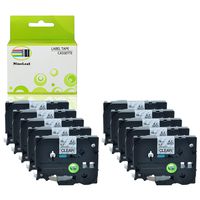
Quantity:6 Packs
Size:Length:8m(26.2feet),width:9mm (3/8").
Color:Black on white
Compatible with the following Brother P-Touch Label Printers:
GL-100,GL-H100,PT-1000,PT-1000BM,PT-1010B,PT-1010NB,PT-1010R,PT-1010RDT,PT-1010S,PT-1090BK,
PT-1100,PT-1100QL,PT-1100SB,PT-1100SBVP,PT-1100ST,PT-1120,PT-1130,PT-1160,PT1170,PT1170S,
PT1180,PT1180SC,PT1180SP,PT1190,PT11Q,PT1200,PT1280,PT1280BT,PT1280SP,PT1280TG,PT1280VP,
PT128AF,PT1290BT,PT1290BT2,PT1290RS,PT1290SBVP,PT1300,PT1400,PT1500,PT1500PC,PT1600,
PT1700,PT1750,PT1750SCPT1810,PT1830,PT1830C,PT1830SC,PT1830VP,PT1880CT,PT1880SC,PT18R,
PT18RKT,PT1900,PT1900C,PT1910,PT1950,PT1960,PT300B,PT310,PT310B,PT320,PT330,PT340,
PT350,PT3600,PT4000,PT520,PT530,PT540,PT550,PT580C,PT6100,PT7100,PT7500,PT9200DX,
PT9200PC,PT9400,PT9500PC,PT9800PCN,PTD200BT,PTD200DA,PTD200MA,PTD200SA,PTD210BK,
PTD400VP,PTE100,PTE300,PTE300VP,PTE500,PTE500VP,PTE550W,PTE550WVP,PTH105,PTH300LI,PTH500LI,PTP750WVP,ST1150,ST1150DX,ST5
Features:
1, Easy to peel. No sticky residue remains when removed.
2, Strong Adhesive. Durable p-touch label tapes are resist to Water, Grease, Temperature, Chemical, Fading and Abrasion.
3, Standard laminated tape. Print clear and natural. Won't smear or smudge.
4, 9mm p-touch TZe tape can be used in home, office and industrial.
Tips:
1,Before printing finished, please don't touch the label machine cutter to avoid any error, neither pull the tapes to avoid damaging the label tape.
2,The label tape may become loose during the shipping. Before installing, please turn the gear in the direction by the arrow and tighten the label to avoid jams.
3,Extend some of the label to though the outlet before printing.
4,To avoid wastage, you can print words in one label, cut them into individual label.
Quantity:6 Packs
Size:Length:8m(26.2feet),width:9mm (3/8").
Color:Black on white
Compatible with the following Brother P-Touch Label Printers:
GL-100,GL-H100,PT-1000,PT-1000BM,PT-1010B,PT-1010NB,PT-1010R,PT-1010RDT,PT-1010S,PT-1090BK,
PT-1100,PT-1100QL,PT-1100SB,PT-1100SBVP,PT-1100ST,PT-1120,PT-1130,PT-1160,PT1170,PT1170S,
PT1180,PT1180SC,PT1180SP,PT1190,PT11Q,PT1200,PT1280,PT1280BT,PT1280SP,PT1280TG,PT1280VP,
PT128AF,PT1290BT,PT1290BT2,PT1290RS,PT1290SBVP,PT1300,PT1400,PT1500,PT1500PC,PT1600,
PT1700,PT1750,PT1750SCPT1810,PT1830,PT1830C,PT1830SC,PT1830VP,PT1880CT,PT1880SC,PT18R,
PT18RKT,PT1900,PT1900C,PT1910,PT1950,PT1960,PT300B,PT310,PT310B,PT320,PT330,PT340,
PT350,PT3600,PT4000,PT520,PT530,PT540,PT550,PT580C,PT6100,PT7100,PT7500,PT9200DX,
PT9200PC,PT9400,PT9500PC,PT9800PCN,PTD200BT,PTD200DA,PTD200MA,PTD200SA,PTD210BK,
PTD400VP,PTE100,PTE300,PTE300VP,PTE500,PTE500VP,PTE550W,PTE550WVP,PTH105,PTH300LI,PTH500LI,PTP750WVP,ST1150,ST1150DX,ST5
Features:
1, Easy to peel. No sticky residue remains when removed.
2, Strong Adhesive. Durable p-touch label tapes are resist to Water, Grease, Temperature, Chemical, Fading and Abrasion.
3, Standard laminated tape. Print clear and natural. Won't smear or smudge.
4, 9mm p-touch TZe tape can be used in home, office and industrial.
Tips:
1,Before printing finished, please don't touch the label machine cutter to avoid any error, neither pull the tapes to avoid damaging the label tape.
2,The label tape may become loose during the shipping. Before installing, please turn the gear in the direction by the arrow and tighten the label to avoid jams.
3,Extend some of the label to though the outlet before printing.
4,To avoid wastage, you can print words in one label, cut them into individual label.
Replace P Touch Label Tapes, 9mm (0.35 Inch) Black on White TZe-221 for Brother P Touch PT-D210 PTH110 PTD600 PTD400AD PT-D210, 26.2 Feet (8M), 6 Pack
Current Price
$20.5
Average
$18.99
Min Price
$17.25
Max Price
$20.5
Price dynamics
7%
Description
Compatible Brother TZe-221 TZe221TZ-221 TZ221 TZe Label Tape
Quantity:6 Packs
Size:Length:8m(26.2feet),width:9mm (3/8").
Color:Black on white
Compatible with the following Brother P-Touch Label Printers:
GL-100,GL-H100,PT-1000,PT-1000BM,PT-1010B,PT-1010NB,PT-1010R,PT-1010RDT,PT-1010S,PT-1090BK,
PT-1100,PT-1100QL,PT-1100SB,PT-1100SBVP,PT-1100ST,PT-1120,PT-1130,PT-1160,PT1170,PT1170S,
PT1180,PT1180SC,PT1180SP,PT1190,PT11Q,PT1200,PT1280,PT1280BT,PT1280SP,PT1280TG,PT1280VP,
PT128AF,PT1290BT,PT1290BT2,PT1290RS,PT1290SBVP,PT1300,PT1400,PT1500,PT1500PC,PT1600,
PT1700,PT1750,PT1750SCPT1810,PT1830,PT1830C,PT1830SC,PT1830VP,PT1880CT,PT1880SC,PT18R,
PT18RKT,PT1900,PT1900C,PT1910,PT1950,PT1960,PT300B,PT310,PT310B,PT320,PT330,PT340,
PT350,PT3600,PT4000,PT520,PT530,PT540,PT550,PT580C,PT6100,PT7100,PT7500,PT9200DX,
PT9200PC,PT9400,PT9500PC,PT9800PCN,PTD200BT,PTD200DA,PTD200MA,PTD200SA,PTD210BK,
PTD400VP,PTE100,PTE300,PTE300VP,PTE500,PTE500VP,PTE550W,PTE550WVP,PTH105,PTH300LI,PTH500LI,PTP750WVP,ST1150,ST1150DX,ST5
Features:
1, Easy to peel. No sticky residue remains when removed.
2, Strong Adhesive. Durable p-touch label tapes are resist to Water, Grease, Temperature, Chemical, Fading and Abrasion.
3, Standard laminated tape. Print clear and natural. Won't smear or smudge.
4, 9mm p-touch TZe tape can be used in home, office and industrial.
Tips:
1,Before printing finished, please don't touch the label machine cutter to avoid any error, neither pull the tapes to avoid damaging the label tape.
2,The label tape may become loose during the shipping. Before installing, please turn the gear in the direction by the arrow and tighten the label to avoid jams.
3,Extend some of the label to though the outlet before printing.
4,To avoid wastage, you can print words in one label, cut them into individual label.
Quantity:6 Packs
Size:Length:8m(26.2feet),width:9mm (3/8").
Color:Black on white
Compatible with the following Brother P-Touch Label Printers:
GL-100,GL-H100,PT-1000,PT-1000BM,PT-1010B,PT-1010NB,PT-1010R,PT-1010RDT,PT-1010S,PT-1090BK,
PT-1100,PT-1100QL,PT-1100SB,PT-1100SBVP,PT-1100ST,PT-1120,PT-1130,PT-1160,PT1170,PT1170S,
PT1180,PT1180SC,PT1180SP,PT1190,PT11Q,PT1200,PT1280,PT1280BT,PT1280SP,PT1280TG,PT1280VP,
PT128AF,PT1290BT,PT1290BT2,PT1290RS,PT1290SBVP,PT1300,PT1400,PT1500,PT1500PC,PT1600,
PT1700,PT1750,PT1750SCPT1810,PT1830,PT1830C,PT1830SC,PT1830VP,PT1880CT,PT1880SC,PT18R,
PT18RKT,PT1900,PT1900C,PT1910,PT1950,PT1960,PT300B,PT310,PT310B,PT320,PT330,PT340,
PT350,PT3600,PT4000,PT520,PT530,PT540,PT550,PT580C,PT6100,PT7100,PT7500,PT9200DX,
PT9200PC,PT9400,PT9500PC,PT9800PCN,PTD200BT,PTD200DA,PTD200MA,PTD200SA,PTD210BK,
PTD400VP,PTE100,PTE300,PTE300VP,PTE500,PTE500VP,PTE550W,PTE550WVP,PTH105,PTH300LI,PTH500LI,PTP750WVP,ST1150,ST1150DX,ST5
Features:
1, Easy to peel. No sticky residue remains when removed.
2, Strong Adhesive. Durable p-touch label tapes are resist to Water, Grease, Temperature, Chemical, Fading and Abrasion.
3, Standard laminated tape. Print clear and natural. Won't smear or smudge.
4, 9mm p-touch TZe tape can be used in home, office and industrial.
Tips:
1,Before printing finished, please don't touch the label machine cutter to avoid any error, neither pull the tapes to avoid damaging the label tape.
2,The label tape may become loose during the shipping. Before installing, please turn the gear in the direction by the arrow and tighten the label to avoid jams.
3,Extend some of the label to though the outlet before printing.
4,To avoid wastage, you can print words in one label, cut them into individual label.
Price will be lower
in next 2 weeks
in next 2 weeks
According to the data, price will be lower in next two weeks, so not waste your money and track better price!
Product review & video
[Music] hey everyone welcome back to our channel for today's video we are going to be covering the basic usage part one for the ptd 210 label maker today's video we're going to cover different ways to enter text for this label maker to start we're going to cover uppercase and lowercase lettering so for uppercase you're going to hit the caps button and then you could type in say the word hey and that's going to be in all caps or you can hit just once to get all lower case and then hit it again if you want just the capital letter at the top so it's going to automatically start you on lowercase hit the caps button once and you can get all capital letters or you could hit it again and then go back to lowercase at any point in time when the caps lock is on you will see this little icon here the a to a lowercase a to indicate that you are about to type in all capital letters this machine can