- HomeElectronicsComputers & AccessoriesComputer Accessories & PeripheralsKeyboards, Mice & AccessoriesKeyboard & Mice AccessoriesKeyboard Skins
Description
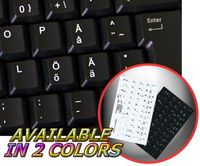
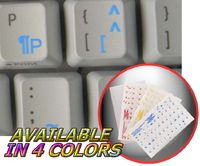
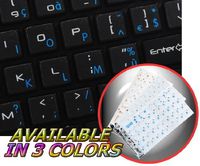
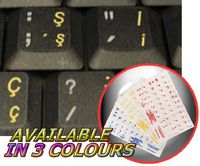
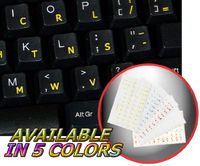
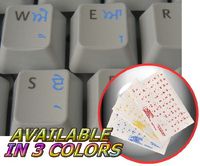
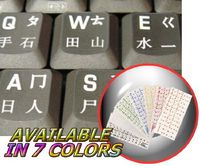
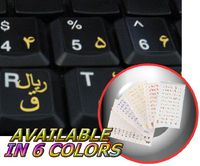
The Romanian labels layout are designed and made of matte high quality, transparent vinyl, with all characters/letters being printed underneath the film.
All labels have a protective coat to ensure their durability for years.
High-quality transparent stickers for variety of keyboards and laptops.
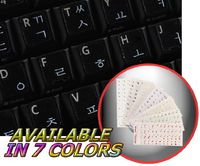
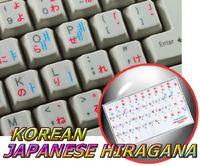
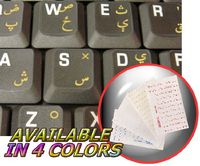
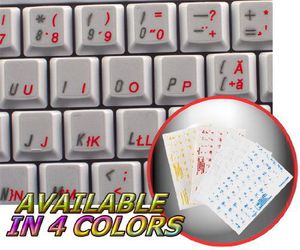
The Romanian characters/letters are spread onto transparent (clear) - matte vinyl, in different colors, suitable for most keyboards, regardless their color or hue.
Clear/transparent background allows existing/original characters to show through.
The application process is very simple and straight forward.
English characters are located underneath each sticker in order to accurately indicate which Romanian sticker/character to apply onto which corresponding key.
Application process doesn't take more than 10-15mins. And you can enjoy your brand new, bilingual - Romanian - English keyboard.
The labels layout are intended to simplify your job, make communication even more satisfying as well as less time consuming while doing it on a computer.
Discover the World of perfection and simplicity with our product.
OUR MOTTO IS - QUALITY!
The product listed above is copyrighted, has been manufactured and distributed by Royal Galaxy Ltd. Usage of the images posted, distribution or resale has NOT been authorized by Royal Galaxy Ltd, and is in direct violation of its written terms. Federal law provides severe civil and criminal penalties for the unauthorized usage, distribution or resale of copyrighted product, its listings with all imaged posted. For all requests regarding usage of images of this product, its distribution and resale, please contact us by email.
ROMANIAN KEYBOARD LABELS LAYOUT ON TRANSPARENT BACKGROUND WITH RED, WHITE OR YELLOW LETTERING (Red)
Current Price
$3.29
Average
$3.29
Min Price
$3.29
Max Price
$3.29
Description
The Romanian labels layout are designed and made of matte high quality, transparent vinyl, with all characters/letters being printed underneath the film.
All labels have a protective coat to ensure their durability for years.
High-quality transparent stickers for variety of keyboards and laptops.
The Romanian characters/letters are spread onto transparent (clear) - matte vinyl, in different colors, suitable for most keyboards, regardless their color or hue.
Clear/transparent background allows existing/original characters to show through.
The application process is very simple and straight forward.
English characters are located underneath each sticker in order to accurately indicate which Romanian sticker/character to apply onto which corresponding key.
Application process doesn't take more than 10-15mins. And you can enjoy your brand new, bilingual - Romanian - English keyboard.
The labels layout are intended to simplify your job, make communication even more satisfying as well as less time consuming while doing it on a computer.
Discover the World of perfection and simplicity with our product.
OUR MOTTO IS - QUALITY!
The product listed above is copyrighted, has been manufactured and distributed by Royal Galaxy Ltd. Usage of the images posted, distribution or resale has NOT been authorized by Royal Galaxy Ltd, and is in direct violation of its written terms. Federal law provides severe civil and criminal penalties for the unauthorized usage, distribution or resale of copyrighted product, its listings with all imaged posted. For all requests regarding usage of images of this product, its distribution and resale, please contact us by email.
Price will be lower
in next 2 weeks
in next 2 weeks
According to the data, price will be lower in next two weeks, so not waste your money and track better price!
Product review & video
so in this video I'll be showing you how to make an image with a transparency particularly a signature as this youtuber is asking me how do you do it to have as a logo with just the letters without the background so you can put the logo on top of different images so to do this in the picture editor I'm going to first go I'll go ahead and show you a demonstration of what she is talking about I will go ahead and get an image quickly let's say this one alright I'm going to go ahead and get my signature which does have the transparency and ends up looking like this see has the spaces where the layer is a transparent and where the image is placed you as you can see so to do this in order to do this we're going to just start with a new image go to file go to new and from here you have the exams option of the feeling will suggest the transparency but if you don't want to do that and just go wi