Description
When hurricanes, snowstorms, and rainstorms come, there's no electricity in your area.
When a family goes camping, there is no light at night.
You're in your broken down car, or by the side of the highway staring at a dead phone battery.
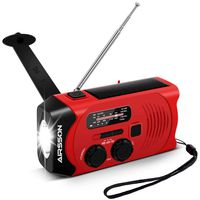
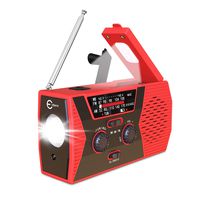
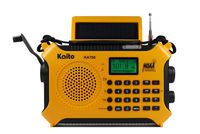
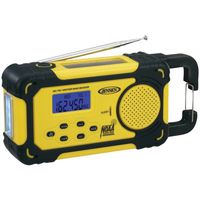
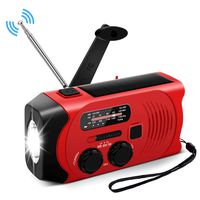
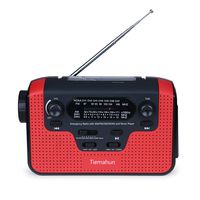
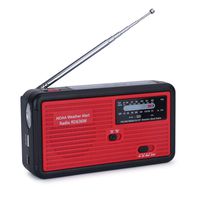
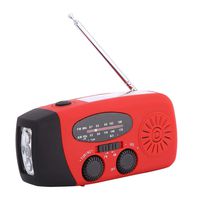
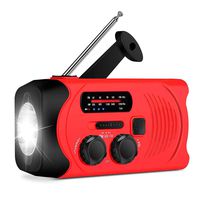
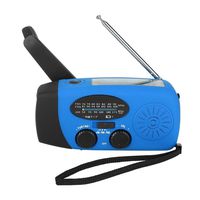
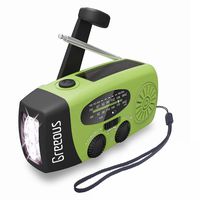
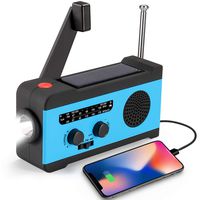
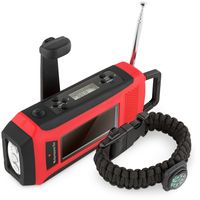
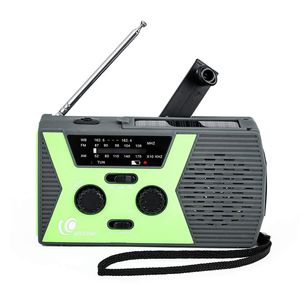
Greatone weather radio with multiple charging modes will give you light and weather information.
It's 2000 mAh lithium battery may not be a daily use powerbank,
But it'll certainly give you gadgets enough juice for all important calls to your family, the emergency services or for contacting roadside assistance and getting you back on your journey.
RADIO FLASHLIGHT NO BATTERIES-HANDCRANK OR SOLAR POWER USING THE RADIO
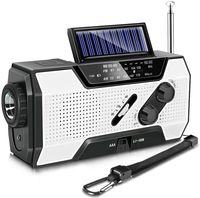
● Turn the VOLUME dial clockwise to turn the radio on and control volume.
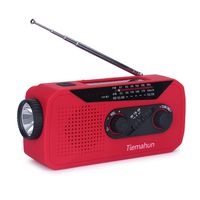
● Select AM, FM, or WB with radio band. For better reception, extend the RADIO ANTENNA.
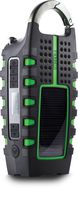
● Turn TUNER DIAL to select station. The green tune indicator light will come on when the station selected is fully engaged.
USING THE FLASHLIGHT
●Press the flashlight switch to turn it on.
●Press the flashlight switch to turn it OFF. SOLAR / HANDCRANK / USB POWER A SOLAR POWER
● Place product in average sunlight for approximately 10-12 hours, the red POWER INDICATOR illuminates when charging. B HANDCRANK POWER
● Lift the HANDCRANK.
●Hand crank either clockwise or counterclockwise for 3-5 minutes to activate the internal battery for initial use, or when the unit has been idle for more than 60 days. The red POWER INDICATOR illuminates when cranking
● For subsequent charges, turn the handle crank for one minute(crank speed>=130rmp) to produce: 15~20 minutes of continuous light for three LEDs; 15-20 minutes of continuous radio usage (medium volume); 3-5 minutes of talk time. C USB PORT CHARGING
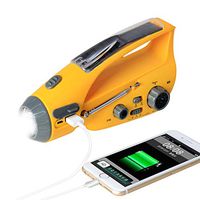
●Insert one end of the CHARGING CORD into the Micro USB jack and the other end into the computer USB port. The red POWER INDICATOR illuminates when the battery is charging.
When a family goes camping, there is no light at night.
You're in your broken down car, or by the side of the highway staring at a dead phone battery.
Greatone weather radio with multiple charging modes will give you light and weather information.
It's 2000 mAh lithium battery may not be a daily use powerbank,
But it'll certainly give you gadgets enough juice for all important calls to your family, the emergency services or for contacting roadside assistance and getting you back on your journey.
RADIO FLASHLIGHT NO BATTERIES-HANDCRANK OR SOLAR POWER USING THE RADIO
● Turn the VOLUME dial clockwise to turn the radio on and control volume.
● Select AM, FM, or WB with radio band. For better reception, extend the RADIO ANTENNA.
● Turn TUNER DIAL to select station. The green tune indicator light will come on when the station selected is fully engaged.
USING THE FLASHLIGHT
●Press the flashlight switch to turn it on.
●Press the flashlight switch to turn it OFF. SOLAR / HANDCRANK / USB POWER A SOLAR POWER
● Place product in average sunlight for approximately 10-12 hours, the red POWER INDICATOR illuminates when charging. B HANDCRANK POWER
● Lift the HANDCRANK.
●Hand crank either clockwise or counterclockwise for 3-5 minutes to activate the internal battery for initial use, or when the unit has been idle for more than 60 days. The red POWER INDICATOR illuminates when cranking
● For subsequent charges, turn the handle crank for one minute(crank speed>=130rmp) to produce: 15~20 minutes of continuous light for three LEDs; 15-20 minutes of continuous radio usage (medium volume); 3-5 minutes of talk time. C USB PORT CHARGING
●Insert one end of the CHARGING CORD into the Micro USB jack and the other end into the computer USB port. The red POWER INDICATOR illuminates when the battery is charging.
[2019 Upgraded Version] Great One Emergency Solar Crank Radio with Flashlight & Reading Lamp,NOAA Weather Radio,2000mAh Power Bank and SOS Alarm 018WB Green
Price is below average
Current Price
$22.99
Average
$25.75
Min Price
$22.99
Max Price
$29.99
Price dynamics
11%
Description
When hurricanes, snowstorms, and rainstorms come, there's no electricity in your area.
When a family goes camping, there is no light at night.
You're in your broken down car, or by the side of the highway staring at a dead phone battery.
Greatone weather radio with multiple charging modes will give you light and weather information.
It's 2000 mAh lithium battery may not be a daily use powerbank,
But it'll certainly give you gadgets enough juice for all important calls to your family, the emergency services or for contacting roadside assistance and getting you back on your journey.
RADIO FLASHLIGHT NO BATTERIES-HANDCRANK OR SOLAR POWER USING THE RADIO
● Turn the VOLUME dial clockwise to turn the radio on and control volume.
● Select AM, FM, or WB with radio band. For better reception, extend the RADIO ANTENNA.
● Turn TUNER DIAL to select station. The green tune indicator light will come on when the station selected is fully engaged.
USING THE FLASHLIGHT
●Press the flashlight switch to turn it on.
●Press the flashlight switch to turn it OFF. SOLAR / HANDCRANK / USB POWER A SOLAR POWER
● Place product in average sunlight for approximately 10-12 hours, the red POWER INDICATOR illuminates when charging. B HANDCRANK POWER
● Lift the HANDCRANK.
●Hand crank either clockwise or counterclockwise for 3-5 minutes to activate the internal battery for initial use, or when the unit has been idle for more than 60 days. The red POWER INDICATOR illuminates when cranking
● For subsequent charges, turn the handle crank for one minute(crank speed>=130rmp) to produce: 15~20 minutes of continuous light for three LEDs; 15-20 minutes of continuous radio usage (medium volume); 3-5 minutes of talk time. C USB PORT CHARGING
●Insert one end of the CHARGING CORD into the Micro USB jack and the other end into the computer USB port. The red POWER INDICATOR illuminates when the battery is charging.
When a family goes camping, there is no light at night.
You're in your broken down car, or by the side of the highway staring at a dead phone battery.
Greatone weather radio with multiple charging modes will give you light and weather information.
It's 2000 mAh lithium battery may not be a daily use powerbank,
But it'll certainly give you gadgets enough juice for all important calls to your family, the emergency services or for contacting roadside assistance and getting you back on your journey.
RADIO FLASHLIGHT NO BATTERIES-HANDCRANK OR SOLAR POWER USING THE RADIO
● Turn the VOLUME dial clockwise to turn the radio on and control volume.
● Select AM, FM, or WB with radio band. For better reception, extend the RADIO ANTENNA.
● Turn TUNER DIAL to select station. The green tune indicator light will come on when the station selected is fully engaged.
USING THE FLASHLIGHT
●Press the flashlight switch to turn it on.
●Press the flashlight switch to turn it OFF. SOLAR / HANDCRANK / USB POWER A SOLAR POWER
● Place product in average sunlight for approximately 10-12 hours, the red POWER INDICATOR illuminates when charging. B HANDCRANK POWER
● Lift the HANDCRANK.
●Hand crank either clockwise or counterclockwise for 3-5 minutes to activate the internal battery for initial use, or when the unit has been idle for more than 60 days. The red POWER INDICATOR illuminates when cranking
● For subsequent charges, turn the handle crank for one minute(crank speed>=130rmp) to produce: 15~20 minutes of continuous light for three LEDs; 15-20 minutes of continuous radio usage (medium volume); 3-5 minutes of talk time. C USB PORT CHARGING
●Insert one end of the CHARGING CORD into the Micro USB jack and the other end into the computer USB port. The red POWER INDICATOR illuminates when the battery is charging.
Price will be lower
in next 2 weeks
in next 2 weeks
According to the data, price will be lower in next two weeks, so not waste your money and track better price!
Product review & video
Hello Internet, this is Billy Wong from FosPower! Today we're gonna do an FAQ video
about this Solar Crank Radio. The first question we get a lot is about
how long does it take to recharge this unit through the solar panel? Now this solar panel is kind of small so it only takes about 15 milliamps of
input to recharge this unit. If using the solar panel only, it would
take days to actually recharge the unit. So the actual function of the solar
panel is actually to slow down the power dissipation of the unit and
not so much to recharge the unit. To recharge the unit properly, the
best way I recommend is to use the micro USB port on the back of the unit here. Make sure you have the right
cable this port is not for recharge but this port is and then
also the hand crank. So like that. Alright, move on to question number 2. Why isn't my phone charging
even after I plug in th


Similar products