Description
Q: How to set it up? A: 1. Choose a SIM Card: You need to choose a micro sim card supports GSM network(not CDMA). Open 2G digital service and caller ID service. In US. We recommend T-Mobile. 2. download the application SeTracker or SeTracker2. 3. Register with the registration ID on the back cover of the watch. 4. Log in and get all the features. Install the Setracker App. And then scan the QR code behind the watch to register an account. If you can't register it . Then please provide the IMEI number to us , we will help you register it successfully. How to solve "device offline" problem? 1. Check whether there are signal bars and "↑↓" symbol on the watch. 2. If there is no signal bars, please check whether the sim was inserted correctly, and go to a good signal place and check it. 3. If there is no "↑↓" symbol, please open the data and voice plan for the sim card. 4. If there are signal bars and "" mark, But watch still was showing offline even though ▲NOTE: The first important thing to do was to check the watch settings by sending it a text message as follows: pw, 123456, ts# A few moments later you got a text message back from the watch that showed it had an incorrect IP addres setting. This was resolved by sending the watch another text message as follows pw, 123456, imsi# At this point the app started working with the watch. If there are still problems Please contact us through email and send the text messages' screenshots to me, I'll try to help you solve the problem. Package Includes: 1 x Kids Waterproof Smartwatch (not include sim card) 1 x USB Cable 1 x Kids watch quick start guide 1 x Screwdriver 1 x Top clamping needle 2 x Spare screws
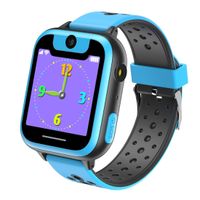
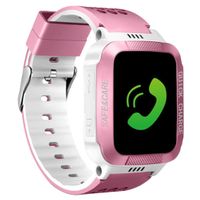
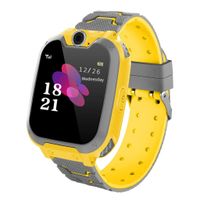
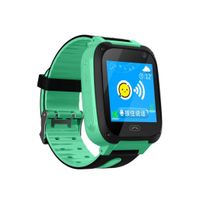
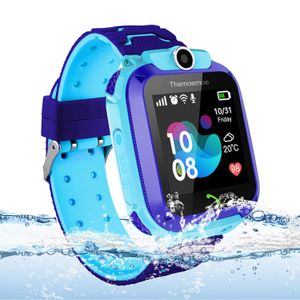
Themoemoe Kids Smart Watch Phone, Kids GPS Tracker Watch with SOS Anti-Lost Alarm Sim Card Slot Touch Screen Smartwatch for 3-12 Year Old Children Girls Boys(Blue)
Price is below average
Current Price
$26
Average
$35.58
Min Price
$24.29
Max Price
$39.99
Price dynamics
27%
Description
Q: How to set it up? A: 1. Choose a SIM Card: You need to choose a micro sim card supports GSM network(not CDMA). Open 2G digital service and caller ID service. In US. We recommend T-Mobile. 2. download the application SeTracker or SeTracker2. 3. Register with the registration ID on the back cover of the watch. 4. Log in and get all the features. Install the Setracker App. And then scan the QR code behind the watch to register an account. If you can't register it . Then please provide the IMEI number to us , we will help you register it successfully. How to solve "device offline" problem? 1. Check whether there are signal bars and "↑↓" symbol on the watch. 2. If there is no signal bars, please check whether the sim was inserted correctly, and go to a good signal place and check it. 3. If there is no "↑↓" symbol, please open the data and voice plan for the sim card. 4. If there are signal bars and "" mark, But watch still was showing offline even though ▲NOTE: The first important thing to do was to check the watch settings by sending it a text message as follows: pw, 123456, ts# A few moments later you got a text message back from the watch that showed it had an incorrect IP addres setting. This was resolved by sending the watch another text message as follows pw, 123456, imsi# At this point the app started working with the watch. If there are still problems Please contact us through email and send the text messages' screenshots to me, I'll try to help you solve the problem. Package Includes: 1 x Kids Waterproof Smartwatch (not include sim card) 1 x USB Cable 1 x Kids watch quick start guide 1 x Screwdriver 1 x Top clamping needle 2 x Spare screws
Price will be lower
in next 2 weeks
in next 2 weeks
According to the data, price will be lower in next two weeks, so not waste your money and track better price!
Similar products