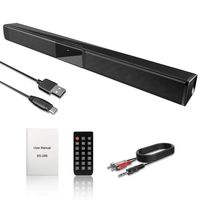
Description
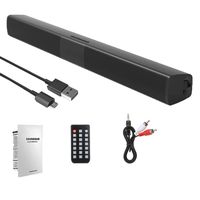
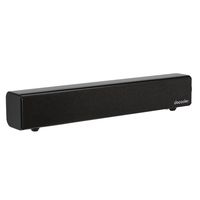
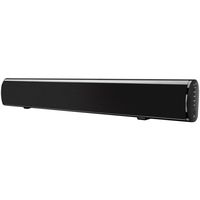
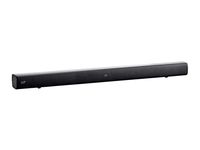
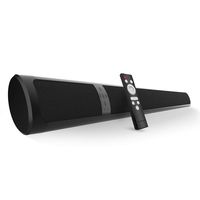
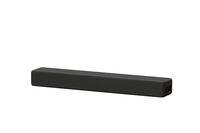
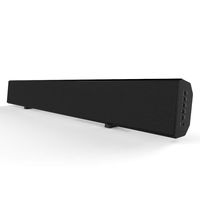
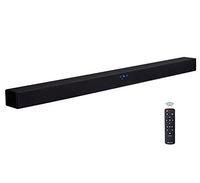
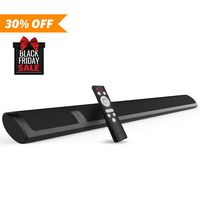
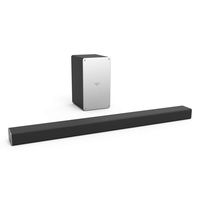
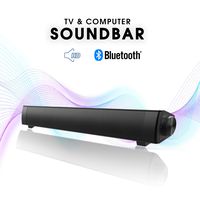
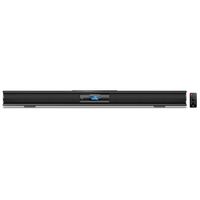
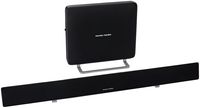
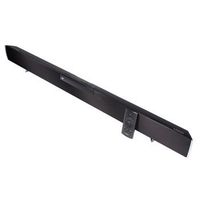
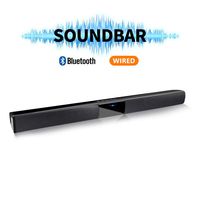
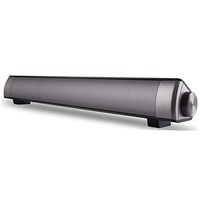
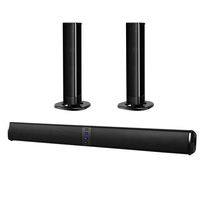
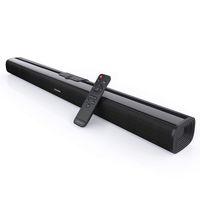
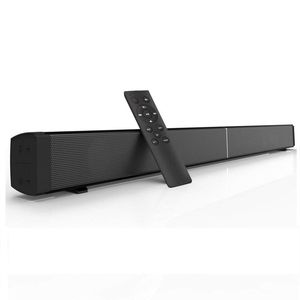
The soundbar is a powerful echo wall home theater entertainment system which completely integrats sound and bluetooth, Its ultra slim design fits neatly the most of audio output devices on a shelf or mounted to the wall, such as TV, TV box, projector,
CATV/satellite providers, CD players, and so on.
Parameter
Bluetooth Version: 4.2
Power Adaptor: 15V/2A
Output Power: 30W
Bluetooth Work Scope: ≤10m
Product Dimensions: 32×2.0×2.5 Inches
Remote control
◕‿◕ Before using the remote, please Make sure you have already removed the insulating sheet of battery on the remote control. And please help to read the instructions.
◕‿◕ When using remote to control Soundbar, please ensure the sensor on the top of remote is towards to the LED Indicator of Soundbar.
About Soundbar
🍀 🍀 🍀 It has four modes to switch. Before using, please make sure Soundbar is in right mode. Check the LED Indicator on Soundbar, you could know what mode it is.
❤️ ❤️ ❤️ LED Indicator ❤️ ❤️ ❤️
White: 3.5mm AUX Mode
Red: Optical Mode
Blue: Bluetooth Mode( Blue LED Blinks : waiting for connection ; Blue LED is on: connected )
Green: Coaxial Mode
Yellow: TF Card Mode
Have your attention please
1.If "Remote control does not work " Please make sure you have already removed the insulating sheet of battery on the remote control. And the remote control aim at the suitable place: close to the switch cable on the speaker.
2. When using the Soundbar to connect your TV, if your TV was smart TV and has Bluetooth function, you could connect it to Soundbar in Bluetooth mode;
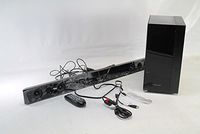
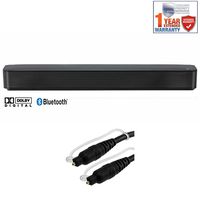
3.If your TV was normal TV, you could use 3.5mm Audio cable, 3.5mm to RCA cable, Optical Cable or Coaxial Cable included in package to connect.
CATV/satellite providers, CD players, and so on.
Parameter
Bluetooth Version: 4.2
Power Adaptor: 15V/2A
Output Power: 30W
Bluetooth Work Scope: ≤10m
Product Dimensions: 32×2.0×2.5 Inches
Remote control
◕‿◕ Before using the remote, please Make sure you have already removed the insulating sheet of battery on the remote control. And please help to read the instructions.
◕‿◕ When using remote to control Soundbar, please ensure the sensor on the top of remote is towards to the LED Indicator of Soundbar.
About Soundbar
🍀 🍀 🍀 It has four modes to switch. Before using, please make sure Soundbar is in right mode. Check the LED Indicator on Soundbar, you could know what mode it is.
❤️ ❤️ ❤️ LED Indicator ❤️ ❤️ ❤️
White: 3.5mm AUX Mode
Red: Optical Mode
Blue: Bluetooth Mode( Blue LED Blinks : waiting for connection ; Blue LED is on: connected )
Green: Coaxial Mode
Yellow: TF Card Mode
Have your attention please
1.If "Remote control does not work " Please make sure you have already removed the insulating sheet of battery on the remote control. And the remote control aim at the suitable place: close to the switch cable on the speaker.
2. When using the Soundbar to connect your TV, if your TV was smart TV and has Bluetooth function, you could connect it to Soundbar in Bluetooth mode;
3.If your TV was normal TV, you could use 3.5mm Audio cable, 3.5mm to RCA cable, Optical Cable or Coaxial Cable included in package to connect.
Sanwo Soundbar, 32-Inch 2.0 Channel Sound Bars with Remote Control for TV Wireless Bluetooth Speaker Home Audio Sound Bar, Support Optical Coaxial AUX and TF Card, Wall Mountable
Current Price
$65.99
Average
$65.26
Min Price
$59.99
Max Price
$69.95
Price dynamics
1%
Description
The soundbar is a powerful echo wall home theater entertainment system which completely integrats sound and bluetooth, Its ultra slim design fits neatly the most of audio output devices on a shelf or mounted to the wall, such as TV, TV box, projector,
CATV/satellite providers, CD players, and so on.
Parameter
Bluetooth Version: 4.2
Power Adaptor: 15V/2A
Output Power: 30W
Bluetooth Work Scope: ≤10m
Product Dimensions: 32×2.0×2.5 Inches
Remote control
◕‿◕ Before using the remote, please Make sure you have already removed the insulating sheet of battery on the remote control. And please help to read the instructions.
◕‿◕ When using remote to control Soundbar, please ensure the sensor on the top of remote is towards to the LED Indicator of Soundbar.
About Soundbar
🍀 🍀 🍀 It has four modes to switch. Before using, please make sure Soundbar is in right mode. Check the LED Indicator on Soundbar, you could know what mode it is.
❤️ ❤️ ❤️ LED Indicator ❤️ ❤️ ❤️
White: 3.5mm AUX Mode
Red: Optical Mode
Blue: Bluetooth Mode( Blue LED Blinks : waiting for connection ; Blue LED is on: connected )
Green: Coaxial Mode
Yellow: TF Card Mode
Have your attention please
1.If "Remote control does not work " Please make sure you have already removed the insulating sheet of battery on the remote control. And the remote control aim at the suitable place: close to the switch cable on the speaker.
2. When using the Soundbar to connect your TV, if your TV was smart TV and has Bluetooth function, you could connect it to Soundbar in Bluetooth mode;
3.If your TV was normal TV, you could use 3.5mm Audio cable, 3.5mm to RCA cable, Optical Cable or Coaxial Cable included in package to connect.
CATV/satellite providers, CD players, and so on.
Parameter
Bluetooth Version: 4.2
Power Adaptor: 15V/2A
Output Power: 30W
Bluetooth Work Scope: ≤10m
Product Dimensions: 32×2.0×2.5 Inches
Remote control
◕‿◕ Before using the remote, please Make sure you have already removed the insulating sheet of battery on the remote control. And please help to read the instructions.
◕‿◕ When using remote to control Soundbar, please ensure the sensor on the top of remote is towards to the LED Indicator of Soundbar.
About Soundbar
🍀 🍀 🍀 It has four modes to switch. Before using, please make sure Soundbar is in right mode. Check the LED Indicator on Soundbar, you could know what mode it is.
❤️ ❤️ ❤️ LED Indicator ❤️ ❤️ ❤️
White: 3.5mm AUX Mode
Red: Optical Mode
Blue: Bluetooth Mode( Blue LED Blinks : waiting for connection ; Blue LED is on: connected )
Green: Coaxial Mode
Yellow: TF Card Mode
Have your attention please
1.If "Remote control does not work " Please make sure you have already removed the insulating sheet of battery on the remote control. And the remote control aim at the suitable place: close to the switch cable on the speaker.
2. When using the Soundbar to connect your TV, if your TV was smart TV and has Bluetooth function, you could connect it to Soundbar in Bluetooth mode;
3.If your TV was normal TV, you could use 3.5mm Audio cable, 3.5mm to RCA cable, Optical Cable or Coaxial Cable included in package to connect.
Price will be lower
in next 2 weeks
in next 2 weeks
According to the data, price will be lower in next two weeks, so not waste your money and track better price!
Product review & video
what's up guys chigz here from chigz tech reviews [Music] okay so i saw this on amazon and i just could not believe the price this was selling for and what you're getting for the money so i just had to pick one up for the channel so this is of course the bow maker tapo v now it's a multifunctional 2.1 bluetooth soundbar which comes with a wired subwoofer included in the package and packs a decent 100 watts of peak power and it also supports bluetooth version five so without any further ado let's just get it out the box shall we now the sound bar itself is in two pieces so we're going to see how that connects together and here is the subwoofer but first of all let's open up this brand box and see what accessories we get okay so we have a user manual a three-year extended warranty card you're getting a small remote control powered by two aaa batteries and you can see the functions you've


Similar products