Description
Installation Description:
2.1. Turn off car engine.
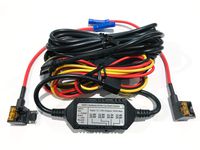
2.2. Connect the Yellow Line (BAT) of the power cable to the positive terminal (+V) of the car battery, the Red Line (ACC) connect to the switch of the car starter, the Black Line connect to the Ground (GND).
2.3. Connect the power cable to the main power line of the car.
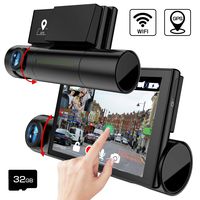
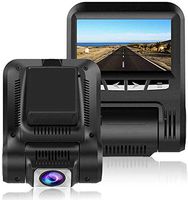
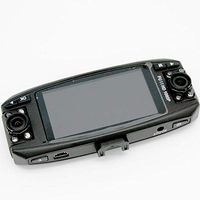
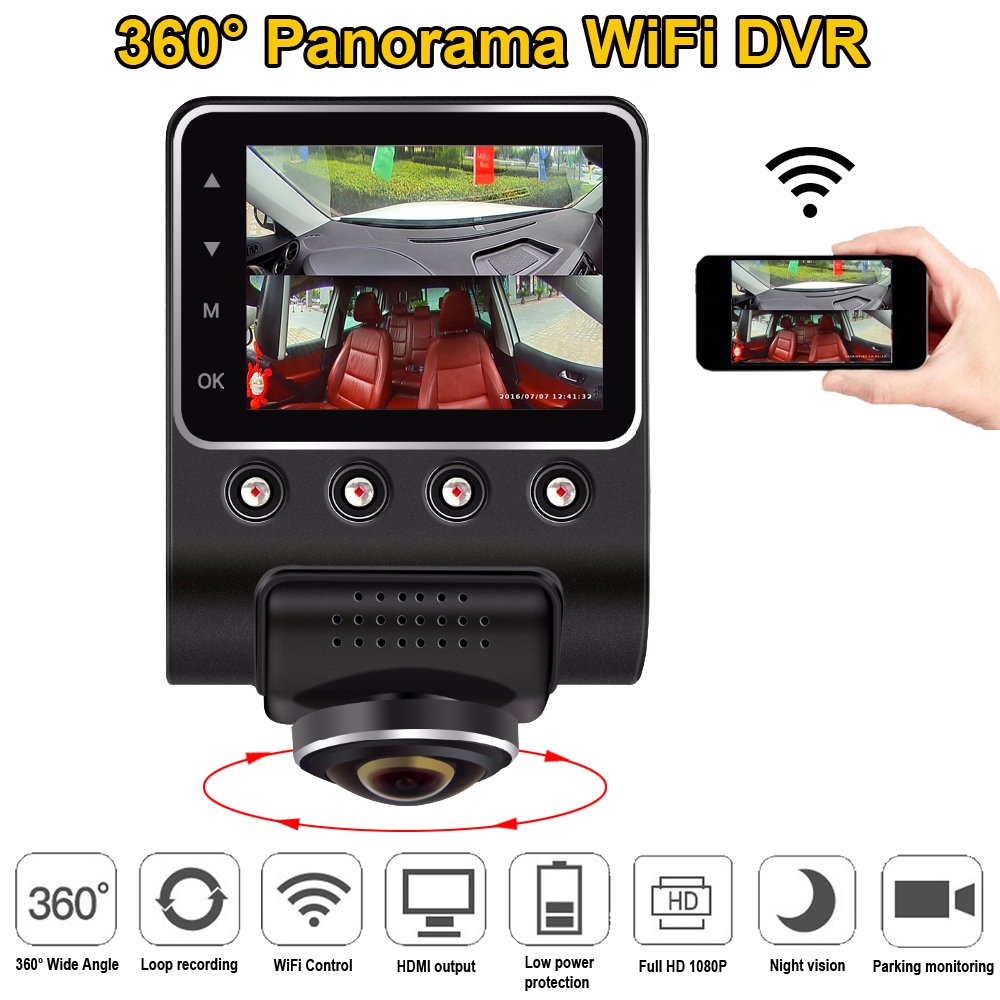
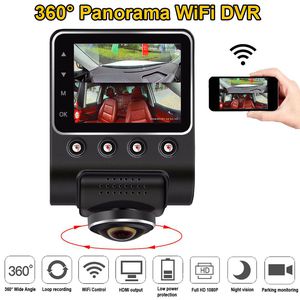
2.4. Find the most suitable position to instal the product in the car front glass, make sure the lens is point to the downward position and the LCD screen stay in the Divid By Two display mode. Confirm that the upper part of the screen showing the outside front view of the car, while the lower part showing the out side view of the car left and right windows and also the inside car view.
2.5. After positioning the product at the front glass, clean up the glass and tear off the cover paper from the sticker in the base holder, Stick the base holder to the glass and then slowly slide the product from right to left until it completely fit into the base holder.
2.6. Again adjust your 360 degree lens to the downward position and switch your screen display to 360 Divid By Two (Surveillant) mode.
Specification:
Color: Black/Brown
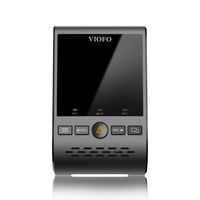
Screen :2.5"TPS
VIDEO:H264, MOV
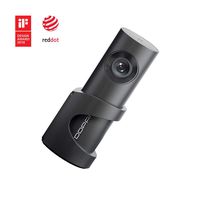
LENS:5.0M pixel, 360 Degree wide angle
G-Sensor:Support,
WDR, H.264 compress format ,
G-Sensor,
Recording video format: MOV Save distance remind
Battery:Build-in lithium battery
Language:Simple Chinese, Traditional Chinese, English
2.1. Turn off car engine.
2.2. Connect the Yellow Line (BAT) of the power cable to the positive terminal (+V) of the car battery, the Red Line (ACC) connect to the switch of the car starter, the Black Line connect to the Ground (GND).
2.3. Connect the power cable to the main power line of the car.
2.4. Find the most suitable position to instal the product in the car front glass, make sure the lens is point to the downward position and the LCD screen stay in the Divid By Two display mode. Confirm that the upper part of the screen showing the outside front view of the car, while the lower part showing the out side view of the car left and right windows and also the inside car view.
2.5. After positioning the product at the front glass, clean up the glass and tear off the cover paper from the sticker in the base holder, Stick the base holder to the glass and then slowly slide the product from right to left until it completely fit into the base holder.
2.6. Again adjust your 360 degree lens to the downward position and switch your screen display to 360 Divid By Two (Surveillant) mode.
Specification:
Color: Black/Brown
Screen :2.5"TPS
VIDEO:H264, MOV
LENS:5.0M pixel, 360 Degree wide angle
G-Sensor:Support,
WDR, H.264 compress format ,
G-Sensor,
Recording video format: MOV Save distance remind
Battery:Build-in lithium battery
Language:Simple Chinese, Traditional Chinese, English
ShiZhen 2.5" 360 Degree Panoramic WiFi Car DVR Camera Full View HD 1080P Recorder Hidden Camcorder Dash Cam Night Vision Fisheye len
Current Price
$127
Average
$124.6
Min Price
$115
Max Price
$127
Price dynamics
2%
Description
Installation Description:
2.1. Turn off car engine.
2.2. Connect the Yellow Line (BAT) of the power cable to the positive terminal (+V) of the car battery, the Red Line (ACC) connect to the switch of the car starter, the Black Line connect to the Ground (GND).
2.3. Connect the power cable to the main power line of the car.
2.4. Find the most suitable position to instal the product in the car front glass, make sure the lens is point to the downward position and the LCD screen stay in the Divid By Two display mode. Confirm that the upper part of the screen showing the outside front view of the car, while the lower part showing the out side view of the car left and right windows and also the inside car view.
2.5. After positioning the product at the front glass, clean up the glass and tear off the cover paper from the sticker in the base holder, Stick the base holder to the glass and then slowly slide the product from right to left until it completely fit into the base holder.
2.6. Again adjust your 360 degree lens to the downward position and switch your screen display to 360 Divid By Two (Surveillant) mode.
Specification:
Color: Black/Brown
Screen :2.5"TPS
VIDEO:H264, MOV
LENS:5.0M pixel, 360 Degree wide angle
G-Sensor:Support,
WDR, H.264 compress format ,
G-Sensor,
Recording video format: MOV Save distance remind
Battery:Build-in lithium battery
Language:Simple Chinese, Traditional Chinese, English
2.1. Turn off car engine.
2.2. Connect the Yellow Line (BAT) of the power cable to the positive terminal (+V) of the car battery, the Red Line (ACC) connect to the switch of the car starter, the Black Line connect to the Ground (GND).
2.3. Connect the power cable to the main power line of the car.
2.4. Find the most suitable position to instal the product in the car front glass, make sure the lens is point to the downward position and the LCD screen stay in the Divid By Two display mode. Confirm that the upper part of the screen showing the outside front view of the car, while the lower part showing the out side view of the car left and right windows and also the inside car view.
2.5. After positioning the product at the front glass, clean up the glass and tear off the cover paper from the sticker in the base holder, Stick the base holder to the glass and then slowly slide the product from right to left until it completely fit into the base holder.
2.6. Again adjust your 360 degree lens to the downward position and switch your screen display to 360 Divid By Two (Surveillant) mode.
Specification:
Color: Black/Brown
Screen :2.5"TPS
VIDEO:H264, MOV
LENS:5.0M pixel, 360 Degree wide angle
G-Sensor:Support,
WDR, H.264 compress format ,
G-Sensor,
Recording video format: MOV Save distance remind
Battery:Build-in lithium battery
Language:Simple Chinese, Traditional Chinese, English
Price will be lower
in next 2 weeks
in next 2 weeks
According to the data, price will be lower in next two weeks, so not waste your money and track better price!
Similar products