Description
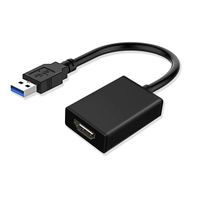
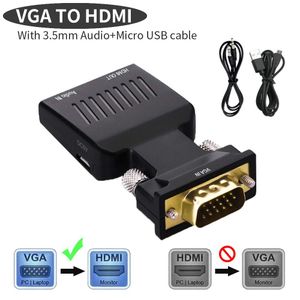
Lemorele VGA to HDMI Adapter/Coverter is ideal for converting and transmitting analog VGA signal into HDMI digital signal from devices with VGA interface (Computer/laptop, etc) to devices with HDMI interface(monitor, HDTV, projector,etc).
Specifications:
1.cable spec:1x VGA female, 1x HDMI male, 1x 3.5Jack,1x Micro USB
2.Compatibility devices:All VGA source devices
3.working voltage: 5V 1A
4.Resolution:1080P 1080I 720P .
5.Audio: stereo R/L channel
6.Compatibility Spec.: HDMI 1.3
(Notice: Audio and USB cable are included.) How to use it
1.Insert the VGA into the computer(desktop/laptop) or other equipments with a VGA output.
2.Connect the USB to the related interface of computer for getting the supplementary power.
3.Connect the Minijack cable to the computer to get stereo audio signal.
4.Connect a male to male HDMI cable between the adapter and your HD display device (TV, monitor,projector or others).
5.If there are more than one HDMI input on your display device.
Generally, signed as HDMI 1/HDMI 2/HDMI 3. Before connecting this HDMI cable to TV, Please select the corresponding HDMI input interface on your TV screen.
For example, if you want to connect the HDMI cable to the HDMI 2 interface on your TV, please select HDMI 2 input on your TV with the remote control.
Worry-Free Warranty:
Please Contact us immediately if you get an occasional defective item, damaged Package with missing parts or you have doubt of the order.
We provide 24 hours customer service and 12 months warranty and provide friendly, easy-to-reach, support.
Specifications:
1.cable spec:1x VGA female, 1x HDMI male, 1x 3.5Jack,1x Micro USB
2.Compatibility devices:All VGA source devices
3.working voltage: 5V 1A
4.Resolution:1080P 1080I 720P .
5.Audio: stereo R/L channel
6.Compatibility Spec.: HDMI 1.3
(Notice: Audio and USB cable are included.) How to use it
1.Insert the VGA into the computer(desktop/laptop) or other equipments with a VGA output.
2.Connect the USB to the related interface of computer for getting the supplementary power.
3.Connect the Minijack cable to the computer to get stereo audio signal.
4.Connect a male to male HDMI cable between the adapter and your HD display device (TV, monitor,projector or others).
5.If there are more than one HDMI input on your display device.
Generally, signed as HDMI 1/HDMI 2/HDMI 3. Before connecting this HDMI cable to TV, Please select the corresponding HDMI input interface on your TV screen.
For example, if you want to connect the HDMI cable to the HDMI 2 interface on your TV, please select HDMI 2 input on your TV with the remote control.
Worry-Free Warranty:
Please Contact us immediately if you get an occasional defective item, damaged Package with missing parts or you have doubt of the order.
We provide 24 hours customer service and 12 months warranty and provide friendly, easy-to-reach, support.
Lemorele VGA to HDMI Adapter Audio 1080P 60Hz VGA Male to HDMI Female Converter with 3.5mm Audio Output for HDTV, Monitors, Projector, Displayer, Laptop,PC (Audio and USB cable Included, Black)
Price is below average
Current Price
$9.99
Average
$15.18
Min Price
$9.99
Max Price
$19.96
Price dynamics
34%
Description
Lemorele VGA to HDMI Adapter/Coverter is ideal for converting and transmitting analog VGA signal into HDMI digital signal from devices with VGA interface (Computer/laptop, etc) to devices with HDMI interface(monitor, HDTV, projector,etc).
Specifications:
1.cable spec:1x VGA female, 1x HDMI male, 1x 3.5Jack,1x Micro USB
2.Compatibility devices:All VGA source devices
3.working voltage: 5V 1A
4.Resolution:1080P 1080I 720P .
5.Audio: stereo R/L channel
6.Compatibility Spec.: HDMI 1.3
(Notice: Audio and USB cable are included.) How to use it
1.Insert the VGA into the computer(desktop/laptop) or other equipments with a VGA output.
2.Connect the USB to the related interface of computer for getting the supplementary power.
3.Connect the Minijack cable to the computer to get stereo audio signal.
4.Connect a male to male HDMI cable between the adapter and your HD display device (TV, monitor,projector or others).
5.If there are more than one HDMI input on your display device.
Generally, signed as HDMI 1/HDMI 2/HDMI 3. Before connecting this HDMI cable to TV, Please select the corresponding HDMI input interface on your TV screen.
For example, if you want to connect the HDMI cable to the HDMI 2 interface on your TV, please select HDMI 2 input on your TV with the remote control.
Worry-Free Warranty:
Please Contact us immediately if you get an occasional defective item, damaged Package with missing parts or you have doubt of the order.
We provide 24 hours customer service and 12 months warranty and provide friendly, easy-to-reach, support.
Specifications:
1.cable spec:1x VGA female, 1x HDMI male, 1x 3.5Jack,1x Micro USB
2.Compatibility devices:All VGA source devices
3.working voltage: 5V 1A
4.Resolution:1080P 1080I 720P .
5.Audio: stereo R/L channel
6.Compatibility Spec.: HDMI 1.3
(Notice: Audio and USB cable are included.) How to use it
1.Insert the VGA into the computer(desktop/laptop) or other equipments with a VGA output.
2.Connect the USB to the related interface of computer for getting the supplementary power.
3.Connect the Minijack cable to the computer to get stereo audio signal.
4.Connect a male to male HDMI cable between the adapter and your HD display device (TV, monitor,projector or others).
5.If there are more than one HDMI input on your display device.
Generally, signed as HDMI 1/HDMI 2/HDMI 3. Before connecting this HDMI cable to TV, Please select the corresponding HDMI input interface on your TV screen.
For example, if you want to connect the HDMI cable to the HDMI 2 interface on your TV, please select HDMI 2 input on your TV with the remote control.
Worry-Free Warranty:
Please Contact us immediately if you get an occasional defective item, damaged Package with missing parts or you have doubt of the order.
We provide 24 hours customer service and 12 months warranty and provide friendly, easy-to-reach, support.
Price will be lower
in next 2 weeks
in next 2 weeks
According to the data, price will be lower in next two weeks, so not waste your money and track better price!
Product review & video
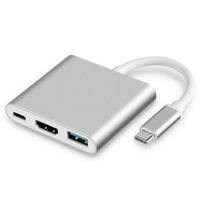
- Let's be honest, USB-C
is kind of a nightmare. Sure, one day we might
get to the point where every cable, every gadget, every screen uses the same next generation connector, but we're nowhere near that point today. Which means, if you've
got a new USB-C laptop, like a MacBook Pro, or
Dell's latest XPS 13, and you wanna use those old
ports from your old computer, stuff like regular USB, HDMI, ethernet, display port, SD, micro SD. All those old connectors that
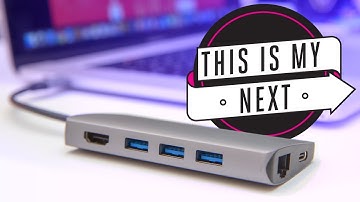
you used to use every day. You're gonna need a USB-C hub. (slow funky music) To be clear, for the
sake of this comparison, we're only looking at a
small subset of USB-C hubs. That means that we're
only talking about ones that offer some sort
of pass through powers, that you can keep charging your computer while you're using other stuff, and ones that don't need their
own integrated power supply. That means unfortunately,
all those

Similar products