Description
Watch connects to Phone, download the App "Fundo" in the Phone at very first, reference following 2 methods:
1. Android Phone: search and download "Fundo" app from Google Play;
2. iOS phone: search and download "Fundo" app from Apps Store;
After installation, turn on cellphone Bluetooth and Fundo App, confirm the notifications and others permission Apps asks are enabled, and fill up personal information. Tap "Add device", search "L5XXX" device (turn on the GPS in the smartphone before binding) and tap connect.
Firmware upgrade: When Bluetooth connected, in same interface of "Fundo", click "More- "Updates", if there is new firmware available, click to update to the latest watch firmware version.
Notice: If it is unsuccessful to upgrade, please reconnect the Bluetooth and try to upgrade again.
Remark: The product supports waterproof with IP68 level, it is available to wear it while wash hands, swim, in raining, etc.
Do not use it when have a hot shower/bath or sauna, the vapors will get into the host, scratch damage of peripheral components. All these are beyond the scope of the warranty.
Buttons Instruction:
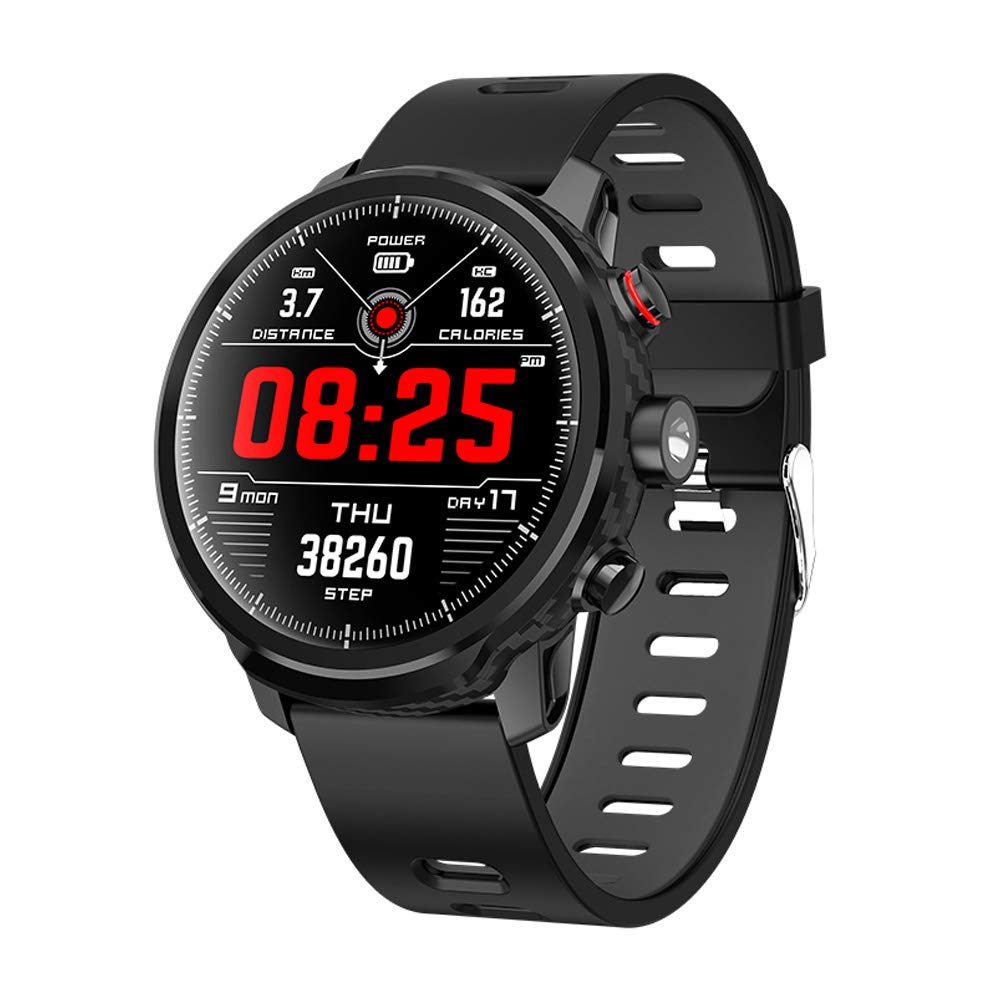
Switch button: long press to switch on/off the device, short press to on/off the screen; short press in the operate interface to back homepage.
Torchlight: Switch light on/off.
Touch instructions: tap to select and enter a menu, slip right to return. At the home slide down into status bar; slide right into notification center; slide left to enter the main menu.
1. Android Phone: search and download "Fundo" app from Google Play;
2. iOS phone: search and download "Fundo" app from Apps Store;
After installation, turn on cellphone Bluetooth and Fundo App, confirm the notifications and others permission Apps asks are enabled, and fill up personal information. Tap "Add device", search "L5XXX" device (turn on the GPS in the smartphone before binding) and tap connect.
Firmware upgrade: When Bluetooth connected, in same interface of "Fundo", click "More- "Updates", if there is new firmware available, click to update to the latest watch firmware version.
Notice: If it is unsuccessful to upgrade, please reconnect the Bluetooth and try to upgrade again.
Remark: The product supports waterproof with IP68 level, it is available to wear it while wash hands, swim, in raining, etc.
Do not use it when have a hot shower/bath or sauna, the vapors will get into the host, scratch damage of peripheral components. All these are beyond the scope of the warranty.
Buttons Instruction:
Switch button: long press to switch on/off the device, short press to on/off the screen; short press in the operate interface to back homepage.
Torchlight: Switch light on/off.
Touch instructions: tap to select and enter a menu, slip right to return. At the home slide down into status bar; slide right into notification center; slide left to enter the main menu.
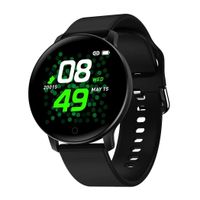
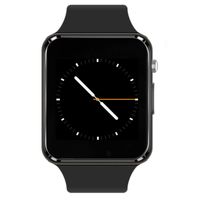
Smart Watch Activity Tracker Fitness Watch for Men Women Waterproof Heart Rate Monitor Watches Sleep Monitoring (Black)
Current Price
$49.99
Average
$49.99
Min Price
$49.99
Max Price
$49.99
Description
Watch connects to Phone, download the App "Fundo" in the Phone at very first, reference following 2 methods:
1. Android Phone: search and download "Fundo" app from Google Play;
2. iOS phone: search and download "Fundo" app from Apps Store;
After installation, turn on cellphone Bluetooth and Fundo App, confirm the notifications and others permission Apps asks are enabled, and fill up personal information. Tap "Add device", search "L5XXX" device (turn on the GPS in the smartphone before binding) and tap connect.
Firmware upgrade: When Bluetooth connected, in same interface of "Fundo", click "More- "Updates", if there is new firmware available, click to update to the latest watch firmware version.
Notice: If it is unsuccessful to upgrade, please reconnect the Bluetooth and try to upgrade again.
Remark: The product supports waterproof with IP68 level, it is available to wear it while wash hands, swim, in raining, etc.
Do not use it when have a hot shower/bath or sauna, the vapors will get into the host, scratch damage of peripheral components. All these are beyond the scope of the warranty.
Buttons Instruction:
Switch button: long press to switch on/off the device, short press to on/off the screen; short press in the operate interface to back homepage.
Torchlight: Switch light on/off.
Touch instructions: tap to select and enter a menu, slip right to return. At the home slide down into status bar; slide right into notification center; slide left to enter the main menu.
1. Android Phone: search and download "Fundo" app from Google Play;
2. iOS phone: search and download "Fundo" app from Apps Store;
After installation, turn on cellphone Bluetooth and Fundo App, confirm the notifications and others permission Apps asks are enabled, and fill up personal information. Tap "Add device", search "L5XXX" device (turn on the GPS in the smartphone before binding) and tap connect.
Firmware upgrade: When Bluetooth connected, in same interface of "Fundo", click "More- "Updates", if there is new firmware available, click to update to the latest watch firmware version.
Notice: If it is unsuccessful to upgrade, please reconnect the Bluetooth and try to upgrade again.
Remark: The product supports waterproof with IP68 level, it is available to wear it while wash hands, swim, in raining, etc.
Do not use it when have a hot shower/bath or sauna, the vapors will get into the host, scratch damage of peripheral components. All these are beyond the scope of the warranty.
Buttons Instruction:
Switch button: long press to switch on/off the device, short press to on/off the screen; short press in the operate interface to back homepage.
Torchlight: Switch light on/off.
Touch instructions: tap to select and enter a menu, slip right to return. At the home slide down into status bar; slide right into notification center; slide left to enter the main menu.
Price will be lower
in next 2 weeks
in next 2 weeks
According to the data, price will be lower in next two weeks, so not waste your money and track better price!
Similar products