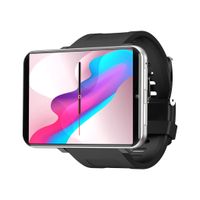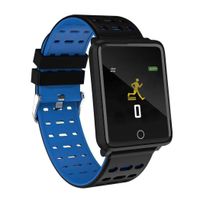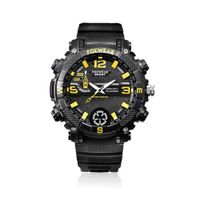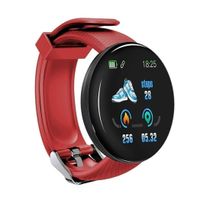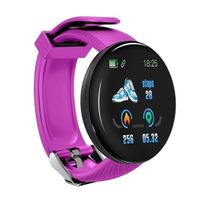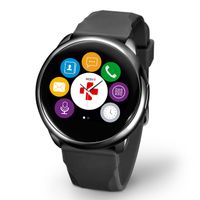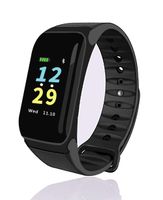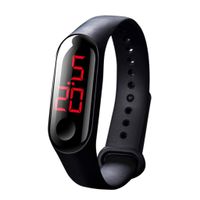
Description
Specifications
Battery:380 mAh Li-ion
Display Size:1.55 X 1.78 inch
Strap Size: 5.7 to 8 inch
language:English, French, Spanish ,Italian, German
software version: bluetooth:Version 4.0
Android:android 4.4 or higher
iOS:iOS 7.0 or higher
Package
1 x Smart watch
1 x User Manual
1 x USB Cable
1 x Screen Protector
1 x SD Card
Warm Tips
1.Charging time 1-2 hours, can work 1-2 days.
2.SD card supports up to 16G.
3.The watch only support 2G micro SIM card (GSM 850/900/1800/1900 MHz).
4.There are no Apps that are compatible with IOS Phone, and all the features are available except for notification sync,messages,remote capture,anti-lost.
5.The smartwatch APP (only for Android) download link:http://watch.qqacer.com/watch/appdown.html.
☞♥How to connect this watch to your phone?
1. Turn on the Bluetooth on both of your phone and the watch at the same time.
2. Click 'Bluetooth' button on the watch, then click 'Search new device' button, and click "ok".
3. Find your phone and click 'Pair' button on the watch, please click 'Yes' button.
4.Now you have paired your phone with the watch, and the Bluetooth will connects automatically.When a Bluetooth pairing request appears on your phone, please click the box for "Allow your smart watch to access your contacts and call history", then click 'PAIR' button on your phone. After that you already have paired your phone with the watch.
☞♥Lastly, set your phone by the following steps:
1.to enable the Bluetooth service by Setting-Accessibility-Bluetooth Service(Notice), when shown warning notice please choose "sure" .
2. click 'Bluetooth Service' then click 'Notification Service',after that in 'Notify Application' to select the applications that you need
3. now you can use the smart watch receive notifications.
Battery:380 mAh Li-ion
Display Size:1.55 X 1.78 inch
Strap Size: 5.7 to 8 inch
language:English, French, Spanish ,Italian, German
software version: bluetooth:Version 4.0
Android:android 4.4 or higher
iOS:iOS 7.0 or higher
Package
1 x Smart watch
1 x User Manual
1 x USB Cable
1 x Screen Protector
1 x SD Card
Warm Tips
1.Charging time 1-2 hours, can work 1-2 days.
2.SD card supports up to 16G.
3.The watch only support 2G micro SIM card (GSM 850/900/1800/1900 MHz).
4.There are no Apps that are compatible with IOS Phone, and all the features are available except for notification sync,messages,remote capture,anti-lost.
5.The smartwatch APP (only for Android) download link:http://watch.qqacer.com/watch/appdown.html.
☞♥How to connect this watch to your phone?
1. Turn on the Bluetooth on both of your phone and the watch at the same time.
2. Click 'Bluetooth' button on the watch, then click 'Search new device' button, and click "ok".
3. Find your phone and click 'Pair' button on the watch, please click 'Yes' button.
4.Now you have paired your phone with the watch, and the Bluetooth will connects automatically.When a Bluetooth pairing request appears on your phone, please click the box for "Allow your smart watch to access your contacts and call history", then click 'PAIR' button on your phone. After that you already have paired your phone with the watch.
☞♥Lastly, set your phone by the following steps:
1.to enable the Bluetooth service by Setting-Accessibility-Bluetooth Service(Notice), when shown warning notice please choose "sure" .
2. click 'Bluetooth Service' then click 'Notification Service',after that in 'Notify Application' to select the applications that you need
3. now you can use the smart watch receive notifications.
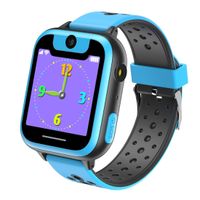
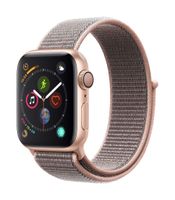
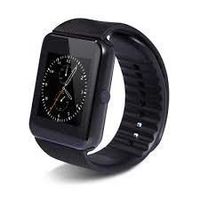
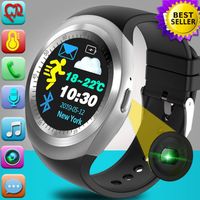
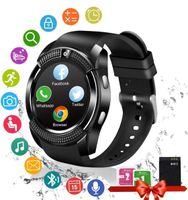
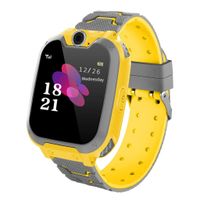
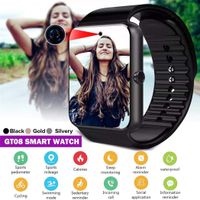
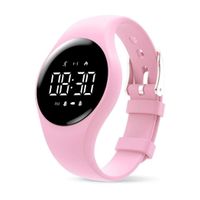
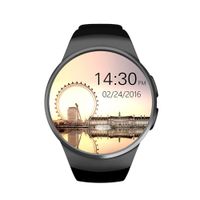
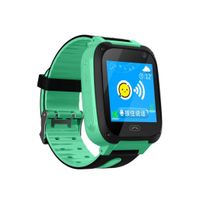
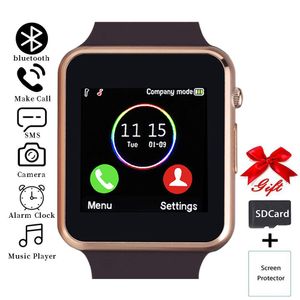
Smart Watch,Touchscreen Smartwatch Phone with Call Text Music Player Camera Notification Sync Smart Watches Compatible with Android and iOS (Partial Functions) for Women Men Kids (Gold-Brown)
Price is below average
Current Price
$19.99
Average
$20.52
Min Price
$18.99
Max Price
$22.59
Price dynamics
3%
Description
Specifications
Battery:380 mAh Li-ion
Display Size:1.55 X 1.78 inch
Strap Size: 5.7 to 8 inch
language:English, French, Spanish ,Italian, German
software version: bluetooth:Version 4.0
Android:android 4.4 or higher
iOS:iOS 7.0 or higher
Package
1 x Smart watch
1 x User Manual
1 x USB Cable
1 x Screen Protector
1 x SD Card
Warm Tips
1.Charging time 1-2 hours, can work 1-2 days.
2.SD card supports up to 16G.
3.The watch only support 2G micro SIM card (GSM 850/900/1800/1900 MHz).
4.There are no Apps that are compatible with IOS Phone, and all the features are available except for notification sync,messages,remote capture,anti-lost.
5.The smartwatch APP (only for Android) download link:http://watch.qqacer.com/watch/appdown.html.
☞♥How to connect this watch to your phone?
1. Turn on the Bluetooth on both of your phone and the watch at the same time.
2. Click 'Bluetooth' button on the watch, then click 'Search new device' button, and click "ok".
3. Find your phone and click 'Pair' button on the watch, please click 'Yes' button.
4.Now you have paired your phone with the watch, and the Bluetooth will connects automatically.When a Bluetooth pairing request appears on your phone, please click the box for "Allow your smart watch to access your contacts and call history", then click 'PAIR' button on your phone. After that you already have paired your phone with the watch.
☞♥Lastly, set your phone by the following steps:
1.to enable the Bluetooth service by Setting-Accessibility-Bluetooth Service(Notice), when shown warning notice please choose "sure" .
2. click 'Bluetooth Service' then click 'Notification Service',after that in 'Notify Application' to select the applications that you need
3. now you can use the smart watch receive notifications.
Battery:380 mAh Li-ion
Display Size:1.55 X 1.78 inch
Strap Size: 5.7 to 8 inch
language:English, French, Spanish ,Italian, German
software version: bluetooth:Version 4.0
Android:android 4.4 or higher
iOS:iOS 7.0 or higher
Package
1 x Smart watch
1 x User Manual
1 x USB Cable
1 x Screen Protector
1 x SD Card
Warm Tips
1.Charging time 1-2 hours, can work 1-2 days.
2.SD card supports up to 16G.
3.The watch only support 2G micro SIM card (GSM 850/900/1800/1900 MHz).
4.There are no Apps that are compatible with IOS Phone, and all the features are available except for notification sync,messages,remote capture,anti-lost.
5.The smartwatch APP (only for Android) download link:http://watch.qqacer.com/watch/appdown.html.
☞♥How to connect this watch to your phone?
1. Turn on the Bluetooth on both of your phone and the watch at the same time.
2. Click 'Bluetooth' button on the watch, then click 'Search new device' button, and click "ok".
3. Find your phone and click 'Pair' button on the watch, please click 'Yes' button.
4.Now you have paired your phone with the watch, and the Bluetooth will connects automatically.When a Bluetooth pairing request appears on your phone, please click the box for "Allow your smart watch to access your contacts and call history", then click 'PAIR' button on your phone. After that you already have paired your phone with the watch.
☞♥Lastly, set your phone by the following steps:
1.to enable the Bluetooth service by Setting-Accessibility-Bluetooth Service(Notice), when shown warning notice please choose "sure" .
2. click 'Bluetooth Service' then click 'Notification Service',after that in 'Notify Application' to select the applications that you need
3. now you can use the smart watch receive notifications.
Price will be lower
in next 2 weeks
in next 2 weeks
According to the data, price will be lower in next two weeks, so not waste your money and track better price!
Similar products