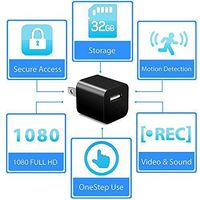
➤How to use:
*Android mobile phone searches for the APK named HDMiniCam in Gooble play, and the Apple mobile phone searches for the APP named HDMiniCam in APPStore, download and install.
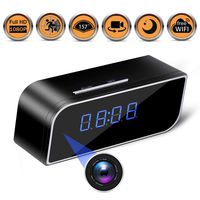
*Open the battery cover, install the battery, press the power button, and the clock will display 00:00 after power on.
*Turn on the wifi on your phone,Connect to the wifi of this item, a long string of characters on the QR code of this item wifi, connect to the wifi of this item and exit, then open the HDMiniCam por APP, this product starts working,
Note: The built-in wifi of this item is only used in the HDMiniCam por APP and cannot be used elsewhere.
*The clock will sync with your phone after into the "HDMiniCam" app . Can take pictures, video, turn off the clock display....
*IPCamera---Setup---Advanced configuration---WiFi connection configuration, you can choose WiFi network, you can live-stream and remotely watching your live room from anywhere
②Notes:
* This item does not need to be set up after connecting to the phone, because the time of this item and the phone are synchronized.
* The built-in wifi of this item is only used in the HDMiniCam por APP and cannot be used elsewhere.
* When you can't connect the built-in wifi of the product, you need to remove the battery, re-install the battery and turn it on, then connect to wifi, the connection time of the built-in wifi takes about 1 minute.
*The string is the SSID name of the device and the UID number of the device (that is, the user number, the number of each device is unique). Select and connect the device. For first use, the device does not have a connection password.
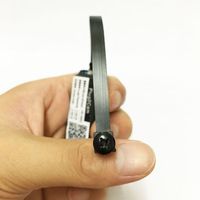
*If the image is not clear,Remove the protective film on the lens and rotate the lens of the camera to get a clear image.
➤Package content:
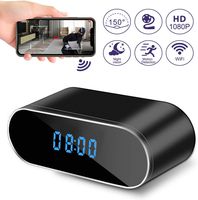
*Alarm clock
*Power cable
*Battery
*PVC lens *2
*Quick Start Guide
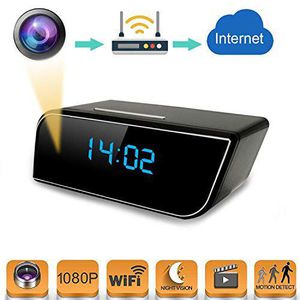
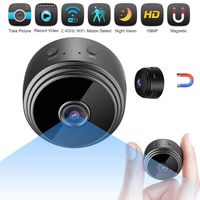
Spy Camera Mini WiFi Hidden Camera with Alarm Clock,Baby Monitor,HD 1080P Security Surveillance Cameras Nanny Cam with Motion Detection,Video Recording/Remote Monitoring with iOS/Android App
➤How to use:
*Android mobile phone searches for the APK named HDMiniCam in Gooble play, and the Apple mobile phone searches for the APP named HDMiniCam in APPStore, download and install.
*Open the battery cover, install the battery, press the power button, and the clock will display 00:00 after power on.
*Turn on the wifi on your phone,Connect to the wifi of this item, a long string of characters on the QR code of this item wifi, connect to the wifi of this item and exit, then open the HDMiniCam por APP, this product starts working,
Note: The built-in wifi of this item is only used in the HDMiniCam por APP and cannot be used elsewhere.
*The clock will sync with your phone after into the "HDMiniCam" app . Can take pictures, video, turn off the clock display....
*IPCamera---Setup---Advanced configuration---WiFi connection configuration, you can choose WiFi network, you can live-stream and remotely watching your live room from anywhere
②Notes:
* This item does not need to be set up after connecting to the phone, because the time of this item and the phone are synchronized.
* The built-in wifi of this item is only used in the HDMiniCam por APP and cannot be used elsewhere.
* When you can't connect the built-in wifi of the product, you need to remove the battery, re-install the battery and turn it on, then connect to wifi, the connection time of the built-in wifi takes about 1 minute.
*The string is the SSID name of the device and the UID number of the device (that is, the user number, the number of each device is unique). Select and connect the device. For first use, the device does not have a connection password.
*If the image is not clear,Remove the protective film on the lens and rotate the lens of the camera to get a clear image.
➤Package content:
*Alarm clock
*Power cable
*Battery
*PVC lens *2
*Quick Start Guide
in next 2 weeks