Description
Are you worried about home security?
And are you worried about someone is going to through your drawers?
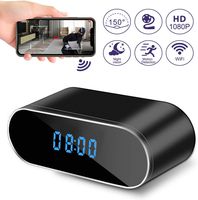
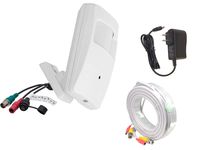
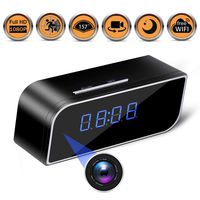
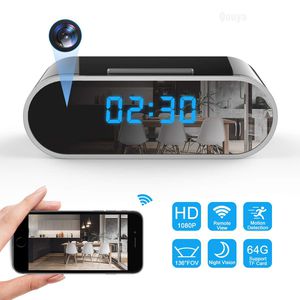
Choose this clock camera, you will see your home from anywhere in the world.
How to Connect it to Wi-Fi:
*Mode 1 - Camera Signal Connection
Step1: Scan the qr code to download our App
Step2: Connect your phone to the camera's WIFI hotspot.No password needed, just click and connect.
Step3: Open the APP, you will see your camera successfully added. Then you can see live video in the app.
*Mode 2 - Wifi Connection
(Important: Please remember that you need to finish mode 1, then you can start mode 2.)
Step 4: Open the APP now, locate setting icon - Device Settings - WiFi Config, then you will see a WIFI list in the APP. Choose your WIFI and enter password.
Step 5: Wait till camera gets back online in a few seconds. If not, close the APP and reopen it. If still nothing, then repeat all the steps above.
Features of Clock Camera:
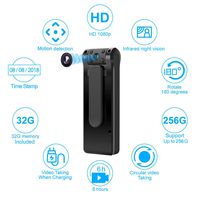
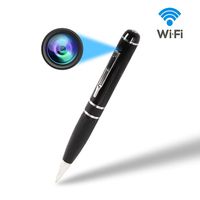
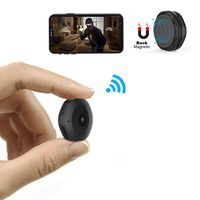
●Easy to Hide WiFi Camera
●136° Wide Angle Lens
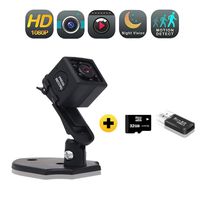
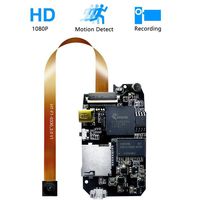
●1080P/720P/480P High Resolution
●12pcs LED IR Lights for Night Vision
●Support Motion Detection / Loop Recording
●Suppoert Android, IOS, Ipad and Windows
●Removable 2200mAH Battery,Working time 4 hours
●Support 64GB Micro SD Card (1GB for about 6 hours)
Warm Tips:
1. Pls to check whether you connect your 2.4Ghz home wifi, this camera only works on 2.4Ghz wifi, not 5G.
2. If you need to reset it, please wait 2 minutes after turn on, and then reset it.
3. The camera supports loop recording, we suggest you timely file, prevent video files from being overwritten.
4. We've prepared the professional and detailed user manual in the package, you can find all the instructions there.
Anything makes you unsatisfied, please contact our email: ymstech@outlook.com . Our customer service team will reply to you ASAP.
And are you worried about someone is going to through your drawers?
Choose this clock camera, you will see your home from anywhere in the world.
How to Connect it to Wi-Fi:
*Mode 1 - Camera Signal Connection
Step1: Scan the qr code to download our App
Step2: Connect your phone to the camera's WIFI hotspot.No password needed, just click and connect.
Step3: Open the APP, you will see your camera successfully added. Then you can see live video in the app.
*Mode 2 - Wifi Connection
(Important: Please remember that you need to finish mode 1, then you can start mode 2.)
Step 4: Open the APP now, locate setting icon - Device Settings - WiFi Config, then you will see a WIFI list in the APP. Choose your WIFI and enter password.
Step 5: Wait till camera gets back online in a few seconds. If not, close the APP and reopen it. If still nothing, then repeat all the steps above.
Features of Clock Camera:
●Easy to Hide WiFi Camera
●136° Wide Angle Lens
●1080P/720P/480P High Resolution
●12pcs LED IR Lights for Night Vision
●Support Motion Detection / Loop Recording
●Suppoert Android, IOS, Ipad and Windows
●Removable 2200mAH Battery,Working time 4 hours
●Support 64GB Micro SD Card (1GB for about 6 hours)
Warm Tips:
1. Pls to check whether you connect your 2.4Ghz home wifi, this camera only works on 2.4Ghz wifi, not 5G.
2. If you need to reset it, please wait 2 minutes after turn on, and then reset it.
3. The camera supports loop recording, we suggest you timely file, prevent video files from being overwritten.
4. We've prepared the professional and detailed user manual in the package, you can find all the instructions there.
Anything makes you unsatisfied, please contact our email: ymstech@outlook.com . Our customer service team will reply to you ASAP.
Spy Camera Wireless Hidden Camera WiFi Camera 1080P HD Hidden Clock Camera Small Nanny Cam Indoor Home Security Camera 136 Degrees Wide Angle Spy Cam with Night Vision/Motion Detection/Remote Viewing
Current Price
$57.99
Average
$56.78
Min Price
$50.99
Max Price
$61.99
Price dynamics
2%
Description
Are you worried about home security?
And are you worried about someone is going to through your drawers?
Choose this clock camera, you will see your home from anywhere in the world.
How to Connect it to Wi-Fi:
*Mode 1 - Camera Signal Connection
Step1: Scan the qr code to download our App
Step2: Connect your phone to the camera's WIFI hotspot.No password needed, just click and connect.
Step3: Open the APP, you will see your camera successfully added. Then you can see live video in the app.
*Mode 2 - Wifi Connection
(Important: Please remember that you need to finish mode 1, then you can start mode 2.)
Step 4: Open the APP now, locate setting icon - Device Settings - WiFi Config, then you will see a WIFI list in the APP. Choose your WIFI and enter password.
Step 5: Wait till camera gets back online in a few seconds. If not, close the APP and reopen it. If still nothing, then repeat all the steps above.
Features of Clock Camera:
●Easy to Hide WiFi Camera
●136° Wide Angle Lens
●1080P/720P/480P High Resolution
●12pcs LED IR Lights for Night Vision
●Support Motion Detection / Loop Recording
●Suppoert Android, IOS, Ipad and Windows
●Removable 2200mAH Battery,Working time 4 hours
●Support 64GB Micro SD Card (1GB for about 6 hours)
Warm Tips:
1. Pls to check whether you connect your 2.4Ghz home wifi, this camera only works on 2.4Ghz wifi, not 5G.
2. If you need to reset it, please wait 2 minutes after turn on, and then reset it.
3. The camera supports loop recording, we suggest you timely file, prevent video files from being overwritten.
4. We've prepared the professional and detailed user manual in the package, you can find all the instructions there.
Anything makes you unsatisfied, please contact our email: ymstech@outlook.com . Our customer service team will reply to you ASAP.
And are you worried about someone is going to through your drawers?
Choose this clock camera, you will see your home from anywhere in the world.
How to Connect it to Wi-Fi:
*Mode 1 - Camera Signal Connection
Step1: Scan the qr code to download our App
Step2: Connect your phone to the camera's WIFI hotspot.No password needed, just click and connect.
Step3: Open the APP, you will see your camera successfully added. Then you can see live video in the app.
*Mode 2 - Wifi Connection
(Important: Please remember that you need to finish mode 1, then you can start mode 2.)
Step 4: Open the APP now, locate setting icon - Device Settings - WiFi Config, then you will see a WIFI list in the APP. Choose your WIFI and enter password.
Step 5: Wait till camera gets back online in a few seconds. If not, close the APP and reopen it. If still nothing, then repeat all the steps above.
Features of Clock Camera:
●Easy to Hide WiFi Camera
●136° Wide Angle Lens
●1080P/720P/480P High Resolution
●12pcs LED IR Lights for Night Vision
●Support Motion Detection / Loop Recording
●Suppoert Android, IOS, Ipad and Windows
●Removable 2200mAH Battery,Working time 4 hours
●Support 64GB Micro SD Card (1GB for about 6 hours)
Warm Tips:
1. Pls to check whether you connect your 2.4Ghz home wifi, this camera only works on 2.4Ghz wifi, not 5G.
2. If you need to reset it, please wait 2 minutes after turn on, and then reset it.
3. The camera supports loop recording, we suggest you timely file, prevent video files from being overwritten.
4. We've prepared the professional and detailed user manual in the package, you can find all the instructions there.
Anything makes you unsatisfied, please contact our email: ymstech@outlook.com . Our customer service team will reply to you ASAP.
Price will be lower
in next 2 weeks
in next 2 weeks
According to the data, price will be lower in next two weeks, so not waste your money and track better price!
Product review & video
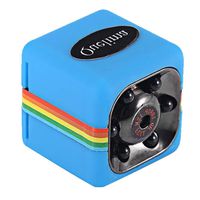
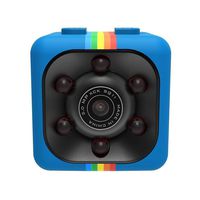
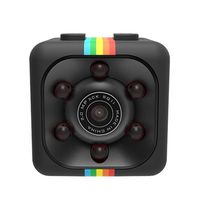
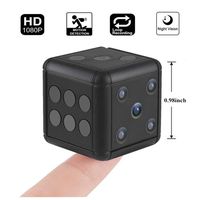
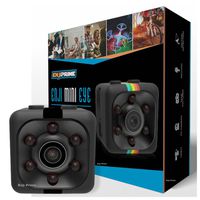
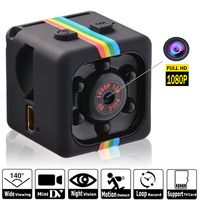
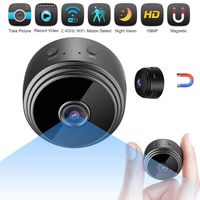
hey guys welcome back to another video today we're gonna be looking at a very tiny camera so they call this a sports camera but it is more like a spy camera so let's check this thing out so it comes in this pack here that looks pretty simple so here is some of the features it can do it is a 1080p so supposed to be pretty good quality here are some of the information about it and here are the specifications alright guys so let's open it up and see what it looks like it definitely looks promising all right so we have instruction user manual and here it is guys this thing is tiny okay so it's definitely smaller than I thought it was gonna be it's a very small cube look at my thumb and the camera so yeah that's pretty young person a little let us see okay so we get some kind of clips here I guess these are mounts okay so that I camera mounts on here so you can clip it onto something and the


Similar products