Description
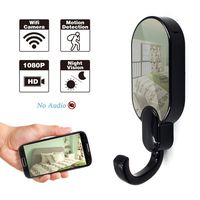
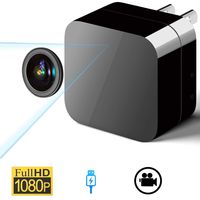
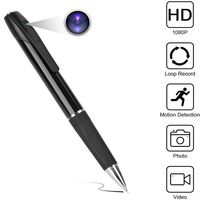
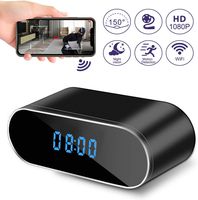
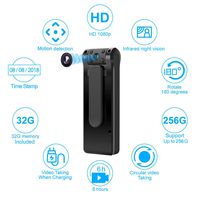
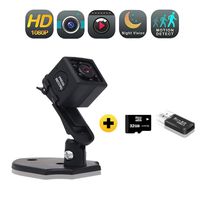
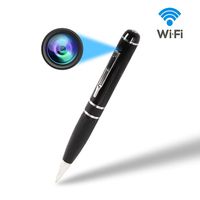
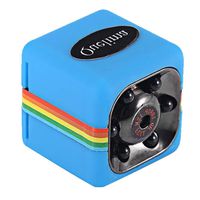
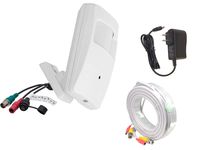
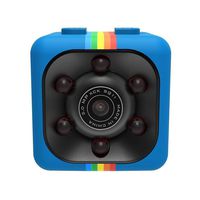
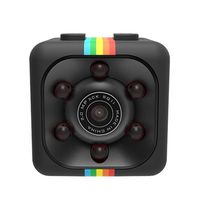
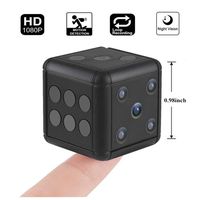
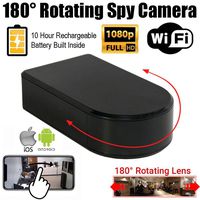
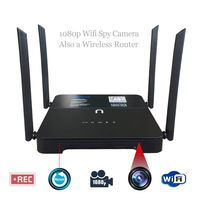
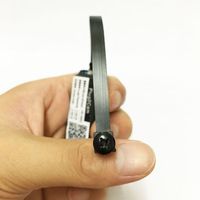
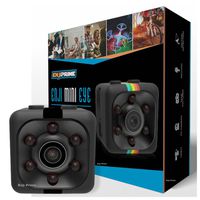
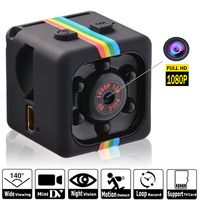
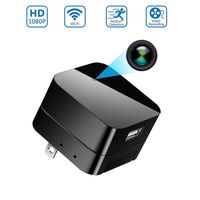
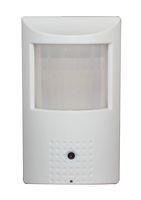
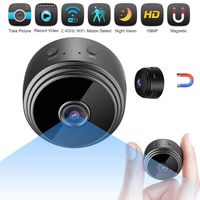
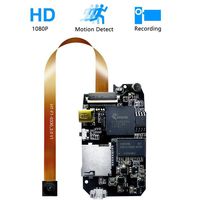
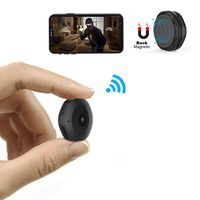
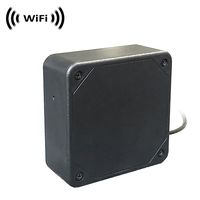
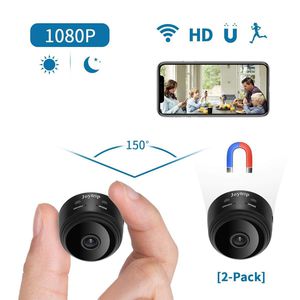
Mini Hidden Camera Wifi HD 1080P Mini Spy Camera Wireless Hidden Wifi, Nanny Cameras and Hidden Cameras with Cell Phone App/Night Vision/Motion Detection for Home
Feature:
●Wifi Network: Only for 2.4Ghz, not for 5Ghz
●Resolution Ratio: 1080P/720P/640P/480P
●Video Format: AVI
●Frame Number: 30
●Motion Detection Distance: Straight Line 6 Meters
●Minimal Illumination: 1 LUX
●Compressed Format: H.264
●Recording Range: 5㎡
●Consumption: 240MA/3.7V
●Operating Temperature: -10-60 Degree Centigrade
●Memory Card Type: TF Card (Max support 128G)
●Mobile Phone Operating System: Android/iOS
●Largest Customer: 4
Quick Set Up:
Mode 1 - Point-to-point Mode.
●Step 1: Download the APP.
●Step 2: Locate camera's hotspot(the machine UID on the back of the camera) in WiFi list on your phone and connect it to your phone. No password needed.
●Step 3: Open the APP, click the add device button and then click Add new online camera. You will see your camera successfully added. Then return to the homepage and you can see live video in the app. Mode 2 - Remote Connection Mode.
●Step 4: On the APP's online camera home page, please click the "Setting" button.
●Step 5: Click the "Advance Config", and then click the "WiFi config".
●Step 6: Select the WiFi signal that you want to access, and input your password.
●Step 7: Click the "OK" button, and then it's done. You can see the green light is always on.
Notice:
The Iphone IOS system search App "HDMiniCam" mentioned in our manual has been upgraded to "HDMiniCam pro"; and Android system, Still search name "HDMinicam".
Package included:
●1 x Mini Spy Camera
●1 x Normal USB Charging Cable
●1 x Flexible Charging Cable
●1 x Magnetic Bracket
●1 x Magnetic Sheet
●1 x Card Reader
●1 x User Manual
Feature:
●Wifi Network: Only for 2.4Ghz, not for 5Ghz
●Resolution Ratio: 1080P/720P/640P/480P
●Video Format: AVI
●Frame Number: 30
●Motion Detection Distance: Straight Line 6 Meters
●Minimal Illumination: 1 LUX
●Compressed Format: H.264
●Recording Range: 5㎡
●Consumption: 240MA/3.7V
●Operating Temperature: -10-60 Degree Centigrade
●Memory Card Type: TF Card (Max support 128G)
●Mobile Phone Operating System: Android/iOS
●Largest Customer: 4
Quick Set Up:
Mode 1 - Point-to-point Mode.
●Step 1: Download the APP.
●Step 2: Locate camera's hotspot(the machine UID on the back of the camera) in WiFi list on your phone and connect it to your phone. No password needed.
●Step 3: Open the APP, click the add device button and then click Add new online camera. You will see your camera successfully added. Then return to the homepage and you can see live video in the app. Mode 2 - Remote Connection Mode.
●Step 4: On the APP's online camera home page, please click the "Setting" button.
●Step 5: Click the "Advance Config", and then click the "WiFi config".
●Step 6: Select the WiFi signal that you want to access, and input your password.
●Step 7: Click the "OK" button, and then it's done. You can see the green light is always on.
Notice:
The Iphone IOS system search App "HDMiniCam" mentioned in our manual has been upgraded to "HDMiniCam pro"; and Android system, Still search name "HDMinicam".
Package included:
●1 x Mini Spy Camera
●1 x Normal USB Charging Cable
●1 x Flexible Charging Cable
●1 x Magnetic Bracket
●1 x Magnetic Sheet
●1 x Card Reader
●1 x User Manual
Spy Camera Wireless Hidden WiFi HD 1080P Small Nanny Cams Indoor Home Security Motion Detection Nigh Vision Remote View by Android/iOS (2pack)
Current Price
$79.99
Average
$79.99
Min Price
$79.99
Max Price
$79.99
Price dynamics
0%
Description
Mini Hidden Camera Wifi HD 1080P Mini Spy Camera Wireless Hidden Wifi, Nanny Cameras and Hidden Cameras with Cell Phone App/Night Vision/Motion Detection for Home
Feature:
●Wifi Network: Only for 2.4Ghz, not for 5Ghz
●Resolution Ratio: 1080P/720P/640P/480P
●Video Format: AVI
●Frame Number: 30
●Motion Detection Distance: Straight Line 6 Meters
●Minimal Illumination: 1 LUX
●Compressed Format: H.264
●Recording Range: 5㎡
●Consumption: 240MA/3.7V
●Operating Temperature: -10-60 Degree Centigrade
●Memory Card Type: TF Card (Max support 128G)
●Mobile Phone Operating System: Android/iOS
●Largest Customer: 4
Quick Set Up:
Mode 1 - Point-to-point Mode.
●Step 1: Download the APP.
●Step 2: Locate camera's hotspot(the machine UID on the back of the camera) in WiFi list on your phone and connect it to your phone. No password needed.
●Step 3: Open the APP, click the add device button and then click Add new online camera. You will see your camera successfully added. Then return to the homepage and you can see live video in the app. Mode 2 - Remote Connection Mode.
●Step 4: On the APP's online camera home page, please click the "Setting" button.
●Step 5: Click the "Advance Config", and then click the "WiFi config".
●Step 6: Select the WiFi signal that you want to access, and input your password.
●Step 7: Click the "OK" button, and then it's done. You can see the green light is always on.
Notice:
The Iphone IOS system search App "HDMiniCam" mentioned in our manual has been upgraded to "HDMiniCam pro"; and Android system, Still search name "HDMinicam".
Package included:
●1 x Mini Spy Camera
●1 x Normal USB Charging Cable
●1 x Flexible Charging Cable
●1 x Magnetic Bracket
●1 x Magnetic Sheet
●1 x Card Reader
●1 x User Manual
Feature:
●Wifi Network: Only for 2.4Ghz, not for 5Ghz
●Resolution Ratio: 1080P/720P/640P/480P
●Video Format: AVI
●Frame Number: 30
●Motion Detection Distance: Straight Line 6 Meters
●Minimal Illumination: 1 LUX
●Compressed Format: H.264
●Recording Range: 5㎡
●Consumption: 240MA/3.7V
●Operating Temperature: -10-60 Degree Centigrade
●Memory Card Type: TF Card (Max support 128G)
●Mobile Phone Operating System: Android/iOS
●Largest Customer: 4
Quick Set Up:
Mode 1 - Point-to-point Mode.
●Step 1: Download the APP.
●Step 2: Locate camera's hotspot(the machine UID on the back of the camera) in WiFi list on your phone and connect it to your phone. No password needed.
●Step 3: Open the APP, click the add device button and then click Add new online camera. You will see your camera successfully added. Then return to the homepage and you can see live video in the app. Mode 2 - Remote Connection Mode.
●Step 4: On the APP's online camera home page, please click the "Setting" button.
●Step 5: Click the "Advance Config", and then click the "WiFi config".
●Step 6: Select the WiFi signal that you want to access, and input your password.
●Step 7: Click the "OK" button, and then it's done. You can see the green light is always on.
Notice:
The Iphone IOS system search App "HDMiniCam" mentioned in our manual has been upgraded to "HDMiniCam pro"; and Android system, Still search name "HDMinicam".
Package included:
●1 x Mini Spy Camera
●1 x Normal USB Charging Cable
●1 x Flexible Charging Cable
●1 x Magnetic Bracket
●1 x Magnetic Sheet
●1 x Card Reader
●1 x User Manual
Price will be lower
in next 2 weeks
in next 2 weeks
According to the data, price will be lower in next two weeks, so not waste your money and track better price!
Similar products