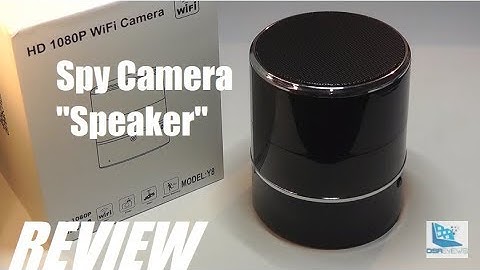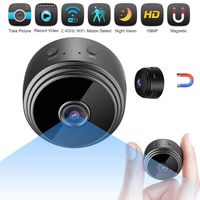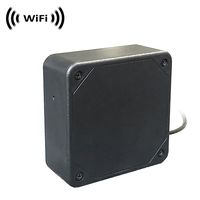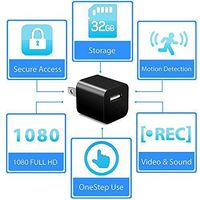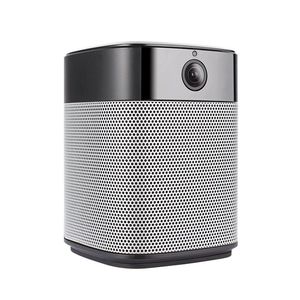
StartVision Wifi security camera and bluetooth speaker
Here is a video to help you how to setup the item. Please visit ( https://youtu.be/klzjn6hy8CA )
Friendly and intuitive App
Download the mobile App "HiCam" from App store or Google play and add the home security camera and bluetooth speaker to the App.
Sensitive touch control
Switch the language of the system by clicking the play/pause button twice.
Easy to switch between your two options of how to play the speakers( Bluetooth Mode, Micro SD card). This home security camera with Micro SD card slot(max 256G supported, not included in the box). The simple touch system at the top allows you to Play, Pause, or Skip your music at your leisure. Adjust the volume in style with the top ring of the bluetooth speaker. Clockwise rotation to increase the volume and counter-clockwise to decrease the volume.
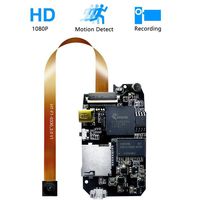
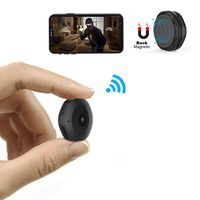
Important tips before use
The wireless camera is available to 2.4GHz Wifi band, 5Ghz currently is not supported. Please select 2.4GHz wifi on your phones and make sure your phones connect with 2.4GHz wifi band before connecting.
How to use:
1.Power on
Makes sure that the item is powered on. Turn on the power source button at the back of the item.
2.Reset the security camera
There is a tiny hole at the back of the item, press the button in the hole for about three seconds with a needle, then wait for about ten seconds.
3.Configuration Wifi and connect
Input the Wifi name and password on the "HiCam" App that the camera you want to connect to. After you reset the camera, then please click "next " on the App.
What's in the package:
1*2 in1 security camera and bluetooth speaker
1*USB power adapter
1*Charging cable
1*User manual
1*Needle
StartVision Security IP Camera, 1080P Wifi Hidden Camera with Motion Detection Night Vision and Two Way Audio, Wireless Bluetooth Speaker with Stereo Surround Sound Enhanced Bass
StartVision Wifi security camera and bluetooth speaker
Here is a video to help you how to setup the item. Please visit ( https://youtu.be/klzjn6hy8CA )
Friendly and intuitive App
Download the mobile App "HiCam" from App store or Google play and add the home security camera and bluetooth speaker to the App.
Sensitive touch control
Switch the language of the system by clicking the play/pause button twice.
Easy to switch between your two options of how to play the speakers( Bluetooth Mode, Micro SD card). This home security camera with Micro SD card slot(max 256G supported, not included in the box). The simple touch system at the top allows you to Play, Pause, or Skip your music at your leisure. Adjust the volume in style with the top ring of the bluetooth speaker. Clockwise rotation to increase the volume and counter-clockwise to decrease the volume.
Important tips before use
The wireless camera is available to 2.4GHz Wifi band, 5Ghz currently is not supported. Please select 2.4GHz wifi on your phones and make sure your phones connect with 2.4GHz wifi band before connecting.
How to use:
1.Power on
Makes sure that the item is powered on. Turn on the power source button at the back of the item.
2.Reset the security camera
There is a tiny hole at the back of the item, press the button in the hole for about three seconds with a needle, then wait for about ten seconds.
3.Configuration Wifi and connect
Input the Wifi name and password on the "HiCam" App that the camera you want to connect to. After you reset the camera, then please click "next " on the App.
What's in the package:
1*2 in1 security camera and bluetooth speaker
1*USB power adapter
1*Charging cable
1*User manual
1*Needle
in next 2 weeks