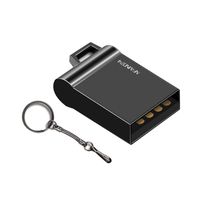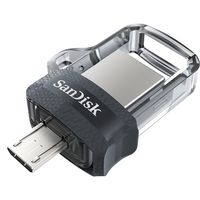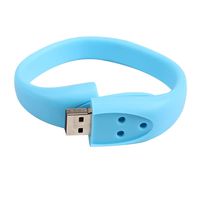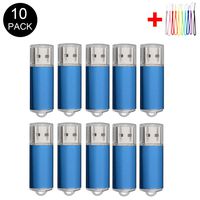
Description
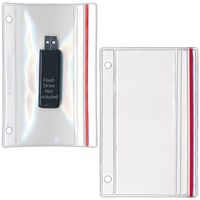
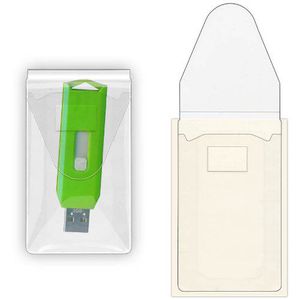
How many times have you unthinkingly tossed a flash drive onto your desk, into your bag, or into your vehicle's cup holder? (Bonus points if it was missing its cap.) Too many times, we're guessing! We tend to treat flash drives roughly, when our precious data demands loving care. Instead of exposing your flash drives to dust, dirt, and the elements, protect them with one of StoreSMART's Peel & Stick Single Flash Drive Holders with Resealable Flaps. Each 1 3/4" x 3 3/16" holder features a crystal clear polypropylene front and a clear adhesive back. The aggressive adhesive will stick pretty much anywhere, allowing you to appoint storage locations for your most important drives, while the weatherproof flap will keep out dust and dirt. Start playing it safe with your flash drives, and stop worrying about the potential loss of your files! Note: Drive not included. Product Features: Front crafted of crystal clear light weight polypropylene Clear back coated with an aggressive peel and stick adhesive. Open on the short side with 2 1/4" resealable tapered flap to keep out dirt. Overall size: 2" x 3 7/16" Inside capacity: 1 3/4" x 3 3/16" Suggestions for Use: Businesses: Do employees require shared access to a flash drive? Use one of our pockets to mount it in a centralized location. Legal firms: Use them to store and share legal transcription data. Homeowners: To protect sensitive information, such as health and financial records, transfer your files to a flash drive and stick them in a place where they can't be easily found (such as the back of your desk or the ceiling of your closet). Educators: Stick our pockets on the inside covers of binders, folders, or other educational materials to help your students remain organized.
StoreSMART - USB Flash Drive Holders- Peel & Stick Strip & Resealable Flap - 25-Pack - TL10252-25
Price is below average
Current Price
$24.25
Average
$27.19
Min Price
$22.25
Max Price
$29.75
Price dynamics
11%
Description
How many times have you unthinkingly tossed a flash drive onto your desk, into your bag, or into your vehicle's cup holder? (Bonus points if it was missing its cap.) Too many times, we're guessing! We tend to treat flash drives roughly, when our precious data demands loving care. Instead of exposing your flash drives to dust, dirt, and the elements, protect them with one of StoreSMART's Peel & Stick Single Flash Drive Holders with Resealable Flaps. Each 1 3/4" x 3 3/16" holder features a crystal clear polypropylene front and a clear adhesive back. The aggressive adhesive will stick pretty much anywhere, allowing you to appoint storage locations for your most important drives, while the weatherproof flap will keep out dust and dirt. Start playing it safe with your flash drives, and stop worrying about the potential loss of your files! Note: Drive not included. Product Features: Front crafted of crystal clear light weight polypropylene Clear back coated with an aggressive peel and stick adhesive. Open on the short side with 2 1/4" resealable tapered flap to keep out dirt. Overall size: 2" x 3 7/16" Inside capacity: 1 3/4" x 3 3/16" Suggestions for Use: Businesses: Do employees require shared access to a flash drive? Use one of our pockets to mount it in a centralized location. Legal firms: Use them to store and share legal transcription data. Homeowners: To protect sensitive information, such as health and financial records, transfer your files to a flash drive and stick them in a place where they can't be easily found (such as the back of your desk or the ceiling of your closet). Educators: Stick our pockets on the inside covers of binders, folders, or other educational materials to help your students remain organized.
Price will be lower
in next 2 weeks
in next 2 weeks
According to the data, price will be lower in next two weeks, so not waste your money and track better price!
Product review & video
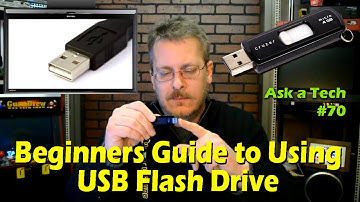
hey guys it's steve on the guru brew we're going to get into some questions and answers today this one's vernon transfer from photo gallery to flash drive steve i'm 75 years old and i need your help i'm paraphrasing because it's quite long but uh they got a new computer and they're trying to transfer their photos which is on a windows vista machine using a flash drive and they're not quite getting it they're not uh let's see trying to figure out why they can't copy certain files i guess anyway um i did a a video on flash drives and how to use them for the beginner and i'll put a link up here and who knows maybe that's how you found me i've noticed that there's quite a few people that still don't know how to use a flash drive so i'm going to go ahead and basically just answer this question again and and maybe there'll be some some little thing in there that i say that will light up a lig

Similar products