Description
Features:
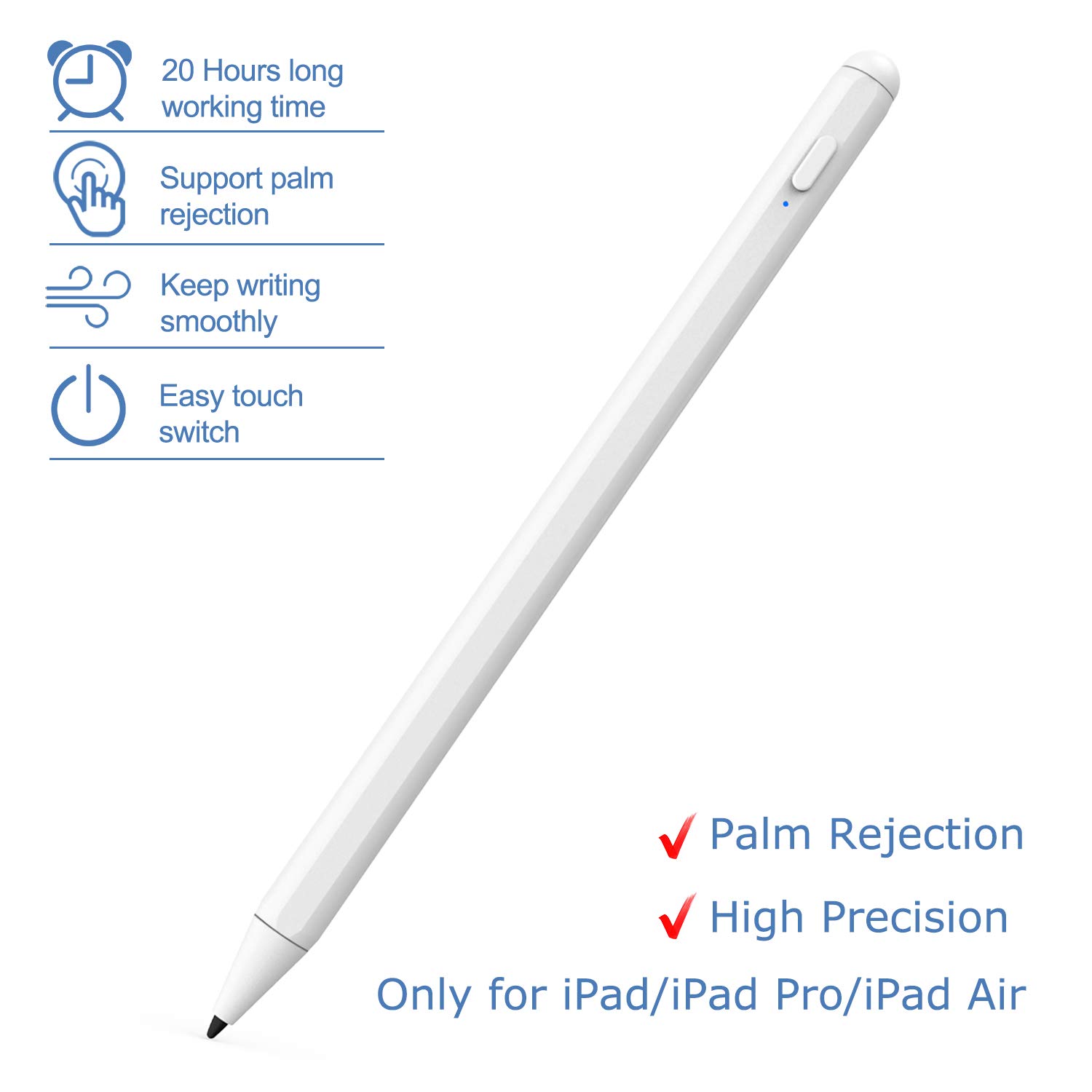
1. Rechargeable Stylus Pen: With USB-C Charge port and built-in battery provides 20 hours active use and 30 days standby time for only 1.5 hours charging.
2. Support Palm Rejection: You can rest your palm on the screen while writing or drawing and it won't register as a mark, so you can use it just like a pad of paper. Get rid of the uncomfortable stylus glove.
3. Easy to Use: No APP or Bluetooth needed, just touch the power button to start.
NOTE:
①If the stylus or finger cannot write, please follow these steps to set your iPad or iPad Pro:
Settings--->Apple Pencil--->Turn off the Apple pencil
If you want to write in "Notes", please Settings---> Notes--->Turn off "Only Draw with Apple Pencil"
② Cannot be used for switching apps.
③ Only support the 2018 & 2019 Apple iPad/ iPad Pro/ iPad Air. Not support Android, iPhone, iPad before 2018 (Such as: iPad pro 9.7, 10.5). Please confirm before purchase
SPECIAL FOR IPAD 2018-2019 VERSIONS
The 2nd Gen Stylus Pen is special for iPad 2018 models or above:
iPad 2018(6th gen) A1893 / A1954;
iPad Air ( 3rd gen) A2152 A2153 A2154 A2123
iPad mini (5rd gen) A2124 A2125 A2126 A2133
iPad Pro 11 inches A1980/A2013/A1934/A1979
iPad Pro 12.9 inches A1876/A2014/A1895/A1983
NOTICE:Not work for ealier versions of ipad,iphone,android,microsoft devices
Not work for iPad pro1st&2nd , ipad pro 10.5", ipad pro9.7"
Wor for Apps:
Writing: GoodNotes, UPAD3, Noteshelf, Notes Plus, Notability, etc.
Drawing: ArtRage, Procreate, Sketches, Paper, SketchBook, ArtStudio, Zen Brush, etc.
1. Rechargeable Stylus Pen: With USB-C Charge port and built-in battery provides 20 hours active use and 30 days standby time for only 1.5 hours charging.
2. Support Palm Rejection: You can rest your palm on the screen while writing or drawing and it won't register as a mark, so you can use it just like a pad of paper. Get rid of the uncomfortable stylus glove.
3. Easy to Use: No APP or Bluetooth needed, just touch the power button to start.
NOTE:
①If the stylus or finger cannot write, please follow these steps to set your iPad or iPad Pro:
Settings--->Apple Pencil--->Turn off the Apple pencil
If you want to write in "Notes", please Settings---> Notes--->Turn off "Only Draw with Apple Pencil"
② Cannot be used for switching apps.
③ Only support the 2018 & 2019 Apple iPad/ iPad Pro/ iPad Air. Not support Android, iPhone, iPad before 2018 (Such as: iPad pro 9.7, 10.5). Please confirm before purchase
SPECIAL FOR IPAD 2018-2019 VERSIONS
The 2nd Gen Stylus Pen is special for iPad 2018 models or above:
iPad 2018(6th gen) A1893 / A1954;
iPad Air ( 3rd gen) A2152 A2153 A2154 A2123
iPad mini (5rd gen) A2124 A2125 A2126 A2133
iPad Pro 11 inches A1980/A2013/A1934/A1979
iPad Pro 12.9 inches A1876/A2014/A1895/A1983
NOTICE:Not work for ealier versions of ipad,iphone,android,microsoft devices
Not work for iPad pro1st&2nd , ipad pro 10.5", ipad pro9.7"
Wor for Apps:
Writing: GoodNotes, UPAD3, Noteshelf, Notes Plus, Notability, etc.
Drawing: ArtRage, Procreate, Sketches, Paper, SketchBook, ArtStudio, Zen Brush, etc.
Stylus Pen for iPad with Palm Rejection Rechargeable Touch Switch iPad Stylus High Precise iPad Pencil for Drawing & Writing on iPad,White
Price is below average
Current Price
$29.99
Average
$33.99
Min Price
$29.99
Max Price
$39.99
Price dynamics
12%
Description
Features:
1. Rechargeable Stylus Pen: With USB-C Charge port and built-in battery provides 20 hours active use and 30 days standby time for only 1.5 hours charging.
2. Support Palm Rejection: You can rest your palm on the screen while writing or drawing and it won't register as a mark, so you can use it just like a pad of paper. Get rid of the uncomfortable stylus glove.
3. Easy to Use: No APP or Bluetooth needed, just touch the power button to start.
NOTE:
①If the stylus or finger cannot write, please follow these steps to set your iPad or iPad Pro:
Settings--->Apple Pencil--->Turn off the Apple pencil
If you want to write in "Notes", please Settings---> Notes--->Turn off "Only Draw with Apple Pencil"
② Cannot be used for switching apps.
③ Only support the 2018 & 2019 Apple iPad/ iPad Pro/ iPad Air. Not support Android, iPhone, iPad before 2018 (Such as: iPad pro 9.7, 10.5). Please confirm before purchase
SPECIAL FOR IPAD 2018-2019 VERSIONS
The 2nd Gen Stylus Pen is special for iPad 2018 models or above:
iPad 2018(6th gen) A1893 / A1954;
iPad Air ( 3rd gen) A2152 A2153 A2154 A2123
iPad mini (5rd gen) A2124 A2125 A2126 A2133
iPad Pro 11 inches A1980/A2013/A1934/A1979
iPad Pro 12.9 inches A1876/A2014/A1895/A1983
NOTICE:Not work for ealier versions of ipad,iphone,android,microsoft devices
Not work for iPad pro1st&2nd , ipad pro 10.5", ipad pro9.7"
Wor for Apps:
Writing: GoodNotes, UPAD3, Noteshelf, Notes Plus, Notability, etc.
Drawing: ArtRage, Procreate, Sketches, Paper, SketchBook, ArtStudio, Zen Brush, etc.
1. Rechargeable Stylus Pen: With USB-C Charge port and built-in battery provides 20 hours active use and 30 days standby time for only 1.5 hours charging.
2. Support Palm Rejection: You can rest your palm on the screen while writing or drawing and it won't register as a mark, so you can use it just like a pad of paper. Get rid of the uncomfortable stylus glove.
3. Easy to Use: No APP or Bluetooth needed, just touch the power button to start.
NOTE:
①If the stylus or finger cannot write, please follow these steps to set your iPad or iPad Pro:
Settings--->Apple Pencil--->Turn off the Apple pencil
If you want to write in "Notes", please Settings---> Notes--->Turn off "Only Draw with Apple Pencil"
② Cannot be used for switching apps.
③ Only support the 2018 & 2019 Apple iPad/ iPad Pro/ iPad Air. Not support Android, iPhone, iPad before 2018 (Such as: iPad pro 9.7, 10.5). Please confirm before purchase
SPECIAL FOR IPAD 2018-2019 VERSIONS
The 2nd Gen Stylus Pen is special for iPad 2018 models or above:
iPad 2018(6th gen) A1893 / A1954;
iPad Air ( 3rd gen) A2152 A2153 A2154 A2123
iPad mini (5rd gen) A2124 A2125 A2126 A2133
iPad Pro 11 inches A1980/A2013/A1934/A1979
iPad Pro 12.9 inches A1876/A2014/A1895/A1983
NOTICE:Not work for ealier versions of ipad,iphone,android,microsoft devices
Not work for iPad pro1st&2nd , ipad pro 10.5", ipad pro9.7"
Wor for Apps:
Writing: GoodNotes, UPAD3, Noteshelf, Notes Plus, Notability, etc.
Drawing: ArtRage, Procreate, Sketches, Paper, SketchBook, ArtStudio, Zen Brush, etc.
Price will be lower
in next 2 weeks
in next 2 weeks
According to the data, price will be lower in next two weeks, so not waste your money and track better price!
Product review & video
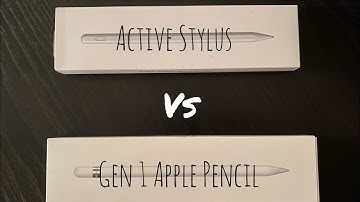
[Music] - what's going on okay so you see I have an Apple pencil here but that is not what this video is about today I am going to unbox this alternative cheaper stylus pen active stylus pen - Apple pencil I mean looks good feels good haven't used it but I opened it to see what it looks like so first we're gonna see what its compatible with pretty much the same thing that the other well the regular Apple pencil is compatible with I'm using the generation one I can't really speak for the generation - Apple pencil but this kinda sorta looks like it and it even is magnetic and will attach to the iPad pros so let's open it and let's take it out of the nice little plastic sheath thingy thing give it an overlooked physical power button one piece no removable cap quite sure the tip is replaceable so I also noticed there's a little hole here so let's go ahead and get the rest we have a USB litt


Similar products